

SanDisk 1TB Portable SSD – Up to 800MB/s, USB-C, USB 3.2 Gen 2, Updated Firmware – External Solid State Drive – SDSSDE30-1T00-G26
$78.99
Related Products


![[2-Pack] USB C Wall Charger,50W 5-Port PD Fast USB C Charging Block,2USB C+3USB A Multiport Plug,Type C Power Adapter Brick Cube for iPhone 17/16/15/14/13/12/Pro Max/XS,iPad,for Switch,Samsung,Ultra 2](https://simplysystems.co/wp-content/uploads/2025/11/71wfX0AdoL._AC_SL1500_.jpg)


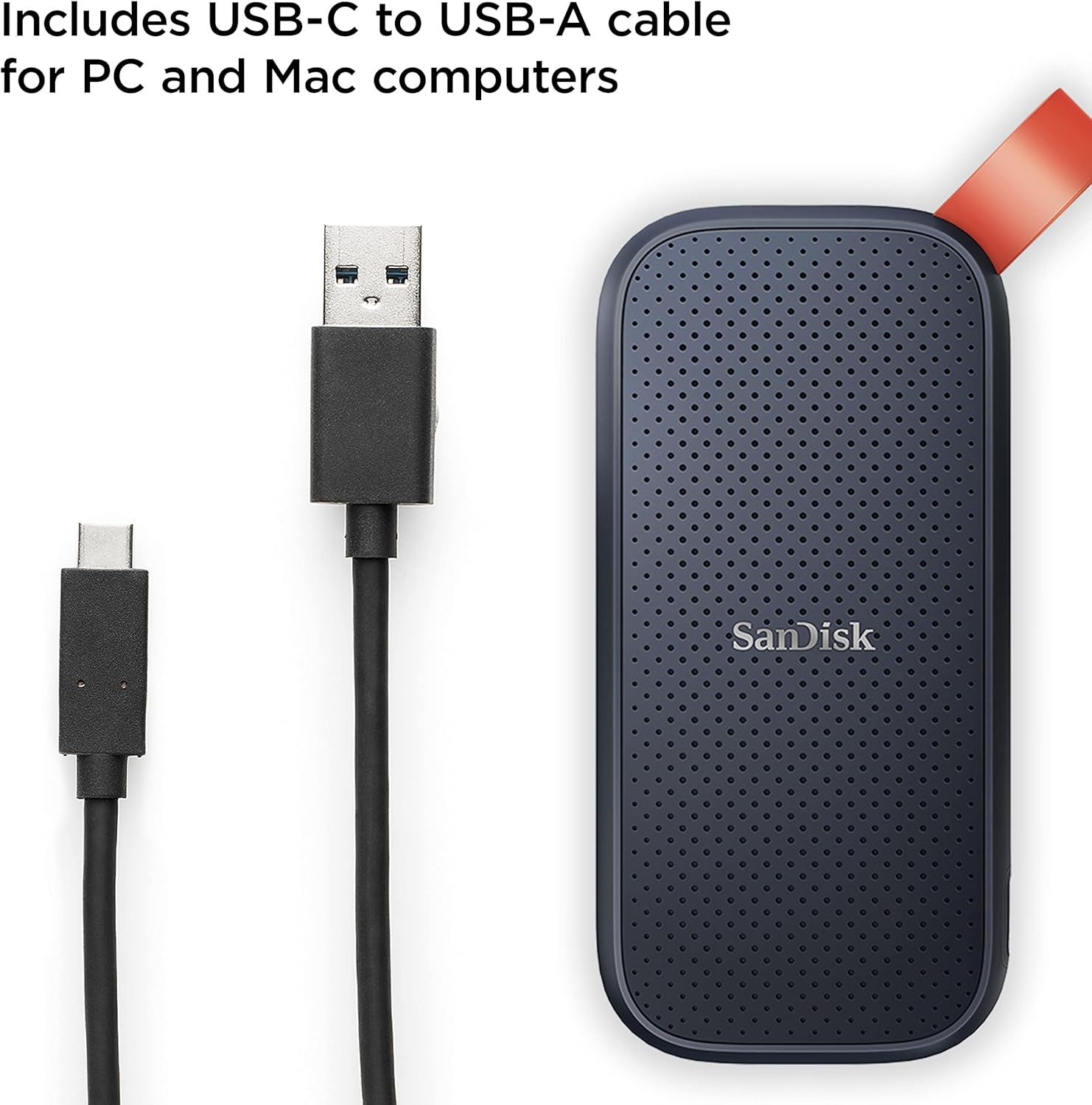


With the SanDisk Portable SSD featuring up to 800MB/s read speeds you can store your content and memories on a fast drive that fits seamlessly into your mobile lifestyle. Up to two-meter drop protection plus a tough rubber hook for securing the drive give you the peace of mind to take it with you wherever,whenever. From a brand trusted by professional photographers, the SanDisk Portable SSD provides fast solid-state performance in a rugged but affordable storage solution. (Write speeds lower. Based on internal testing; performance may be lower depending on host device, interface, usage conditions and other factors.1MB=1,000,000 bytes.)
Solid state performance with up to 800MB/s read speeds in a portable drive. (Based on internal testing; performance may be lower depending on host device, interface, usage conditions and other factors. 1MB=1,000,000 bytes.)
Back up your content and memories on a storage solution that fits seamlessly into your mobile lifestyle.
Take it with you on your adventures—up to two-meter drop protection means this durable drive can take a beating. (Based on internal testing.)
Secure it to your belt loop or backpack for extra peace of mind thanks to the tough rubber hook.
From SanDisk, a brand professional photographers trust to take on assignments.
13 reviews for SanDisk 1TB Portable SSD – Up to 800MB/s, USB-C, USB 3.2 Gen 2, Updated Firmware – External Solid State Drive – SDSSDE30-1T00-G26
Add a review

$78.99
Andrew T. Wilson –
Use the factory USB-A to USB-C cable!
Some of the one-star reviews complain they did not get anything close to the stated 800MB/sec read speed. When mine arrived I fired up Crystal DiskMark 9 and did my own science project. First, I ran the SanDisk from my Asus ProArt 13 with a high-quality USB-C to USB-C cable (Anker). Results were indeed pathetic — 49MB/sec read speed. I was ready to write a flaming one-star review myself! Then I re-ran the test using the supplied USB-A to USB-C cable. I wasn’t expecting a big difference; I was actually expecting slower results. After all, everyone knows USB-C is faster than USB-A, right? Well, the numbers did not think so — the USB-A cable was good for reading 900+ MB/sec! Commensurate speed ups in write speed, too.The several lessons here: (1) never assume; (2) hold on to that factory USB-A to -C cable! It’s not very often you can get an 18X speedup in a piece of hardware just by switching cables.
Javier Alexis Hernandez Hernandez –
Muy buena utilidad y excelente marca
Producto excelente!!! Sirve para el día a día y su almacenamiento te permite dejar todo a salvo
CS –
This is a great choice for great price
I am really pleased with the SanDisk 1 TB Portable SSD. It’s so small that I can put it in any pocket, or slide it in any small space. It’s portable, compact, and efficient. I recommend this!
Excelente producto –
Bueno
De buena calidad, tal como lo que describe y ofrece la publicación. Recomendado, el cable que viene es de tipo C hacia el disco y tipo A hacia la otra punta
Brian Lev –
Impressively Small & Fast, Comes with Useless “Bonus” Software
TL:DR: Very fast, very small & portable, seems trustworthy, will likely buy again — but with a concern-inducing install procedure and utterly useless included security software.I’ve used SanDisk cards on & off in several cameras over the years, so when my backup drive died & took a couple of years worth of Time Machine backups with it, the 2TB SanDisk external SSD looked like a good step forward. It’s impressively small, and while the cable is a tad shorter than I like it’s still plenty long for basic everyday use. I did have to put an adapter on the end (standard USB to mini-USB for my MacBook Pro) but I’ve had to do that with a *lot* of devices so… no big deal. (Just keep the need for an adapter in mind if you’re buying this product.)The disk mounted almost immediately when I plugged it in, and I could do all the read/write/delete operations I’d expect to normally do. I opened the .dmg file to install the SanDisk Security app and had not problems… Until I ran that software and it kept telling me “Attach a supported SanDisk drive.” I then opened the “SanDiskSecureAccess” folder and instead of disk images found a pair of PDFs. I opened the one referencing MacOS downloads, read the short instructions, and clicked the “Ready to Download” link — and Safari opened a page on the SanDisk website that stated, “Not available. This answer is no longer available.” I tried searching on the website but finally gave up after confusing and/or hardware-only results.I then opened Time Machine on my Mac, then decided to rename the SanDisk drive (until now mounting as “External SSD”). The rename failed several times with the warning that the chosen name was either too long or had the wrong characters; it finally succeeded when I used just 10 letters, no blanks or other characters. I then went to add it to Time Machine and MacOS told me I had to reformat the disk because it was in an incompatible format. I copied all the files on it to a folder on my laptop and did the reformat, which completed in just a few seconds.By this time I had some misgivings but decided to push ahead (and am now glad I did). I restarted my MacBook Pro just to clean stray “stuff” out of memory, then tried the SanDisk Security program one more time — same results, it can’t see the new drive. I then went into Time Machine, told it to use the new drive as backup (not encrypted), and let it run — and about an hour later I had a full backup of the entire file system (appropriate, since it was the first-ever backup for this drive and my main drive only has about 180GB left free out of 1TB storage space).Since then, I’ve had multiple automatic hourly backups and three manually-triggered backups run successfully and quickly, glitch-free. I’m going to uninstall the SanDisk Secure Access app (it’s useless, but at least an uninstaller is included) and make sure I label the new drive properly. I’m likely to buy another one or two over the next year (one for photos and one for podcast files) because my external archive drive is old enough to be of concern… So I’m calling this one a 95% win, deducting one star for all the oddness of the prep, need to reformat, and over 30MB of wasted space for the useless security software.
Chowder101 –
a good portable drive
Good drive
Kindle Customer –
My new product
Great product and a low price delivered on time.
Amazon_Goonie –
Buy at your own risk (IF you have a PC in the home, you’re good.)
I currently have a 500GB Samsung drive which I have used for years with zero issue. I am an editor and have assets in excess of 1.5 TB. I looked into pricing and this was the most affordable. Many 2TB+ HD are in the hundreds. This drive was cost effective for me.Once I got it, I began transferring files to it. All the while, examining and taking inventory of what assets I had. This was transitions, audio, video and special FX. This took me 4 days and I wasn’t finished when the unthinkable happened. In fact, was about 75% done.I ejected the Samsung with zero issue. When I ejected the SanDisk, it gave an error that it was in the process of doing something. I waited. Tried again. Same error. I didn’t have time for this so I removed it manually. (Note: I have done this in the past as I’m sure anyone who reads this has done, without any issue.)I digress. I plugged it back in. Nothing. Restarted my Mac. Nothing. Plugged in my other drive. It was found. Looked in Apple Configurator. Nothing. I looked on-line for what people did. One reviewer on here said that they had to hook it up to a PC and do a repair. My wife is a PC person, thank god! Plugged it in and after about 10 min, it said no error found and was good to go. When I plugged it into my Mac, it was found as if there was never an issue in the first place.I will use this drive, but in the meantime I will be on the lookout for a more robust and trustworthy drive. Even if I have to pay $1000. It would be more reliable than this.I have tens of thousands of assets on it. I cannot let it die on me and lose all my files! Granted, I can redownload them and do the process all over again. But I’m not getting paid to do that!*** If you’re a Mac user, make sure you have a PC to link it up to, so you can do a repair on it.**I do not know if the same applies for Windows Parallel.Before typing this I removed the drive by ejecting it. As I was typing this, I got an alert stating it was not ejected properly.
Jacques Anatole Xavier Ramos –
Trata-se de um HD SSD externo muito bom e rápido. Pequeno e fácil de transportar em case pra HD SSD, embora infelizmente ela não venha com o HD.
Mary Lee –
The SanDisk 2TB Extreme Portable Solid State Drive is a top-notch option for fast, reliable storage on the go. Its impressive data transfer speeds make it ideal for handling large files, and the USB Type-C Thunderbolt connection allows for smooth, lag-free gaming. Built to last, the drive’s rugged design ensures durability through daily wear and tear. Overall, the SanDisk 2TB Extreme Portable SSD is highly recommended for anyone seeking high-performance portable storage.
SM –
サイズが小さいのでPCに簡単に付け変えHDDとは比べ物に成らないHDDも最近は小さいけど もっと小さいPCの種類に差は有ります が USB3 接続で読み書き共に早い 満足しています
Gregory Tay –
As stated in all the reviews, this is high performance ssd storage at a decent price.
Saleh –
Good