

Ruko U11S Drones with Camera for Adults 4k, Built-in Remote ID, 120° FOV, GPS Auto Return, 40 Min Flight, 5G Live Transmission, Foldable Mini FPV Quadcopter for Beginners with Follow Me, Circle Fly
$15.99
Related Products


From the brand


Charger & MicroSD Card
Beginner Drone
Advanced Drone
GPS Module & Power Station
【FAA Compliance】Ruko U11S drone complies with the FAA Declaration of Compliance, which you can check on the FAA website and will not affect the normal use of the drone. If you have any questions about FAA Remote ID, please feel free to contact the Ruko Customer Support team for assistance.
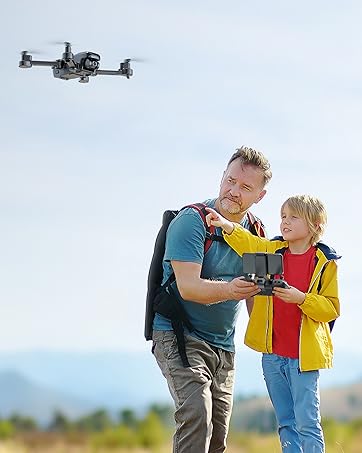
【Ideal Choice For Your First Flight】It’s an entry-level drone with all the basic features that beginners can easily use. Just enjoy playing interactive games with your family and create more precious memories freely.
【90° Adjustable & 4K UHD Camera】90° adjustable 4K camera providing a broader vision, enable to capture perfect UHD pictures and save to your phone directly to better record your precious moments.
【Fly Indoors & Outdoors】[Optical flow positioning] provides you a safer indoor flight while [GPS positioning] gives a more free and stabilized outdoor flight. They also help the drone lock the height precisely and hover stably to take better photos or videos.
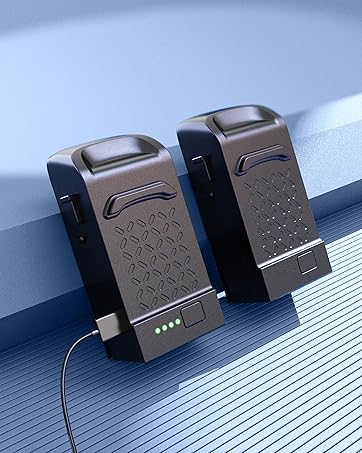
【Extend Your Flight Time】An intelligent battery provides a maximum flight time of 20 minutes. An extra battery extends the flight time to 40 mins (2*20 mins), doubles your practice time!
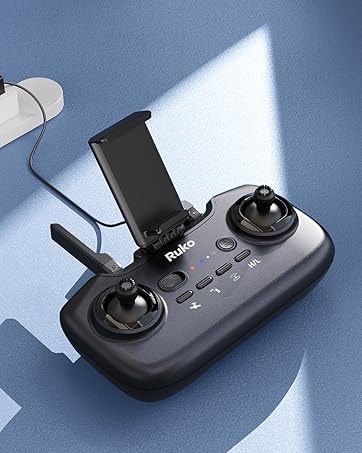
【Beginners Friendly Transmitter】The transmitter can be charged directly, which saves you more time by not having to replace the battery like others. The one-key functions on it are also super easy to operate.
【Perfect Travel Companion】The camera drone can be folded to carry, and its size like a mobile phone makes it lighter and safer than many others. You can take it to anywhere and record all the wonderful moments.
【Charging Reminder】For optimal charging performance, please use the Ruko charger. Please avoid using chargers designed for other devices. Please avoid using chargers with an output higher than 12V.
【Usage Tips】1. WiFi appears only after the drone and remote controller are linked. It is recommended to finish the connection between the phone and WiFi before entering the RUKO GPS APP. 2. If in an environment with many WiFi, it may be difficult to refresh. 3. If WiFi is disconnected, you can turn on the flight mode of the phone and turn off the VPN. 4. If WiFi is disconnected, it may be caused by surrounding signal interference or obstacles blocking the signal (it is normal to disconnect WiFi signal when flying far and in a complex environment). It is recommended to choose an open environment to fly the drone.
7 reviews for Ruko U11S Drones with Camera for Adults 4k, Built-in Remote ID, 120° FOV, GPS Auto Return, 40 Min Flight, 5G Live Transmission, Foldable Mini FPV Quadcopter for Beginners with Follow Me, Circle Fly
Add a review

$15.99
AMZ PRO –
Everything you want in an affordable GPS drone. Great features & quality, excellent value!
The Short Story:This is a great drone, at a great price point. It has all the features you would expect. It’s foldable, compact, and sturdy with a high build quality. GPS features such as return to home and follow-me work well. It’s easy to fly, responsive to controls, stable hovering, batteries last up to 30 mins each (possibly more), and it handles wind reasonably well. It has a decent camera which you can pivot from 0-90 degrees via remote which is great. You can find package deals on Amazon that include an extra battery and spare propellers.It might not be a top-of-the-line DJI Air, but for less than $300 I’d argue you are getting more bang for your buck with the F11 if you are just a casual hobbyist drone pilot.————————————-Warning – Long read below:This is my fourth drone overall. The first three were all the same model – HS110D by Holy Stone. That was a fantastic entry-level toy drone for less than $80, but after a few months of learning how to fly I was ready to step up to a more intermediate level model.What I was looking for in a new drone: more stability and wind resistance, GPS and related features, longer battery life, and an upgraded camera. So pretty much all the stuff you don’t get with a $65 toy drone like the HS110D. After a month or so of comparison shopping on Amazon and YouTube I eventually pulled the trigger on the Ruko F11 Pro. It checked all of the boxes. I wanted to stay at or around $200 but all of the competing models at that price pount were missing one or more of my main criteria, and/or did not fare well in Amazon or YouTube reviews. Battery life was a common compromise for GPS drones under $200. The F11 lasts up to 30 mins per flight which is the best in its class (and it actually lasts longer if you don’t record video or use FPV).The F11 Pro comes in a nice, compact, well-organized carrying case. The foam insert has precise cutouts for the drone itself, the controller, a spare battery, and replacement parts. It also has a zipper compartment for any other small items you want to carry. The drone is of great build quality and feels sturdy, it also looks quite nice. The foldable arms feel sturdy, and it takes a little bit of effort to slide them in/out and lock them into position which is great. The user manual is thorough and easy to read and understand – which can be hit or miss with other Chinese drone manufacturers. I had already watched several YouTube videos on the F11 so the manual was more of a refresher and I was ready to take it out for a flight within minutes after the first battery fully charged.Calibration is easy – spinning the drone around one rotation horizontally and once vertically. I’ve read in a few reviews and in the Q&A that the compass always needs to be calibrated for each flight (which sounds annoying) – but this is not my experience. I have been launching it only from my yard so far, and I rarely re-calibrate. Initiating operations such as compass and gyro calibration, motor stop/start is done by moving the thumb sticks simultaneously in a specific direction. For example, hold them both down and in at the same time to start the motors. The controller is pretty cool – very simple layout, four status LED lights, has fold out antennas, hand grips, and smart phone holder. The phone holder is a bit on the small side; I couldn’t fit my Galaxy Note 10 without removing my bulky case first. I purchased a slimmer case and now it fits fine, but not much extra space.The SJ GPS PRO app is pretty good. Before launching it you need to connect to the Drone’s Wifi network. It will tell you that the internet is not available – this is fine, since you just need it to connect to the drone. Once you launch the app, select the F11 pro from the drop-down and hit the ‘controls’ button to take you to the FPV/controls screen where it will display what the drone’s camera is seeing. There are several on-screen controls you can use, such as selecting follow-me mode, return to home, etc., and also status info such as drone/controller battery life, as well as height and distance in meters. The settings gear icon will take you to the flight restrictions screen. This is where you can turn beginner mode on/off and change limitations on flight distance, altitude, and return home altitude. You will be in beginner mode by default until you go into the settings and turn it off. So you will notice a geo fence – when you fly more than 30 meters away or 30 meters high the drone will stop and not let you go any further. This is quite useful – I turned beginner mode off but I do keep limitations in place and only extend them if I need to, mid-flight.I have only one complaint with the app – it doesn’t blink or beep when the battery starts running low. Yes the battery indicator turns to one red bar, and in the bottom left message section it tells you ‘drone low voltage’ in small text, but it is quite easy to overlook these when you are keeping your eyes on the drone. This has contributed to my only two crashes so far; I will discuss that in a moment.Taking off is easy – you can do it by activating the motors (thumb sticks down + in) and then using the left stick to manually take off, or use the one-button takeoff/landing. It will hover about 4-5 feet high. When the drone is in GPS mode, hovering stability is pretty impressive. I’m used to my lightweight non-GPS toy drone drifting all over the place, but the F11 will hover in a 2-3 foot radius even in moderate wind which is great. That’s actually very useful if you want to put the controller down and let the drone film something from the air on it’s own – like kicking a ball around with my daughter. You’ll notice that in GPS mode the drone stops sharply when you take your thumb off the right stick. That’s because it will stick to the GPS coordinates at the very spot where you let go of the stick. In non-GPS mode the drone will continue to glide for a bit after you let go of the right stick. That can give flying a bit of a ‘sportier’ feel, but you will not have any GPS functions available to you – most importantly the return to home function.The GPS features work pretty well. Sometimes the target tracking mode takes a few attempts to lock on to the target (by drawing a rectangle in the app) or it will lose the target if it moves too fast. Follow-me works well. Return to home is probably the most important of these features – it will prevent you from losing the drone if it flies out of controller range or if you just want it to come back ASAP for any reaason. It’s pretty accurate – lands within a 5 foot radius from where it took off. One of the things I learned the hard way is that the drone will not rise to its return home elevation unless it’s flying high/far enough away AND you press the return home button. Otherwise it will just head right back to the takeoff spot. I didn’t know that, and when the battery ran low the drone just headed right back to the takeoff spot. That wouldn’t usually be a big deal, but there happened to be a tree in the way. When the drone activates low battery return home you can no longer steer it. So since it was headed right for the tree and I couldn’t control it I had to kill the motors mid-flight. It crash landed into (thankfully) a pile of leaves and twigs which broke the fall nicely. I emailed Ruko support and they got back to me the next morning explaining the the drone will not rise to return home altitude unless it is at least 20 meters away and you hit the RH button. This happened to me again a week later – I was flying the drone in my yard and didn’t notice the battery had went low. The app doesn’t blink or beep or anything to grab your attention. I had moved from the takeoff point while flying, so when the low battery return home kicked in it veered sharp right and I couldn’t control it. This time I couldn’t kill the motors in time and it crashed violently into my shed and landed hard on gravel. It sustained some superficial nicks on the body of the drone and on the propellers but after swapping in a new battery it was able to continue flying with no issue. I cringed when I saw how hard it crashed, but was glad to see that there was no real damage. So this drone is built solid and sturdy.I have gradually grown more confident in flying farther and higher, even in some wind (although I wouldn’t recommend flying in 15+ mph wind) thanks to the dependability/stability of the drone. I would not dare to fly my previous drone higher than 50 feet or farther than 200 ft since it did not have GPS and as such was not stable, especially in any wind. The F11 has a solid camera, but no gimbal or EIS. So there will be some shakiness to your video and the image will tilt when the drone tilts. You can get reasonable smooth video in very low winds and while flying it at very low speeds. The video resolution is not 4K – according to the manual only still pictures are shot in 4K, video is in 1080p when stored to micro sd card. Only 32GB cards will work – I tried my 64GB and 128GB with no luck. The recorded video is reasonably crisp for a casual hobby drone. I might opt for a step up with my next drone purchase, with a true 4K video camera and gimbal/EIS. The F11 GIM has these features and I was considering it, but ultimately the lower price and slightly better battery life on the F11 Pro won me over. You can rotate the camera from 0-90 degrees via controller which is very handy. You can’t zoom though, another feature available on higher tier drones.Flight controls are very responsive and accurate – the drone maneuvers quite well and is fairly fast and agile, especially at speed level 3. The FPV range is decent but nowhere near what they advertise, at least in my experience. I haven’t lost FPV transmission yet but it does begin to lag pretty bad when farther than say 200 meters or so. To be fair, there are trees that might be getting in the way of the FPV transmission, so I will test this out when I take it for a flight in a completely open area. The battery life is outstanding. I timed it twice: the first time I flew it high and very far away, switching between medium and high speed settings throughout the flight, while taking video the whole time. It lasted over 28 minutes. The second time I let it hover in place, and minimized the video recording and FPV – over 32 minutes! So it might get close to 35 minutes with zero recording, no FPV, and hovering in place. But for practical purposes you will get very close to 30 minutes per battery which is the best you will find at this price point, and probably even if you go $200 higher.In summary, I am very impressed and satisfied with this drone and it has surpassed my expectations. I don’t feel a need to upgrade anytime soon, and hopefully it will last at least 1-2 years. If you are looking for a beginner-intermediate level drone with the full suite of GPS features, decent camera, loooong battery life, long transmission range, solid build quality, and on the lower end of the budget spectrum then I don’t think you will be able to find a better model than the F11 Pro.
E & J –
Updated Review – Ruko F11Pro2 Drone: A Massive Upgrade from F11Mini and Outstanding Customer Service
The drone is great for beginners, but does not capture great video footage because it does not have a camera stabilization feature (gimbal) to reduce shakiness and to smooth out the video. On the other hand, picture quality is great.The reason for three stars is because I only have a 7 min flight time when recording a video. To me, that defeats the purpose. Maybe I received bad batteries, but this has been the case with both. Also, the drone says low voltage even when the battery is at 68%. When low voltage is displayed I can’t film or fly at high altitudes.Because of this, the drone does little for me other than allow me to practice flying a drone. If the battery life was better and the drone allowed me to fly and record up to a 20% battery life, I would’ve given more stars.Update: After only three uses with one of the two provided batteries, it not longer works with the drone. The drone launches and immediately it says “drone low voltage” on the screen, but the battery is showing a large percentage of battery life and the image shows a drained battery. See attached image for reference. Am dropping the rating down to 2 stars. Am hopeful the manufacturer will reach out to resolve this before I contact them. Possible update to come after speaking with customer service.UPDATE: 2 Stars to 5 StarsAfter initially leaving a review about my experience with the Ruko F11Mini, I was very surprised—pleasantly so—when Ruko’s customer service team reached out to me directly. They were professional, apologetic, and genuinely wanted to make things right. They offered me two options: either keep the F11Mini and receive a full refund, or upgrade to the F11Pro2 Drone at no additional cost. This level of proactive service was unexpected and impressive, especially since I still had the option to return the drone for a refund if I wanted.Now let’s talk about the F11Pro2 Drone—and what a difference it makes.🕹️ Remote ControlThe remote included with the F11Pro2 is a clear step up from the one that comes with the Mini. It feels solid and comfortable in hand, and I really appreciate the ability to unscrew and store the joysticks neatly in the front of the remote. Unlike the F11Mini’s lightweight, all-plastic remote that relies on WiFi and often drops connection when the drone is out of sight, the Pro2 offers a significantly better transmission range and reliability. You connect your phone directly to the remote, which means fewer interruptions in video feed and a much more stable flying experience. GPS connectivity is still present, but the Pro2 doesn’t require constant recalibration—a huge time-saver.✈️ Drone PerformanceThe F11Pro2 is larger and heavier than the Mini, so yes, you’ll need to register it with the FAA—but that process is quick (about five minutes) and costs only $5. It’s worth it. The drone is powerful, responsive, and sturdy. I even (accidentally) flew it into a bush and it bounced back like nothing happened—very impressive durability so far.📷 Camera QualityThis is where the F11Pro2 truly shines. The built-in 3-axis gimbal stabilizes the camera, and the 6K resolution provides clear, smooth, and professional-quality footage. Compared to the F11Mini, this is a night-and-day improvement. Whether you’re taking still photos or capturing video, the quality is outstanding.🔋 Battery LifeBoth the F11Mini and Pro2 advertise around 30 minutes of flight time per battery. In my experience, the F11Pro2 lives up to this claim, while the Mini fell a bit short. The batteries are similar in design, though they use different charging ports. Regardless, the Pro2 gives reliable flight time, and I’m very satisfied with the overall performance.✅ Final ThoughtsI couldn’t be happier with the Ruko F11Pro2 Drone. It checks nearly every box I had—great build quality, smooth footage, strong battery life, and intuitive controls. The only feature it’s missing is object avoidance, but honestly, that’s something I can live without given how solid everything else is.More importantly, Ruko’s customer service went above and beyond to make sure I was satisfied. That kind of care and attention is rare these days and deserves to be recognized.Highly recommended for beginners and experienced users alike who are looking for a reliable, user-friendly drone that delivers high-quality video and photo results.Keep up the great work, Ruko!(And if you’re ever looking for product testers—I’m in!)Note: This review was not part of any promotion or incentive.
WhitF –
I bought this for my partner who always wanted a drone. It is an excellent starting drone. While the controls were a little confusing at first, it is now quite easy to fly. Being a cheaper model, it doesn’t do well in slight winds or have a particular long battery life but an excellent buy nontheless.
adel44 –
تتكسر بسرعة هي جيدة نوع ماء..
K T –
my son received this as a present and absolutely loved it! the customer service is excellent and for the price of this Ruko F11, the material and look is great and system friendly to set up for a first time young user.
FATT LIM THONG –
Do not buy this lousy Ruko drone. do not worth a single cents… Cannot fly steady, always crash itself to something. the recorded video worst… I really do not know why it cost so much.. Don’t buy.. you will regret..
Bader –
الرمود يفضي خلال 5 دقايقنظام معقداغبى درون في العالم