

Lamicall Adjustable Laptop Stand, Portable Laptop Riser, Aluminum Laptop Stand for Desk Foldable, Ergonomic Computer Notebook Stand Holder for MacBook Air Pro, Dell XPS, HP (10-17.3”) – Silver
$5.99
Related Products




From the brand


NEW RELEASE
NEW RELEASE
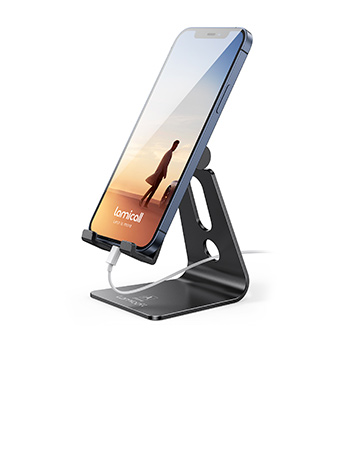
For Phone
Stand your life, hold your phone in a stable way.
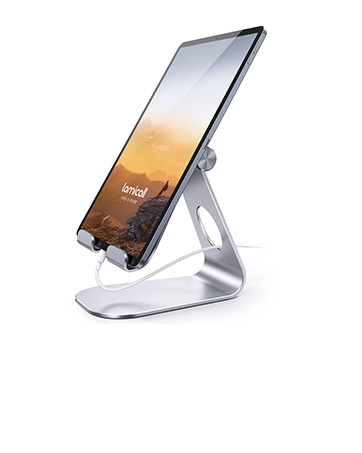
For Tablet
Working well with your tablet in the office and home.
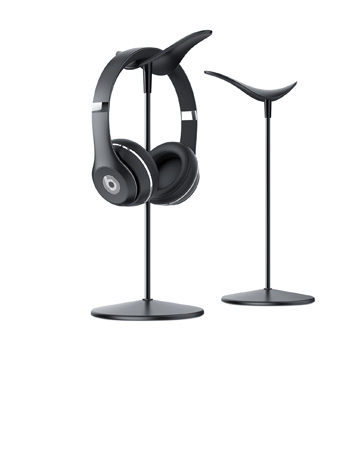
For Headphones
Your headphones get ready for you at anytime.

For Apple Watch
Stand your Apple watch for charging.
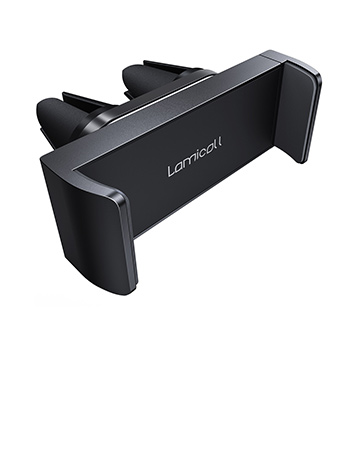
For Air Vent
Hit the road, operate with single hand.
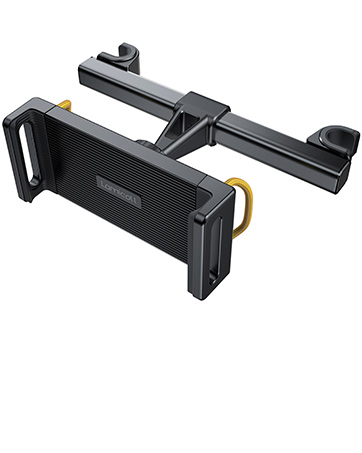
For Headrest
Bring you great fun during long car journeys.
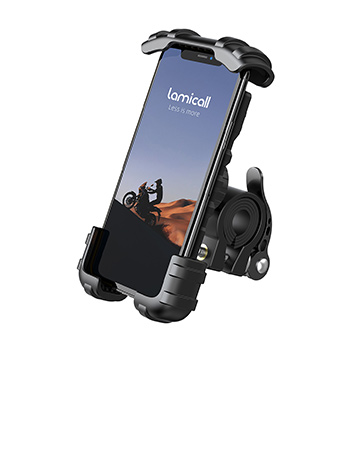
Bike Mount Series
Enjoy a free and easy riding.
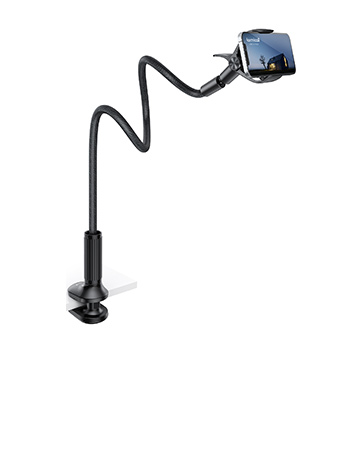
Gooseneck Series
Enjoy wonderful life with elegant posture.

Pillow Series
Offer you a cozy place to support your tablet.
Wide Compatibility: The laptop stand for desk is compatible with all laptops from 10″ up to 17.3″, including popular models like MacBook, MacBook Air, MacBook Pro, Surface Laptop, Dell XPS, Google Pixelbook, HP, ASUS, Acer, Chromebook, Alienware, etc.
Adjustable & Portable Design: The laptop riser can be easily adjusted to comfortable height and angle based on your actual need. Besides, you also can fold the laptop stand up to carry around for travel and business trips or store it in your laptop bag.
Upgrade Large Base: Made of high-quality aluminum alloy, the larger heavier base greatly improves the stability of the notebook stand. The laptop stand will never shaking, sliding and falling when you type on your laptop with this notebook holder.
Ergonomic Design: The MacBook air pro stand holder works as a raiser to elevate the laptop screen to your eye level. The office computer stand let you fix posture and relieves neck, shoulder and spinal pain, it’s very comfortable for working at home, office and outdoor, make typing more easier.
Heat Dissipation: The multiple ventilation holes offers better ventilation and more airflow to cool your laptop and prevent from overheating and crashes. Anti-skid silicone and smooth edge can protects your laptop from sliding and scratches.
13 reviews for Lamicall Adjustable Laptop Stand, Portable Laptop Riser, Aluminum Laptop Stand for Desk Foldable, Ergonomic Computer Notebook Stand Holder for MacBook Air Pro, Dell XPS, HP (10-17.3”) – Silver
Add a review

$5.99
BetosNuts –
Great value, well made, very solid and easy to adjust
Six stars if I could check the box.Very well made, looks great, and is very sturdy.I have a very expensive Asus 18″ top of the line loaded laptop sitting on top of it.It is nice and stable.Great product, I bought two so I have a spare for my office set up.
Marcy –
Great sturdy stand for the price
This is an excellent sturdy adjustable stand for the price.Only gripe so far is that it’s too strong. Very difficult to move in position. So if you are like me and will adjust frequently depending on. How you are sitting or standing, it may be annoying.If you are someone who plans to set in one place and be good then this is great for that!I love that it clears up some desk space underneath as well.Fits my 17″ computer just fine and the air flow cut outs are great.It is a little bouncy if you try to type while on the stand but nothing crazy. It doesn’t make me mess up typing, it’s something I could get use to if I planned to use it that way but I have another keyboard so it’s not an issue for me.I believe I would still buy this again because if I went with one of the ones that was easier to move, I was afraid it wouldn’t stay in position.
C. Lotte –
Perfect!
I got this laptop stand for my MacBook Air M2. I was having neck problems and the PT person I went to asked how much time I spent with my laptop. She suggested I get a laptop stand so I wouldn’t be sitting looking down, shoulders hunched, etc. I’ve been using it maybe a week now and it works great. Some folks have complained that it their notebook jiggles when they type. I tried to make it jiggle but to do that I have to reach out and bounce the computer from side to side with my hands. I’ve pounded on my desk with a fist but my notebook stays rock steady. For me jiggle will definitely not be a problem. Perhaps if I put it on a cheap card table…? Be aware that if you have a notebook you can have it positioned ideally for either typing /mouse or viewing/screen, but not both. This stand positions the monitor ideally but causes complications for me because like the touchpad, my fingerprint thingy is located on my notebook keyboard. I ended up buying Apple’s Magic Keyboard, which includes a fingerprint thingy (much more convenient than passwords!) and also an Apple mouse, which permits finger swipes as well as moving and clicking a cursor. Both use WiFi connections. And, oh yes, I also found I needed to buy “reading glasses” because the stand positioned the notebook monitor too high for the reading portion of my custom bifocals (I’m far-sighted).Next-to-Bottom line: I think/hope my posture has improved but I’m not really sure. In any event I’ve come to realize that hunching over my iPhone for hours per day probably causes more neck problems than my notebook did.Bottom line: The Lamicall is a very well built, versatile, attractive notebook stand at a good price.
D. Larson –
It’s solid
Heavier-duty and more solid than expected for the price. And the adjustments are just tight enough that you can be sure your laptop will stay just where you want it. I don’t see any downsides to this unit. Not expensive, seems well made and no reason it shouldn’t outlast any computer you put on it.I’d recommend this one.
Elizabeth A. Koch –
Nice Stand, But a Little Jiggly
Although I expected this stand to be a little jiggly, (and other reviewers have mentioned this), I can’t type on my laptop without the screen going all over the place. But I’ll solve that by getting a wireless keyboard, and that’s no big deal. My laptop is large (17.3″ screen) so the weight is probably adding to that. The main reason I got this stand is to try to reduce my neck pain. The stand solves that problem very well, and I can adjust the screen so that I can look straight ahead at it without slumping my shoulders as I have a habit of doing. It’s very stiff and hard to move the hinges, but that’s what makes it strong enough to hold the laptop without sinking down. Over all, I’m really happy with it, and once I get the keyboard, I think it’ll be a perfect solution.UPDATE 2 WEEKS LATER: I’ve changed my rating from 5 to 4 stars. As I stated before, this stand is very sturdy; the hinges are stiff, which is good as it doesn’t sink down when you don’t want it to. The problem I’m finding after a couple of weeks of use, is the two little shelves at the front that hold the computer could be larger. I have a 17.3″ Dell Inspiron, which is a large laptop and fairly heavy. I’m finding that the smallest touch on the laptop makes it slide off the stand. The laptop’s case is rounded at the edge, so it doesn’t catch well on the little shelves that hold it up. As long as I don’t touch my laptop at all, it stays in place, but the least bump makes it slide off. I don’t think there’s any stand that I’ve looked at that solves this problem, so if you have a big, heavy laptop like mine, be aware of this potential issue. I’ll make do, but it’s an issue I didn’t consider when I ordered it.
“G” –
Satisfied buyer!
Love it! Anchors well on various surfaces, works easily, lightweight making it easy to carry, adjustable and quality is super.
Shirley M. –
Sturdy and nice laptop stand
This laptop stand is very attractive, looks very nice on my desk. It is very sturdy and strong. It fits my HP laptops very well. I recommend it!
Elenor –
Great Product
Very functional, adjustable and solidly builtJust what I needed.
Sergio Hernandez –
Sinceramente me la pasé mucho tiempo buscando una base que realmente se viera de calidad para evitar que mi equipo se fuera a caer por no contar con el peso necesario o no tener una contrucción buena. Pero al ver está opción sinceramente me llamó mucho la atención y la tuve que encargar.Puedo decir que ha sido una excelente compra porque el material realmente se siente de calidad y muy estable. Siendo que sin miedo le puedes colocar una laptop de 15.6′ sin temor a que se caiga.Quizá si sea algo más costosa que otras opciones en el mercado pero yo diría que vale completamente la pena gastar ese extra para tener seguridad.Además de que ofrece cambiar el ángulo tanto en altura como en profundidad, siendo que es una característica que muchas bases no tienen. Por lo cual para mí es perfecta siendo que me permite estar varias horas en la computadora sin tener algún dolor en el cuello por una mala postura.
Hicham Mahjoubi –
ممتاز ومناسب جدا وقوي
Jackie –
As an iPad Pro and Magic Keyboard user I decided to take a chance with this and am extremely happy I did. There is just one little adjustment I would recommend…For months now—no, more like over a year—I had been using only the finest combination of non-slippy hard covered books that I didn’t have to buy, nor would have the need or urge to open, that were ever-so perfectly stacked on top of one another to provide the not-so-ideal stage and balance for my iPad Pro and Magic Keyboard—because anyone who owns this configuration knows how even the slightest hair trigger movement can cause it’s top-heavy centre of gravity to spill their favorite freshly poured beverage all over any paperwork or belongings that just so happens to be nearby (yet again…sigh)—all just in order to avoid our ever growing Lord of the Rings Gollum-like poor postures in this rapidly evolving digital age.I’ve been keeping my eye out for solutions, and there’s a ton of options. I’m certain I’ve not encountered them all. One thing’s for certain, this one is pretty darn close to perfect especially in terms of what would be the most high-value long term solution possible that would suit my needs…so, if you own an iPad Pro + Magic Keyboard it can do the following for you…iPad Pro + Magic Keyboard:Pros:-Elevates both screen and keyboard to a comfortable height and position-Tilts keyboard to ideal position for typing while holding bottom of the keyboard in place with rubber lip-Once positioned, the sturdy design and weight provides a far better centre of gravity!-PortableCons:-Will require something to put directly under keyboard/trackpad area to raise it higher towards to top end of the rubber lip so you find it more comfortable to use.-Recommend either a pen (Sharpie marker will work) directly under the keyboard/trackpad area or a large notebook.Overall:Even with adjustments, it is well worth the purchase and I would highly recommend!
Aa –
جدا ممتاز عندي تقريبا من سنه و استخدمه للمكسر
Abhilash R. –
The material is solid, I use for my Macbook Air with monitor, the height is bit higher I didn’t expect that but rest is perfect! Using this daily.