

Kwikset Home Connect 620 Smart Lock Deadbolt with Z-Wave Technology, Works with Ring Alarm, Samsung Smartthings and More, Z-Wave Hub Required, Contemporary Design in Venetian Bronze
$23.99
Related Products




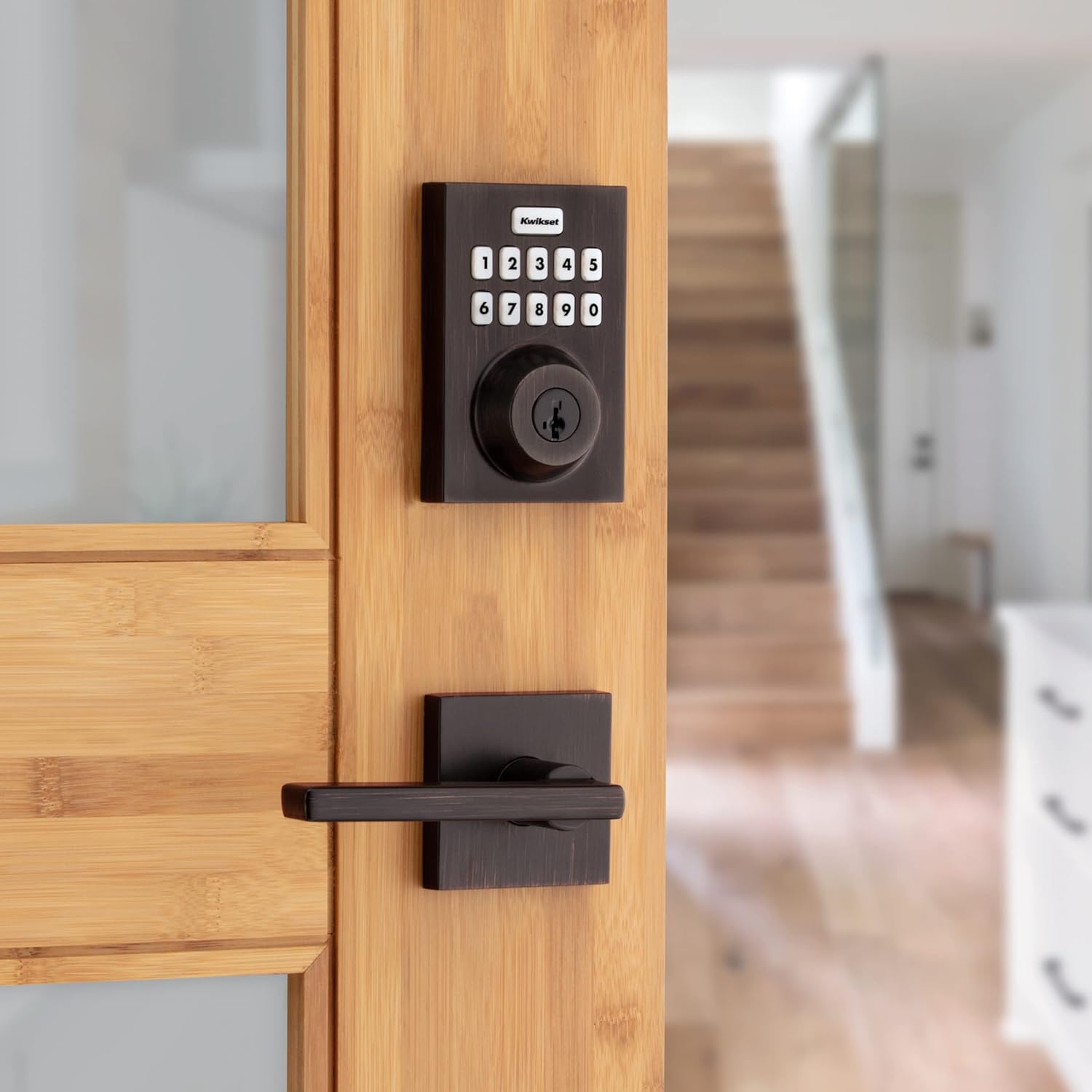


This single cylinder deadbolt can be locked or unlocked by using the keypad or key from the outside as well as the turn button from the inside. The Venetian Bronze finish is hand-rubbed to reveal unique bronze highlights and provides a rich and warm complement to the product’s style.
SECURE KEYLESS ENTRY: Fast and quiet motorized deadbolt with illuminated keypad provides keyless door entry to your home, and one-touch locking when leaving
Z-WAVE HOME CONNECT: Expand your security and home automation, lock communicates wirelessly to security and home automation systems – Z-Wave hub is required
RING ALARM COMPATIBLE: Option to control your Kwikset Home Connect 620 directly through the Ring app – Requires a Ring compatible Z-Wave hub
AUTO-LOCKING SAFETY: Setup deadbolt to automatically lock after entry or exit, pick from multiple time settings, perfect for getting in and out in a hurry
EASY INSTALL: Do it yourself, installs in minutes with just a screwdriver, fits doors between 1-3/8 inch and 1-3/4 inch thick, 4 AA batteries (included) last 12 months or longer
SMARTKEY SECURITY: Kwikset’s SmartKey security technology protects against advanced break-in techniques and allows you to re-key your lock yourself in seconds
10 reviews for Kwikset Home Connect 620 Smart Lock Deadbolt with Z-Wave Technology, Works with Ring Alarm, Samsung Smartthings and More, Z-Wave Hub Required, Contemporary Design in Venetian Bronze
Add a review

$23.99
PDP –
My first smart lock, easy to install and seems to work fine with SmartThings
Installation was a breeze, the instructions provided were pretty clear, it took me a couple once overs for some of the steps, but overall I had no struggles. I finished the installation within an hour. I pre-drilled some of the holes for the screws instead of relying the the screws themselves to tap the holes; I highly recommend this, especially for the longer screws.Adding it to my SmartThings hub was also a piece of cake, I just initiated adding a device with the SmartThings app on my phone, pressed the “A” button on the lock as shown in the manual, and then it asked me to scan the QR code on the lock itself. That was pretty much it. I can now tell SmartThings to automatically lock the door when it detects that my wife and I have both left the house.The only thing that was a little confusing during installation/setup was the “auto-handing” process that takes place the first time you put in the batteries. The lock will automatically determine if turning the knob clockwise or or counterclockwise is to lock and vice versa. It does this by automatically trying to turn it each way and figure out the results based on, I think, if it comes across resistance while turning. I don’t think it succeeded when I initially installed the batteries, but when I tried using the app to lock the door for the first time, it sounded like it automatically attempted it again, and this time, it figured out that turning counterclockwise was to lock my door. In the end it worked out, I just couldn’t really understand at what point in the installation/setup process this was meant to happen.Setting codes via the keypad was pretty easy as well, though later I found that you could also do it through the Smartthings app. I haven’t had a reason to add more than one code yet, so I haven’t actually added a code via the app but it seems possible. It also looks like you can delete codes from the app as well; but I don’t think you can delete a code via the keypad without resetting the lock. That said, the process through the app is not very intuitive; in the SmartThings app, you don’t add/delete codes through the device settings of the lock itself. There is another section in the “Life” tab of the SmartThings app that handles “Smart Lock Guest Access”. This section seems to be automatically added when you add at least one smart lock to SmartThings, it did not exist before I added this lock. There you can add/delete codes for any number of locks you have, not just this specific Kwikset 620 lock. Not the most straight forward UI but the functionality appears to be there.And finally, the physical keyhole can be retooled by the customer to accept any other key that is compatible with Kwikset. You need a special tool from Kiwkset to retool the lock, which was included with the 620. I was lucky that my current front door key was compatible so now I can use my existing physical house key to lock and unlock; I don’t use the keys that came with the 620.Overall, I’m very pleased with this lock, it’s simple but does its job just fine. I’m curious to find out how long the batteries last. So far it’s only been a week, and the battery meter still says 100%, if that means anything :DEDIT: 06-02-2025: It’s been about 1 year and 7 months now, and I’ve had to change the battery once so far. I don’t remember exactly when I changed them out, but it was around the 1 year mark. The lock currently says the 2nd set of batteries is at 62%.
Michael Accardi –
Quick Install, Easy Rekey, and Seamless Integration with Ring and Alexa
I’m very happy with the Kwikset HomeConnect 620 smart lock. Installation was fast and simple—took me about 5 to 10 minutes using just basic tools. One of the best features is how easy it was to rekey; it only took me a few seconds to match the key to the rest of the locks in my house using the SmartKey system.Once installed, it paired quickly with my Ring Alarm system and has worked flawlessly ever since. I can manage user codes directly through the Ring app, which makes it incredibly convenient. Integration with Alexa is also smooth, allowing me to check the status and control the lock with voice commands.The keypad is responsive, and the Venetian Bronze finish looks sharp and modern on the door. If you already use Ring or Alexa, this is a great addition that adds both security and convenience. Just keep in mind that a compatible Z-Wave hub is required.
MarcoT –
Works great with Ring Alarm
Needed a replacement lock that works with my ring alarm. My former kwikset lasted 7 years of constant use. Replaced that one with this and it worked great. The ring alarm app recognized it right away and instal was simple. It’s fully integrated with Ring, not like some others that advertise they are comparable but don’t let you customize modes.
El Lobo –
Read this before installing.
Update May 2025:Problems and warnings:1. The manual is GROSSLY misleading. It says to install the lock in the door and then attempt to pair. However, per communication from their support, the controller must be 12″ inches from the lock to pair initially. Once it pairs, the controller can be moved. Communication has been reliable and solid.2. I paired with an Aeotec Z-Stick Gen5 with Home Assistant. Since then, battery life has been good, about 6 months.3. Samsung SmartThings is dead. I changed over to Home Assistant running on a tiny USFF computer under Proxmox.Build quality is good and I have had no further problems with it.Prior review from 2022:It has been only two months since I installed this lock and it has already drained one set of four AA batteries. As I was leaving and pushed the button to lock, it flashed orange and refused to activate the lock. I tested the batteries and found they were already drained. The listing says batteries last a year; that is a lie. Had I known about this, I would never have bought this lock.Update July 2023: This thing had now lost connection to the Samsung SmartThings hub after a few months. It showed “offline.” I did a factory reset and attempted to connect to a Z-Wave hub through HomeAssistant. It only picks up as an unknown Node. I think the thing is dead.
Zenon –
Commercial Quality and Reliable. Rekeying feature is awesome
Relatively easy installation though I had to open up the deadbolt hole a bit from the one that this replaced. Very reliable, stable connection to my home automation system, but did have to add/delete a couple of times to have it recognized (but I suspect that’s a z-wave issue, happened on other devices in my system too).I’m able to read status, lock and unlock remotely and have alerts sent when it’s unlocked for longer than 10 minutes – it’s on my garage entry door, which must remain locked when not occupied. Using it on a Homeseer z-wave automation system.The ease of re-keying cannot be stressed enough; I have Kwikset locks already and was able to rekey to match my existing keys in no time flat, a GREAT feature.Very pleased with this.
T R Cunningham –
I purchased this item through Amazon without realising that it was not only unsuitable for the Australian market but absolutely illegal to use here. It’s set up to the US Z Wave frequency, rather than the Australian one. Completely unsatisfactory, and I only discovered this AFTER fitting the lock. For my trouble, Amazon gave me a $30 voucher to repair the hole in my door. Again, completely unsatisfactory.It’s a real shame, the lock itself seems well made and the instructions are excellent. It’s very easy to fit in comparison with a lot of other similar locks.
A.T. –
Bought this for parents who also have a Ring alarm. Works very well for them, even disarms the alarm. No issues with it at all.
D.D. –
Newer and easier to use than the Schlage Camelot.
Dinos –
works with Smartthings and Alexa, only has basic functions when connected to a Ring Alarm system
SEVENTH HEAVEN –
I’ve tried various smart looks over the years and I usually run into issues or long installation due to poor instructions. However, I was able to get this Kwikset 620 installed in under 30 minutes. (Must note: I was aware prior that the instructions on this set had a misprint on orange, not green light color for assembly check from other reviews left on this item.).I I am still giving it a five star based on product quality and organization of the items included to make the installation real easy.I was able to hook it up to my ring alarms system within minutes and it does what I anticipated or expected to do. I only really needed it to open or close the lock and that’s the only feature that it offers so keep that in mind you’re not able to do any type of passcode management or anything else for that matter.This is actually the smoothest lock that we’ve had on our door and we’ve always had issues with our front door based off of an uneven door frame. (rental property)I really like the option to be programmed your own key so you can have all your keys matching but keep in mind. It only takes the rounded keys and not the leaf shaped keys if that makes sense. Use the picture in the description for an example of what the key will look like or should look like.I actually ended up buying a second one immediately after installing this one so I can put it on my back door and I will make the keys match.I only picked up the contemporary version as the traditional version was like $70 more and being that it’s a rental property I I’m not really worried about what it looks like as long as it works well and it does!