

HP 24mh FHD Computer Monitor with 23.8-Inch IPS Display (1080p) – Built-In Speakers and VESA Mounting – Height/Tilt Adjustment for Ergonomic Viewing – HDMI and DisplayPort – (1D0J9AA#ABA)
$21.99
Related Products


![Projector with WiFi and Bluetooth: [1400 ANSI/Ai Auto Focus/800+ Apps/Auto 4P Keystone/Compatible with Netflix] Outdoor-Projector, 1080P Smart-Portable-Mini-Movie-Projector,Lisowod L03Pro with Live TV](https://simplysystems.co/wp-content/uploads/2025/11/71Z5FyvVOUL._AC_SL1500_.jpg)



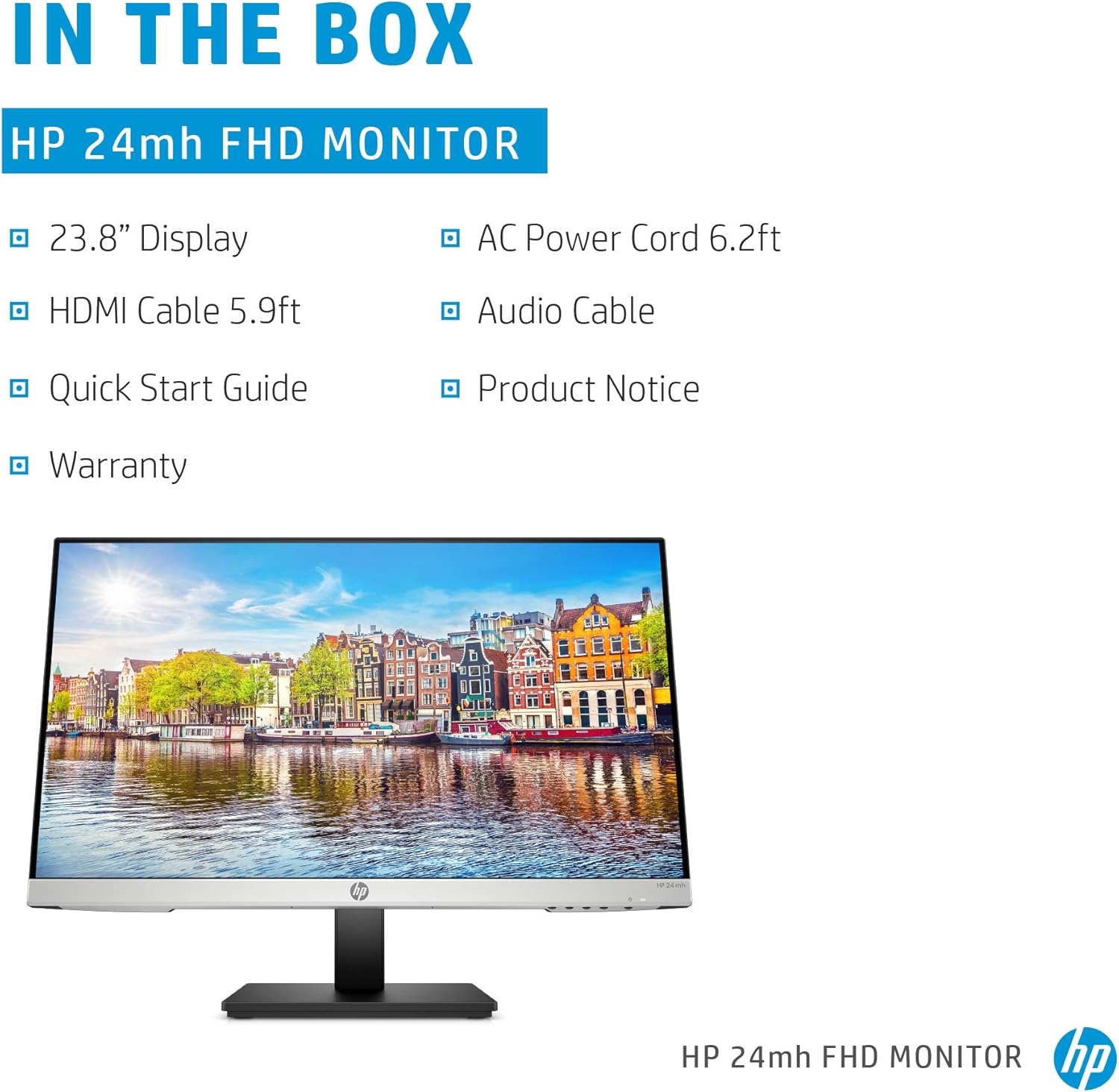
The HP 24mh FHD Monitor has all the style and performance you need in a monitor without breaking the bank. Experience more desk space than you thought possible with this height-adjustable ultra-slim HP monitor. The attractive, micro-edge design adds stylish beauty to any environment, be it your desk or living room. Seeing is believing as this Full HD display gives you IPS technology and ultra-wide viewing angles that combine to give you an amazing view at up to 178°. Conveniently connect your pc and consoles with HDMI and DisplayPort ports, while VESA mounting gives you the freedom to put your IPS monitor wherever it looks best. Built-in 2W speakers complete the 1080p monitor and enhance your entertainment.
OUTSTANDING VISUALS – This FHD display with IPS technology gives you brilliant visuals and unforgettable quality; with a maximum resolution of 1920 x 1080 at 75 Hz, you’ll experience the image accuracy and wide-viewing spectrums of premium tablets and mobile devices
MORE SCREEN, LESS SPACE – Enjoy more desk space than you thought possible with an attractive and ultra-slim design
PANORAMIC VIEWING – Vibrant detail from practically any position with consistent color and image clarity maintained across an ultra-wide 178° horizontal and vertical viewing angles
MICRO-EDGE DISPLAY – With virtually no bezel encircling the display on three sides, an ultra-wide viewing experience provides for seamless multi-monitor setups
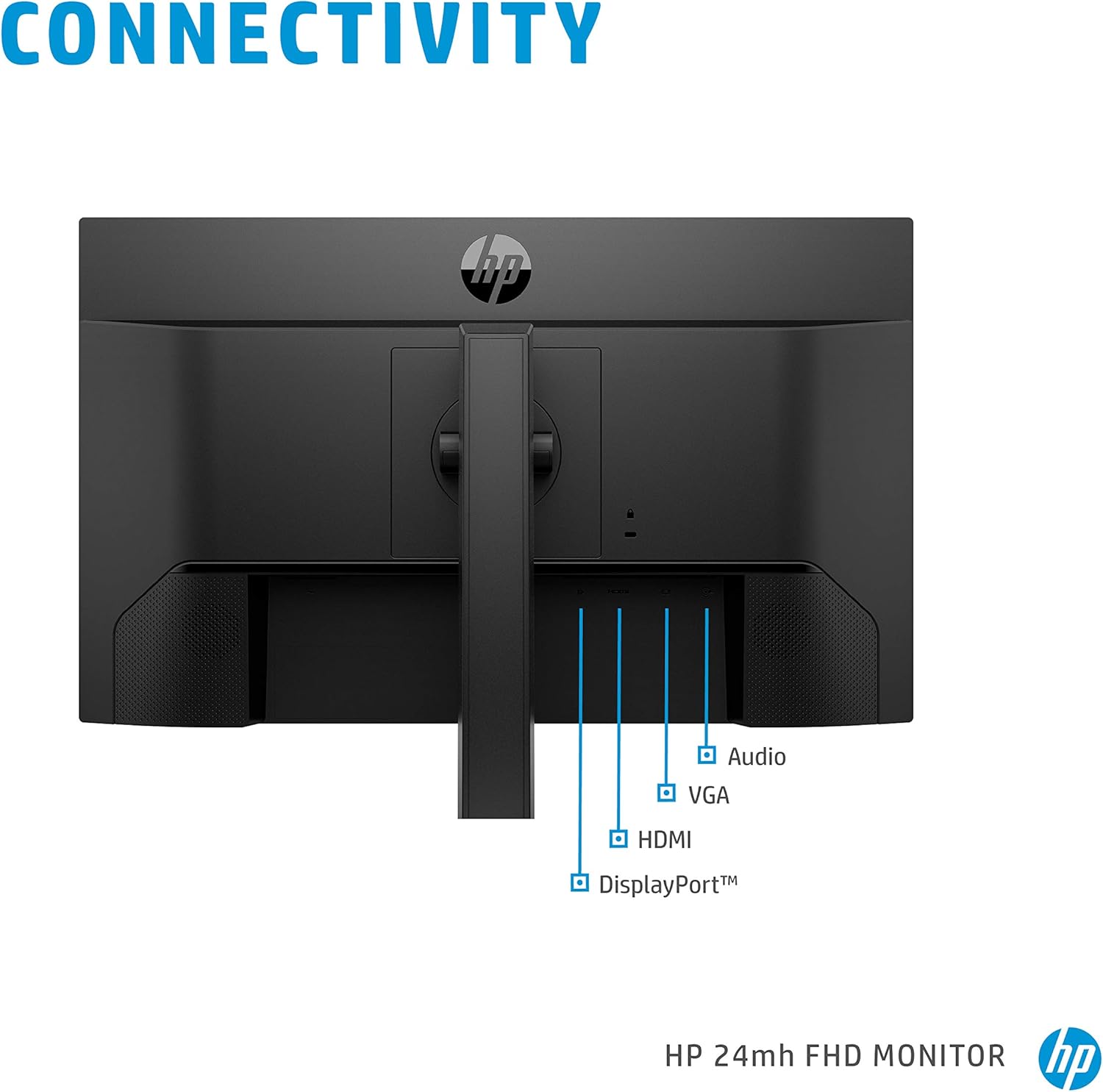
EASY CONNECTIVITY – Get the picture quality you’ve been looking for without the additional dongles; easily connect to your PC, gaming console, and peripherals for big-screen entertainment with a broad range of ports, including HDMI, DisplayPort, and VGA ports
BUILT-IN SPEAKERS – Experience incredible sound and more immersive entertainment with two built-in 2W speakers
LOW BLUE LIGHT – Put less strain on your eyes as a Low Blue Light mode shifts colors to a warmer spectrum and makes whites more natural
HEIGHT ADJUSTMENT – Easily adjust your display to the most comfortable position with 100mm range of travel
TILTABLE SCREEN – Adjust the screen to your personal preference with a 5° forward or 23° backward tilt
WARRANTY AND SUSTAINABILITY – Rest easy and work confidently with an environmentally conscious and energy-efficient monitor, backed by HP standard 1-year limited warranty
13 reviews for HP 24mh FHD Computer Monitor with 23.8-Inch IPS Display (1080p) – Built-In Speakers and VESA Mounting – Height/Tilt Adjustment for Ergonomic Viewing – HDMI and DisplayPort – (1D0J9AA#ABA)
Add a review

$21.99
nvr2amzd –
HP Desktops are the best!
I did not hesitate to purchase this product as I’ve had HP monitors previously, with long-term positive results. I did not want a touchscreen (intensely dislike those) as I just got rid of one (touch screen, all-in-one computer). I’m very pleased with this monitor and its clear display. Recommended!!
Laura Dietrich –
Can adjust to your height and angle
Works great for my desktop so I can edit photos!
Cynthia L –
Looks nice im my home office.
Very nice monitor.
Susan –
Nice monitor
Nie monitor; very easy to put together and use. Especially helpful is the “how to put it together” video availab le where the item is posted.
Joseph –
Speakers not very good
Pretty good monitor. Only negative is the lousy speakers. Hardly any volume.
GeneG –
Great color and picture.
Great screen! Color is great. Easy to set up. Works great.
Kpekus –
A Very Satisfied Customer
I am writing this review specifically for one major reason. Tech reviewers on YouTube and elsewhere are wont to tell you that a 27″ 1440p monitor is now the “sweet spot” and should now be the standard monitor size for work and gaming. A few will tell you they can’t use anything less than a 32″ monitor. Well, I have a 32″ monitor and I’ve tried a 27″ monitor too. Actually I recently bought two 27″ monitors, but I quickly returned them. My 32″ monitor is in one of my bedrooms, and I use it every now and then.Is a 24″ monitor big enough for work and play? YES. Plenty! Some folks use a 13″ laptop for all their computer tasks. The biggest laptop in the world at this moment is the Acer Predator 21X, which has a curved 21″ screen. So, everyone who uses a laptop for their computer tasks (and there a many, very many people who work this way), do so on computer screens less then a 24″ monitor. As far as I know, there are no monitors at my place of work bigger than 24″. In one Gadget Review article, Lawrence Bonk wrote, “Professional gamers nearly always use 24-inch monitors instead of larger monitors.”Before I go further, let me quickly say that a 24″ 1080p monitor may very well be the perfect size for any type of task you perform on a computer. It has plenty of screen real estate, and it is not overwhelming. Monitors of this size are cheaper too. A 24″ monitor doesn’t have much of the wasted spaces I found on my 27″ 1440p monitors.This 24″ HP monitor has two built-in speakers (thank you, HP!). Yes, I often connect my PC via Bluetooth to my JBL Partybox 310, but I love that I have an option of using the speakers in my monitor.I did not like how texts appeared on my 27″ 1440p monitors. Because of the higher pixel density, the texts were smaller than they appeared on this HP monitor, forcing me to scale up text and picture sizes on the 27″ monitors. Without even tweaking the settings on this 24″ monitor, pictures and texts were just right. I also played some videos on both the 27″ 1440p monitor and this 24″ 1080p monitor. And frankly, the quality was either practically the same on both or even better on this 24″ 1080p monitor.I don’t game. I use my computer for everyday, ordinary tasks (emails, study, paying bills, shopping, VoIP calls, video calls, video conferencing, work-related tasks, web surfing, playing music, and watching videos and movies). I can report confidently that not only is this 24″ monitor adequate for these tasks, I also prefer this monitor to the 27″ 1440p monitor (which I have already returned).Presently, I use two of this 24” monitors in an “Extend these displays,” dual monitor setup. I love it, but just one monitor would have been adequate for my needs. Some bloggers are adamant that having three monitors is the best for productivity, but I found that to be counterproductive. Not only does a three-monitor setup require more desk space, it also becomes a distraction. I kept asking myself, “What should I display on the third monitor?” The third monitor was totally dispensable.
Isabela –
Great monitor for work
Love that these have built in speakers. Easy to use and good display for work and for the price
omar –
BUENO
NS –
Excellent
Luis Enrique Arellano –
Lo uso para el trabajo y muestra muy bien los elementos, videos y colores. Particularmente lo uso en modo lectura debido a que las otras opciones son demasiado para el trabajo normal (no diseño).
Sergio Trujillo –
Está excelente la resolución y poca reflexión que tiene, el único problema es que al cambio de voltaje creado por un ventilador, la pantalla se apaga unos segundos. Y no se soluciona ni con regulador.
Humberto C. –
Pesimo sistema de audio de las bocinas,