

EPOMAKER G84 HE Wireless Hall Effect Keyboard, 8K Polling & 8000mAh, SOCD & DKS, Gaming Keyboard with Fast Trigger & Adjustable Actuation, RGB Backlit, PBT Keycap, Hot-Swap, for Win/Mac
$9.99
Related Products






Product description
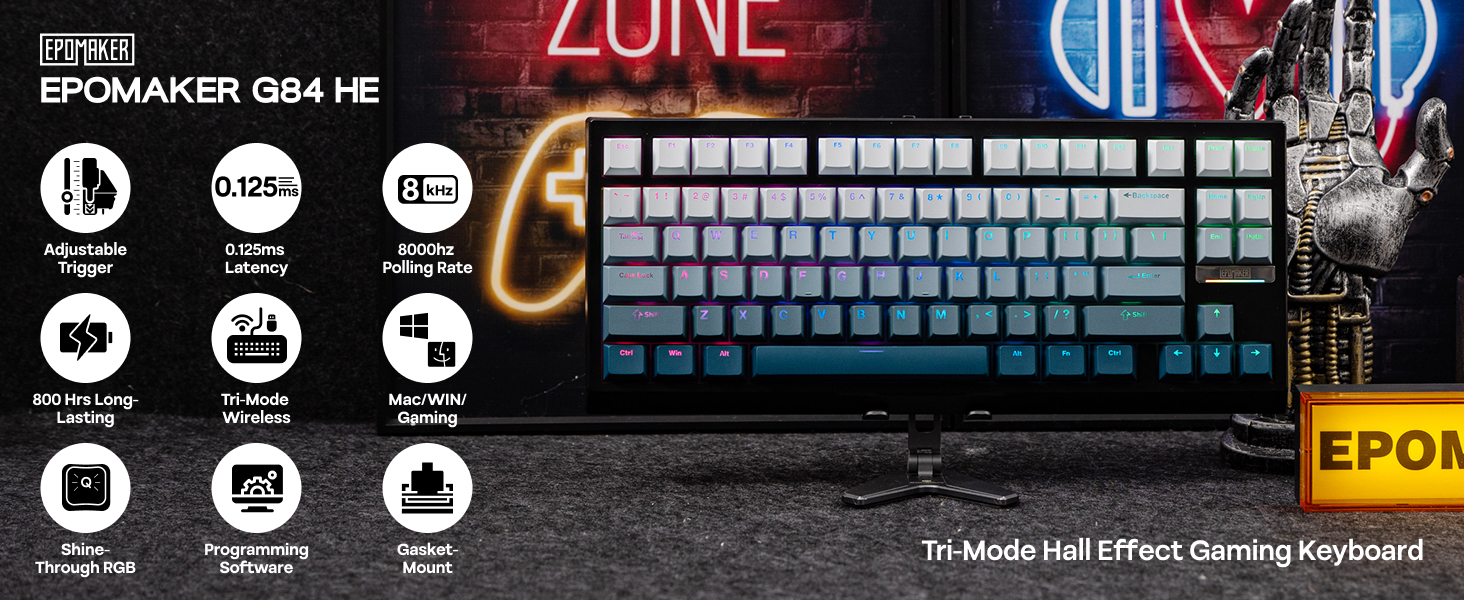
Powerful Magnetic Keyboard with Unparalleled Precision and Control  Snap Key (SOCD)
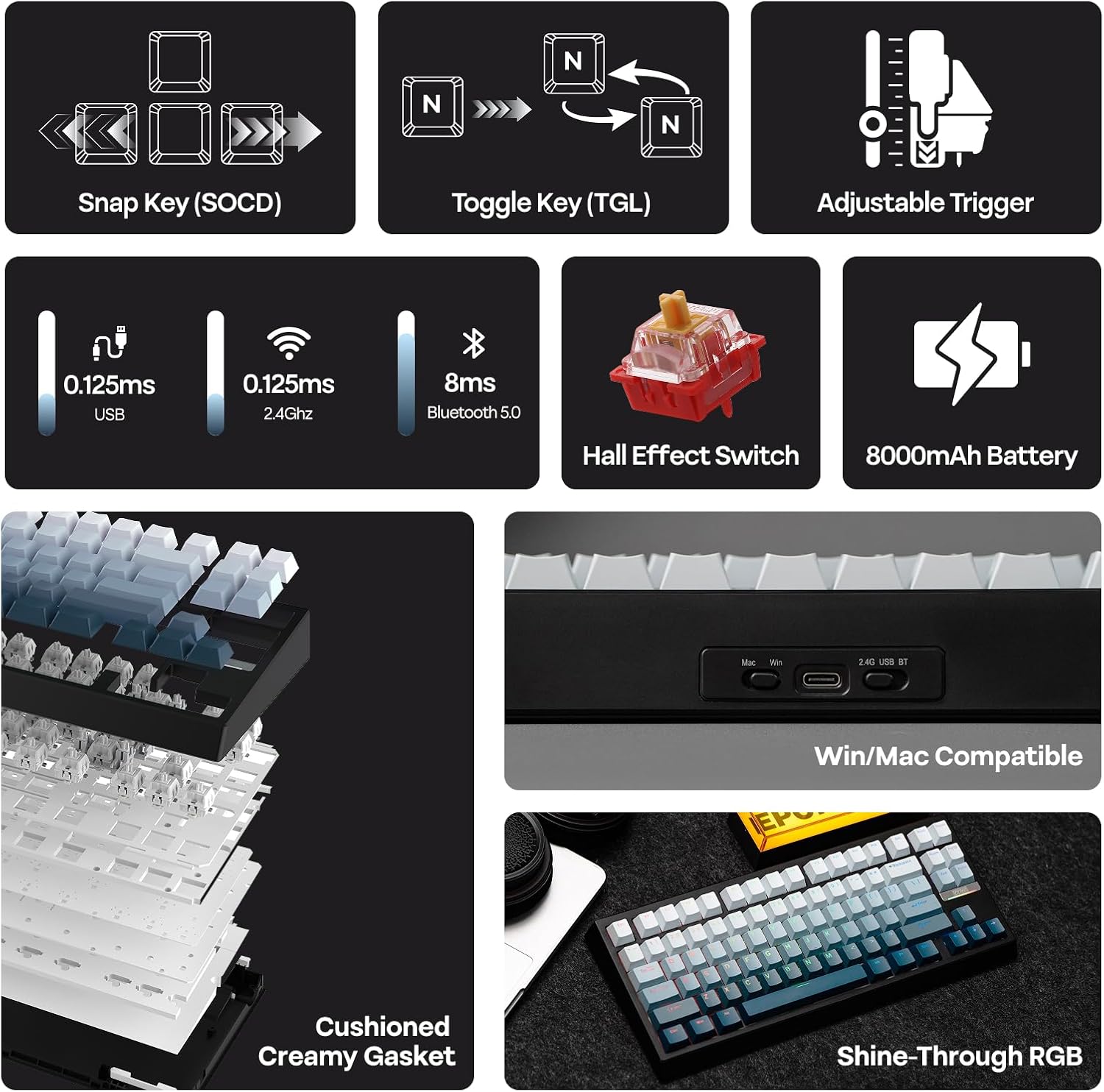
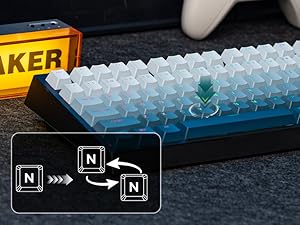
No more stop moving in the heat of battle. With Snap Key, only the latter key is prioritized and triggered when two opposing directions are pressed.
 DIY Rapid Triggering (RT)
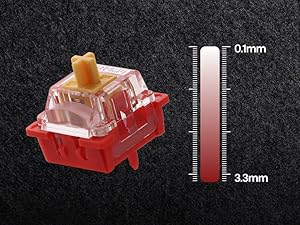
Whether you are competitive for FPS, MOBA and Rhythm games, trigger and release of input can be as precise as 0.01mm (0.1-3.3mm) of finger movement.
 Toggle Key (TGL)
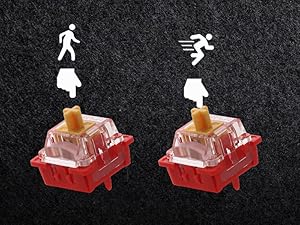
Set “hold” or “double-click” as the trigger for continuous input and “tap” as termination. Release your finger for operation elsewhere.
 Dynamic Keystroke & MT
Maximize the keyboard’s potential by setting 2-4 functions on 1 key in 1 layout. 4 distances as 4 functions with DKS or hold/tap as 2 with MT.
1 0.125ms Wired&Wireless
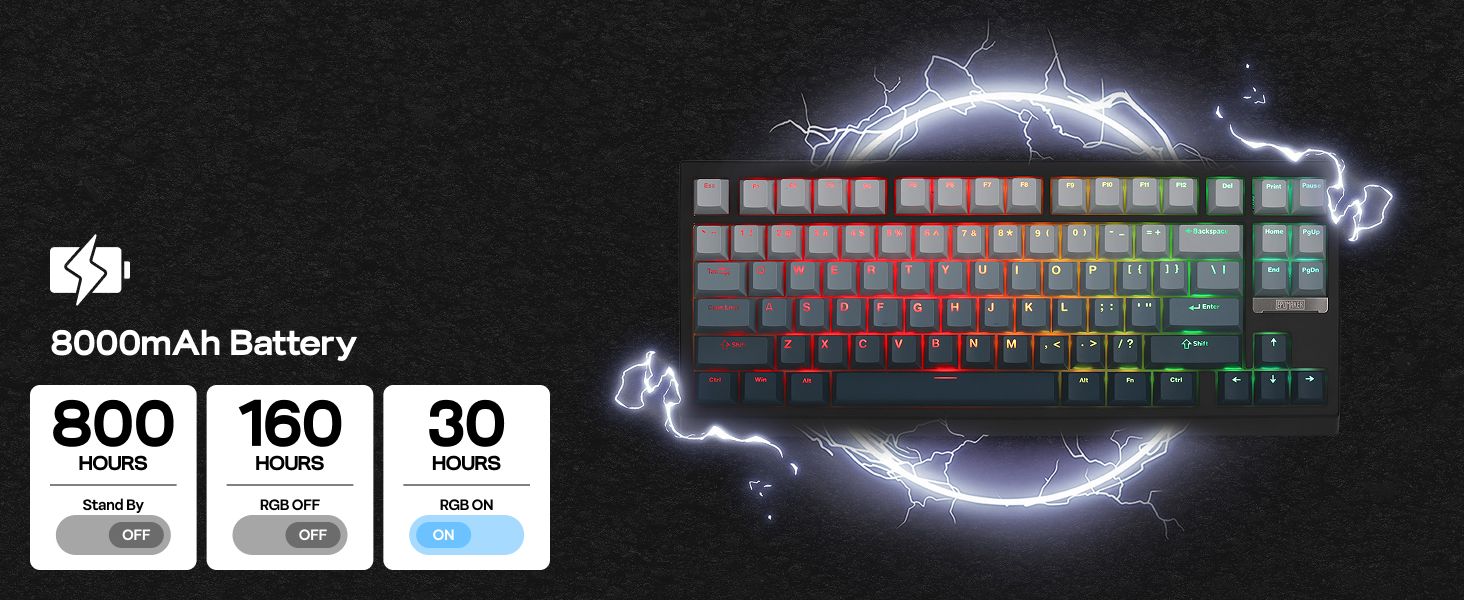
2 800 Hours Long-Lasting
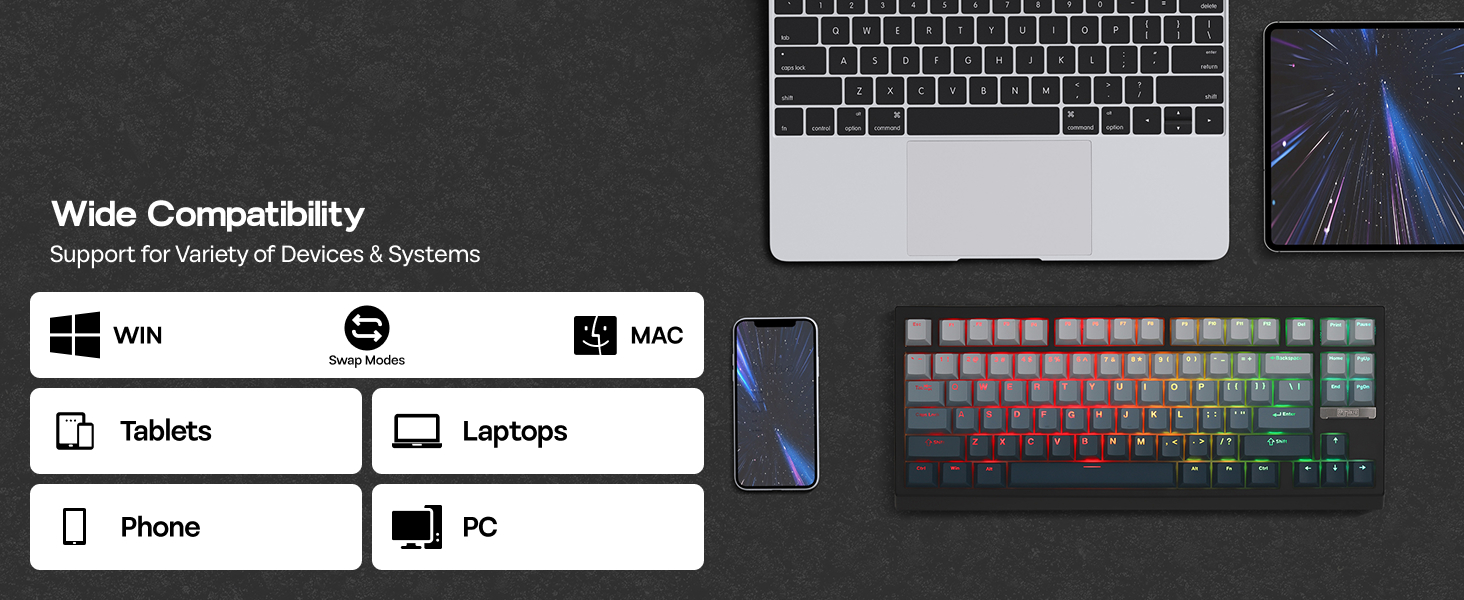
3 Mас/WIN/PC
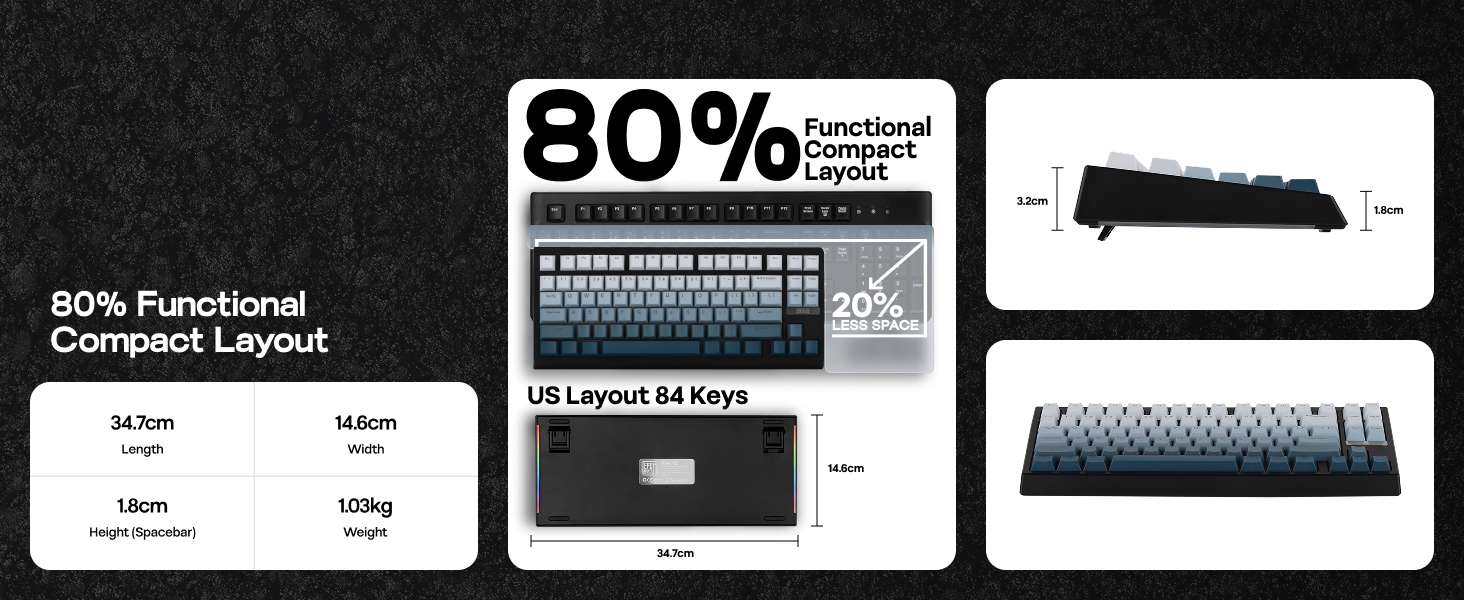
4 Size & Weight
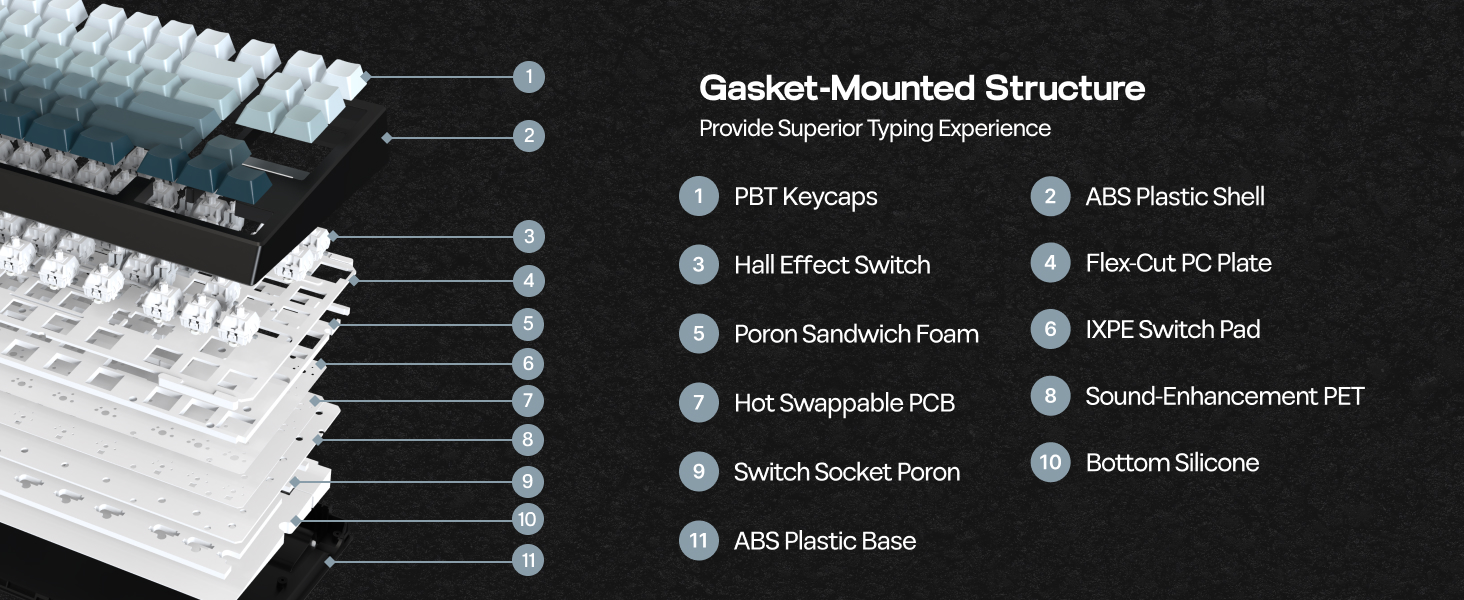
5 Creamy Gasket
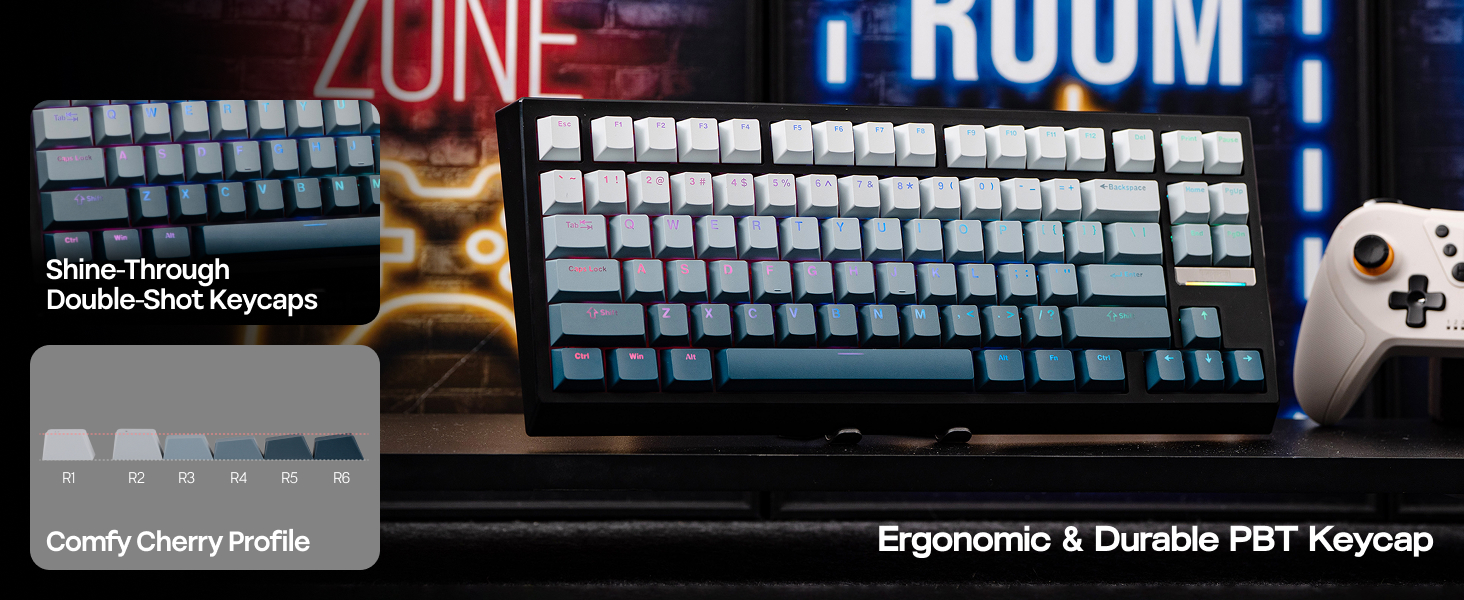
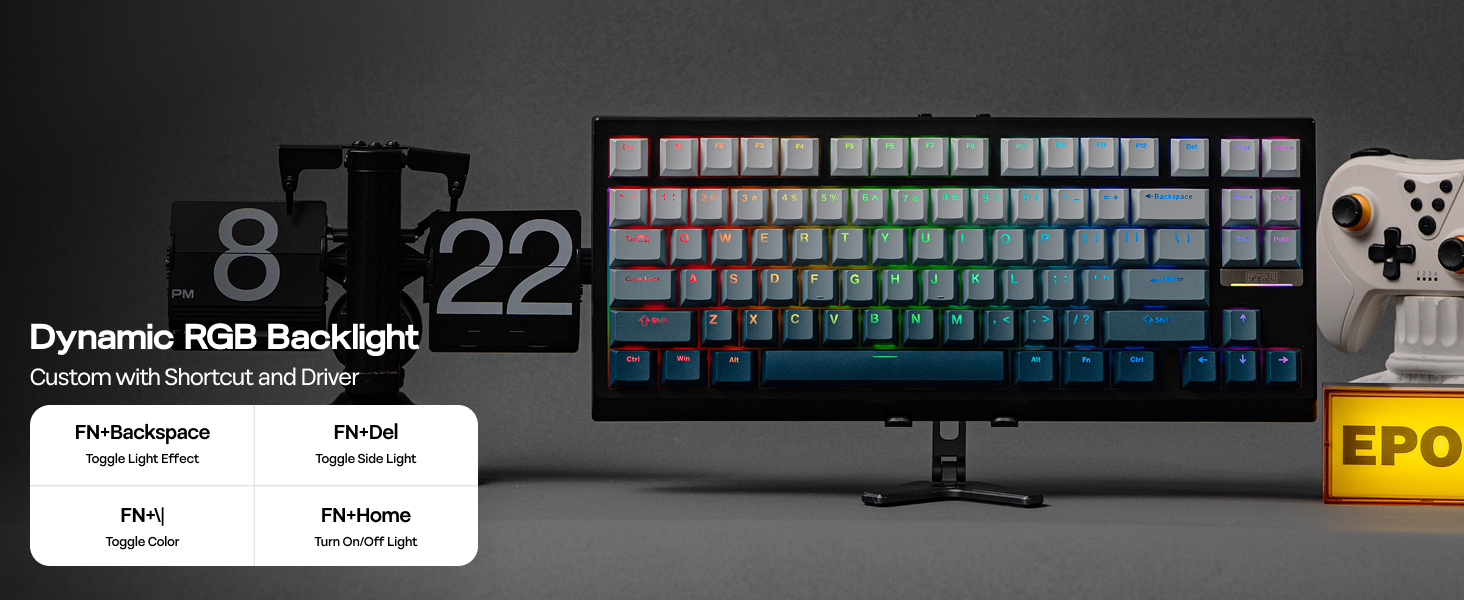
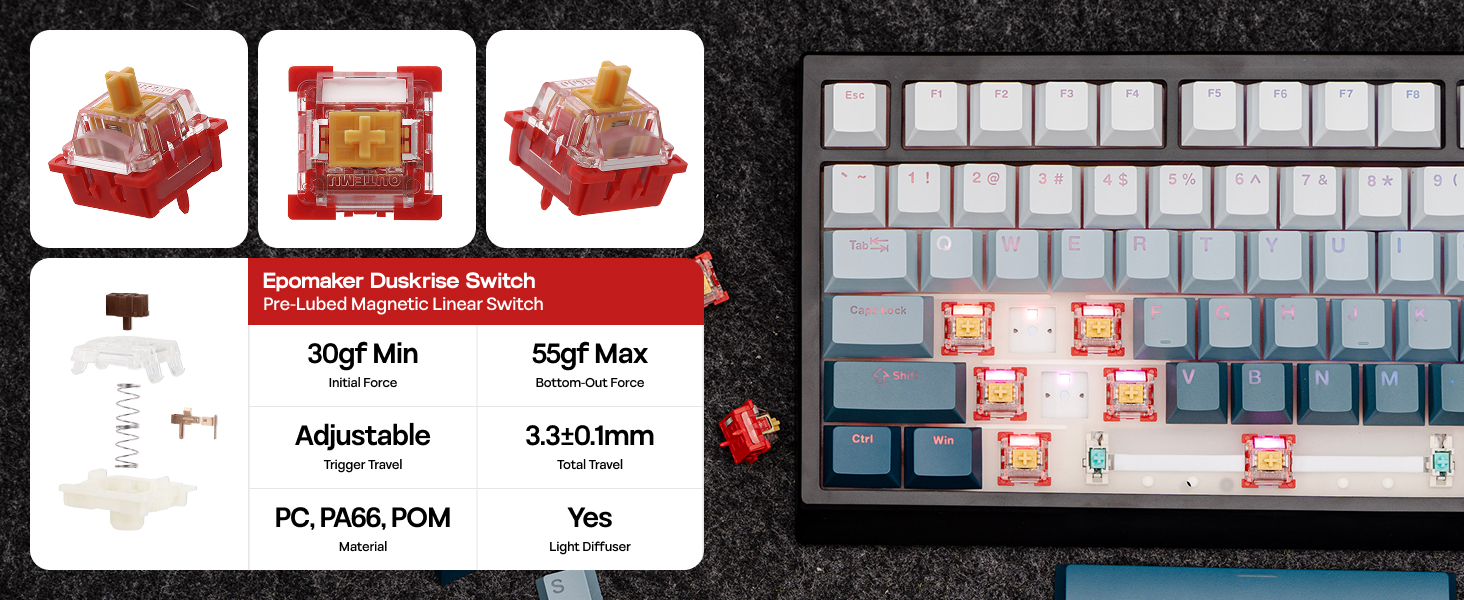
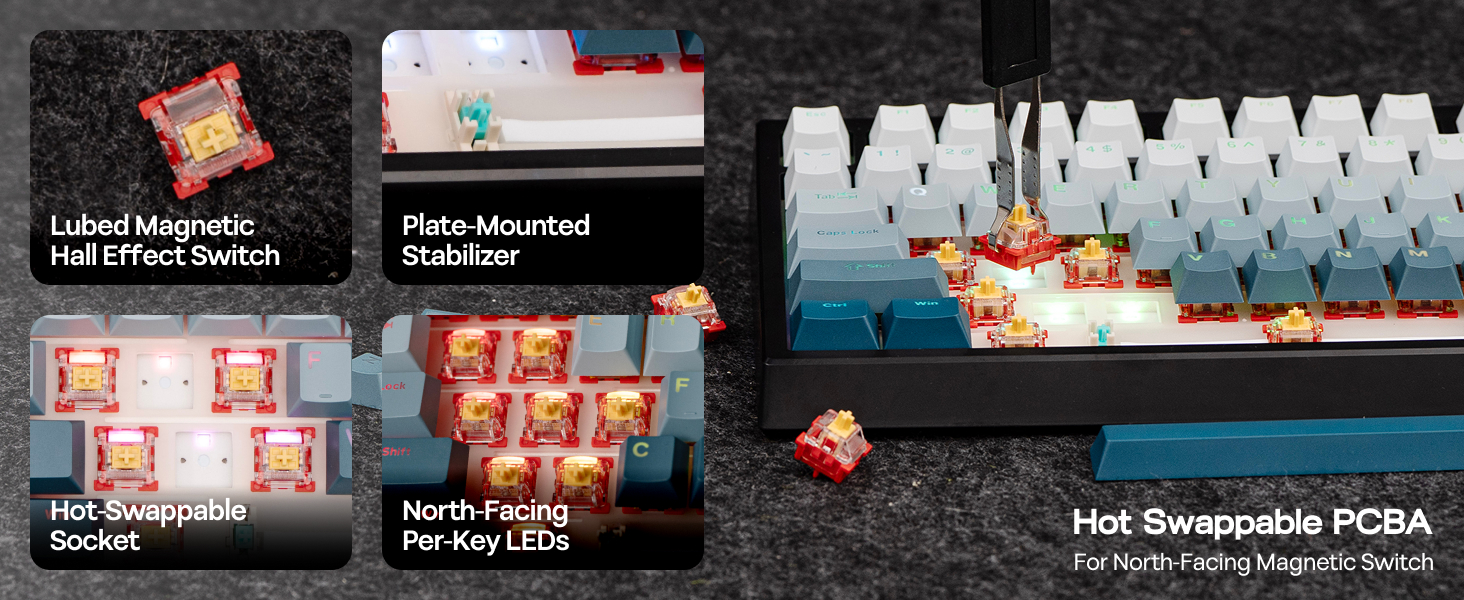
Backlit Gaming Keyboard with Hot-Swap for Switch & Keycap
1 True Backlit Keycap 2 Per-Key Editable RGB 3 Lubed Linear Switch 4 Tuned Stabilizers
Powerful Programmaing Software for Mac/WIN PC
The video showcases the product in use.The video guides you through product setup.The video compares multiple products.The video shows the product being unpacked. G84 HE Wireless Gaming Keyboard Merchant Video
Record macros to automate repetitive actions, or try out the advanced functions such as SOCD, DKS, MT and RT; design personalized backlight effect, or tailor keyboard sensitivity and layout, all is available with real-time visual feedback, with EPOMAKER 3.0 Driver for Mac/WIN.
Is the G84 HE gaming keyboard truely backlit? Is the legend/keys shine-through?
Yes, the letters on G84 HE Keyboard is shine-through. And this backlit keyboard comes with north-facing LEDs that’s adjustable per-key for colors. You can also change brightness, saturation, tone or dynamic effect speed of this keyboard.
What is Hall Effect Magnetic Switch? Is it the same as mechanical switches?
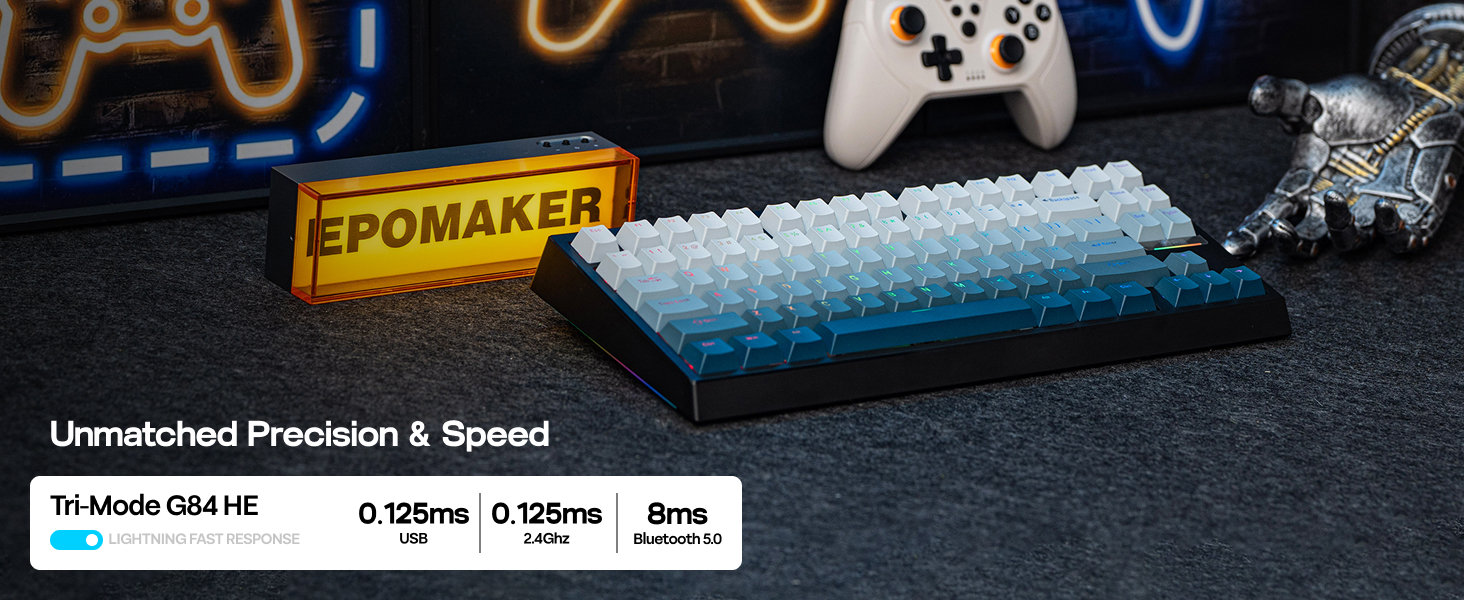
While mechanical switches require physical connection of circuit to input signals, hall effect switches input signals by translate changes in magnetic flux. The elimination of physical touches reduces latency to a mere 0.125ms.
What is the specs of Epomaker Duskrise Switch? How can I make it more or less sensitive?
Use EPOMAKER Driver 3.0 (aka. EPOMAKER Driver V4) to customize the G84 HE Gaming Keyboard. The travel of this switch is adjustable from 0.1mm to 3.3mm per 0.01mm. Set it to short travel for input speed, or a long travel to avoid accidental input.
How can I keep the keyboard in good condition? Why do some keys repeat themselves, or won’t input anything?
The G84 HE Wireless Gaming Keyboard uses Hall Effect Switches, which is sensitive to changes in temperatures and position. We recommand calibration with software (wired) after shipment, switch swap and as daily maintenance.
Is the G84 HE Gaming Keyboard good for all games? Does it work with consoles?
While connectivity with console works, compatibility is not guaranteed and may vary depending on specific games or third-party controllers. Advanced features such as RT, SOCD or DKS are restricted by certain games as cheating.
EPOMAKER Gaming Keyboard with Magnetic Hall Effect Switches
Add to Cart
Customer Reviews
4.8 out of 5 stars 65
4.4 out of 5 stars 160
4.4 out of 5 stars 101
4.4 out of 5 stars 434
4.3 out of 5 stars 163
4.6 out of 5 stars 139
4.3 out of 5 stars 217
Price
$67.14$67.14
$55.99$55.99
$67.99$67.99
$30.39$30.39
$35.49$35.49
$40.79$40.79
$37.49$37.49
Polling & Latency
8K/125 Polling; 0.125ms/8ms
8K Polling; 0.125ms
8K/125 Polling; 0.125ms/8ms
125 to 8k Adjustable; 0.2ms
125 to 8k Adjustable; 0.2ms
8K Polling; 0.125ms
8k Adjustable; 0.2ms
Magnetic Switch Travel
0.1-3.3mm (per 0.01mm)
0.1-3.4mm (per 0.01mm)
0.1-4.0mm (per 0.01mm)
0.08-3.4mm (per 0.02mm)
0.08-3.4mm (per 0.02mm)
0.1-3.5mm (per 0.01mm)
0.1-3.4mm (per 0.01mm)
Material & Color
Plastic & Black Shine-Through
Plastic. Black+Clear Blue
Plastic. Black Purple
Plastic & Black
Plastic & Black
Plastic. White/Black
Plastic; White/Black
Layout
75% ANSI, QWERTY US
75% ANSI, QWERTY US
75% ANSI, QWERTY US
60% ANSI, QWERTY US
65% ANSI, QWERTY US
65% ANSI, QWERTY US
65% ANSI, QWERTY US
Keys+Knob
84 Keys
82 Keys
81 Keys + Knob/2-Keys
61 Keys
68 Keys
67 Keys
68 Keys
Hot-Swappable
Epomaker Duskrise Switch
EPOMAKER MagneX Switch
Magnetic Switch (South-Facing)
Aula Magnetic Switch
Aula Magnetic Switch
EP Magnetic Pink Switch
Epomaker Clear Mag Switch
Keycap Profile & Material
Cherry Profile. PBT Plastic
Cherry Profile. PBT & PC
Cherry Profile. PBT Plastic
OEM Profile. ABS
OEM Profile. ABS
Cherry Profile. PBT
Cherry Profile. PBT
Connectivity
Bluetooth/2.4Ghz/USB A-to-C
USB A-C Wired
Bluetooth/2.4Ghz/USB A-to-C
USB A-C Wired
USB A-C Wired
USB A-C Wired
USB A-C Wired
Battery
8000mAh
X
4000mAh
X
X
X
X
Backlight
Per-Key RGB, North-Facing LEDs
Per-Key RGB, South-Facing LEDs
Per-Key RGB, South-Facing LEDs
Per-Key RGB, South-Facing LEDs
Per-Key RGB, South-Facing LEDs
Per-Key RGB, South-Facing LEDs
Per-Key RGB, South-Facing LEDs
OS System
Win/Mac/Android/iOS
Win/Mac/Android/iOS/Linux /PS
Win/Mac/Android/iOS
Win/Mac/Android/iOS/Linux
Win/Mac/Android/iOS/Linux
Win/Mac/Android/iOS/Linux
Win/Mac/Android/iOS
Software
EPOMAKER 3.0 Driver (WIN/Mac)
HE80 Software (Chrome Web)
EPOMAKER Software (WIN/Mac)
AULA Web Driver (Chrome)
AULA Web Driver (Chrome)
EPOMAKER Software (WIN/Mac)
EPOMAKER Software (WIN/Mac)
Fast Trigger & Zero Dead Zone: Achieve unmatched fluidity and precision with the G84 HE Hall Effect Keyboard. Get every flick of keystroke delivered instantly with actuation as sensitive as per 0.01mm, with trigger and release travel adjustable from 0.1 to 3.3mm with zero dead zone.
Snap Key (SOCD) & DKS: Tired of neutral block or accidental stops in games with conflicting inputs? The SOCD logic of our G84 HE gaming keyboard intelligently prioritizes the last input, for hyper-precise movement like instant air dashes or counter-strafe. While DKS (Dynamic Key Rollover) gives you unadulterated control, where one keypress can execute up to 4 commands based on how far you press it.
8K Hz Polling & 256K Scan Rate: Equipped with lubed magnetic switches and E-sport level circuit design, the G84 HE gaming keyboard boasts a 8000hz polling and a 256K scan rate, giving you the edge needed for fast paced gaming. The elimination of physical contact in the trigger of hall effect switches, slashing the latency of G84 HE to a mere 0.125ms, significantly boosts speed and precision in control.
0.1 to 3.3mm Adjustable Actuation: Whether you are competitive for FPS, MOBA and Rhythm games, or want to level up on typing speed, the programmable actuation and end travel of G84 HE magnetic keyboard will be the helper you need. With the EPOMAKER software, functional on WIN and Mac system, trigger and release of input can be as precise as 0.01mm of finger movement.
Custom Driver (Mac/WIN): Customize key functions, actuation travel, macro or backlight across devices and OS systems with the EPOMAKER software. Record macros to automate repetitive actions, or try out the advanced functions such as SOCD, DKS, MT and RT. Design personalized backlight effect, tailor keyboard sensitivity or remap key layout, all is available with real-time visual feedback.
Shine-Through RGB Backlit: Bath in the dynamic RGB backlight of G84 HE that response instantly to all your gaming actions, while your fingers glide effortlessly over durable PBT keycaps with shine-through legends that remain crisp and clear for years. With double-shot technique, these greasy-resistant keycaps adopt front-printed transparent letters to be bright and clear without a lamp or other light source. No more fumbling on keyboard at dark hours, all keys will be clear and easy to read in premium condition. Unlock a world of customization and visual flair with the true backlit G84 keyboard, for a boost in productivity and gameplay style.
Tri-Mode Wireless for Mac/WIN: Experience ultimate flexibility with our G84 HE Wireless Gaming keyboard with 3 connection modes and a unique 80% layout. Modern sleek and versatile compatibility, G84 HE takes it all into consideration in designing by featuring an intuitive tri-mode control on top and a built-in hidden storage space for 2.4Ghz receiver under its kickstand, which is 2-stage adjustable to offer comfortable typing angle in varied scenarios. Whether you prefer PC, Android tablet, Mac laptop or phone, enjoy the stable connection G84 offers free from the clutter of wires.
Creamy Gasket Keyboard with Sound-Dampening: Take delight in the rich, creamy sound our G84 HE Gasket-Mount Keyboard delivers, for enhanced acoustic and typing experience significantly differ from traditional tray-mount keyboard. The unique Gasket-Mount introduces layers of buffer for a soft landing every time a key is pressed, contributing to a mellow and switch-focused typing sound quieter than non-padded ones. With 5 layers of Poron, IXPE, Silicone and Sound Enhancement Pad as further dampening materials, the acoustic is further enhanced to be creamy and buttery smooth, giving you the immersive tune needed for immersive gaming and productive work.
13 reviews for EPOMAKER G84 HE Wireless Hall Effect Keyboard, 8K Polling & 8000mAh, SOCD & DKS, Gaming Keyboard with Fast Trigger & Adjustable Actuation, RGB Backlit, PBT Keycap, Hot-Swap, for Win/Mac
Add a review

$9.99
Nick Vogt –
Amazing HE keyboard that completely blows competition away in every matchup.
It amazes me that so much of the keyboard community raves about Wooting despite companies like Epomaker making keyboards like this. The typing feels snappy but cushioned well with the gasket mount, sounds incredibly marbly (specifically a marbly-thacky), and the HE features are absolutely stacked. Software is incredibly intuitive and easy to use as well; took me a total of about 10 minutes of tinkering to get the lighting effects to what I wanted and Snap Tap/Rapid Trigger working flawlessly.Until Wooting drops their prices, their brand is simply a name and that’s it. Save your money and your sanity, pick one of these up instead.
Glenn prior –
Just buy this keyboard
I saw a lot of EPOMAKER hate online prior to buying this and also a lot of praise for the price-to-performance ratio, so I wanted to see for myself what all the fuss was about, and I have to say this is hands down the best keyboard I have ever used. I am coming from a Logitech G915 Lightspeed, and everything about this is an upgrade and for much cheaper. Firstly, it sounds incredible; I often find myself typing more than often just to listen to the sound of the keyboard. Second, the performance is awesome; it’s got all the features you would find on a higher-end keyboard like a Wooting, and for a fraction of the price. And lastly, it just looks really clean.
Chad –
$200+ quality idk what reddit was on about
Incredible keyboard. Responsive, customizable, HE is accurate and the best ive seen for the price. While researching keyboards I heard horrible things about Epomaker and basically any HE board under $200 but this is everything I wanted and more. P.s. while the clicks arent as loud as mechanical they are more than satisfying and still very clickly without being obnoxious. All around excellent
J –
Beautiful keycaps, snappy typing experience, amazing RGB, lovely thacky sound
Pros–1. Beautiful gradient top print shine-through keycaps (Epomaker please sell a full set separately)2. North facing LEDS with fun patterns3. Pre-lubed switches that feel snappy to type on4. Thacky soundCons–1. Fairly loud typing sound (Can be a pro or a con depending on your preferences)2. Poor battery life if you use it wirelessly while gaming with RGB on3. Your computer go crazy when the keyboard battery dies. Starts typing non stop even though the battery is dead and not connected through USB-C. Please see the attached video. The only thing I can do is to restart my computer. This is a major problem that needs to be fixed Epomaker.4. Cannot customize logo light separately. The software allows customization for keys and sidelights.8/10. Great keyboard. Would like to see a 60% version.-Update-My PC spazzed out after the keyboard battery died. I had to restart my computer. Please see attached video. Epomaker “support” told me to keep it charged so battery doesn’t die as a “solution.” Fix your keyboard Epomaker.
Becko –
Great budget HE switch keyboard
Really like the feel of this keyboard and the quality of the switches and keycaps. The only minor gripes I have are the housing has a bit of flex (no more than you would expect for one made of plastic, and no more than you would expect for the great price), and the switch LEDs are north facing so when I switched some keycaps to ones that have side shine through, it did not light up very well. I also like that the keyboard can be updated with the software and then the software closed so it does not need to be run continuously. Also, the multi-methods of connection are great and it even took me a while to find the 2.4 GHz dongle that was hidden under one of the feet.
Aldo Lopez –
Clears the competition
I don’t write reviews but man this blows other HE keyboards out of the water. The sound, performance, and typing feel is immaculate. This will replace both my wooting and my keychron, as I can use it for both gaming and productivity. I hated missing several keys on the wooting and also the typing feel was awful for the cost. This clears it easily at a cheap price.
Ian Parsons –
Punching above its class
Keyboard sounds great, is super responsive and the software is pretty solid as well. Definitely punches way above its class price wise
Zak –
So far, so good.
I love how it sounds. Software seems easy to use. I haven’t done much with the HE switches other than calibrating them and changing the general actuation distance, but those were easy and really made it feel great for typing and gaming.
シュウマイ –
アプリが日本語対応して無いですが、それ以外は完璧です。ValoとR6SXで使用してますがラピトリの恩恵をしっかり感じられます。精度も測ってはいませんが今のところ問題ありません。最近のラピトリキーボードは性能はどんどん低価格でも上がってるので触れません。皆さんに伝えたいのは、音です。とにかくタイピング音が良い。すごく落ち着いた高級感のある音で、某4万円クラスのキーボードより音好きです。深めのスコッという音がめっちゃ気持ち良く、2万円台に雨の音と称される某キーボードがありますが、それ以上に雨の音してますw本体の質感も値段より良く、プラスチックケースですがそれを感じさせません。ライティングだけ普通かな〜。箱は無骨なデザインで可もなく不可も無くですが、良いコストカットだと思います。箱を飾る方にはあまりオススメできません。なぜ日本語のレビューが無いのか不思議です。当方Amazonヘビーユーザーなのに普段あまりレビューしませんが、本当に良いと思ったのでレビューに残します。・安いラピトリ欲しい!・ラピトリの性能はプロレベルが良い!・質感に妥協したく無い!・音が良いキーボードが良い!という全部叶えてくれるキーボードです。こりゃすごいですぜ!
Wlodarczyk –
Rewelacja , super
SomePerson –
One of the best budget keyboard you can get for the given features to price ratio. Loved it!!
Techie Lumberjack –
IntroductionAs a keyboard enthusiast and gamer, I’m always on the lookout for hardware that offers the latest high-performance features like Hall Effect switches and 8K polling, but I’m often put off by the steep “gamer tax” from the big brands. This EPOMAKER G84 HE keyboard has completely shattered my expectations, delivering a truly premium experience at a price that is, frankly, unbelievably low for what you get.Build Quality & DesignLet’s address some concerns I’ve seen in other reviews. People have complained about this keyboard having a plastic case and creaking. I can tell you my experience is the complete opposite. This thing is beautiful and feels incredibly solid. I’ve only ever owned plastic keyboards, as most are, and this is a high-quality, dense plastic with absolutely no creaking or flex. It has a satisfying heft and feels like a premium piece of kit on the desk.The 80% layout is also perfect for me. Many popular 75% keyboards omit keys like Print Screen, Home, Page Up, Page Down, and End to save space, which can be frustrating for productivity. This layout strikes a fantastic balance, offering a compact footprint on the desk while retaining that dedicated and very useful navigation cluster. It’s the perfect sweet spot between a full-size and a more minimalist board.The Typing Experience: A Symphony for Your FingersThis is where the G84 HE truly shines. The sound and feel of typing on this keyboard are just beautiful, like music. The gasket mount and internal sound-dampening foam work together to produce a deep, satisfying “clack” that isn’t too loud but is incredibly pleasant to the ear. It’s so good that you’ll just want to press keys for the sake of the touch and the sound they make. It is, without a doubt, one of the best out-of-the-box typing experiences I’ve ever had.Gaming Performance: Blazing FastFor gaming, this keyboard is a monster. The 8K polling rate (on both 2.4GHz wireless and wired USB-C) is amazingly responsive. Every input feels instantaneous, which is a noticeable advantage in fast-paced games. The Hall Effect magnetic switches are a dream, allowing for full customization of the actuation point, from a hair-trigger for FPS games to a deeper press for typing.Features & CustomizationLighting: The RGB is very bright and responsive. Crucially, these are shine-through keycaps, meaning the characters on the keys light up, not just the space around them. It looks fantastic and is very functional in the dark.Software: The level of customization is amazing. You can adjust switch sensitivity, program complex macros, and fine-tune advanced features like DKS and SOCD. The software is user-friendly and, importantly, Mac and Windows friendly.Battery Life: The battery life is amazing, especially for a wireless board with these features. Just be mindful that, like any wireless RGB product, having the lights on full blast will reduce the time between charges. With the lights dimmed or off, it lasts for a very long time.ConclusionThis keyboard honestly beats out top-of-the-line keyboards from big brand names, and it does so for a fraction of the cost. The combination of a superb typing feel, elite gaming performance, deep customization, and excellent build quality is something you’d expect to pay much more for.This is a fantastic deal and an easy five-star recommendation. It’s perfect for long gaming sessions as the weather in Toronto cools down. Absolutely love it.
NeonCat117 –
I ordered this hall effect keyboard because I wanted to try one for gaming. Surprisingly, this one is really nice for typing too. It is really creamy feeling and buttery smooth typing. You can set all sorts of cool features in the software.The keyboard comes with two spare key switches. A standard key puller and switch puller and a USB wire. It also has instructions and a link to where to download the software. It also comes with a plastic keyboard cover .You can control most things with the keyboard itself with some hard keys like the lighting and stuff, but the software is where all the really cool features are.The keyboard has a full array of lighting effects. What I found cool about this keyboard is you can make your own and share them with the community. As well as download other creations from the community. Which is kind neat.You can hook the keyboard up with an included 2.4 GHz dongle. Or you can use Bluetooth. Or you can use the included USB.The keyboard has two feet on the bottom which you can set up to angle the keyboard in a high position or a low position. The dongle is hidden underneath one of the feet.In the software, you can control the actuation of every button independently. You can set it soap. You just barely touched a key. It will actuate it. Or you could set it so that you have to press the key all the way down for it to actuate. Which is pretty awesome for gaming and typing. It has the two light bars on the side of the keyboard. You can switch these two. It also has a little metal badge above the arrows with a little line of RGB light under it. Unfortunately you cannot switch this lighting effect. The back lighting has a bunch of standard type effects but it has two that are unique that I have only seen on a few other keyboards. It has one mode that goes with the music you are playing and it has another mode that changes the keyboard to the different color of the screen of your monitor. Which is neat.The key switches are hot swappable and they are a linear switch. I would say they’re in between medium and heavy linear.Gaming is really nice on this keyboard. It looks slick on my desk and typing is surprisingly really nice. The sound is awesome. It is pretty quiet for late night gaming sessions. It won’t wake up your family if you’re typing like Matt on it.I really like it. I can recommend it. Thanks.