

ASUS ROG Strix Scope II 96 Wireless Mechanical Gaming Keyboard – 96% Full-Size, Tri-Mode Connectivity, Hot Swappable Pre-lubed ROG NX Snow Linear Switches, PBT Keycaps, RGB, PC/Mac Support-Black
$23.99
Related Products


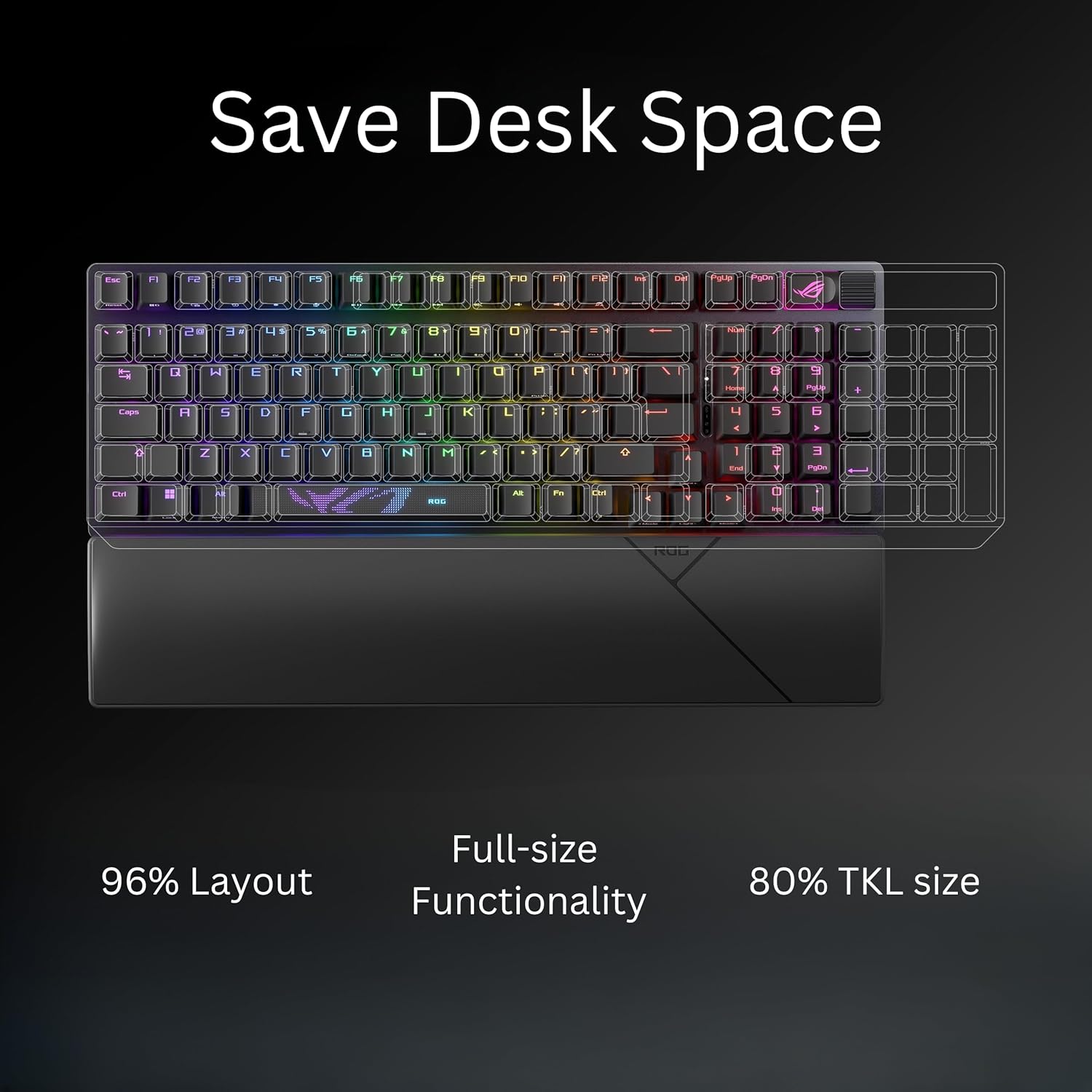
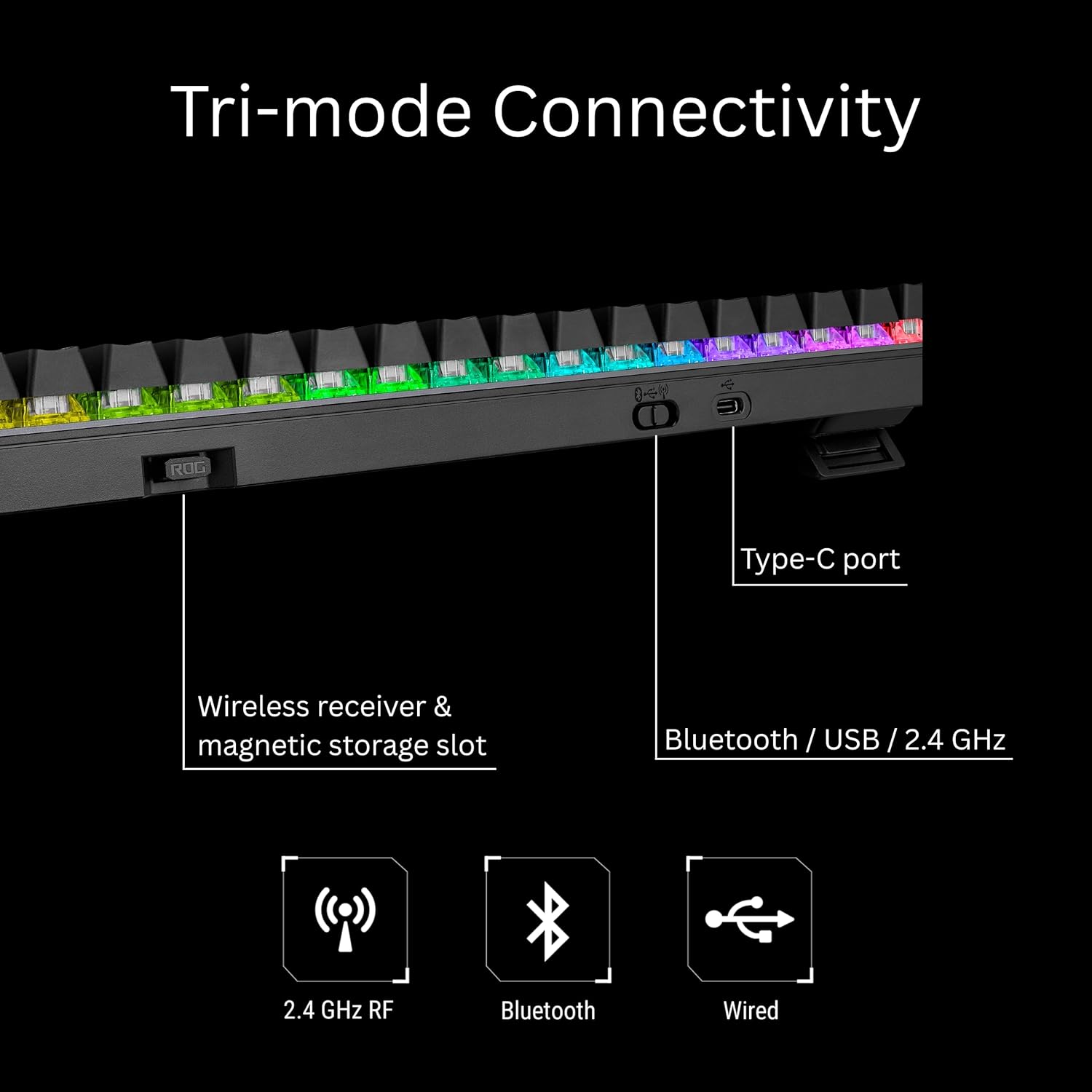

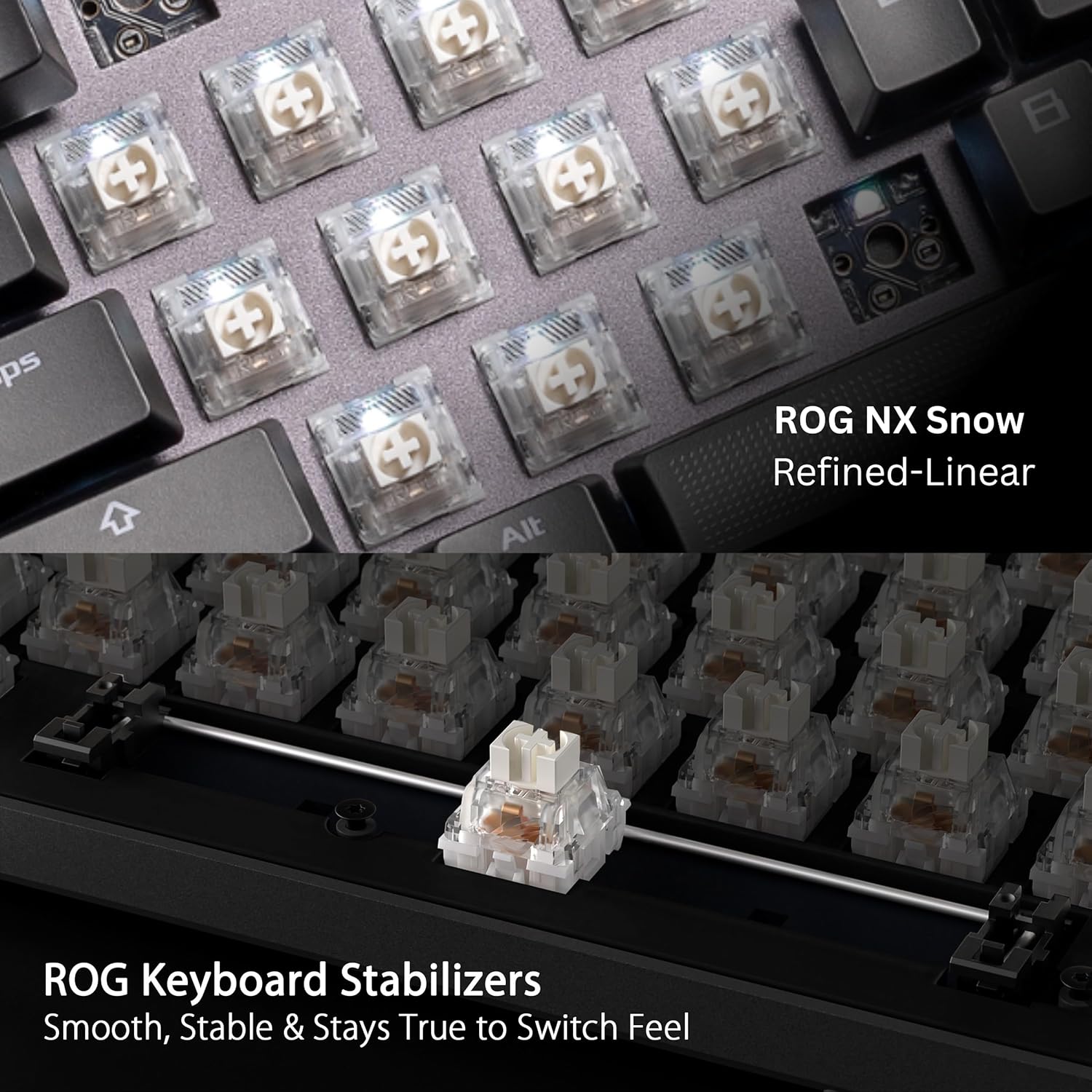
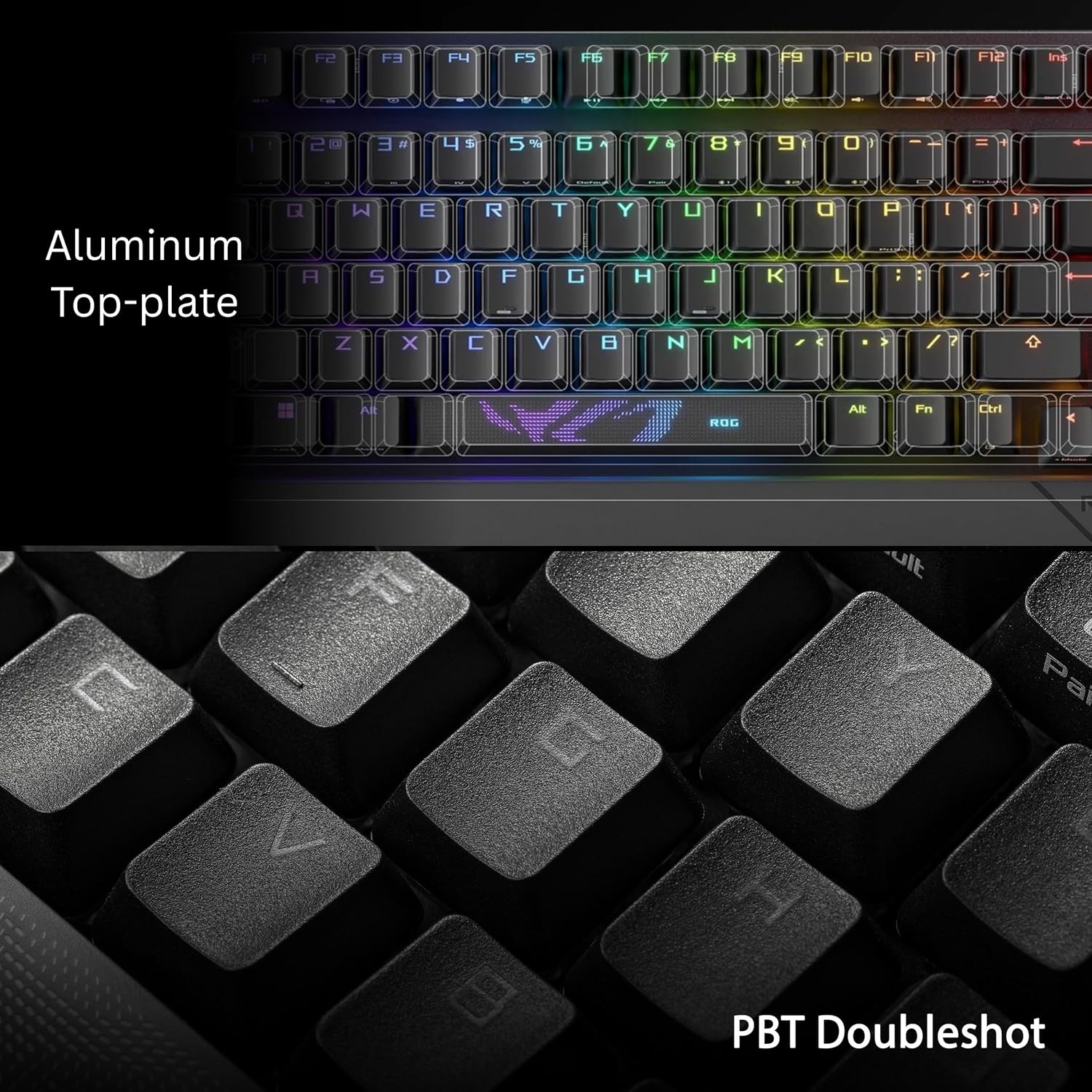

The brand new ROG Scope II 96 is here. With an all-new design, this high-end mechanical gaming keyboard will have you dominate the competition. Loaded with ROG’s SpeedNova wireless technology for blazing fast response times and the brand new ROG NX Snow linear switch, this compact keyboard does it all. Gain the functionality of a full-size keyboard in a smaller and more space-saving form factor, never again do you have to worry about your desk space.
TKL Size with Full-Size Functionality and Num Pad: Experience a compact, space-saving design that’s only 1 cm wider than a standard 80 percent keyboard, while still retaining the keys and number pad you would have in a 96 percent keyboard.
Versatile Tri-Mode Connectivity: Seamlessly connect via Bluetooth (supporting up to 3 devices), low-latency 2.4GHz wireless with ROG SpeedNova technology, or a reliable USB wired connection. Compatible with both PC and Mac, and boasts an exceptional battery life of up to 1,500 hours in 2.4GHz wireless mode.
Enhanced Acoustics: Integrated sound-dampening foam and switch-dampening pads effectively absorb pinging noises and echoes, resulting in improved keystroke acoustics.
Hot Swappable, Pre-Lubed Mechanical Switches: Customize your typing experience with your choice of ROG NX Snow linear switches (for smooth, thocky keystrokes) or ROG NX Storm clicky switches (for crisp, tactile keystrokes). Both switch types are factory-lubricated for enhanced stability and optimized acoustics. Features per-key RGB lighting.
Optimized for Gaming, Streaming, and Daily Work: Pre-programmed hotkeys (F1-F5) provide convenient control over the Xbox Game Bar and recording functions. A multi-function wheel allows for intuitive media and lighting adjustments. All keys are fully macro-programmable for advanced customization.
Ergonomic Comfort: Enjoy comfortable extended use with three adjustable tilt positions and a detachable wrist rest.
Included Accessories: Detachable wrist rest, 2-in-1 ROG keycap & switch puller, wireless receiver, USB extender, ROG-themed spacebar keycap, USB cable, and ROG sticker.
8 reviews for ASUS ROG Strix Scope II 96 Wireless Mechanical Gaming Keyboard – 96% Full-Size, Tri-Mode Connectivity, Hot Swappable Pre-lubed ROG NX Snow Linear Switches, PBT Keycaps, RGB, PC/Mac Support-Black
Add a review

$23.99
Lance H. –
Quality build, Quality Switches, Quality Lighting, Sub-Par Software That Works Well Enough
I have been looking for a way to have clicky switches on a board that would allow me to hot swap any time I felt like I needed a change. After doing extensive research, I settled with this Strix Scope II 96 because it was the only board I could find from Asus with the RX Storm switches. Most variants, even on the new Strix Scope II X, only have the RX Snow switches, which are linear. I couldn’t find another keeb with the RX Storm switches than this one.I have to say, though, I am extremely satisfied with the build quality and feel of each click. Each press of the key as I typed felt like I finally had more control over what key I was pressing with the satisfaction of a tactile click. I was pleased to be reminded that it is harder to accidently hit keys on a clicky switch. Linear switches often lead me to accidental keypresses, which bugged me.While I have not attempted one of my longer gaming sessions with this keyboard just yet, I have typed quite a bit, and the experience is very nice indeed. The weight of each key is heavy enough that I have to want to press the key, but not so heavy that I have to try too hard to type.I think my only complaint is Armoury Crate, Asus’ software to customize the keyboard and it’s lighting (which by the way, the lighting looks beautiful and bright. I’m a fan). AC is a little janky, and I had some weird issues trying to update the wireless capabilities and keyboard it self. After a while, though, I was able to finally update everything in the software and it seems that everything works fine now. AC uses Window’s adaptive lighting features in Windows 11 to control the lighting effects on the keyboard. It was a little troublesome at first, but once I got it to work, I’m very satisfied with how easy it is to change up my keyboard’s lighting and effects. While Armoury Crate is a little wonky, once I set up everything to my liking, the typing experience was blissful. 5/5
ProfessorF –
Awesome, sturdy keyboard with shine-through keys
Awesome keyboard, a definite 5 stars. I think most people covered the positives, let me cover the “buts” because I feel that even though it’s a 5 star, there are things you should know about:1-Heavy keyboard compared to other cheaper brands with similar functionality. That isn’t a problem for gamers, who keep it parked on their desk mainly, but if you use it for work and lug it between workspaces, it’s a concern.2-Keyboard is silent, but not “thocky” as claimed. I own many mechanical keyboard from various price points, and this does not “thock”, more like a thud. If you have an Epomaker, then you know what “thock’ sounds like.3-RGB lighting changes only on bluetooth and wireless-rf modes. On usb direct connect, I only get a blue background.4-Software based pop-up for installing some Aura light changing program. If you know about security, you know that screams POTENTIAL malware vector. I did some digging on developers for that program and in the past it said they had malware problems, although nothing recent. Sorry. One incident is good enough for me not to download your lighting software.4-Enclosed ASUS-branded, optional space bar is NOT shine through. It would be nice if they made it shine through.5-Default RGB lighting that is enabled by FN left/right arrows are not as extensive as competing cheaper keyboards. I just keep it on wave, but as you go through them, the first couple are the ones that barely light your keyboard. Come on now ASUS. But the best one’s first. And no, I won’t download the software program (see 3)6-Just barely bigger than most 75% keyboards. That could be great (I liked it), but others used to full-sized keyboards may feel cramped.Like I said. Still a 5 star, but you should know the “BUTS…”
Anthony B. –
Best Features, Functionality, Size, and Look.
Tried it out and got stuck playing for 4 hours. The keys are lit up, easy to see, spread out just right, they have a really solid press to them. The size is perfect being 80% size with 100% Functionality. The legs are 2 sizes and the wrist wrest will hook You right away. It has a ton of extra Macros built in. It can control multiple screens at once. I was running Steam, Browsing, and YT Music. The Big Eye button on the corner lets u swap the roller to music, volume, or screen scroll. I used the USB plug in and it synced up right away with no Drivers needed. I would highly recommend and purchase again. It came in a sealed clean and safe box. It comes with a key puller, USB to Type-C cord, 2 extra key bottoms. Give yourself some time with it amd you will start noticing all the unique features that make it so awesome.If you choose to swap the space bar you have to be careful with the risers on the sides of the bottom of the space bar. They will come out with the bar if you don’t pull it off right. Of they do pop off, you can put them back inside the bar and push it down. They will click back in.I started with a 30$ MageGee 100% keypad, Then I UGd to a 60$ MSI keyboard. I had a hard time typing with the letters so close. They were both wired and the keys weren’t back lit. They were also 100% size with the number pads. I really liked having the keypads but wanted something shorter for more mouse room.
Surya Pratap Singh –
One of the best keyboards I came across. Very comfortable, high quality and super responsive in wireless mode.Awesome battery and battery management, one 100% charge lets it work for more than a month.Well designed key arrangements and volume roller. Hassle free setup and Good ROG armoury crate features.
AHMAD SHAIKH NOORUDDIN –
Love it
Tony C –
Deben saber que vengo de usar el RAZER blackwidow chroma de hace 5 años very clicky. Este nuevo teclado ASUS es una gran experiencia, tiene buen peso y puedes manipular los switches de conexion sin sostener el teclado, el sonido del tecleo es espectacular, muy exquisito. Tiene plastico y metal, de muy buena calidad. Las teclas tiene una textura muy exquisita, me gusta que es hotswapable y lo podre modificar despues si quiero. Pero por el momento estoy muy satisfecho, el wireless es muy rapido y tambien lo uso con mi iPhone con el cual tambien funciona muy bien. Esteticamente es muy compacto y me encanta, ahorra mucho espacio a pesar de ser de 96%. Lo unico con lo que estoy batallando un poco es la posicion de algunas teclas, pero me estoy adaptando rapido. Algo que tambien note es que me equivoco mucho menos al escribir. Muy recomendado. La bateria dura semanas, considerando que elegi el RGB solo prenda cuando estoy tecleando. Muy contento con mi teclado y eso que ni siquiera me he metido a utilizar las funciones de la aplicacion. Saludos.
Jairton Junior –
Well built, compact, individual RGB per key, really handy scroll for volume and other shortcuts.Can change all config (device, RGB and shortcut options) without the app. Can even check battery status!Typing is fluid and soft, no click sound, fast actuation.Finally it’s nice to have mouse + keyboard wireless with a single USB dongle (requires app for sync).The only downside is that it is difficult for me to get used to this layout since I’m used to full size keyboards, always using that middle cluster with HOME, END, PG DOWN, PG UP.
Noah –
Absolutely great build quality and responsiveness. While having keys that do feel a little squished compared to a 100% keyboard I have actually noticed an improvement in my typing speed and accuracy. If you’re looking for a mechanical keyboard that feels good, sounds good and has a satisfying scroll wheel I can strongly recommend.