

Apevia Destiny-PRO-BK Destiny Pro Mid Tower Gaming PC Case w/ 6X 120mm ARGB Fans, 366 RGB Light Modes, 1x Glass Front Panel, 1x Door Swivel Style Magnetic Glass Side Panel, 2X USB3.0, Black
$9.99
Related Products


Product description

The Apevia Destiny Pro line of computer cases presents excitement to PC gamers with new upgrades while still prioritizing functionality, practicality, and eye-catching aesthetics to your PC computer. With a clear tempered glass front panel and airflow slit design, it displays six of our vibrant 120mm ARGB fans while still delivering additional air circulation to your PC components; three in the front, two on the top and one in the rear. These fans glow bright with both an inner as well as an outer RGB ring and comes with 366 color modes which can be controlled by the minimalist LED button on the top. Even better, if you have an ARGB motherboard, these fans come with a 3pin ARGB motherboard connector to sync the RGB fans with your ARGB motherboard. You can switch between the 366 RGB lighting modes or ARGB motherboard sync by simply pressing on the LED button at the top for 5 seconds. Additionally, the top panel houses two USB 3.0, Power LED/HDD LED indicators and audio jacks for the use of external devices. The Destiny case also comes with a full size tempered glass door swivel open style magnetic side panel for easy access to components without removing additional screws and provides a full view of your PC setup. It can support graphics cards up to 360mm in length without hassle and offers many size options for water cooling on the front/rear/top panel. It comes with upgraded removable screw in PCI-E slots (non-punch out PCI-E slots) for easy GPU installation. This case is available in Black, White, and Pink color options.

Apevia Destiny Pro Series Mid Tower Highlights

6x Quiet Illuminating Apevia Pre-Installed 120mm ARGB Fans
Play through 366 lighting modes via top I/O panel using the “LED” button. The Apevia Destiny Pro mid tower comes with three RGB fans on the front, two RGB fans on the top, and one RGB fan on the rear to deliver excellent airflow right out of the box.
The ARGB fans include a 3pin motherboard cable allowing you to sync RGB with your motherboard RGB software (Only compatible with ARGB motherboards). Press down on “LED” button on the top panel for 5 seconds to toggle between 366 RGB modes and motherboard RGB sync.

Includes Door Swivel Style Magnetic Glass Side Panel
This case includes a door swivel style magnetic glass side panel providing a premium appearance while allowing easy access to your components with a light pull on the handle.
The door swivel feature allows you to open the side panel without the risk of accidently dropping the tempered glass side panel. The magnet on the side panel is great for securing the glass side panel shut without needing additional screws.
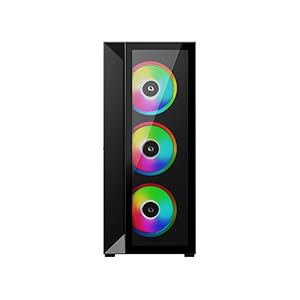
Front Panel Features A 3/4″ Sized Glass Panel & An Airflow Slit Design
The sleek angled front panel has a 3/4″ sized glass panel with an airflow slit design to show off the illuminating RGB fans while also providing additional air circulation to improve PC temperatures.
The front panel has no cables connected to the PC to allow hassle-free front panel cleaning when necessary. (Pull from the bottom opening of the front panel to easily remove). The dark tinted tempered glass is a great way to stealth the cables while showcasing the brilliant RGB.
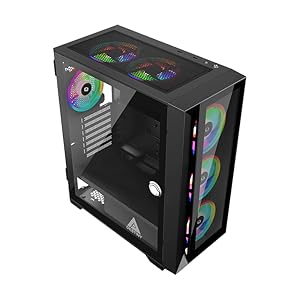
Minimalistic Front Panel I/O Design On The Side With Power Button, Easy To Access “LED” Button To Change RGB Lighting, & Removable Large Magnetic Dust Filter
The front panel I/O design comes with a power button, bright power LED light, hard drive LED light, LED RGB Switch button, 2x 3.0 USB port, and HD audio ports (Speaker / Headphone) on the side. (This allows the front I/O cables to stay hidden from the side glass view).
The large magnetic dust filter on the top panel is removable to allow fast easy cleaning and reduces dust from entering inside the case.
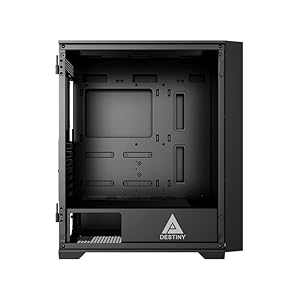
Large Spacious Case Allows For A Great Experience Building & Cleaning Your PC Supports standard ATX, Micro-ATX, and Mini-ITX motherboards, 2x USB3.0 / HD Audio ports, and improved cable management. Supports video cards up to 360mm in length & CPU coolers up to 165mm in height Room for up to six 120mm fans (3 fans at the front, 2 fans at top, 1 fan at the rear)Extra clearance and space on the top of case for easy water cooling installationTop panel water cooling options: 120mm/240mmFront panel water cooling options: 120mm/240mm/280mm/360mmRear panel water cooling options: 120mmDrive Bay Support : 2x 3.5″ HDD / 2x 2.5″ SSD
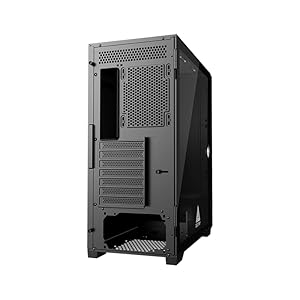
Removable Screw In PCI-E Slots (Non-Punch Out PCI-E Slots) Allows For Easy GPU Installation Removable screw in PCI-E slots (Non-punch out PCI-E slots) for easy GPU installation and allows you to put back slot covers to adjust your final GPU position1x Full sized door swivel style magnetic tempered glass side panel on the left side and 1x full size metal side panel on the right sidePSU cage is approximately 9 inchesComes with screw bag and easy to understand users manual to help with installation
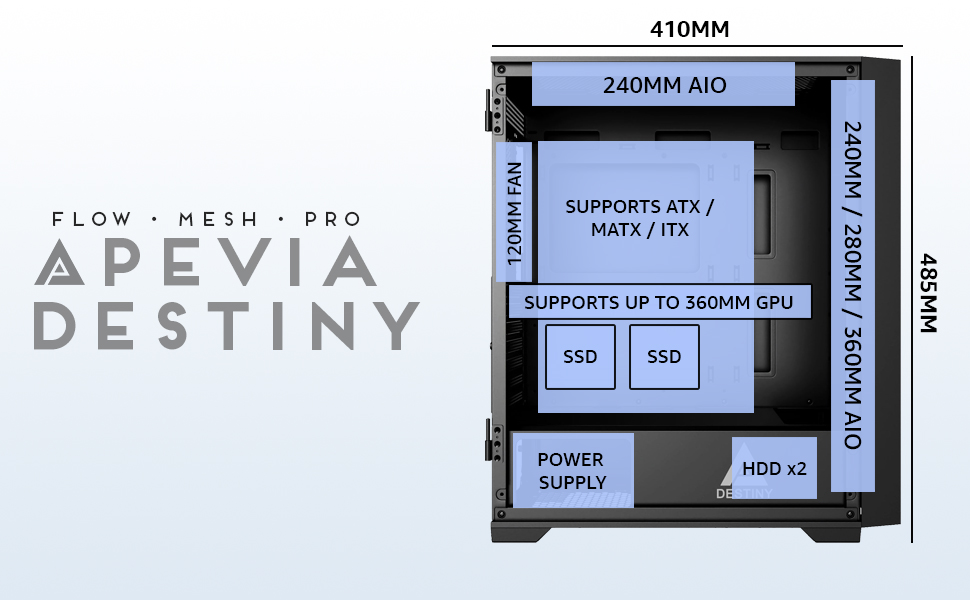
Apevia Destiny Pro Mid Tower Specifications
Model Name Destiny Pro DESTINY-PRO-BK Case Material Metal Color BLACK (BK) Motherboard Size Standard ATX / Micro ATX / ITX Window Full Size Door Swivel Style Magnetic Glass Side Panel / Tempered Glass Front Panel Drive Space 2×3.5″ (Hidden) / 2×2.5″ (Hidden) Motherboard Size Up To 11″ x 12″ Expansion Slots 7 Front Panel Switch Power / Fan LED Front Access Ports 2 x USB 3.0, 1x HD Audio Ports Cooling Fan Space Up to 6 x case fans: 3 x 120mm – front RGB fan (included) / 2 x 120mm fan – top (included) / 1 x 120mm RGB fan – rear (included) Video Card Length Up to 360mm CPU Cooler Height Up to 6.50″ Water Cooling Options Top panel: 120mm, 240mm / Front panel: 120mm, 240mm, 280mm, 360mm / Rear panel: 120mm Product Weight 17.5 lbs Product Dimensions (DxWxH) 16.25″ x 8.25″ x 18.5″
Modern metal mid tower with left-side tempered glass door swivel open style magnetic side panel & front panel tempered glass with airflow design. Plenty of room on the back side to hide and route cables. Can fit graphics cards up to 360mm in length and CPU coolers up to 165mm in height
6x 120mm ARGB fans pre-installed in case, comes with 3pin ARGB connector on RGB fans for ARGB motherboard sync (Only compatible with ARGB motherboards). RGB fans has 366 RGB lighting modes via RGB light switch button on top of case (Press down on LED button for 5 seconds to switch to motherboard ARGB sync mode)
Top panel comes with 2 x USB 3.0 & HD Audio jacks. Top panel water cooling options: 120mm, 240mm / Front panel water cooling options: 120mm, 240mm, 280mm, 360mm / Rear panel water cooling options: 120mm
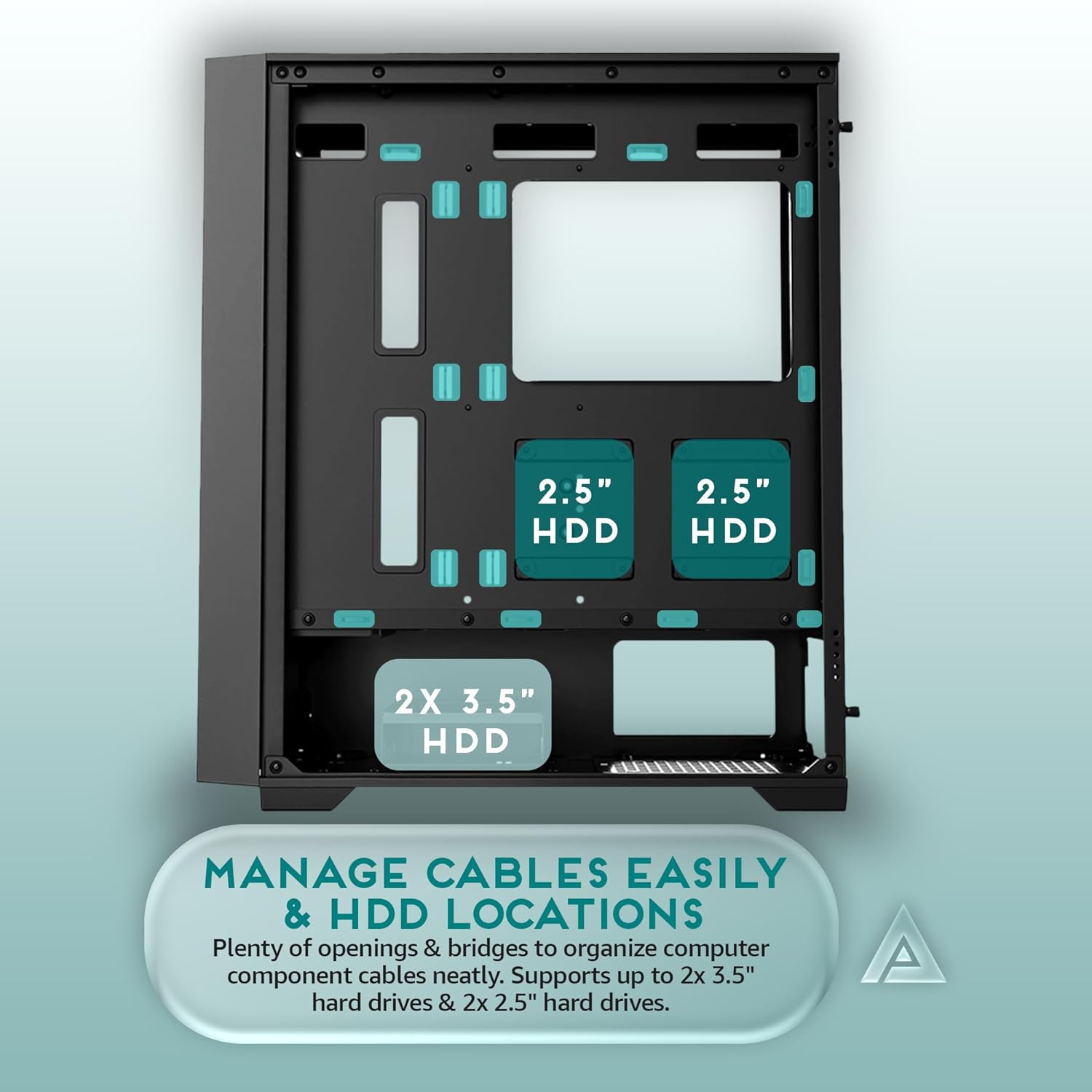
Screw in PCI-E Slots (Non-punch out PCI-E Slots) for hassle free GPU installation. Room for up to 2 x 2.5″ hard drives and 2 x 3.5″ hard drives
Magnetic Dust Filter on the top panel for reducing dust falling into case. Easy to remove dust filter to wash/clean
13 reviews for Apevia Destiny-PRO-BK Destiny Pro Mid Tower Gaming PC Case w/ 6X 120mm ARGB Fans, 366 RGB Light Modes, 1x Glass Front Panel, 1x Door Swivel Style Magnetic Glass Side Panel, 2X USB3.0, Black
Add a review

$9.99
Philip S. –
Neat Budget Case.
I took a chance on this case and power supply from Apevia for a “lateral move” build for my X570MOB and a new 5900X cpu. The case arrived intact with no damage. This is a Budget case and shouldn’t be compared to more costly items. That said, it is a great little case. Fit and finish on all the panels, glass and steel, is very good. There is just enough room for a ATX MOB. It is a tight fit. The steel side panel reveals ample space to hide wiring and a bit of electrical will tape help hold it in place once you have your wiring sorted out. Fans all link to a control switch next to the power button and work as intended. Everything works (mostly: 2 fans are a bit wonky) and you really can’t go wrong for the price. Case Cons : Dust filters are useless and could actually be detrimental to performance. Just pull the top one off when you turn the PC on so it can breath ! I would pay a few dollars more for better ” drive fasteners and MOB stand offs.” That said I would buy another Apevia product in the future. Happy with purchase..for now. Time will tell.
CyberCache –
Lian who? Buy Apevia!
Good quality case and the best bang for the buck in my opinion. Cable management is good. This is the case to buy for under 100 dollars!
Chris –
Amazing case and amazing customer service.
This is a beautiful case in person, the black on white looks amazing. I wanted a white case but didn’t like the look of all white interior so this was a great compromise.Case is spacious, super easy to install parts into, everything fit perfect. Good quality as well, no flexing metal. HDD cage is removable for extra cable storage.My case shipped with a defective power button unfortunately, nothing like that mini heart attack when you go to power on the first time and….. nothing. I was able to jump start the Mobo though then plugged the led button into verify it was in fact the power button. Emailed manufacturer customer support on a Sunday night and had a response by 8AM Monday morning, and a replacement I/O in the mail by Thursday so it’s good as new now!Will definitely buy this brand again.
Lydia –
Has some weird quirks but a solid case
Tl;dr – the case is super cute, and I really love the way it looks in my all-pink setup. The fans are fun and I love that it’s smaller than my old case. Feels solid and everything works as intended. That being said, it has some quirks, which I’ll talk about in depth below.So, the case is compact which is great, but that makes putting it together a tight fit for some builds. I have a msi MAG B550 Tomahawk motherboard and if you’ve ever seen one you know it has some pretty beefy heatsinks stuck onto it. I had to remove the rear exhaust fan to get it in and it was still tricky, but it’s in there now and it feels secure. It took a little longer and was slightly annoying but in the end it wasn’t hard.Please don’t be like me and mount your whole motherboard before reading the random little insert that says to PUNCH OUT PCI SLOTS BEFORE MOUNTING THE MOBO. dear lord. This is the most ridiculous feature about this case. I have no idea why in today’s day and age im using pliers to rip PCI slots off the back of a PC case, but okay.If you want to put a 240mm aio in the tower, it’s not going to fit top mount unless you have naked ram. My ram sticks have a case on them and there’s no way I could ever fit the radiator and radiator fans on the top of the tower without squashing the ram. Save yourself the trouble and mount your aio on the front.Finally, the manual is actual trash, which is inconsequential, but you’re better off figuring it out yourself.All in all, nice case for a decent price – just be aware it requires a little extra attention.
rochelle –
Nice
Cute but gets a little dirty, obvs cause white. Lol the photo was for a dress review but you can see it in the back turned off
MacKenzie Hurlock –
Pretty case
I like this case. It’s way nicer than my previous one. It’s taller too so I was able to fit my liquid cooler with a top mounted radiator. Before my case was short and my cooler barely fit. The glass and mesh combination on the front allows for good airflow while still looking cool. I really like the feature of the door on the side of the case. This was a selling point for me. Easy maintenance. The white case matches my Alienware peripherals and white xbox controller. This case has 1 less USB port tan my last case which is a little meh, but both are 3.0. Also no usb C. Case also has no reset button like many do.
Stephan Starnes –
Great PC case
I love this case.I’ve got it set up with seven fans and a 240mm AIO. Very spacious and my computer stays very cool under high intensity gaming. Sturdy case, and the glass is extremely easy to take off and on.
J. Lott –
Nice design, good value with decent functionality.
I’m pretty happy overall with the value proposition of the case. It’s cheap but what you see is exactly what you get.As others noted you sacrifice your reset button for the color change switch on the case. Many different color options. All of them honestly look great with the smoky black glass it has.Install was pretty straight forward. It came with posts preinstalled for mATX. Had to install two extra (included) for my ATX board. The top pci slot cover is already removed but it’s replacement was included. The full atx board had my video card lining up in slots 2 and 3. They tell you to remove the panels prior to board install. So I had to install the blank in slot 1 and remove the panel covers for slots 2 and 3. Heads up before you install based off that alone.Overall it was a pretty good build with a good looking case. I would recommend.
Lex Mohamed –
Bien protegido, llegó un día antes de lo indicado, incluye 7 ventiladores y un hub fan para conectarlos todos.Es de vidrio, pintura blanca electrostatica de buena calidad
Amazon Kunde –
Die Lüfter springen zwar an, aber es leuchtet nichts. Der deutsche Support sagt, dass ich es zurück schicken kann – dafür müsste ich aber alles wieder ausbauen, die Hardware rumliegen lassen und Wochen warten bis der Ersatz kommt. Das ist für mich definitiv keine schöne Kundenerfahrung. Ich werde mir jetzt neue Lüfter kaufen, da diese auch nicht steuerbar sind. Ansonsten gefällt mir das Gehäuse. Nur könnten sie sich die billigen, kaputten Lüfter gleich sparen.
Brandon carter –
Got a pink one she’s amazing now however one foot is not on the case and for that reason I paid too much in my mind, cheaper and better quality options out there wish I looked around
Felicity –
good for the price, the quality isn’t the best but for less than $100 you can’t go wrong.
jmd –
cant beat it for the money