

TCL D2 Pro Smart Lock with Palm Vein Recognition, Wi-Fi Keyless Entry Deadbolt Door Lock, Built-in Doorbell, IP55 Waterproof, Rechargeable Battery, Auto Lock for Front Door (Dark Grey)
$169.99
Related Products







From the brand
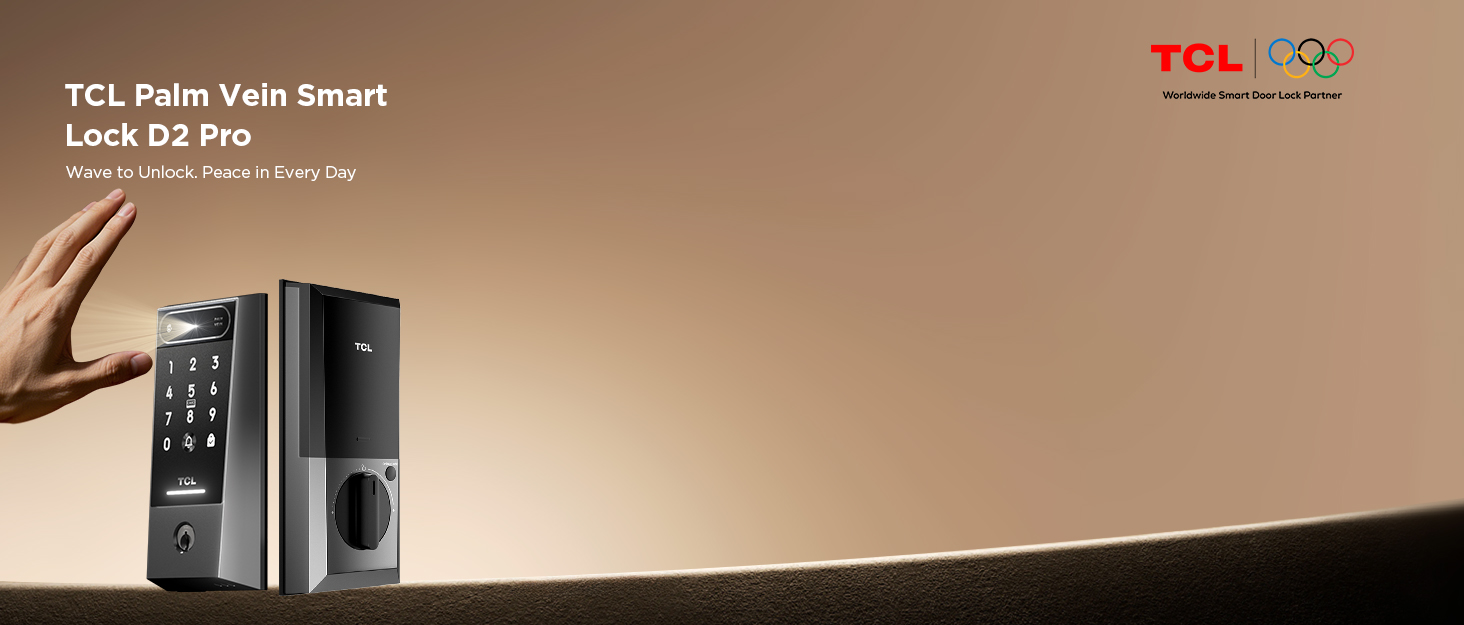
TCL D2 Pro Smart Lock



D2 Plus Fingerprint Smart Lock

D2 Passcodes Smart Lock

D2 Pro Palm Vein Smart Lock
TCL Smart Lock Series
How did we get our start?
Leveraging its expertise in electronics, security, and AI, it developed locks with fingerprint, facial recognition, palm vein and app control.
What makes our products unique?
Combining cutting-edge technology, seamless smart home integration, and robust security features—all backed by a trusted global brand.
What problem are we solving?
We don’t just address basic pain points like lost keys or password peeping—we elevate locks into the intelligent security hub of your home through AI-powered active defense systems and full-scenario smart integration.
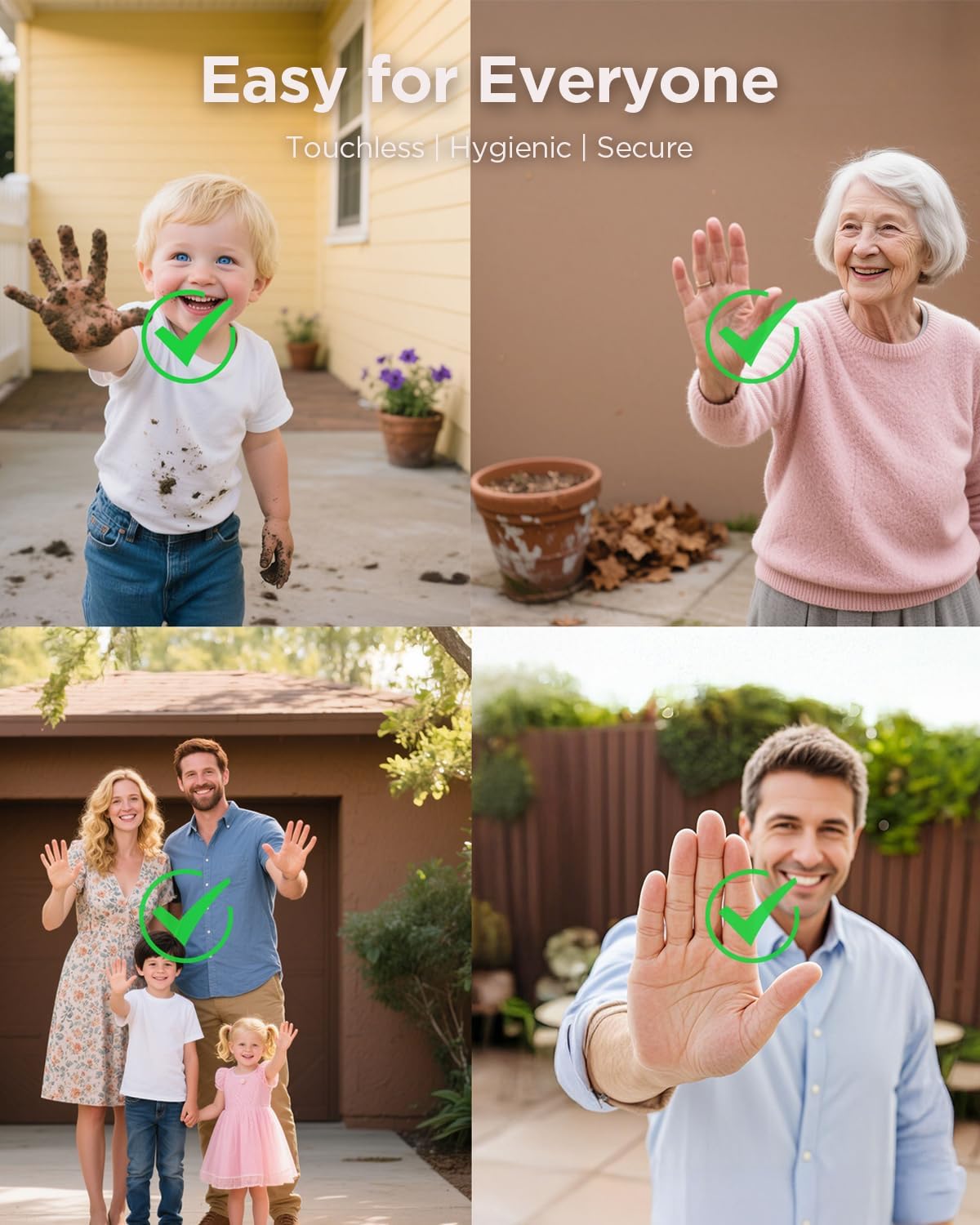
Next-Gen Security with Palm Vein Recognition: Experience the ultimate in security, hygiene, and speed. D2 Pro uses advanced AI to scan the unique vein patterns in your palm which a biometric method far more reliable than fingerprints. Never worry about stolen, copied, or smudged fingerprints again. Enjoy keyless, touch-free entry for your modern home
Real-Time Alerts & Remote Access: Get instant alerts on your smartphone anytime your door is unlocked. Grant access to family, guests, or delivery drivers from anywhere with the “TCL Home App”. Perfect for securely receiving packages or letting in guests while you’re away
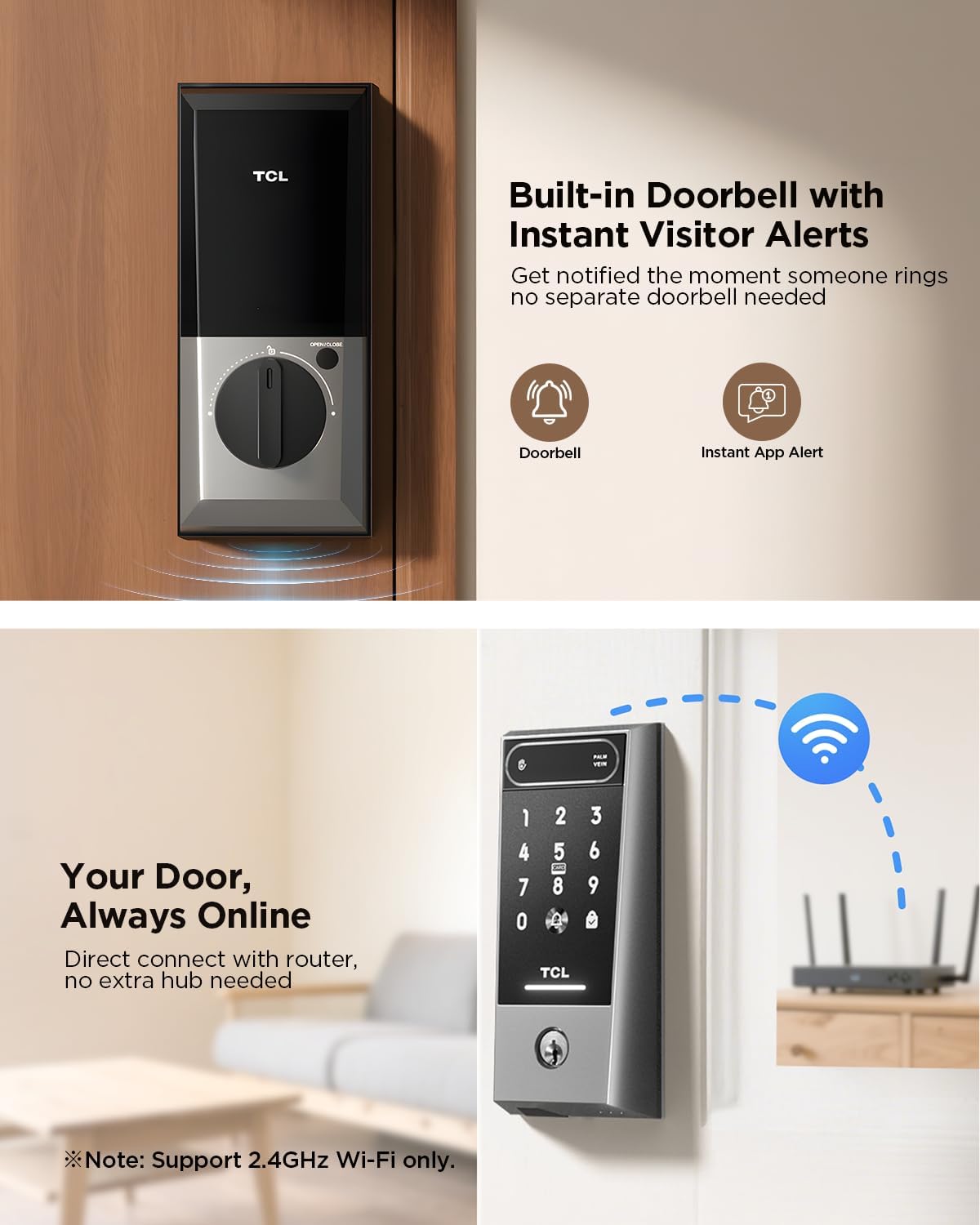
Built-In Doorbell & Voice Control: A seamless smart home experience. The integrated doorbell works perfectly with Alexa and Google Assistant. Lock or unlock your door hands-free with simple voice commands, and get daily status updates. True convenience at your command
Effortless Multi-User Management: Easily manage access for your entire household and visitors. Create custom, time-limited access codes for babysitters, contractors, or guests. View a detailed activity log to see who came and went, and giving you total control and peace of mind
Months of Power & All-Weather Durability: Stop worrying about frequent battery changes. The high-capacity 10,000mAh battery provides up to 8 months of power on a single charge via modern USB-C. With its IP55 weatherproof rating, this lock is built to withstand rain and dust, performing reliably year-round, indoors or out.
10 reviews for TCL D2 Pro Smart Lock with Palm Vein Recognition, Wi-Fi Keyless Entry Deadbolt Door Lock, Built-in Doorbell, IP55 Waterproof, Rechargeable Battery, Auto Lock for Front Door (Dark Grey)
Add a review

$169.99
D –
Data stored on the lock locally and palm sensor is better than fingerprint sensor
A major advantage of this lock is its data privacy: all personal data is stored locally on the device, eliminating the need for cloud or company server storage.I’ve been using this for months, and it has worked perfectly. Installation and setup were easy, with no issues connecting to the internet. The sensor is incredibly reliable, working flawlessly with dry, wet, or dirty hands.Installed in August on a garage door which is used only a few times a day, the battery level is still ‘High.’ I anticipate one charge could last an entire year. My only minor request is for the app to allow scheduling the auto-lock feature. Otherwise, I have zero complaints!
SoulNest Haven Lady –
Smooth as Butter!
Amazing Lock — Easy Install, Sleek Tech, Highly Recommend!My hubby installed this lock yesterday and I’m already in love with it! Installation was a breeze — it only took about 15 minutes, especially since we already had a door hole from a previous lock. The instructions were clear and simple, and I appreciated having both a printed manual and a video option for setup.The app is awesome — super responsive and user-friendly. Setup was incredibly easy, and the palm vein recognition feature works like a dream. It feels like something out of the future but is totally practical for everyday use.We’ve only had it for a day, but I’m already planning to buy one for my daughter’s house. This lock has everything you’d want — security, style, and smart features that actually work.I’ll be uploading a video soon to show just how cool and smooth the whole experience has been. If you’re thinking about it, don’t hesitate — this a winner! Best of all when I bought it, it was on sale! Great value for the money!
DK –
Solid Smart Lock with Room for Improvement
I’d like to start this review by pointing out that I was hesitant to buy a smart lock due to the fact that many options in the marketplace had mixed reviews so I did my own research before buying this TCL Smart Lock D2 Pro. Ultimately what made me chose this model was the reported battery life.Pros1- Ease of Installation: It was pretty easy to install provided that I had to replace a deadbolt lock and I didn’t have to do much to swap it. I just had to use a wood chisel to make a minor adjustment for a better fit.2- Lock quality: seems pretty standard from the mechanical side, although user interface has room for improvement (more on that later). Size seems reasonable based on features and options.3- Connectivity and configuration: You have to download the TCL Home App to configure it. Connecting to wi-fi is pretty simple and I haven’t found any major disconnect issues (only disconnected once in a month). Creating users and assigning different ways to open the door is pretty straight forward.4- Battery life is outstanding. I has a rechargeable battery that lasts for months before you need to charge it. You can remove the battery and charge it with a standard USB-C cable. You’ll get a notification on the app when battery is running low.5- Ways to open the lock: you can use a passcode (6 digits), palm veins (this is the feature that I like the most), id card (you have to buy them but they are really inexpensive), and regular keys (I was able to copy the key provided for having an extra one). You can also use the TCL home app to open the lock remotely from your phone (Alexa and Google Assistants seems to work as well). Fingerprint recognition is not an option what I personally prefer.6- Auto-lock: you can configure it to auto-lock from 10 seconds to 2 minutes.Cons/Room for Improvement:1- Look and overall outside interface: the number zero for the keypad is not located like in a regular ATM keypad but on the left hand side, so if you happen to have a passcode with a zero, it is weird to have to press somewhere else for the zero as most of us are automatically driven towards center down (where TCL has placed a door ring button instead).2- Admin app: you can only have one admin per lock and the admin is the only one that can create users and assign temporary passwords. So in my opinion it is pretty limited feature.3- Logging and Notifications: the app will literally log every event (you don’t have the option to select what events you want to log), and the app will notify you of each and every one of these events. You can only disable the notifications at the phone level, what I did as it was very annoying. I would prefer to have a way to select what events to be notified for.4- Sounds: Every time the door is open or closed it will play a message. Similar to the logging and notifications there are no granular options. If you decide to disable the sounds, it will also eliminate the sounds of every time you press a number on the keypad to enter your passcode (I personally like some noise feedback to make sure that I pressed the keys). You can adjust the volume though.5- Passcode length: as others pointed out, you can only assign 6 digit passcodes. No room for 4 digits. You could argue that 6 is more secure than 4, what is true but I think that it should have an option.6- Lack of wireless charger or spare battery: I think that it would be great to have a wireless charger as many smartphones have today. Also, being able to buy a spare battery is a must (I know that is a brand new model but still)I’m still giving it 4 stars due to the fact that the battery life is really good, and some of the cons that I listed above could be easily fixed with software/firmware updates.Overall I’m really happy with the lock.
Shane –
Great device but can still be improved
The installation is easy and the lock works as it should be.Don’t know about the battery life yet. It would be perfect if a backup battery is available.Also, it would be better if the keypad sound can be separated from the prompt sound. Because I found the prompt sound annoying but the keypad sound is very necessary.Auto lock function works but it also engage the lock when the door is open. It would be better if autolock function only applies when the door is closed (I think the door has a close/open sensor).
TJ –
Deplorable App, Useless Support – Avoid This Lock
The TCL D2 Smart Lock came nicely packaged and installation was straightforward. I swapped out my deadbolt, added the batteries, and downloaded the TCL app as directed. That’s where everything fell apart.The app does not list locks anywhere—only TVs, sound bars, and AC units. After spinning forever, it says “need help?” and offers a “manual add” option, but that doesn’t exist. I tried on both iOS and Android with the exact same issue.Naturally, I called TCL support. After a lot of basic questions, they asked me to email screenshots and my order number. I did, and was told to wait “2–3 business days” for a response. Hours later, I got an email saying my order number wasn’t a TCL order (it was an Amazon order number) and I should contact the seller for app support. Excuse me? I need to contact the seller for tech support on TCL’s own app?Even worse: there is no way to program this lock manually without the app. Right now, I can only lock the door from the inside. I can’t use it to actually get into my house. That makes this lock nothing more than a shiny piece of metal.I emailed them back to clarify, and of course—no response yet. So now I’ll be waiting until at least Monday to maybe hear back.This whole experience has been beyond frustrating. Deplorable tech support, a garbage app, and a product that’s completely unusable right out of the box. I ordered two of these and honestly, I’m ready to box them both up and send them straight back.Initial impression: absolutely awful. Save yourself the headache and buy a lock from literally any other brand.
David from Kitchener –
Setup and installation was simple, configuration and connection to the app and the internet was a breeze. Came with two tags also, which was great. The door takes a second to respond to my hand and I have no problems at all with this solution. Great value for the price!
Amazon Customer –
A good smart lock with built in wifi great APP and a huge 10,000mAH rechargeable battery.Installation was pretty easy took about 30min after juggling with deadbolt and external and internal assembly. Battery charging takes 4 hours. Setup was easy through the APP. No wasting battery on Bluetooth to wifi gateways like other licks this lock has wifi built in! Calibration was easy through the APP. Settings through the APP is also simple. This also has a door bell that I muted as I have a separate video doorbell. I am interested to know how long this battery will last as the previous lock I had from competitor lasted 4 days only on Duracell batteries (4 batteries of 2200 mAH). For this one I am thinking of ordering a spare rechargeable battery. Overall a very good sturdy and simple lock to install, program and operate.
Phebus –
UPDATE: During the add lock process, I encountered issues getting the app to calibrate the lock, as detailed below. But I was finally able to get it to work after a little more perseverance. I found a way to force the lock into my account without the calibration by leaving the one it detects via Bluetooth stuck on step 4 while repeatedly resetting the lock and adding it from the list of devices instead of the one it picks up (there were three to choose from manually, this model being the Pro). I had to run through the process a few times that way till it finally added the lock, but I still did not have full control of it. But this at least allowed me to choose the calibration option manually in the settings, and lo and behold, a check box that was not present during the adding process appeared. Something I need to check before I click “Continue.” For some reason, that check box did not appear during the add lock process, and the text overlapped itself on my screen during that process previously. I am not sure if this is to do with my text size (large) on my iPhone, but that may have been the issue all along until I got into the app, where things adjusted properly. I’m just glad that I finally got it going so I can enjoy all the features this lock has to offer!After I got it up and running, there were a couple firmware updates, and both went through without any issues. (The most recent one that enhances the performance of the palm reader took almost five minutes to complete.) I have to say that this lock completely impresses me now. In general, I’m not particularly excited about IoT devices communicating with servers, but I feel somewhat at ease with TLC—more so than many other companies, anyhow—and IoT devices connecting to vendor servers is not something you can completely avoid these days since that is what makes installations and remote access much easier for the average user. Setting things up in the app is very straightforward once the lock is in there, and there are a lot of great options available. It only took me less than ten minutes to set up my three users with unlock passwords and palm access. And the palm reader is incredibly effective; it can accurately identify the user and swiftly unlock the door after registering just one palm scan. And after recording 4 different angles of the same hand, I can basically hold my palm out as I approach the door, and it unlocks before my other hand reaches the door handle.Though I had some problems with this locks app initially, which made me think the app wasn’t worth the 1.7 rating it got from other users, it turns out that the app isn’t that horrible after all. And now that I got it going, I think this is an excellent IoT lock choice for a home, and I would certainly recommend it. Well, as long as not too many others encounter the same problems that I did. Though I doubt that most users will. Do keep in mind that technology is not flawless, though, and occasionally a defective unit can be had. (Amazon offers great 30-day exchanges or refunds, so you’re protected in the event that you receive a defective one.) I’m now really happy with this lock and glad I overcame my problems so that I can now take advantage of everything it has to offer. From my bad experience with getting it going, I would rate it at 3, but for the product quality and overall performance once it’s working, it is a 4.5 for me, and I am rounding up on the rating.UPDATE ENDEven though I have a strong IT background, have worked with numerous smart door locks over the years, and can typically troubleshoot any hardware or software issue, this device has completely baffled me. After testing it on multiple 2.4 GHz routers with both AP isolation and net isolation turned on and off, I was unable to get it to proceed past step 4 of the calibration setup process. In addition to reconfiguring three of my recent and older 2.4 GHz routers—a Netgear 7800, a Netgear 8000, and an Asus GT-AC5300—two with custom firmware and one with the default manufacturer’s firmware, respectively. I reset the door lock to manufacturer defaults multiple times. In all cases, regardless of which router I used, the device connects without any issues, but the TCL app on my iPhone 14 sits at step 4, which is where it should sync to the account I created in the TCL app for configurations. I also made a new TCL account with a different email so I could start over completely, without the old device that wasn’t finished stuck at step 4 in my list. (A device cannot be removed from the app; it can only be added, and it remains in the list when it becomes stuck.) Even though it hasn’t been configured yet, the device in my list offers a firmware update, but it can’t be installed. I should also note that, despite the fact that the software installs without any issues on older phones, like my iPhone 8, the TCL app, which has a rating of 1.4, will not open on those devices. The app lets you create an account, but it freezes when it tries to log you in.It took me fifteen minutes to install this lock into my front door, but I spent over five hours repeatedly reconfiguring my network to rule out home networking issues. It was a complete waste of my time. And until the software is completely calibrated in my TCL account, the lock will not let me use any of the digital features, including the key fobs. In its current state, it is drastically inferior to the one it replaced, which featured a fingerprint sensor, a keypad, a WiFi app, and a fob. As it is, this device only provides me with a lock system that I can operate with standard keys. (I will be reinstalling my older one when I have some more time.) I would not suggest this lock at all until TLC resolves their application problems. Not just because of all the problems I encountered with it, but also because of its 1.4 user rating at this time.
Christopher T –
The TCL smart lock D2 Pro comes with many new features for a smart lock for your home. This new model comes with AI palm vein recognition, built-in doorbell door lock and Keyless entry security electronic deadbolt to protect your home. It works with Alexa, Auto Lock, and voice control. Up to now I have used electronic locks that obviously work with a keypad or button entry code, privacy electronic keypad and thumbprint recognition. Well, now you can use the new AI palm vein unlocking system with 99.999% recognition accuracy, response time of less than 0.1 seconds and it is equipped with an AI powered learning chip. You no linger require to have a separate doorbell on top of your door lock system, with the built-in door lock you will be instantly notified of visitors via your app. You can also use the app to unlock the door from anywhere as long as you have an internet connection. You can opt for notifications as well advising you of who is unlocking your door and entering your home immediately.Do you have a medical emergency requiring Ambulance or Fire crew access to your home? Have you fallen and are unable to get up to go to the door to open it and don’t have your phone near you or within reach? Maybe, you have your hands full baking or cooking dinner and want to let your company in the door without having to wash up and leave your items unattended. Well, with this door lock, you no longer have to worry. As long as you have Amazon Alexa or Google Assistant, you can unlock your door remotely with your voice simply by saying “Hey Alexa, Unlock the door” and Alexa will unlock the door for you or even to lock it. It comes with a 10,000 mAh Type-C rechargeable battery providing for up to 8 months of use per charge requiring no disposable batteries to be purchased. Lastly, it connects to your WiFi router via a 2.4GHz channel. Finally, if all else fails you have a key entry back up as well. I highly recommend this sophisticated system by TCL which is a company that you can count on to deliver quality products at a reasonable price that you can rely on. I highly recommend.
Phil Y. –
What’s Included:- The kit comes with the front exterior touchpad, interior battery pack, mounting hardware, door bolt, strike plate, 2 x keys, 2 x RFID cards, mounting template, quick guide & a user manual.First Impressions:- Uses 8 x AA batteries (not included) to operate- Lock is not overly large and has a nice high tech look with the black/dark graphite colour tones.- Includes physical keys, I always love when old-school stuff is used, never know in this high-tech world.- Touch face has a matte surface, which helps reduce fingerprints for better security.- Includes a doorbell button on the touch face.- Supports fingerprint, passcode, RFID card, app and even a physical key to open the lock.- IP55 water resistant, so good for interior or exterior installs.- Can be accessed remotely over the internet as the lock can directly connect to your home WiFi without the need for a gateway hub.Installation:Installation was fairly easy as it’s like installing a normal lock, but it has wires and batteries.The device has 8 battery slots, but I found that removing the 4 batteries on the top row that the lock would still function. I guess it’s meant for extended runtime as most locks only use 4 batteries.Depending on the way the door swings, you will need to use the Lock Calibration feature to switch the direction your lock handle rotates. Default, up is unlocked, but if your door swings to the left, you’ll need to calibrate the lock so rotating right will lock the bolt. They could have renamed this feature and provided a description with more info on what it does as I only figured it out by accident.App:The TLC Home app requires an account to be created in order to use the app. I already had an account I created in the past, so I can’t remember if it needed to send a confirmation email to your account.Pairing with the app was fairly easy, but you will need to provide GPS & Bluetooth access in order to find the lock automatically.It only functions on 2.4GHz band, which is a bit of a limitation, but I guess it has better signal strength through walls.During setup, it asks to create a Master Password as well as an added app lock password to prevent anyone from using the app without the password.After setup was complete, I disconnected from my home WiFi & disabled Bluetooth. I then connected to my cellphone’s cellular hotspot. I was happy to confirm that I was still able to manage the lock over the internet. I received notifications, unlocked/locked the lock and was able to setup one-time passcodes, perfect for guests or contractors.Usage:There are five methods of entry: PIN, RFID Card, Fingerprint, App & physical key.You can create additional users (family members) and register fingerprints, pins or setup the one of the RFID cards.The RFID cards, once paired with the lock will allow a very quick unlock without a PIN.When adding users, you have the options of adding a permanent password, a period password or a duress password. The period password is a 4-8 digital passcode that you can set a start date/time as well as an end date/time when that passcode will work, so it’s reusable for that time period and not before or after. The duress password is a good addition for added security. If you’re in trouble and enter that code while entering the home, it will provide a notification to the admin that the family member/friend has entered and needs help. It doesn’t automatically call 911 but will allow you to find out what’s happening and call for help if needed.Setup of a fingerprint was somewhat easy. During the fingerprint scanning phase, it did indicate in the instructions that you will need to enter in multiple positions, but when you start and tap the reader, the verbal prompt just tells you to tap again, and the app doesn’t show a status. I started to get worried after a few taps with no status update on the app or a change in verbal prompts. After approx. 6 taps in different angles/positions, it finally finished successfully and the app requested additional info on which hand and finger was used. I do wish a status update on the app would have appeared after each press or a different prompt message, so I know it’s actually recognizing the taps and there wasn’t an issue.Unlocking using a fingerprint is spec’d to be approx. 0.3s, but it felt just a tad longer than that, maybe close to 1sec. It consistently detected my fingerprint and unlocked the door, so the sensor is pretty good.The whole locking/unlocking processes have verbal and audible notifications and alerts to let you know what’s happening.To use a PIN, you need to tap the #5 key which has the icon for the RFID card. Touching this spot will wake up the pad so you can enter your PIN and then the check mark. If successful, a green LED will appear and a notification indicating door unlocked. If the wrong pin is entered, a red LED appears and a failed tone will play.Right below the #8 key is the doorbell button. If you don’t have a doorbell, then this is perfect. A single press will give off 2 dingdongs that are fairly loud. The tone volume can be adjusted but not changed. Upon press, you will get a notification on your phone/app.There is an OPEN/CLOSE button on the back that will activate the lock and open or close the lock without turning the handle.Emergency Access:For emergencies when the physical lock might be broken or the batteries are dead, you can still get in by using the physical key or a power bank via a USB-C cable. The silicone cover is on the bottom, plug in the cable which would provide the device just enough power to allow you to unlock it. When using the key, it’s only to unlock, no way to relock it without power.Since most smartphones can be used as a power bank when an OTG cable/adapter is used, then all you’d need is your cellphone, the OTG adapter/cable and a USB-C cable. Just make sure you carry those items with you at all times and you’ll never be locked out of your house.I tested using my Samsung S23 FE phone which has a USB-C charge port. I plugged in a Samsung USB-C to USB-C cable to the lock and it provided the needed power to unlock the door.Pros:- Comes with almost everything you need to use the lock out of the box (except batteries)- Multiple methods to unlock (PIN, RFID Card, Thumbprint, App or physical key)- Has emergency access via a physical key or a USB-C cable attached to a power bank or even to your cellphone- App has a lot of settings to fully customize your lock- Can provide permanent & 1 time use codes that can be given to anyone- Fingerprint sensor is quick and accurate.- IP55 water resistant, so good for interior or exterior installs.- Supports direct link with home wireless access point without the need for an extra gateway hub.- With the lock connected to your home internet, will allow you to receive notifications, provide/restrict access while away from home.- Includes a built-in doorbell.- Can pair with Google Assistant or Alexa to control the lock via voice commands.Cons:- Although it indicates it requires 8 x AA batteries to operate, I found it can work with only 4 batteries. I guess the additional batteries are for extra runtime.- The metal plate for the inside of the door can get bent if you overtighten the screws- If you wanted a bit of privacy and wanted to lock the door temporarily and prevent anyone from opening it with a code, RFID tag or fingerprint, there’s no quick disable/privacy switch on the inside, so the only way would be to pull a battery. I did find another method, which is to rotate the handle 180° to the opposite side while locked. This will literally jam the lock as the motor can’t rotate to the unlocked position. This may cause wear on the motor and there are also multiple chimes to notify that the lock is jammed.- One-time codes are only valid for 8mins and can only be generated once every 10mins. I would have preferred a settable duration/cutoff period.Final Impression:Overall, I found the TCL D2 Plus smart lock worked perfectly. It provides multiple entry methods that unlocked/locked the door quickly. You have the ability to also provide additional access via codes, RFID tags, fingerprints or even using an old-school key. The access can be permanent, or 1 time use which makes granting access to contractors a snap. The short timeframe for the one time use passcodes is a slight issue and would have preferred a settable duration.At the time of this review, the lock was priced at $169.49 with an available 5% off coupon.