

Smart Pen+Mini notebok, Digital Pen Real-time Sync for Digitizing, Storing, and Sharing Notes, Ideal Smart Pen for Note Taking, Drawing, Classroom, Offices, Compatible with Android and iOS
$7.99
Related Products





From the brand


Welcome to Ophayapen official!
Ophayapen have been specializing in research and manufacturer smart pen for years.
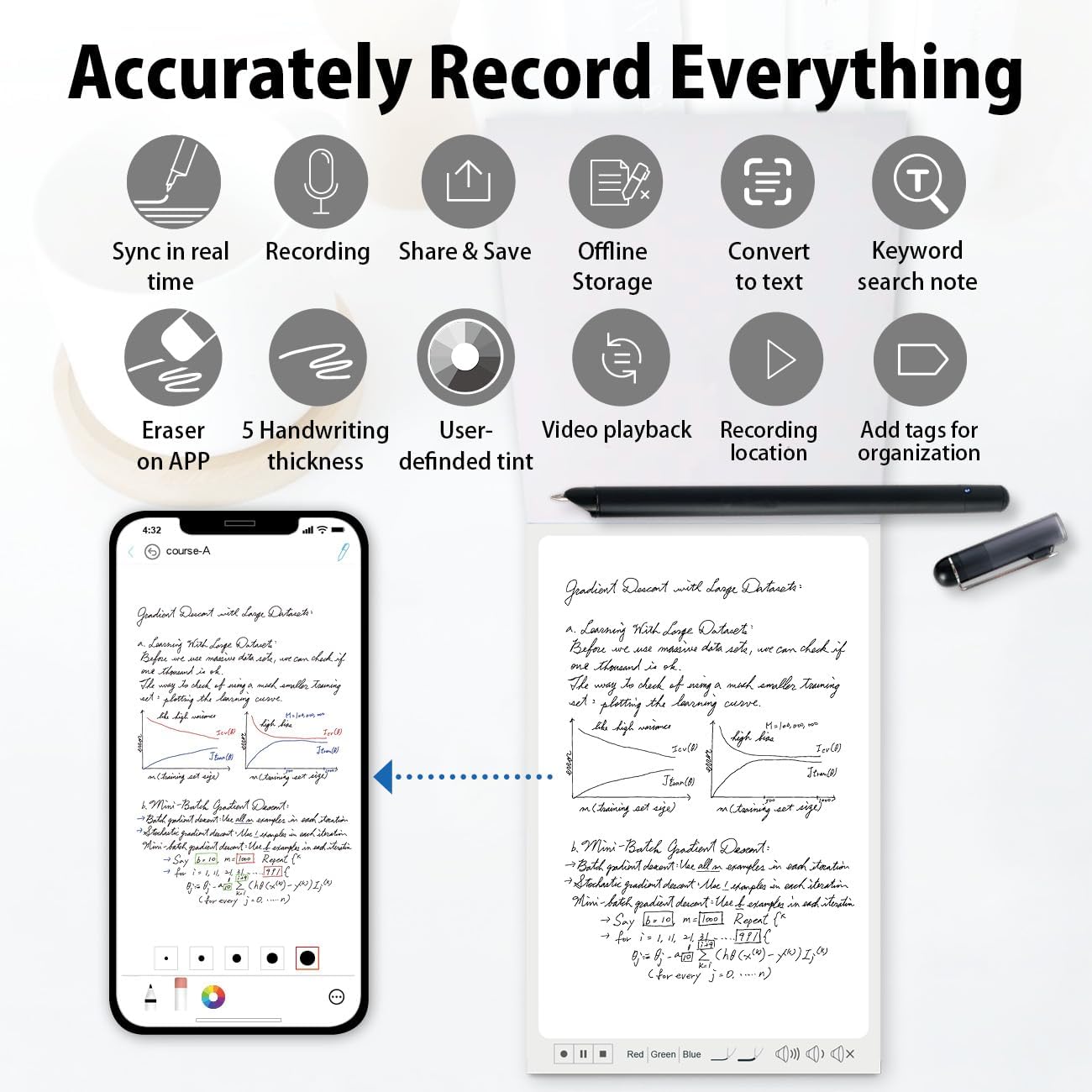
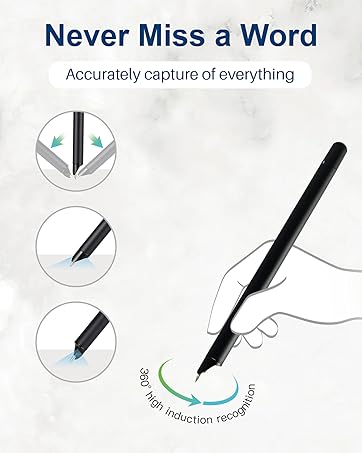
The Smart Pen Set integrates traditional writing with digital, captures handwritten notes on specialized paper or board, instantly syncing them via Bluetooth to the Ophaya pro+ App on smartphones.
Convert ideas into editable digital formats, organize notes, and share across App. Ideal for students and professionals.
Four Smart pen Combo Packages
Replacement-Paper/Pen Refills

Smartpen+Notebook+Board Set
What’s in the box1x smart pen, 1x A5 dot-code notebook(60sheets), 1x writing board, 4x ballpoint refills, 2x plastic Pen Nib, 1x charge cable, 1 x manual

Smartpen+WritingBoard Set
What’s in the box1x smart pen, 1x writing board, 2x plastic Pen Nib, 1x charge Cable, 1x manual

Smart Pen + Mini Notebook Set
What’s in the box1x smart pen, 1x Mini Notebook, 2 x ballpoint refills,1x charge Cable, 1 x manual

Special Paper Notebook
The smartpen connects to the app to digitally capture your writing on Paper Notebook.

Special Writing board
The smartpen connects to the app to digitally capture your writing on the writing board.

Replacement paper refill
The smart pen+notebook+board set includes a PU notebook with 60 sheets of special paper refill. Once the inner paper is used up, you can purchase replacement refills at our amaozn ophayapen store (Note: Ophayapen smart pens are only compatible with Ophayapen-branded paper)

Replacement pen refill
The set includes 6 pen refills. Once the pen refill is used up, you can purchase replacement refills at our amaozn ophayapen store (Note: Ophayapen smart pens are only compatible with Ophaya-branded pen refill).
Is it possible to operate the described functions on the writing board?
No, the writing board is just an alternative to paper writing tool, you should use the smart pen Bluetooth connect to the APP, and the content what you write on the writing board will be synchronized to the APP, and then all the functions need to be operated on the APP.
Is there a fee for the APP?
Hello, no need, APP is free!
Can this smart pen be used with any paper or other product?
Only support any Ophayapen branded products
9 reviews for Smart Pen+Mini notebok, Digital Pen Real-time Sync for Digitizing, Storing, and Sharing Notes, Ideal Smart Pen for Note Taking, Drawing, Classroom, Offices, Compatible with Android and iOS
Add a review

$7.99
Teacher Ma –
A Tech Marvel for Note-Takers!
I recently purchased this smartpen and I’m genuinely impressed by how it has transformed my note-taking experience. Initially, I was a bit skeptical about whether it could really deliver on its promises, but it has far exceeded my expectations.The most standout feature of this smartpen is its ability to sync seamlessly with digital devices. It’s like magic! Every note I scribble down on paper appears almost instantly on my tablet, making it super convenient to organize and access my notes from anywhere. This feature alone has made it an indispensable tool for my daily use, whether I’m in meetings or just jotting down ideas on the go.Another aspect I love is the battery life. This smartpen lasts for days on a single charge, even with heavy use, which is a huge plus for someone like me who tends to forget to charge their devices. Additionally, the pen feels very natural in hand; it’s neither too heavy nor too light, which makes writing for extended periods a breeze without any discomfort.This smartpen is a fantastic tool for anyone who values the efficiency and convenience of digital note-taking while still appreciating the tactile feel of writing on paper. It’s an excellent investment for students, professionals, and anyone in between who looks to bridge the gap between analog and digital with ease.
Natalia Duarte –
Excelente para las reuniones
Funciona súper bien pero, es solamente con la libreta y es muy pequeña
Afnanko –
It was for my little sister and she loved it
It’s good for taking notes
benson zhou –
great product
I recently purchased the Ophaya SmartPen and initially struggled to find the transcribe to text function, which was crucial for my needs. I noticed that many others had the same issue in the comments, so I reached out to their support team. They responded quickly and were very helpful. They advised me to download the latest software, the Ophaya Pro+ App—so EVERYONE, make sure to download the Ophaya Pro+ APP!I highly recommend downloading this app if you’re using the Ophaya SmartPen. It not only includes the much-needed transcribe to text feature but also allows for exporting multiple PDFs at once. This has been a game changer for me as I can now write all my notes and export everything simultaneously into OneNote to stay organized.
nicole –
Brilliant but impractical; tiny notepad needs costly smart paper and ink refills.
Fantastic idea, would have rather had a notepad that is reusable and not a very small pad of smart paper. How does smart paper even work? Concept is brilliant but pad Is too small for a lot of notes.
Emanuel I Lynn –
excellent
After using it for less than a few days, I didn’t expect it to work so well. It’s amazing and I will recommend it to others
Tatyion Devezin –
Digital smart pen +small notebook digitize, store and share paper notes simultaneously in real time
This digital smart pen and little notebook is awesome! I’ve been looking for a convenient way to digitize my paper notes and this product fits my needs perfectly. Its real-time synchronization function allows me to convert paper notes into digital format anytime and anywhere for easy storage and sharing. I use it in classes and meetings to easily record important information, but also for drawing and doodling. The best thing is that it is compatible with both Android and iOS systems, making it easy to use no matter which device you use. Highly recommend this product to anyone who needs to manage notes efficiently!
Jen Moses –
Bastante bueno
I have borrowed my sister’s Apple Pencil in the past, and this pen worked just as well. It even seems a little bit easier to use in some small ways.
林 –
I recently purchased this pen, expecting it to work on all types of paper. However, I was disappointed to find that it only works on the specific paper provided by my company. When I tried to use it on other types of paper, it simply didn’t work at all. This limitation makes the pen practically useless for my needs and feels like a complete waste of money. I definitely would not recommend this product if you plan to use it on different types of paper.