

Smart Pen for Note Taking Set Real-Time Paper-to-Digital, Smart Digital Notebook with Pen for Meeting Class Creation, Convert to Text, Store, and Share Your Handwritten Notes via App(iOS/Android)
$21.99
Related Products



Product description
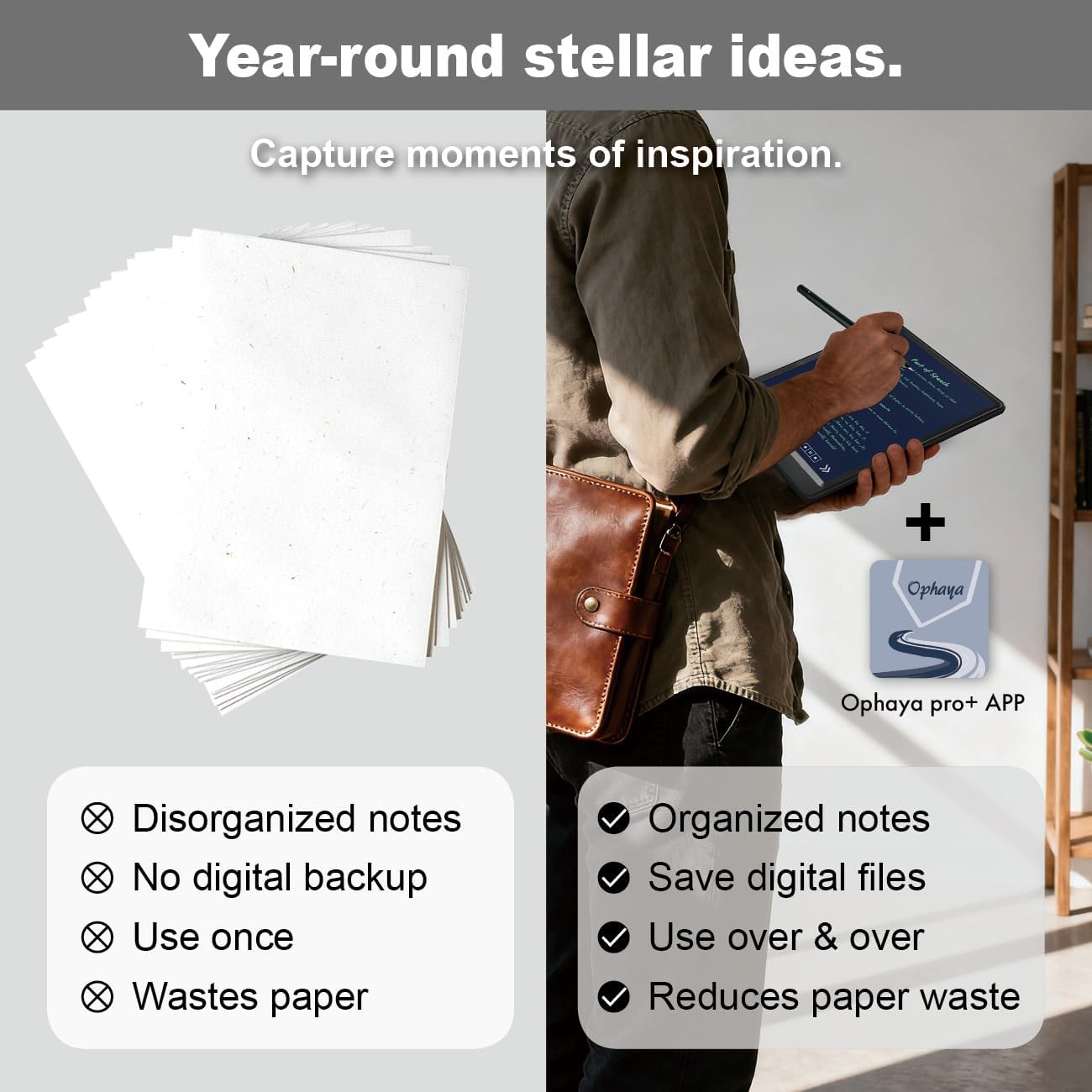
Your Ideas Instantly Digital. 
How it Works: Write with the smart pen on the special paper/board.What You Get: Instant digital copies in the app-Ophaya pro+ (iOS/Android). Keep the true feel of writing on paper.Note:Not for use with computers or regular paper.
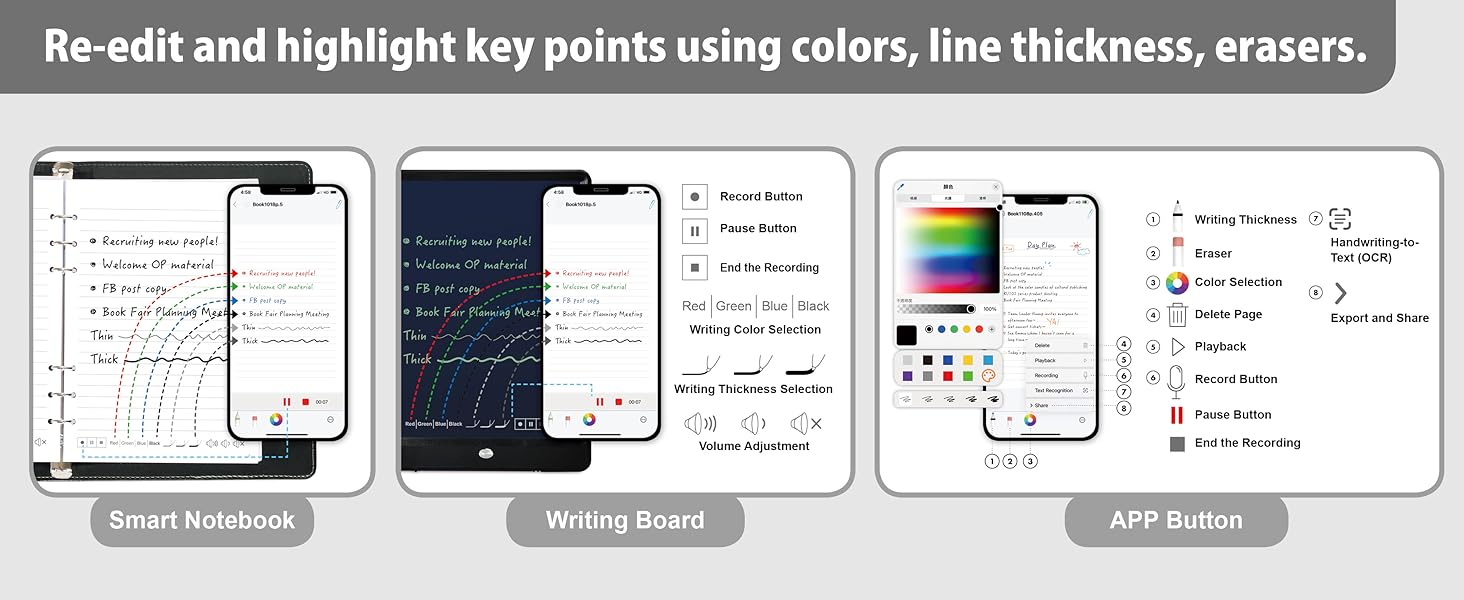
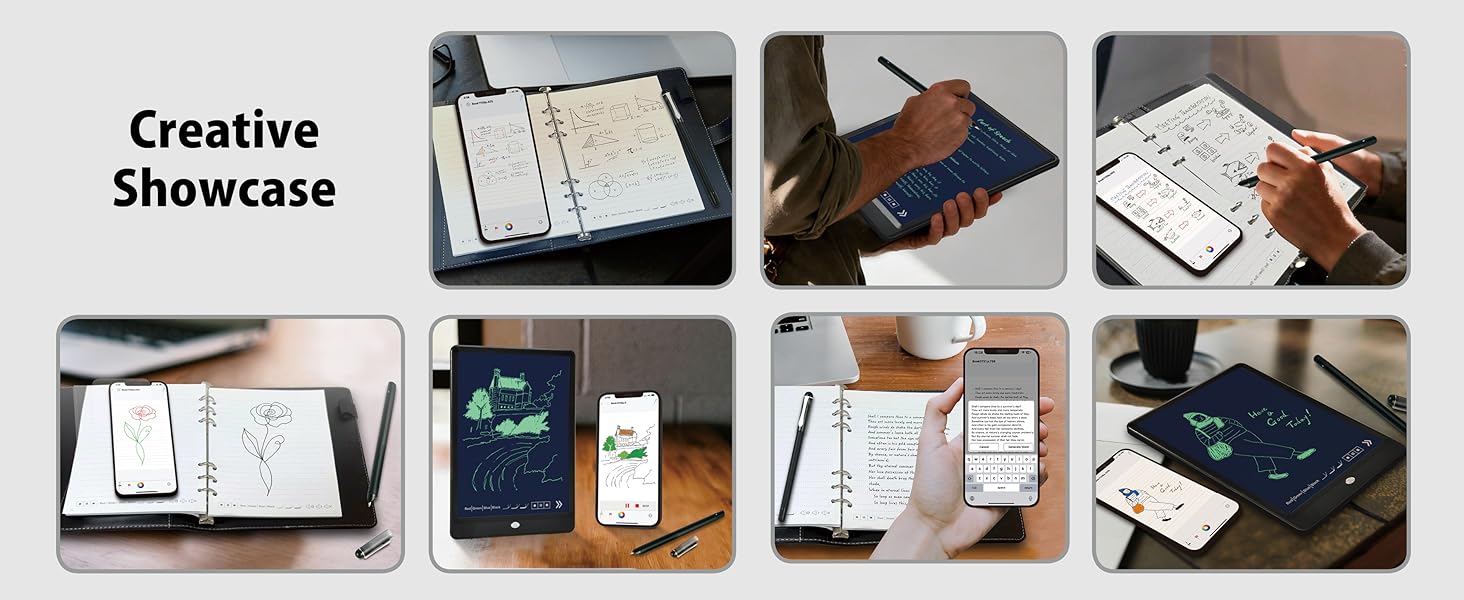

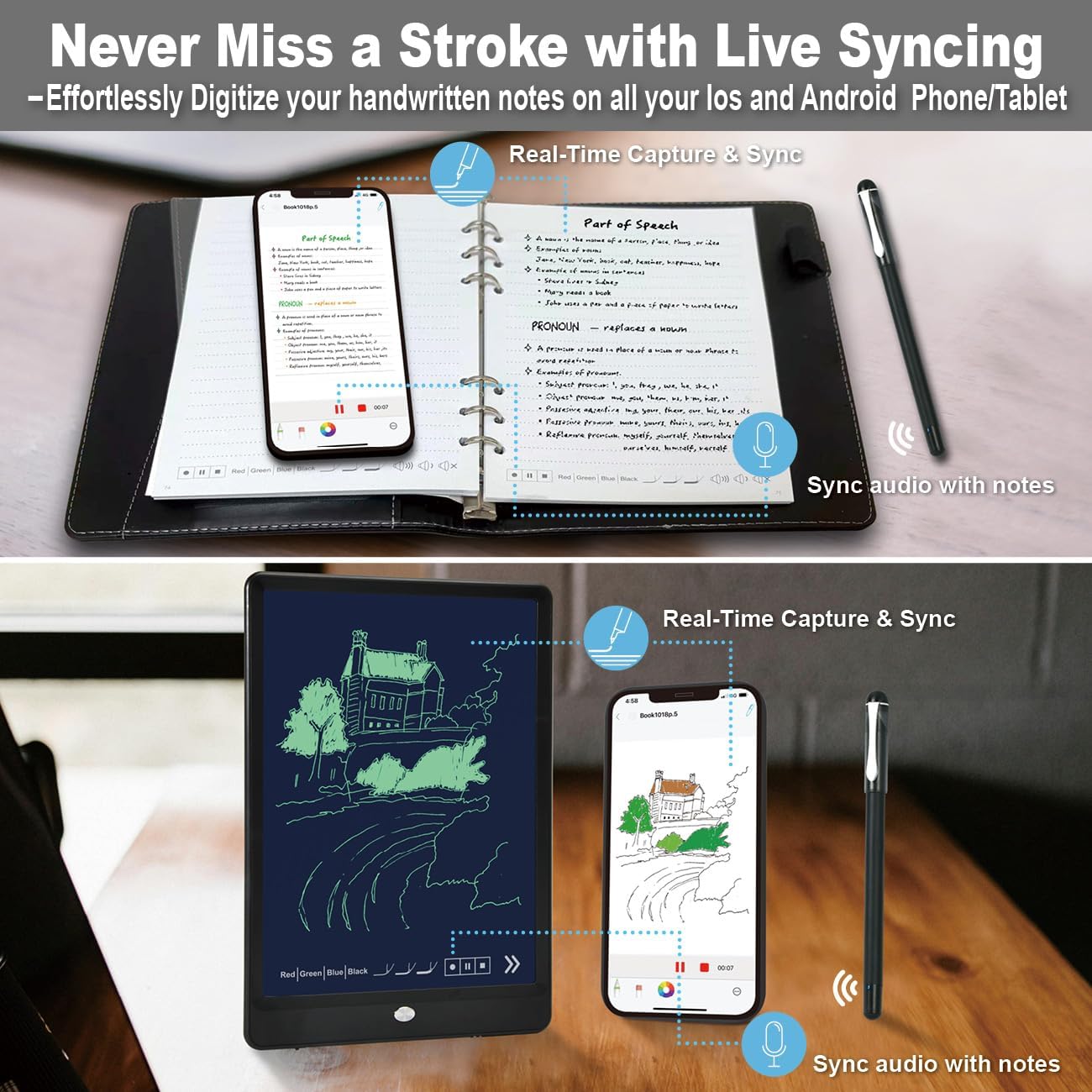
Never Miss a Stroke with Live Syncing
Effortlessly Digitize your handwritten notes on all your Ios and Android Phone/Tablet
(No need to take photos and upload.)
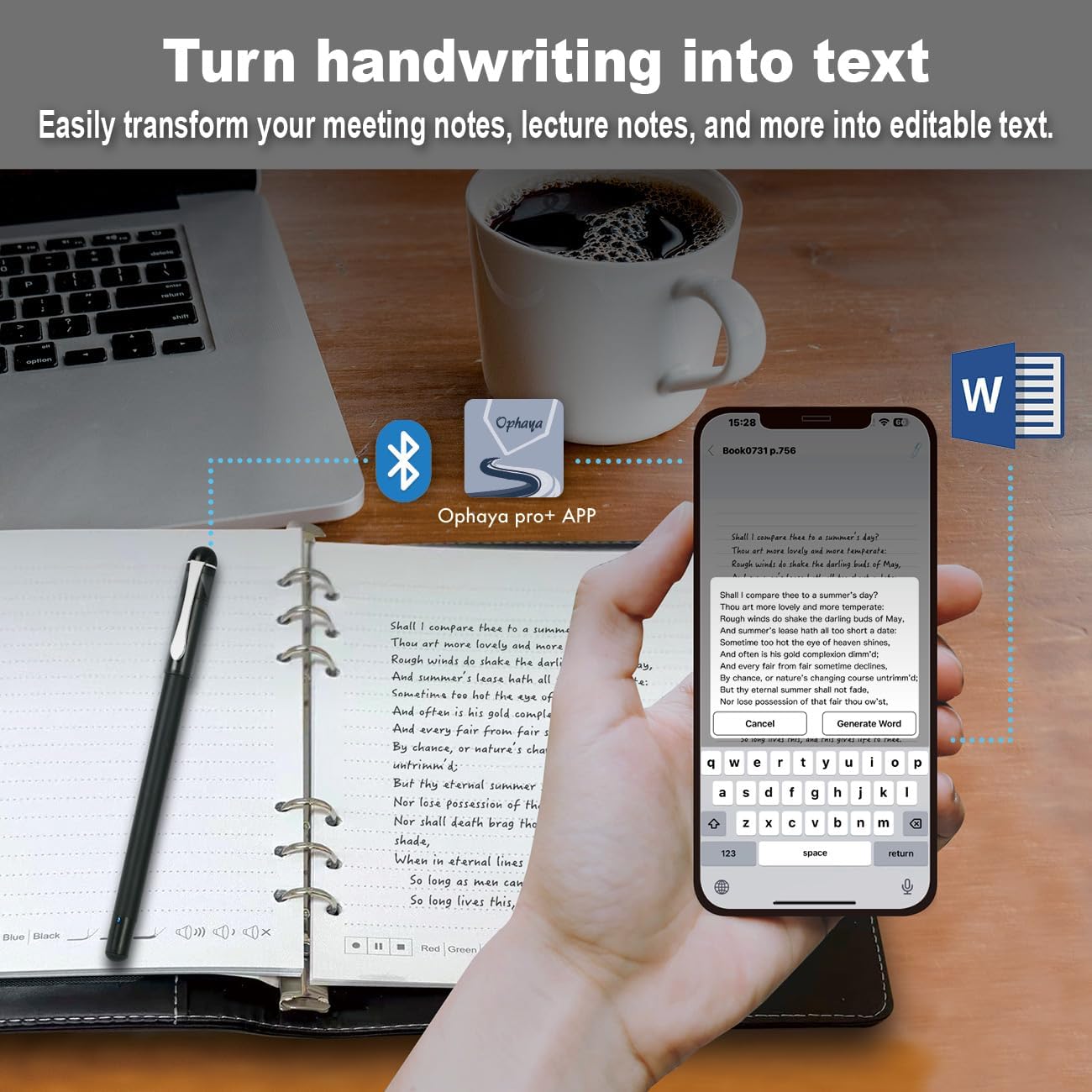
 Turn handwriting into text
Easily transform your meeting notes, lecture notes, and more into editable text.
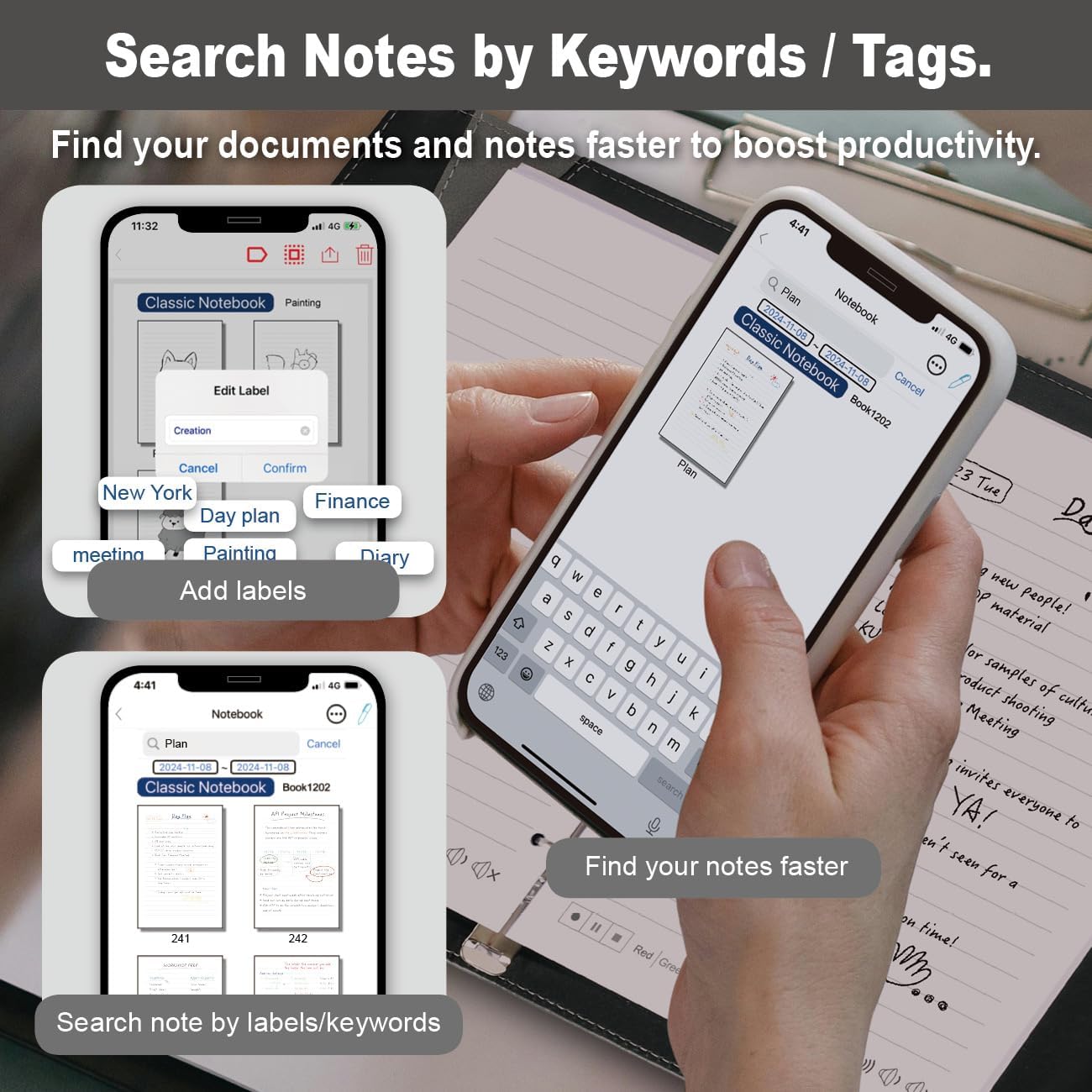
 Search Notes by Keywords/Tags.
Find your documents and notes faster to boost productivity.
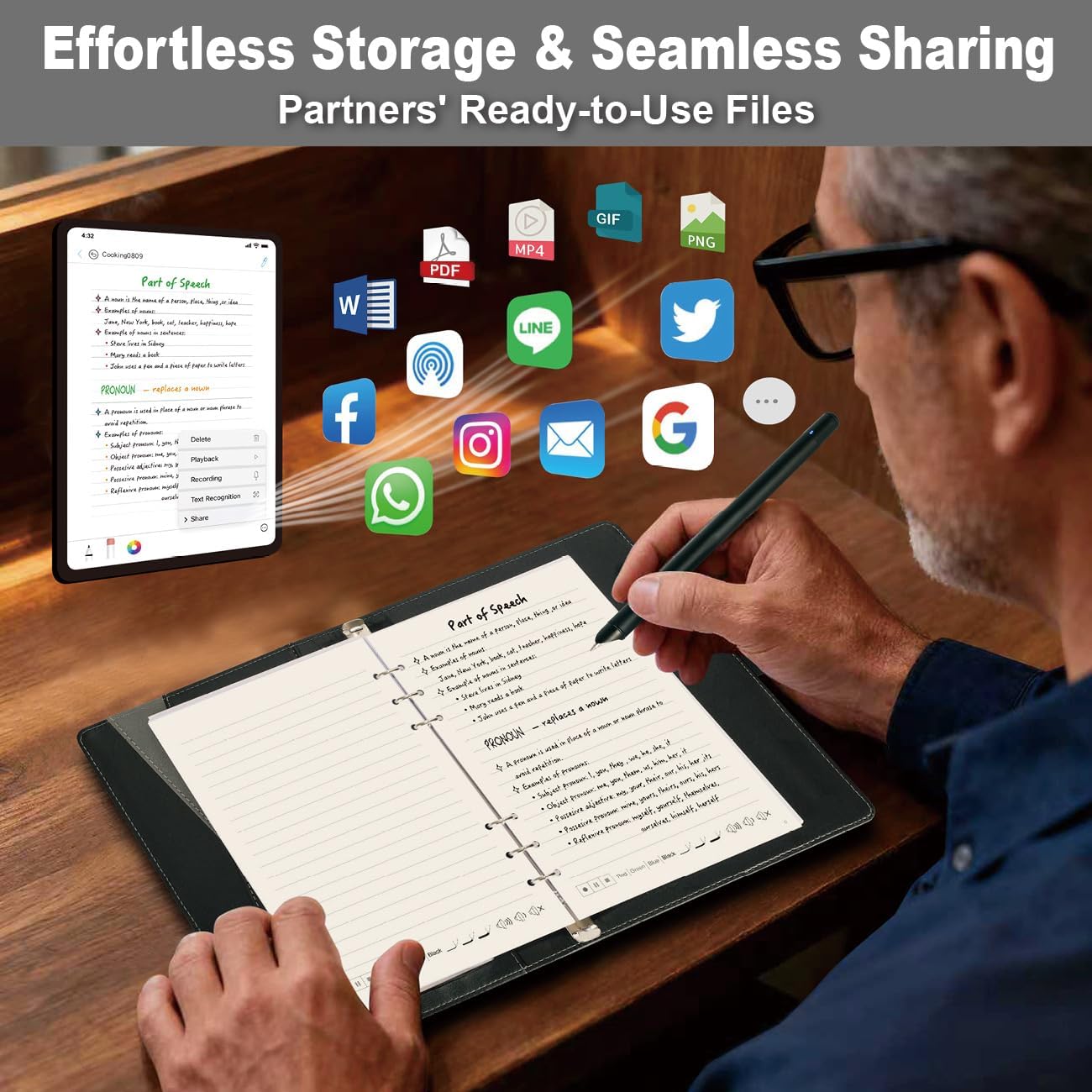
 Effortless Storage & Seamless Sharing
Effortlessly share your work in multiple formats (PDF, Word, PNG, GIF, MP4)
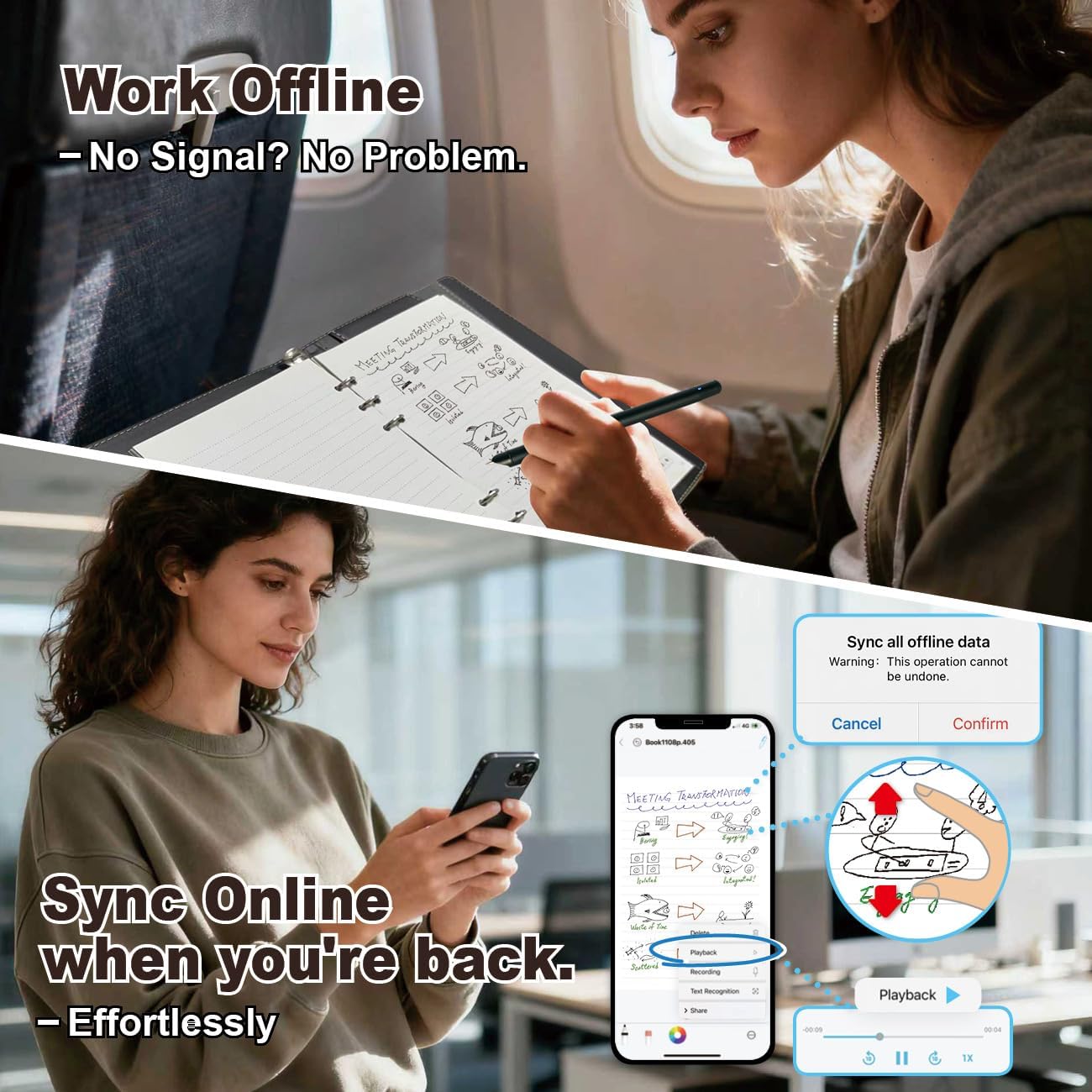
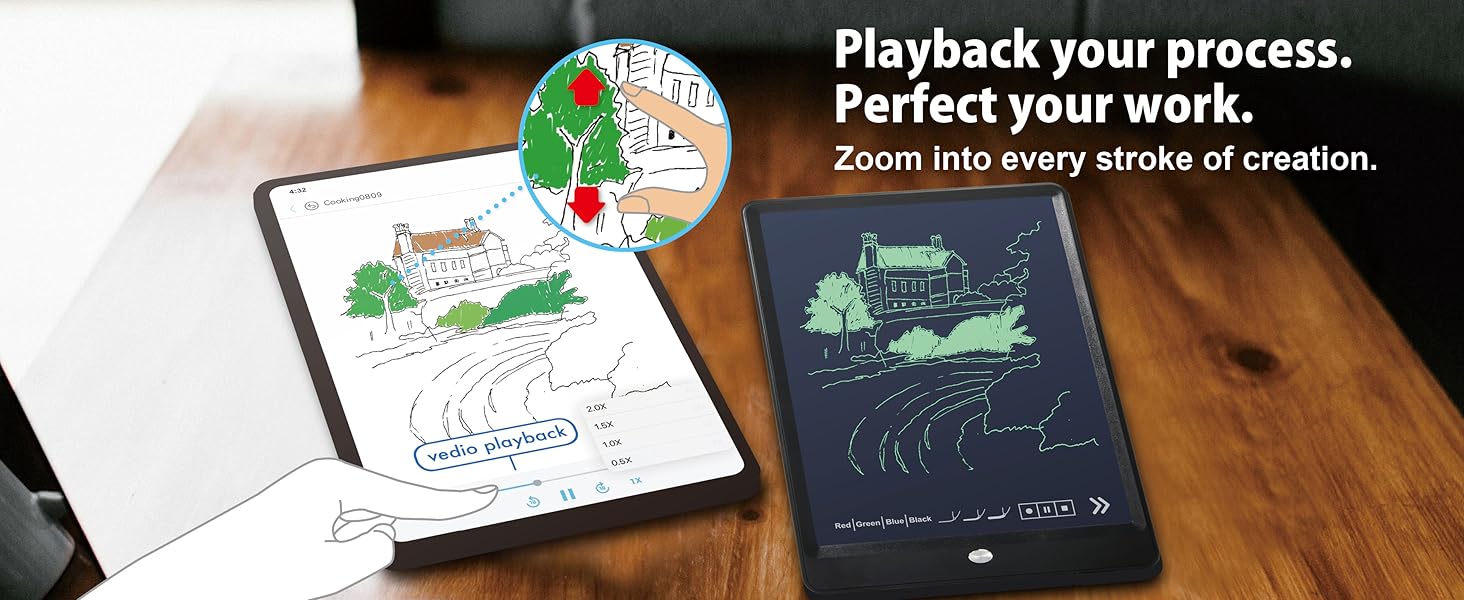
 Offline storage + playback + zoom in on details
Ophaya App supports offline storage for up to 200 pages, with playback functionality for review.






1 For Officer 2 For Student 3 For Creator 4 For Gifts
Can the Smart Pen record audio?
The Smart Pen itself does not have a built-in microphone. To record audio, connect the pen to the app and tap the record icon in the app or on the notebook.
What should I do when the pen and paper refill runs out?
You can replace the refill. Replacement refills are available from the Ophaya online store.
Can I write on any kind of paper?
No, the Smart Pen only works with Ophaya dot-coded paper
How do I pair the Smart Pen with the app?
Turn on the Smart Pen and make sure Bluetooth and Location Services are enabled on your phone. Open the app, tap the pen icon in the top-right corner, and select your device. Once connected, the icon will turn blue.
[All-in-One Kit with Instant Mobile Sync] Your paper ro writing board, now with a digital twin. This smart pen note-taking set—featuring a smartpen, writing board paper notebook, and app—acts as a magic bridge. It gives you the tactile pleasure of writing on real paper, with the added power of having a digital copy for easy saving, sharing, and searching on APP(Compatible Ios/Android phone/tablet) . Note: App is not compatible with computers and smartPen requires Ophaya paper.
[Smart Text Conversion & Searchable Notes] Easily convert handwritten notes into editable digital text (Word docs) with OCR technology. Quickly find specific content using keywords, tags, or timestamps for effortless organization and retrieval.
[Audio-Synced Notes for Recall] Never miss a detail. Record audio while you write, and the app intelligently links your notes to the recording. Simply tap on a word to jump to the exact moment in the audio it was written, providing invaluable context for lectures and meetings.
[Uninterrupted Offline Use ] Keep writing without interruption, even offline. Notes save automatically and sync to the app once reconnected, ensuring crucial information is always preserved and backed up
[Versatile Export & Combined Sharing] Effortlessly share your work in multiple formats (PDF, Word, PNG, GIF, MP4). A key advantage is the ability to combine multiple pages into a single PDF or image file before sharing。
【What’s in the box】 1x Smart pen, 1x Black Notebook (60 sheets), 4x Ballpoint Refills, 2x Plastic Pen Nib, 1x Charging Cable
5 reviews for Smart Pen for Note Taking Set Real-Time Paper-to-Digital, Smart Digital Notebook with Pen for Meeting Class Creation, Convert to Text, Store, and Share Your Handwritten Notes via App(iOS/Android)
Add a review

$21.99
Lavinia –
Very Convenient Smart Pen
This smart pen is super convenient and versatile. It can be used on three different surfaces — the included board, the notebook, and even regular B5 paper. The writing feels smooth, and the app can convert your handwritten notes into digital text, which is great for meetings or classes. It also allows you to store and share notes easily. The board is very light and easy to carry.The only small downside is that the board can only save one page at a time, but overall, it’s a very practical and well-designed product.
Sissi –
Perfect Smart Pen for Work and Study!
I’m really impressed with this smart pen set. The connection between the pen, notebook, and app is super smooth—it captures my handwriting in real time and converts it to digital notes perfectly. It’s very useful for meetings and creative sketching.
Chenchen –
Perfect for Digital note taking
This smart pen set is amazing! It feels just like writing on real paper, but everything syncs instantly to my phone. The handwriting conversion and audio sync features work great, and setup was super easy. Perfect for meetings, classes, or journaling.
Jay Zhai –
Great product.
Very convenience for hand writing lover. saved a lot of time on meeting note. Great product.
Aleanna Moreno –
Impressive Gift
This smart pen, a gift from a friend, is really impressive. It accurately converts my handwriting into editable text on the fly, allowing for instant sharing with colleagues and friends