

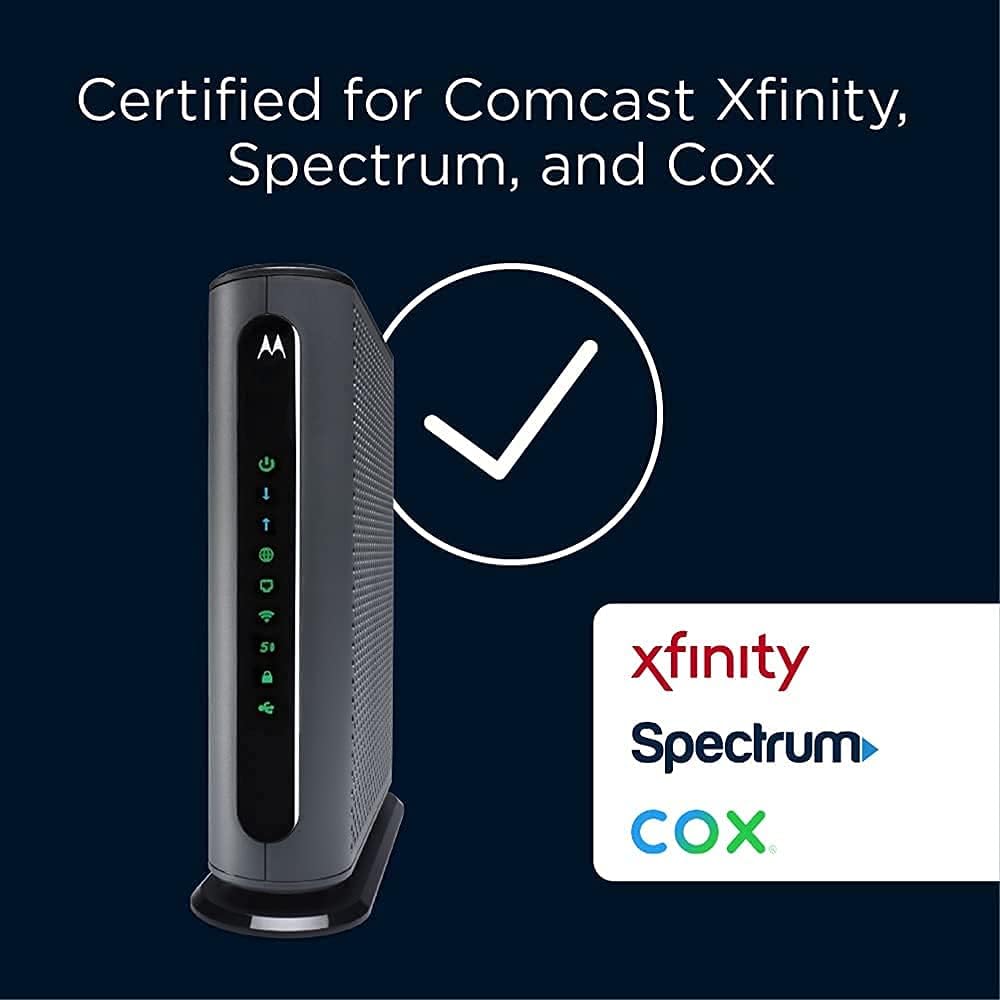
Motorola MG8702 | DOCSIS 3.1 Cable Modem + Wi-Fi Router (High Speed Combo) with Intelligent Power Boost | AC3200 Wi-Fi Speed | Approved for Comcast Xfinity, Cox, and Charter Spectrum
$28.99
Related Products





Product description


 Future-Proof Performance
DOCSIS 3.1 provides higher speeds and extended coverage, complete with backwards compatibility to 32×8 DOCSIS 3.0, 2.0, and 1.1 services.
 Intelligent Traffic Control
MU-MIMO Technology lets your router communicate seamlessly with multiple devices at once, allowing for simultaneous streaming throughout your home.
 Optimized Network Storage
A USB 3.0 Port with DLNA enables shared network storage for files. Simply plug in a USB to enjoy playback of videos and music.
 More Connection Options
4 Gigabit Ethernet (GigE) LAN ports allow for optional wired connections to computers, smart TVs, game stations, and other Ethernet-capable devices.
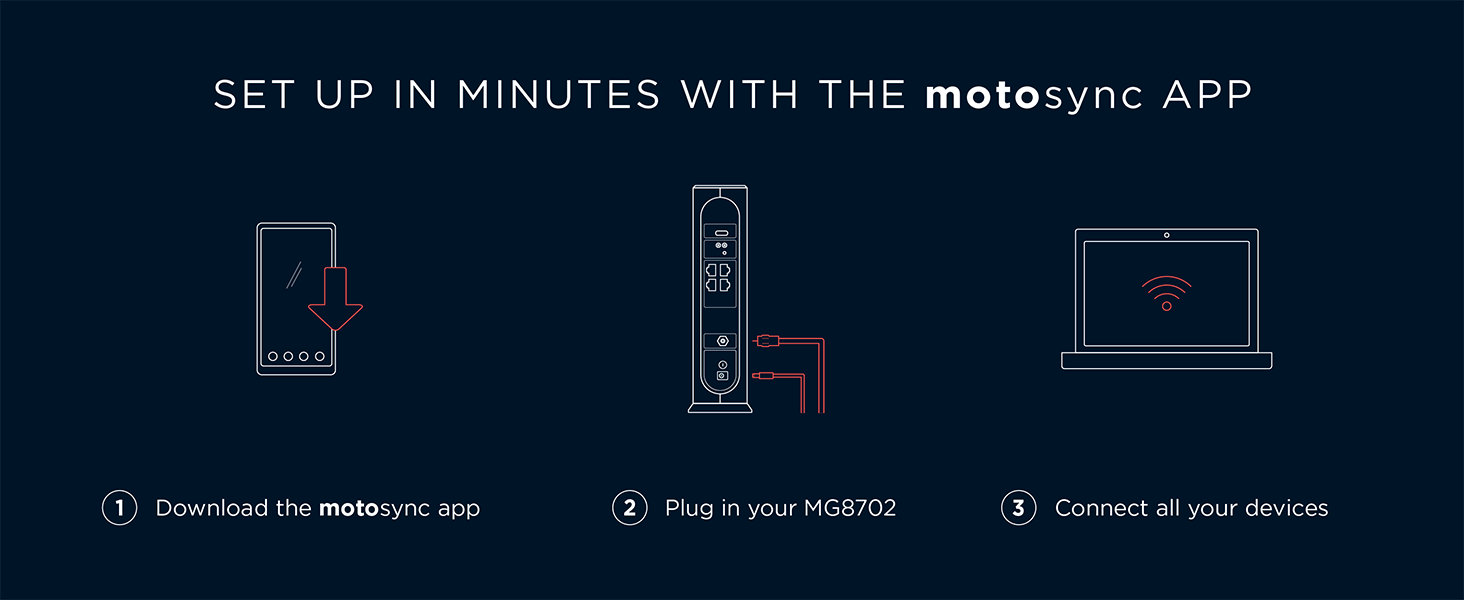

Instantly upgraded you WiFi performance with advanced tech all while saving up to $168 per year in rental fees by owning your cable modem.
Access the fastest cable internet plans available, with the future-proof performance of the DOCSIS 3.1 cable modem.
Includes a built-in high speed AC3200 WiFi router with Power Boost, Range Boost, and AnyBeam WiFi Beamforming for ultra fast, reliable WiFi.
Intelligent mobile app – Comes with a smart WiFi app for easy setup, guest network management, usage monitoring, speed testing, parental controls, network security alerts, and more.
Reliability you can count on – A worldwide leader in technology people depend on. Comes with 2-years of free expert support from our team
6 reviews for Motorola MG8702 | DOCSIS 3.1 Cable Modem + Wi-Fi Router (High Speed Combo) with Intelligent Power Boost | AC3200 Wi-Fi Speed | Approved for Comcast Xfinity, Cox, and Charter Spectrum
Add a review

$28.99
Mango –
Works with Shentel 300mbps internet
Reliable, strong wifi and solid Ethernet connections. No issues registering with Shentel internet service.
numbersguy941 –
no concerns, no complaints
Previous modem/router was 10 years old and would outage. The MotoMG8702 is probably more than needed for a 19,00 sf, one story residence, but I wanted max capacity w/o spending $500.
Ronald N. Rutledge –
Motolola honest review…..
Replaced an older and slower Motorola Cable Modem + WiFi Router. The modem is wonderful and fast. The WiFi is spotty so I ended up getting a mesh system to cover the entire house with no more hiccups. This is my 5th Motorola Modem over 30 years or so and I only had one problem when lightening stuck close to my house. Not the Modem’s fault, I didn’t have it protected with a surge protector. All the others have been amazing and outlasted the new tech over time. Highly recommend, but I would likely get just the Modem if I had to do it again.
Todd C Blake –
Great Modem/Router!
The Motorola MG7700 is an awesome modem/router. It replaced an older Netgear N450 modem/router that kept dropping its WiFi connection, and had to be rebooted constantly. The Setup of the MG7700 was very easy, and it did not even require calling Comcast to get it configured. I just went to the activation website and put in my Comcast account information. The MG7700 was connected to the Comcast network within 15 minutes (150 mbps plan). The MG7700 improved the WiFi connection to all of my N and AC wireless devices. I live in a 2400 square foot house and I have multiple RING security cameras around the perimeter of the house. The connection between the MG7700 and all of the RING devices is fast with no dropped connections ever. I also have 3 Rokus, a Samsung Smart TV, a Honeywell thermostat, 3 cell phones, 2 laptops, a tablet, 2 Echo Dots and 3 Amazon smart switches connected intermittently to the MG7700 throughout the day. They all stay connected with outstanding WiFi speeds. In fact my Acer laptop connects by AC wireless at 866 mbps. Most of the N wireless devices connect around 156 mbps, and everything stays connected without any drops. I also have 3 desktop computers (1 is a server) and 1 network printer connected to the 4 ethernet ports with no connectivity issues at all. I have been a Network Administrator for over 20 years, so setting up the MG7700 was really easy for me. For those that need help there are many online websites that show how to “tweak” the settings in the MG7700 for the best Wireless connectivity. Trust me the suggestions do work to maximize the WiFi connections. For security purposes I highly recommend changing the MG7700 user name and password. Also change the SSIDs and their security keys, along with the default IP address of the MG7700. Lastley, make sure that the firewall is turned on. This will keep those prying eyes off of your home network. I have used many Motorola products over the years, and they have all worked great. The MG7700 is no exception. Those individuals leaving bad reviews either do not know how to setup a WiFi router correctly, or just received a lemon (it happens). I highly recommend the MG7700 to anyone that wants a fast, secure and reliable home network.Update: it is now 4.5 years later (08/11/23), and the Motorola MG7700 is still working as well as it did when it was brand new. I have had no issues with this modem/router whatsoever. The internet speed (now upgraded to 300 mbps), and the wired and wireless connections are still as fast and stable as ever. The only very rare internet lapses are on the ISP’s side. The only addition I have made to the MG7700 is attaching a USB powered, 120mm computer chassis fan to the outside of the MG7700 (blowing air on the motherboard/transceiver chipset side). This helps to keep the MG7700 cool 24/7. Heat is the worst enemy of a router, and all computer equipment in general. Keeping the MG7700 cool will keep connections stable, and greatly increase its longevity. As I originally stated in this review 4.5 years ago, the Motorola MG7700 is a great product, and I highly recommend it (and its newer successors) even more now.Update 2: Well, after 5 years and 3 months of flawless use this Motorola MG7700 finally (partially) stopped working. The 5 ghz wireless transceiver completely quit working. However, the cable modem and 2.4 ghz wireless transceiver still work fine. With the planned-obsolescence of these modem/router combos being about 3 to 5 years, I have no complaints at all, as this Motorola MG7700 has indeed performed flawlessly during this entire time. I have recently replaced this Motorola MG7700 with a Netgear Nighthawk CAX30 modem/router combo. The CAX30 was very easy to setup with Xfinity, and it is working great so far. I will leave an honest, detailed Amazon review for the CAX30 after it has been in use for a while, but So-far-so-good.
Jen –
Keeps breaking down
When I first got the Motorola MG7700, I was pleased with it. My cable company had no problem activating it once I set it up. We connected WiFi stuff that had been having problems on our cable rented modem. Plugged in 3 ethernet connected computers. Everything was hunky dory.Then, after about 1 month of use, our connection went down. Contacted the ISP, they said everything was fine on their end. The indicators on the modem said we were connected. But all our devices, ethernet and WiFi, were unable to get to the internet. Since I still had the old modem, I reconnected that one – we were back in business. WiFi wasn’t great (one of the reasons we had gone with a new one) but back in business.So, I called customer support for the Motorola. The guy who helped me guided me through about an hour of steps, checking a bunch of settings in the Motorola, re-setting it to factory default, unconnecting and reconnecting things, and we finally got the connection up and running again. His name was John, and he was wonderful. He said since the modem had been connected for as long as it had been, and the settings we had gone through were what they were, most likely it wasn’t the ISP but the modem that had a problem. Said he would put a bunch of notes in the case and if I had the problem again, they would replace the modem, because that’s what seems to be the problem.One week later (yesterday), it died again. Called the Motorola service people again. NEW guy I talked to insisted it was the ISP that was the problem, and that I needed to call them and re-activate the modem. He admitted that since the modem HAD worked for a while that was a wierd thing to have happened, but insisted it couldn’t be the modem. We went through the whole procedure of re-setting the modem to factory new again, and unplug the thing again, unscrew it from the connection to the ISP again, and nothing was done other than that. Yeah, we got it working again, but HE said if it went down again it was the ISP. I asked if I could somehow call the ISP BEFORE it goes down again to fix whatever he thinks is wrong. He said yes, I should do that.So, I called the ISP. They could see nothing wrong, but I finally got them to deactivate then reactivate the modem as the second tech guy had insisted was the problem. They said they had never had that problem with this brand and model of modem, and didn’t see that it would do any good, but they would do it since I asked them to.It’s been about 5 hours now. Modem is working at the moment. But I am expecting it to go out again. I have had more than a few modems in my lifetime, and this is the first one I’ve had so much trouble with. I’m disabled, and having to deal with constantly re-setting and unplugging the modem is a pain (literally). I went with this modem to save some money on renting from the ISP, but this is not worth it. I can’t even bring in the old modem so I can stop renting the stupid thing because I need a backup for when this new one dies . . .NOT a happy camper. Not thrilled that the second tech support guy basically devalued everything the first one said and blamed the ISP. Not happy that I’ve had to re-set this stupid modem I believe it’s 3 times (or is it 4?) since I set it up only a month and a half ago. At this point I would not purchase a Motorola Modem ever again.Addendum: Have called product support 7 times. Sometimes I’m on hold for over 45 minutes and they hang up on me. Sometimes I talk to someone who still insists it’s the ISP. ISP says they show that they are connected properly with the modem. They’ve resed the stupid thing over and over again – sometimes it works, sometimes it doesn’t. Have to constantly hit the “factory reset” button when it dies.The 7th time I called Motorola product suppoer, I finally got someone who said they would send me a new one. Now, THAT process is a pain too! They want a credit card number, in case I don’t return the old one. They say I have to pay to send the old one back, and that I better make sure I pay for tracking becuase it might not get there.Whole process is a pain in the butt. I am even more unhappy now. Downvoted this thing to 1 star due to their product support. I would suggest not purchasing this POS.New Addendum: These idiots want to put an amount “on hold” for the new modem. An amount that is MORE than we paid for the modem in the FIRST PLACE! Never dealt with such a bunch of jerks! The customer support person didn’t say they were going to do that. In fact, he specifically said there would be no charge if we turned in the old one within 30 days. But no charge is NOT the same as “we will put a hold on your credit card for $184.99. I am NOT authorizing this crap! Don’t trust them at all at this point. Buyer beware!
V. Lucas –
Easy set up and has been connected since.
Super easy to set up and Cox compatible. So far, no cutouts…Big improvement from my older modem and router.