
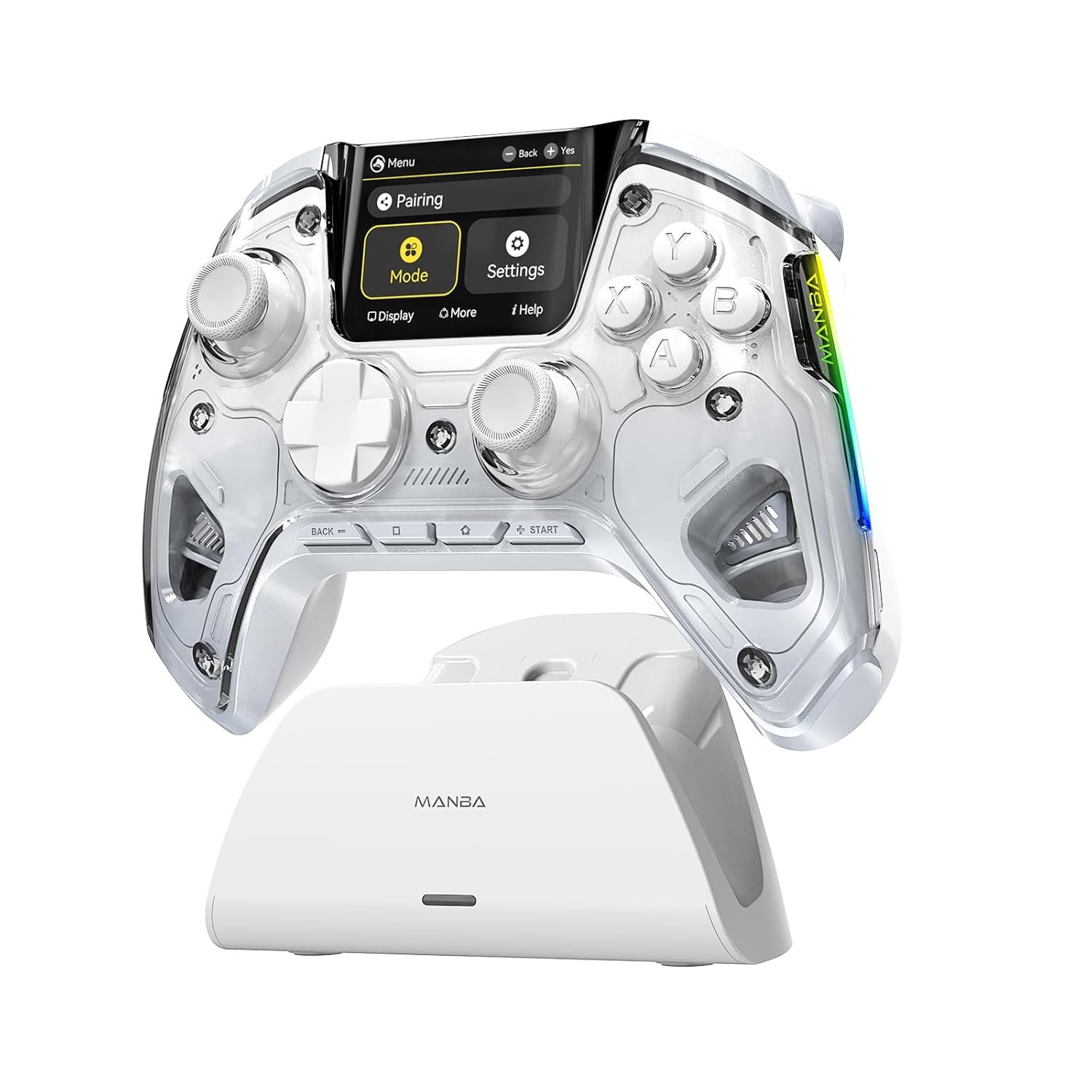
ManbaOne Interactive Screen Wireless Gaming Controller for PC/Switch/Switch 2/iOS/Android,Hall Effect Stick & Trigger,RGB Lighting,Remappable Buttons,1800mAh with Charging Dock (White)
$6.99
Related Products

![Sony PlayStation 5 Pro 4TB Digital Edition Fortnite Cobalt Star Bundle with Controller Case – White – Upgraded 4TB Ultra Fast SSD Double the Storage Space PS5 Pro [playstation_5] [video game] [video game] [video game]](https://simplysystems.co/wp-content/uploads/2025/11/61ZysMBm2wL._SL1500_.jpg)



Product description
Customize Controller in Manba One Interactive Screen 


1 4 PROGRAMMING BACK KEYS
2 CUSTOMIZE COLORS
3 TURBO AND MAPPING
4 HALL LINEAR TRIGGER
5 6-AXIS GYRO for Switch


1 CUSTOMIZE CONTROLLER
2 ADJUSTABLE VIBRATION
3 MAGNETIC COVER
4 HIGH AND LOW JOYSTICK
5 Built in 1800mAh Battery


Support team Please feel free to contact our support team if you have any problems or concerns,Read the Manba One Controller introduction Supported Platforms Windows PC/Switch/Switch 2(NO support wake-up function)/Android/IOS(Android Native/IOS: only support games which themself support controller gaming mode,NO support Xbox,PS5) Triggers Linear Hall-Effect Triggers Joystick Hall Effect Joystick Bumper ALPS Bumper 4 Macros Bottons 4 Back Buttons (M1M2M3M4) Micro Switch Button ABXY Micro Switch Button Platform Switching Screen visual operation Connection Method Wireless Adapter connection, Bluetooth connection,Wired connection Battery Capacity 1800mAh
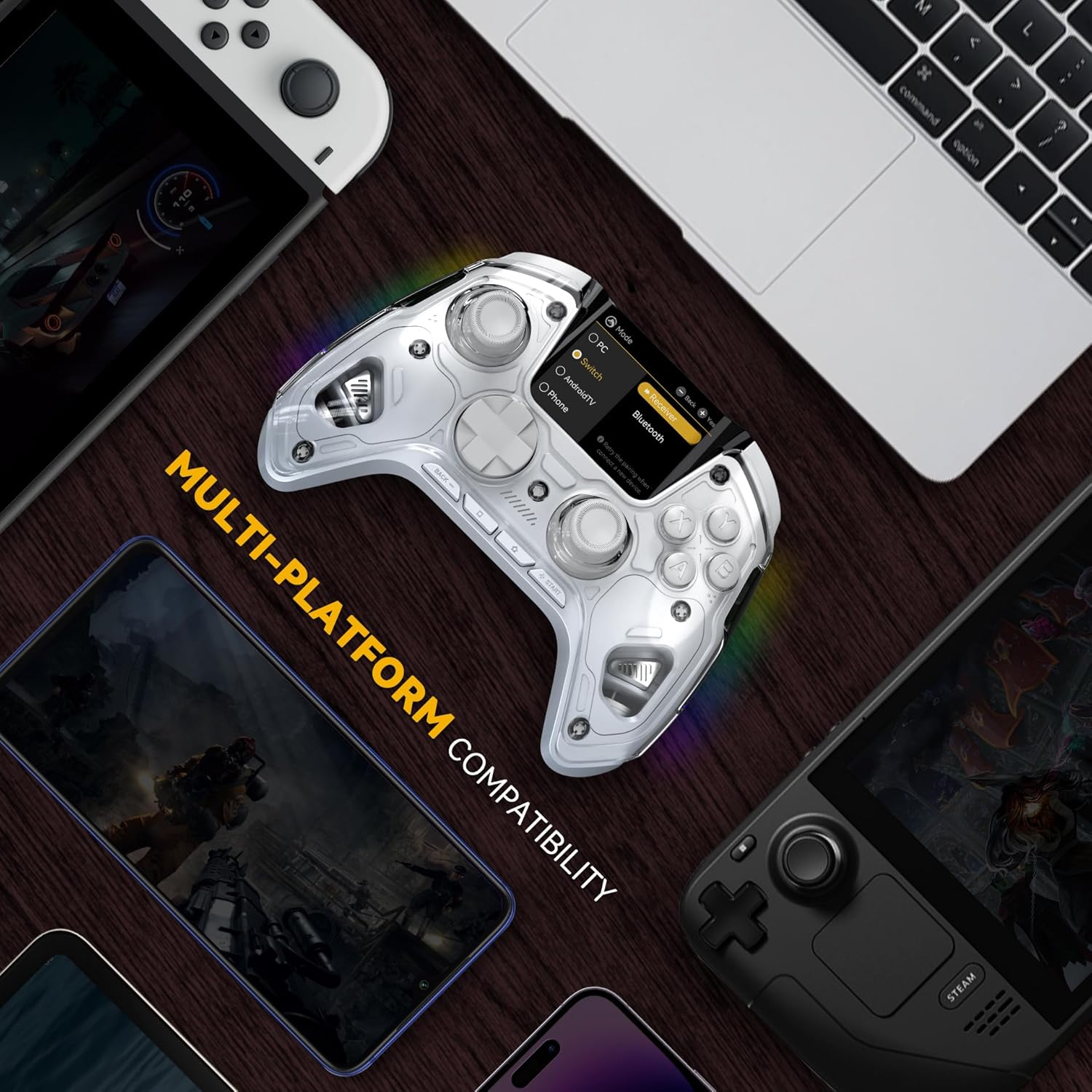
Supported Multi-Platform: Switch/Switch 2 (NO support wake-up function)/iOS/Android/Windows PC (Notice:Not compatible with Xbox, PlayStation or GeForce Now, For game platforms not mentioned, please consult customer service before buying)
Connection Modes: Wired/Bluetooth/Wireless Dongle(Connect to PC via Bluetooth : Select iOS mode, but it’s not recommended; Dongle is more stable)
【Innovative Intelligent Interactive Screen】Manba One V2 wireless game controllers create a new era of controller screens; Equipped with a 2-inch display, no App & software needed, you can set the pc controller directly through the screen visualization, More convenient operation
【Micro Switch Button】Manba One wireless controller has Micro Switch Button and ALPS Bumper; The 6-axis gyroscope function makes switch games more immersive
【Customize Your Own Controller】The intelligent interactive screen allows you to easily set vibrations, buttons, joysticks,lights, etc., without the need for complex key combinations; 4 configurations can be saved to unlock your own gameplay for different games; The 4 back keys support macro definition settings, and you can activate the set character’s ultimate move with one click
【Anti-Stick Drift and Hall Effect Trigger】Anti-Stick Hall Effect Joystick, 4 modes of Joystick customized for classic games after tens of thousands of data analysis and intelligent calibration, 800hz+ Wired Polling Rate,faster response; Whether shooting or In racing games, linear Hall effect triggers can help you stay ahead
【Built-in 1800mah battery and Smart Charging Station】Our provides Smart charging station,smart wake-up and visual battery life, put and charge at any time, and contains wireles receiver
【Personalization and After-Sales】Manba One pc gaming controller provide high and low joysticks to meet the usage habits of gamers; We also sell personalized magnetic covers for easy installation; If you have any questions, you can contact Manba after-sales customer service
9 reviews for ManbaOne Interactive Screen Wireless Gaming Controller for PC/Switch/Switch 2/iOS/Android,Hall Effect Stick & Trigger,RGB Lighting,Remappable Buttons,1800mAh with Charging Dock (White)
Add a review

$6.99
Alexander Ortiz –
a controller that is totally worth its price
The controller has very good quality; the buttons are responsive and, although it will be necessary to observe how they behave over time, at the moment it works correctly. My only problem occurred when trying to clean the screen without having put on the included protector, which scratched it with extreme ease. Therefore, it is important to put on the protector, since the screen is very delicate.Regarding its design, the similarity with an Xbox makes it comfortable, and the vibration response is strong enough to be felt. The screen quality is poor, but it does not affect its use, so it does not represent a drawback.The controller offers numerous configuration options to customize the button layout and allows changing between different preset modes. You can play via Bluetooth and the controller includes a base and cable, which I like.In addition, the package comes with a pair of spare joysticks; although not essential, it is useful. The packaging is solid, so the controller arrived in excellent condition.
Kerry Caberga –
Quality beyond any console controller
I was really hesitant on this controller as it has become viral on social media and its been offered on places like temu. So my original take is that it was probably just a bad product fueled by influencers and memes to make a buck.Now that I got one and have been using it daily I can tell you I was completely wrong. This is probably one (if not the best) controller I’ve owned.Note that I come from using only console controllers as I made a switch to PC recently from (ps) and the quality is beyond these crappy console controllers, which now I see are the real scam.You can use it wireless or wired, comes with a charging station with a dongle compartment, has a lot of options, nice rgb lights and the screen and options are easy to setup.The front buttons have a click feel which is new to me, but I actually like it.The fact that this controller has hall effect sticks is really the cherry on top.If you’re tired of dealing with drift and console controllers, this is definitely a great upgrade worth your money.
Kindle Customer –
ManbaOne vs Gulikit
Got tired of joystick drift so did some digging and found out about hall sticks.My first choice was the Gulikit MKIII Max (I forget the exact name, the newest one). It had excellent build quality, but it was STUPIDLY difficult to get working right. Everything you ever learned about messing with finicky drivers, be prepared to put it to use. Sent an email to get help; it took them a week to respond, and they just asked questions I had already provided the answers to.Traded it in because heck no on all that. Got this and just bam, flawless out of the box. And it’s cheaper, go figure.As for the rest – the sticks are incredible. The triggers are good, love the different options they had but wish they clicked at the end like the latest DualShocks. The buttons were disappointing at first, they’re closer to MadCatz than Microsoft, but I like them more the more I use them. They aren’t super mushy or anything, I just prefer a harder type of clickiness.The screen is cool, and is a million times better than programming via dozens of different “hold home for four seconds while pressing back three and a half times and saying a prayer to the button you want to make turbo” kinda crap like the Gulikit.If the sticks hold up as well as it looks like they will then I’ll be more than happy with it. Not the perfect controller, but by far the best I’ve found in this price range.
Anekroth –
A really nice controller with a lot of functionality
I game on a PC, and while my preference is usually keyboard and mouse, there are some games that were designed around a console controller so I like to have a good controller around for those type of games. I found this controller while digging through product reviews and it sounded like a capable, well made product with some interesting features. I’ve been using it for a few days now, and I must say it works really well.One of the qualities that I find really interesting is that this controller is capable of behaving and connecting as an Xbox, PlayStation, Switch or generic controller. This allows it to work on all of those platforms, but also allows you to connect it to your PC as any of those controller types.I’ve discovered that I can connect it to my PC via three different connection methods.Wired method: When you plug it in via a USB C cable you can toggle it between X-input(behaves as an Xbox controller) or D-input(behaves as a PlayStation controller) by pressing and holding – and + for 5 seconds.Wireless dongle method: When connected in PC mode via the included wireless dongle, you can toggle the controller to behave as an Xbox controller, a Switch controller, or a generic controller by pressing and holding – and + for 5 seconds. The controller rumbles when it switches between these modes but there isn’t any indication on the controller which mode it is in, but you can see what it shows up as through Steam.Wireless via direct Bluetooth connection. When set as a Switch, Android, or IOS controller, you can pair it to your PC directly via Bluetooth. In Switch mode it shows up on your PC as a Switch controller, in Android it shows up as a Generic controller, and in IOS mode it shows up as an Xbox controller.Running the controller in each of the modes (Xbox, PlayStation, Switch, or Generic) effects how some of the buttons behave. In Xbox mode, the home button behaves as the Xbox logo button, but in Generic mode it launches your default web browser. Switch mode will re-arrange the order of your A, B, X, and Y buttons (which can be remapped manually if you want), and the capture button will take screenshots, and you also have access to the controllers gyroscope sensors(which you can then map to thumbstick controls in Steam or something like that if you want).The built in full color display looks nice, and the controller’s menu system is easy to navigate and use. It would have been nice if the display had some kind of screensaver function to take better advantage of the displays esthetic qualities. It seems like that was a missed opportunity.The magnetic faceplate isn’t for sale in different color options like the product page implies that it is. I verified this by emailing the company and asking them. They told me that alternate faceplates aren’t currently available and said that they may be available in the future. They said “may” not “will” so hard to say if these faceplates will ever be available for purchase.I would have liked the buttons to have been backlit, but they aren’t.Overall though, it is a very nice and capable controller and I have been enjoying it and would recommend it to others looking for a nice game controller.
Corrado –
joypad di altra categoria….
Chandler –
Love this controller. Paired with my Xbox with no fuss and my pc. The extra buttons also allowed me to 3rd play a few games with out controller support by binding the keys needed to the extra buttons
Felipe Quintieri –
Sim, controle é muito bom
Perry Warren D –
Been using this Manba One Wireless Controller with interactive screen for a few months now, and I am glad to say it is one of the best controllers I have used hands-down. I would say it is on par with the likes of a Dualsense Edge, and an XBox Elite controller, all for the fraction of the price!For the price of admission, you are getting hall-effect sticks, programmable buttons, four rear paddles, a very intuitive interactive screen (no need for a third party program on the PC,) a charging dock, a dongle (for better connectivity,) customizable LED colours and patterns, the list goes on!What sets this apart from other premium third party controllers though, is their absolutely stellar customer service. I got in touch with their after-sales service even after the Amazon refund/replacement window has closed, and they were very helpful and quick to respond.Only downside from this controller is its lack of compatibility with Playstation or XBOX. It only supports PC, Android/iOS, and Nintendo Switch. If they can make their next controller truly compatible with EVERY platform, it would truly be a game-changer.Highly, highly recommended! Buy with confidence.
Ozgur –
Tuşların hissiyatı, L ve R kol hassasiyeti ile kalibrasyonu, tetik ayarı, makro tuşları, vb herşeyi gayet iyi. Şarj standı olması çok çok iyi. Bir kez ayar yapınca üzerindeki ekrana ihtiyaç kamadı ama ekstra bir özellik. Tam anlamıyla premium bir joystick, yeni nesil ms xbox kolundan daha kaliteli.