
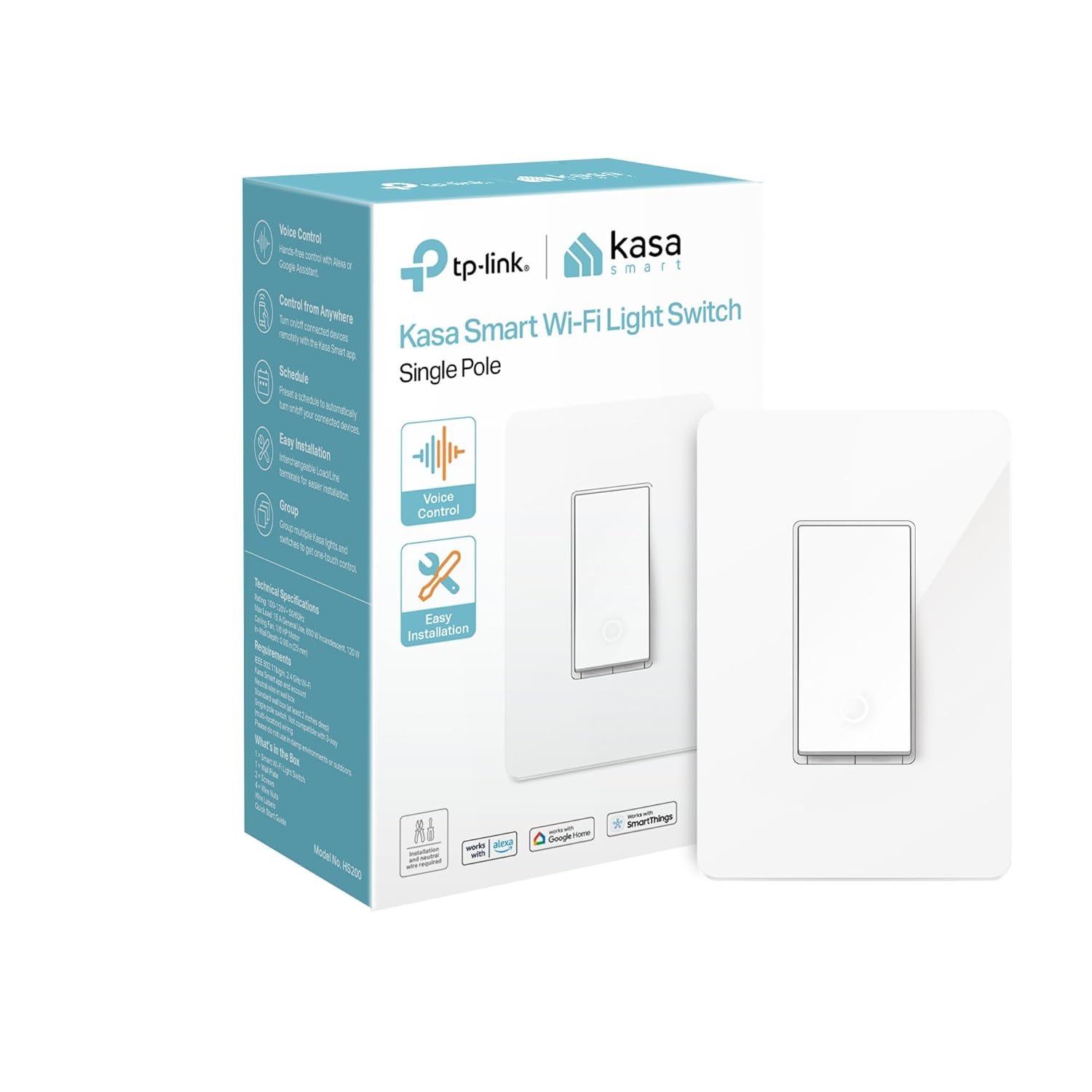
Kasa Smart Light Switch HS200, Single Pole, Needs Neutral Wire, 2.4GHz Wi-Fi Light Switch Works with Google Home, UL Certified, No Hub Required, White
$10.98
Related Products


Control your lights, ceiling fans, and other fixtures from anywhere with the HS200. The smart switch replaces any standard light switch, and connects to your home Wi-Fi in no time through the free Kasa app. Kasa also lets you manage connected fixtures with your smartphone or tablet, including setting schedules, timers and countdowns. For added convenience, you can use your voice to control the HS200 when paired with works with Amazon Alexa, Google assistant and Microsoft cortana.Input Voltage: 100 – 120 VAC, 50/60 Hz, 15 A.
Is Discontinued By Manufacturer : No
Product Dimensions : 1.5 x 3.3 x 5 inches; 5.28 ounces
Item model number : HS200
Date First Available : June 1, 2016
Manufacturer : TP-LINK USA
ASIN : B01EZV35QU
Best Sellers Rank: #411 in Tools & Home Improvement (See Top 100 in Tools & Home Improvement) #1 in Electrical Light Switches #2 in Home Automation Devices
Customer Reviews: 4.5 4.5 out of 5 stars 42,847 ratings var dpAcrHasRegisteredArcLinkClickAction; P.when(‘A’, ‘ready’).execute(function(A) { if (dpAcrHasRegisteredArcLinkClickAction !== true) { dpAcrHasRegisteredArcLinkClickAction = true; A.declarative( ‘acrLink-click-metrics’, ‘click’, { “allowLinkDefault”: true }, function (event) { if (window.ue) { ue.count(“acrLinkClickCount”, (ue.count(“acrLinkClickCount”) || 0) + 1); } } ); } }); P.when(‘A’, ‘cf’).execute(function(A) { A.declarative(‘acrStarsLink-click-metrics’, ‘click’, { “allowLinkDefault” : true }, function(event){ if(window.ue) { ue.count(“acrStarsLinkWithPopoverClickCount”, (ue.count(“acrStarsLinkWithPopoverClickCount”) || 0) + 1); } }); });
App-Guided Install: The Kasa or Tapo app guides you through step-by-step setup. Requires neutral wiring and 2.4 GHz Wi-Fi. Consulting an electrician is recommended if you’re unfamiliar with electrical wiring
Control From Anywhere: Monitor your light status. Turn electronics on and off from anywhere with your smartphone using the Kasa app, whether you are at home, in the office or on vacation
Voice Control: Enjoy the hands-free convenience of controlling the lights in your home with your voice via Amazon Alexa or Google Assistant; perfect for times when your hands are full or entering a dark room
Scheduling: Use timer or countdown schedules to set your smart switch to automatically turn on and off while you’re home or away. Enable ‘away mode’ to randomly switch on and off to trick potential intruders
Trusted and Reliable: Designed and developed in Silicon Valley, Kasa is trusted by over 4 million users. UL certified for safety use. Dimensions without panel 4.13*1.71*1.74 in. System Requirements: Android 5.0 or higher, iOS 10 or higher
11 reviews for Kasa Smart Light Switch HS200, Single Pole, Needs Neutral Wire, 2.4GHz Wi-Fi Light Switch Works with Google Home, UL Certified, No Hub Required, White
Add a review

$10.98
D. Kodgis –
One was bad; the other switch was good and easy to install and set up
It is almond color which is what I wanted plus it is a single pole wifi switch and these were the other things I wanted. I ordered two. One was defective out of the box. Not a pleasant experience for the defective one but the other worked well and was an easy install. Two things. This must use a neutral so look for your white wires which may be capped together (older dimmer switches sometimes did not use a neutral because houses built before 1985 did not require a neutral for a switch) and thought the line wire is the hot wire…curiously enough the neutral wire keeps electric at the other side of the switch to keep it connected to wifi when the light switch is at the off position. It looks nice, it works, and it works well with Alexa. Setup was easy in the app.
Tim –
Reliable and Good Value; Easy to install; Easy to use Kasa App
Bought one about 2 years ago and it has been working flawlessly. It controls our front porch exterior light. Just bought a second one to control our exterior garage door lights over the driveway. In both situations the switches are inside controlling exterior lights for dusk to dawn lighting. They automatically adjust when needed for daylight savings time – I don’t need to do anything. They are easy to install and easy to set up with the Kasa app to control the lighting. Good value and so far reliable for over 2 years.
Josh –
Honest Opinion
Love these! Great way to add some automation to your home. I have installed about 15 of these in my home. Great for exterior lights!Install is simple for those that have a basic experience of 110 electrical wiring. I would suggest that if you are at all unsure of how to install, you get a professional to install. As with any of the classic junction boxes, there is very little room for wires and wire nuts behind the bulkiness of the switch.Setup on the Kasa app is easy. The app walks you though step by step. Easy to connect you your home wifi and operate with the app or with Alexa or Google devices.Switch appears to be decent quality. Of all the units I have installed, I have only have 1 fail. These are not dimmable nor are they designed for multiple poles. These are single pole units, but you can by multi pole units on Amazon.Overall, I would and have recommended this product to anyone who wants a non-subscription home automation product.
Nicholas varallo –
Easy install and clean look.
Awesome, easy to install and I love the clip on faceplate, really looks nice with no screws. Connected to Kasa app then Alexa and it works perfectly!
retired software engineer –
Value for the money
I give it four stars for inexpensive and reasonably reliable. And they don’t require a proxy. But they are rather chubby and challenging to squeeze into a multiple switch box. I have Home Assistant, and I’ve had good success with these switches using either HA or the Kasa app. Had to replace two of the earlier switches in five years. I’m currently running 13 of them in the house. Despite being server-based the response is generally fine. I also have several Kasa smart plugs, both indoor and outdoor, which operate on the same apps.
VegasGuy –
READ THIS: If you are having trouble completing the setup process
I’ve had one of these switches for many, many years. It works fine in all aspects, and at the time of setup, I didn’t have any trouble connecting to my network and completing the setup process. Fast-forward to November 2025, I needed another one. The HS200 model. For the life of me, I could not complete the setup. I tried restarting it. I tried resetting it. Turned off my Battery Saver. Nothing would work. I was exasperated and ready to send it back to Amazon, thinking I had a defective smart switch.But then, on a hunch, I looked at the available WiFi connections on my phone. There was one that said “TP-Link” and a bunch more letters and numbers, as far as I can recall. My Android 16 Pixel 7 phone also said that the TP-Link WiFi SSID did not have an Internet connection. Bingo! That is the temporary WiFi SSID for the TP-Link Smart Switch that enables its setup connection. But Android 16 will only connect to a non-Internet connection for a few seconds before switching back to another WiFi that does provide Internet.So, I connected to the TP-Link WiFi again via Android WiFi settings connections, but this time a checked the box that said to stay connected regardless of it not having Internet access. Eureka! That did it! I went back to my Kasa app and resumed the new device setup. This time, when Kasa searched for my new smart switch, it was able to make a permanent connection to the smart switch’s non-Internet WiFi and stay connected. The rest of the setup went as expected.The switch was NOT defective. It was just how Android decides to “help” a user to not stay connected to a non-Internet WiFi connection. This help consists of disabling that connection after a few seconds, and switching back to one that does have Internet. And that is what was making the setup process fail.If you were having trouble, I hope you found this helpful.
MARISOL F. –
Funciona excelente, no trae instructivo así que tuve que buscar la forma, recomiendo que se instale si tienes cerca unos contactos para que de ahí saques el neutro, en mi caso tenía el interruptor y contactos en el mismo lugar por lo cual pude ponerlo, mi instalación no tiene tierra física así que no conecté ese.En resumen es muy buen producto, pero requieres conocimiento básico sobre instalaciones eléctricas.
Joanna R. –
It works great.
Xenos –
I bought one of these smart TP-Link light switches back in February when they were on sale, to compliment my two Amazon Echo devices. I have since bought another two. Each time, I waited until they were on sale ($29) before buying. Even though I like these switches, I would not pay the full prize to buy them. But at a little over half the normal price, they are totally worth it.Installing one of these switches is relatively easy, assuming that you know what to do and feel comfortable working with electrical wiring and making electrical connections. You do need the original switch that you are replacing to have a neutral (white) wire so bear that in mind if you are planning to replace a switch in an old house with old wiring that doesn’t have neutral. The switch is a little bigger than a regular switch but it in my case, all 3 switches fit in quite well after I installed them. I used the included snap-on decora faceplates with two of the switches and although it took some effort, they snapped on flash with the wall. In the kitchen, I replaced only one of the two light switches that sit side by side and it took some effort to screw back on the old dual switch decora faceplate. The smart switch stuck out a little more than the other switch and as a result the plate didn’t sit flash with the wall on one side, leaving a narrow gap between the plate and the wall. But I used some caulk and it doesn’t look too bad … I think. Actually, in my case the hardest part, was removing the faceplate from the smart switch. It comes attached to the switch out of the box and you have to snap it off it before you can install the switch. But with some effort I managed to get the faceplace off without breaking it or the switch.The TP-Link switch can work manually like any regular switch to turn the lights on and off but it permanently sits in a “switch-off” (or is it a “switch-on”?) position, unlike a regular switch which goes all the way in and out when depressed. Personally, it took me a couple of days to get used to that, especially the one in the kitchen which sits right next to the regular switch. But gotten used to it, I have.To use it as a smart switch, you need to download the free TP-Link Kasa application on your smart phone. You download the application and follow the simple instructions and prompts to get the switch added to your network. The first time I connected them to my network, it automatically found that they needed a firmware update and it downloaded and installed it automatically. Once on the network, you can use the phone application to turn the lights on or off.You can also create routines and schedules to run the lights at certain times during the day or night. You set the “on” time and the “off” time and the light connected to the switch comes on and go off per schedule. Recently when I went on a 3 week vacation to Europe, I created schedules to run the lights at certain times and was able to control the lights remotely at will turning them on and off to give the impression that the house was occupied. Very useful indeed for travelers.Lastly, if you own one, you can integrate the switch with the Amazon Echo or Google Home so that you can use voice commands to turn the lights on or off. I have two Echos and after enabling the free TP-Link Casa skill, I can now instruct Alexa to turn the lights on or off at will. I have also created a routine where at bed time I tell Alexa that I am going to bed and Alexa responds by first turning the living room light off, then turning the upstairs bedroom light on before it wishes me a Good night. :)So far, I have not had any issues with these switches and they have been functioning very well. I am very happy with them.
Moises Moreno –
Excelente producto
Amazon Customer –
Works as expected. Small issue adding to app. Would not connect when close to switch but connected to app with no issues when I moved to another room.