
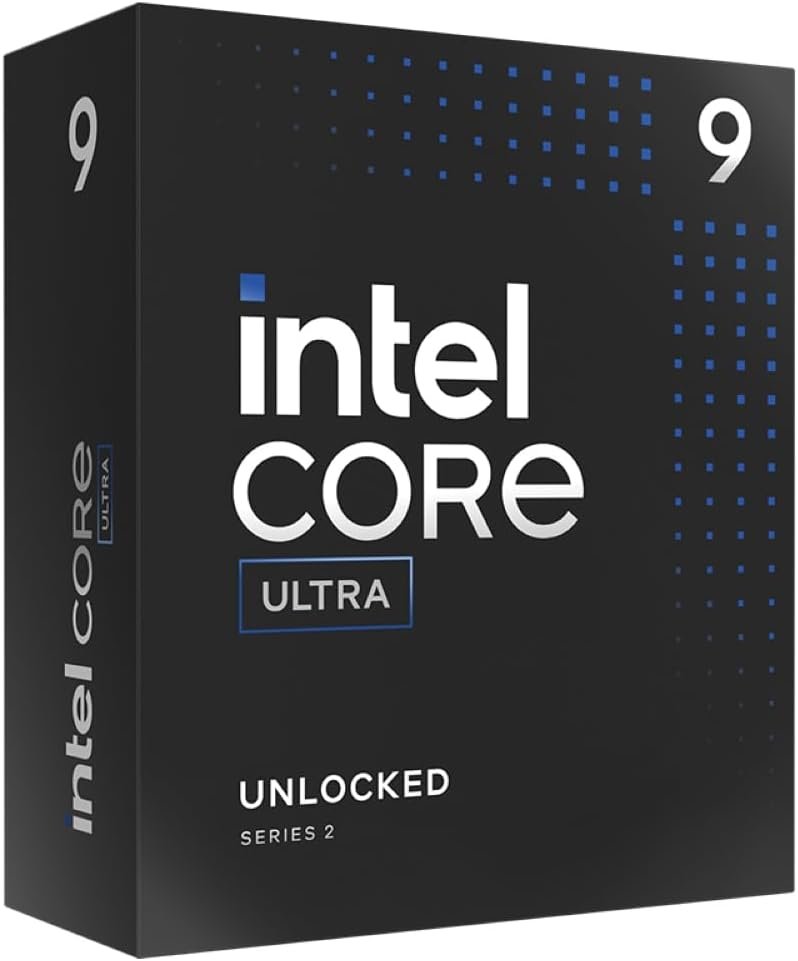
Intel Core Ultra 9 285K Tetracosa-core [24 Core] 3.70 GHz Processor – OEM Pack – Box
$78.99
Related Products


Intel Core Ultra 9 desktop processor 285K. Featuring PCIe 5.0 & 4.0 support and DDR5 support, unlocked Intel Core Ultra 9 desktop processors (series 2) are optimized for enthusiast gamers and serious creators and help deliver high performance. Compatible with Intel 800 Series Chipset based motherboards. 125W Processor Base Power.
Get ultra-efficient with Intel Core Ultra desktop processors that improve both performance and efficiency so your PC can run cooler, quieter, and quicker.
Core and Threads 24 cores (8 P-cores plus 16 E-cores) and 24 threads. Integrated Intel Graphics included
Performance Hybrid Architecture Integrates two core microarchitectures, prioritizing and distributing workloads to optimize performance
Performance Unlocked Up to 5.7 GHz unlocked. 40MB Cache
Compatibility Compatible with Intel 800 series chipset-based motherboards
PCIe Express Version Turbo Boost Max Technology 3.0, and PCIe 5.0 and 4.0 support. Intel Optane Memory support. No thermal solution included
13 reviews for Intel Core Ultra 9 285K Tetracosa-core [24 Core] 3.70 GHz Processor – OEM Pack – Box
Add a review
![Intel Core Ultra 9 285K Tetracosa-core [24 Core] 3.70 GHz Processor – OEM Pack – Box](https://simplysystems.co/wp-content/uploads/thumbs_dir/51xxm7JkJ6L._AC_SL1000_-rffgfrtsoazd15youzvf925q8mj2i657b73ktoec1g.jpg)
$78.99
William Rust –
Stay cool
Just finished my build with this CPU. Fit was perfect, set up was easy, and today I ran a Prime95 torture test and all cores ran perfect. Everything in spec temp and throttle response. Should be great for heavy Lightroom work.
Amazon Customer –
Great CPU
Very solid processor! Runs cool and quiet. No crashing and it’s fast too.
alex yu –
Intel Core Ultra 9 285K
My latest build June 18, 2025 was an all blackout no ARGB workstation to run SolidWorks: Intel Core Ultra 9 285k, MSI MAG Tomahawk Z890E wifi motherboard, G.Skill Flare X5 DDR5 64GB 6000 MT/S, Samsung 990 Pro SSD 1TB M.2, Thermaltake Toughpower GF A3 1050 watts power supply, upHere 8x6mm heat pipes direct contact 280Watt TDP CPU air cooler, Corsair 4000 RS Frame case, Corsair RS 120mm case fan, and PNY Nvidia RTX 2000 ADA 16GB GPU.The first thing I did was to update the BIOS on the mobo. With nothing(no RAM no CPU) on the mobo I inserted a 32GB USB flash drive with the latest BIOS file on it into the BIOS flash USB port, connected the power supply 8-pin and 24-pin cables to the mobo, turned on the power supply and press the BIOS flash button on the mobo, and in about five minutes the BIOS update was done (the LED light went out). Assembled all the parts into the case. I applied a very thin and even layer of thermal paste to both the CPU and the CPU cooler. For air flow I did three 120mm fans intake in the front and one 120mm fan at the rear. This fans arrangement forces cool air to flow across the entire motherboard which cools the RAM, VRM, help CPU air cooler intake and the GPU.I ran Cinebench 2024 and Core Temp for a10-minutes multicore stress test. With all 24 cores running at 100% the temperature range for all cores varied from 73 to 78 with every now and then a couple of cores spiked to 82 on for a few seconds then came back down under 80 degrees. The 285k drew around 205watts during the stress test. Even all six fans (four on the case, two on air cooler) rammed up to 100% the whole system was not noisy at all. I let the system burnt in for 24 hours and not a single hiccup. The CPU was very stable, the temperature was low and the system was very quiet.The Nvidia RTX 2000 ADA 16GB GPU is not for gaming and this system was not intended for gaming but for work station doing CAD type program specifically SolidWorks.I did a similar system back in January this year with the same CPU and mobo and I must say I was and I am impressed by the performance, reliability and stability of the Intel Core Ultra 285K and MSI MAG Tomahawk motherboard.Final thought: In day to day real life working with SolidWorks the 24 cores of the CPU will hardly reach 100% capacity. This is an over-built quiet system with a lot of horsepower to spare and most importantly a stable system for professional work.
justin grove –
Great cpu!
Amazingly fast! Very power efficient and easy to cool. Very overclockable
Tiborticus –
Power Users aren’t Exclusively Gamers
Excellent cpu. I’ve read about it’s poor performance in games and if you are a hard core gamer those critiques are probably justified. But for me a casual gamer and more of a content creator this cpu is a stable no sweat performer, which is what I need. Additionally the drop in frame rate in games amounts to a negligible percentage. One more area where the cpu performs well is carrying out AI tasks where the tests I’ve seen show it to be the top performer.
Brian D Wilson –
Its pricey and speedy
You only get what you give :)The CPU runs hot even with water cooling (idles around 42 C. This is a feature not a bug.
Paul –
Loving the New Ultra Series
Excellent Processor, especially for people who do more than just game on a PC. (I do also game & it shreds 1440 resolution-2K gaming, paired with a 5070 Ti Graphics card) . I put it in a full-size computer case that has good air flow & with a $98 liquid cooler (360mm AIO ) and at load it never reaches 60C. So if you build the computer correctly, heat is not an issue. These Intel Ultras run efficient and cool if you build the computer the right way.
Ezra –
Works well, but runs really hot.
I ended up getting a bundle deal with my GPU which contained a motherboard that could only fit one of these ultra core chips. So naturally I grabbed the beefiest one available (this one). It works pretty well with my Aorus Master Z890. It runs real hot though. Every time it has to do any work it spikes to 90C pretty quick and stays around 80C while working through a task. Make sure you invest in a really good cooling system for this.I was previously on AMD, but because of the bundle giving me a mobo that I didn’t necessarily want, I made the switch. It’s not bad. Easy install. Really snappy with heavy load programs such as Blender, Zbrush and Substance Painter. Works great for what I need, and isn’t bad considering this is my first intel chip in about 10 years.
T –
This is my first 9 core processor, and it’s a beast! Doesn’t heat fast, stable, and was easy to install. Great performances
zwozwedra –
Wat kun je hierover zeggen? Lekker snel, wel prijzig, maar dat weet je op voorhand. Het is de bedoeling de pc te gebruiken voor AI.
Amazon カスタマー –
お値段しますので当たり前ですが、以前AMDX1950。32コア使用していました。こちらのUPUは24コアで1/3の時間でエンコードなどこなしております。ソフトにもよりますが、AVIUTL使用ならこれベストですよGPU使えないのでw
Michael –
This CPU is a beast, It can run a 84b LLM just on the chip.
XBrookieX –
Don’t Worry when you watch you tube reviews; half of them take with a pinch of Salt.This Processor works well with intel’s Super Boost that pretty much takes care of half the Bios settings, RAM running well CUDIMM @ 8000mts without issues.For Casual Gaming and other tasks fitted with a Crucial T705 its very fast, not had any heat issues or heat related Thermal throttles causing any Stutters, it Works well.High FPS on a 165Hrz 4k Monitor as expected, yes AMD can have an uplift in FPS so it Can be that team RED or Blue divide.Personally Heat, Power and reliability from this Core Ultra 9 is worth a loss of 10/20 fps in games. The Margin of AMD tends to Greater in 1440p.All-rounder PC then this is the Processor to buy it also has NPU, Future AI stuff.Early setups will potentially have issues if not updated to Manufacturer latest BIOS and Micro codes from INTEL.New Builds have these to hand, update the bios from flash drive prior to Windows install. less issues.Intel is releasing a refresh model prior to a new processor and chip set that is going to increase Gaming speeds but this Core 2 Ultra 9 if picked up at the right price should last for years.Half of the review for this are well out of date and Intel has done some wizardry to get it up to speed.