

Google indoor Nest Security Cam 1080p (Wired) – 2nd Generation – Snow
$9.99
Related Products


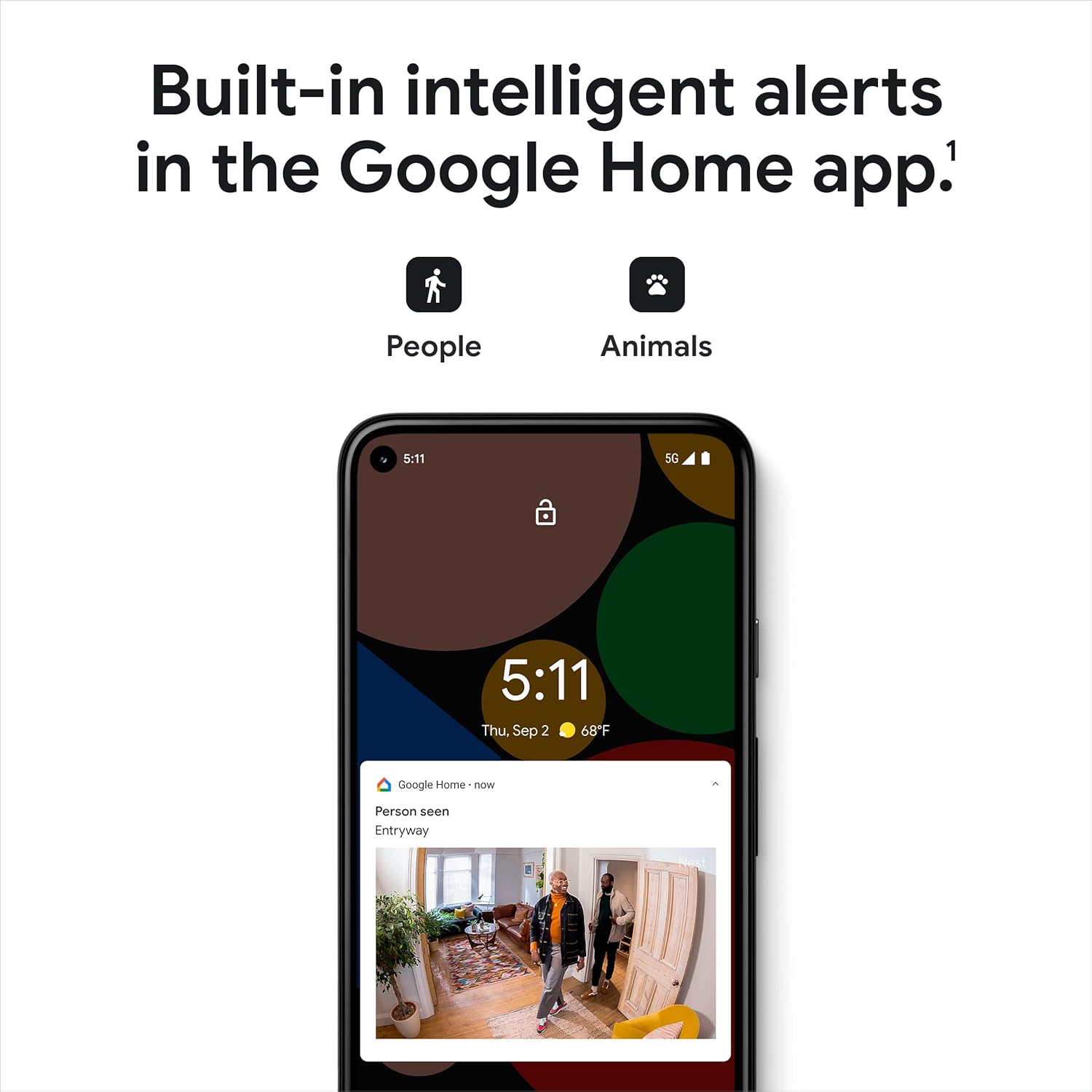


The indoor Nest Cam security camera knows the difference between a person and a pet, and alerts you about the things that matter to you. The camera’s 24/7 live view shows you what’s happening from anywhere in the Google Home app.[1] And with up to 3 hours of free event video history, you can go back and see what you missed.[2] This home security camera lets you view live HD video, replay video recordings, talk to visitors, and more – all from the Google Home app. Nest Cam requires a free Google Account and is not compatible with the Nest app. [1]Some features, including mobile notifications, remote control, video streaming, and video recording, require working internet and Wi-Fi. [2]Up to 3 hours recording. Learn more at g.co/nest/3hours. [3]Nest Aware subscription sold separately. Continuous video recording requires that you wire Nest Cam. [4]Learn more at g.co/nest/cam-mem.
Nest Cam has built-in intelligence and can tell the difference between a person, animal, and vehicle and send alerts directly through the Google Home app[1], no subscription required.Controller Type:Google Assistant.Connectivity protocol:Bluetooth;Wi-Fi.Power source type:Corded Electric
Easily check in from anywhere 24/7 with 1080p HDR video[1] with night vision, and see what you missed with 3 hours of free event video history[2]; add a Nest Aware subscription (sold separately) for up to 60 days of video history[3]
If your Wi-Fi goes down, Nest Cam will store up to 1 hour of recorded events so you can see what you missed [4]
Take action in an instant if something happens; talk and listen with the built in speaker and mic on your security camera or call your local emergency service directly from the Google Home app (Nest Aware subscription required)[5]
Set up Activity Zones to receive phone notifications about specific areas of your home and know when familiar faces arrive (Nest Aware subscription required for familiar face alerts)[1,6]
Stream your live video feed hands-free on compatible smart displays with Google Assistant, and compatible smart displays, smart TVs, and tablets with Amazon Alexa
Nest Cam requires the Google Home app and a free Google Account – it’s not compatible with the Nest app or the Nest site
Nest Cam is designed to fit any home’s style; it comes in a range of colors and the built-in stand lets you place it on a wall or table
Set up Home & Away Routines to automatically turn your Nest Cam off when you’re home, so no video is streamed or recorded until you leave[7]
Please refer to the product description section below for all applicable legal disclaimers denoted by the bracketed numbers in the preceding bullet points (e.g., [1], [2], etc.)
11 reviews for Google indoor Nest Security Cam 1080p (Wired) – 2nd Generation – Snow
Add a review

$9.99
Trevor Seay –
Great Camera & System
I use the google nest indoor and outdoor cameras all over my home for security. They’re great quality cameras! The quality of the picture in the app is great, even in night mode + the software is super easy to navigate and setup is a breeze.
Realest Reviewer –
Now I spy on my dog all day
Setup was quick and painless—plug it in, connect to the app, and it was ready to go in minutes. The video quality is sharp, even in low light, and the two-way audio is super handy for checking in. I use it mostly as a pet cam, but it doubles as extra peace of mind when I’m away from home.The design is clean and minimal so it doesn’t stick out like a sore thumb, and since it’s wired, I never worry about batteries dying. Reliable, clear, and easy to use exactly what I needed.Great picture, easy setup, and no battery stress since it’s wired. Totally worth it for the peace of mind (and the pet surveillance). Google UI is fantastic and notifications are within seconds.Paired with Google Mesh the wifi connectivity is flawless
Lee –
One of the Best Security Cameras
I ordered this camera at 1 AM in the morning and it was delivered 11 hours later at 11 AM. Wow! My home has 10 Google Nest cameras including a Nest doorbell. The cameras are reliable and provide the most clear and sharpest videos and it even has color night vision/videos. With that said, this brand of home security had been used for the past 11 years without any quality or mechanical issues.This recent purchase was to replace a very old Ring camera in the garage. With strong wifi frequency It will take under 10 minutes to receive video connectivity. The actual installation onto the shelf took about 25 minutes to screw the base to the shelf for stability and to hide the wire. I highly recommend this Google Nest security camera and doorbell.
TB –
Ever Wanted to Call Your Dog?
Ever wanted to call your dog? Now you can! This camera is a game-changer. Setup was a breeze, it arrived quickly, and the quality is top-notch. The video is super clear, and the sound? Incredible.You know how when you FaceTime your dog on a family member’s phone, they get excited for a second and then totally ignore you? Not with this camera! There’s something about the sound that grabs their attention. My pets—both dogs and cats—actually come to the camera when I call. My dog even brings a toy, and my cats hilariously start searching the house for me!It’s perfect for checking in, making sure everyone’s okay, and even easing my elderly dog’s separation anxiety. The only thing missing is a treat dispenser! Plus, it records motion-triggered clips that are saved for up to three hours and automatically deletes them—no subscription required.If you want a fun and easy way to stay connected with your pets, or check in on things at home I highly recommend this camera. It’s like FaceTime, but better—for you and your furry friends!
Mohamed Rizk –
As good as any Nest cam, does not work well with Alexa
I used to have a Dropcam Pro back when Nest bought Dropcam. Then, of course, Google ended up buying Nest later. I had moved to Eufy, and Eufy had some disastrous privacy issues leading me to switch back to what I know the best, Nest..err, Google.I got it hoping it would work well with Alexa (Amazon Echo Dot) to notify me of person alerts, etc, as Google had finally created an Alexa Skill. Unfortunately, that was not the case. The Alexa skill is limited, and can only send out alerts if unrecognized motion is detected. If the camera detects a person, even if not a familiar face, it will not notify Amazon/Alexa. This was not at all what I expected. The only way around this would be to turn off person detection and use motion detection, but that would be a considerable downgrade, and I paid a lot for this camera to get what it offers.I won’t be the first to say this, but if you are used to the Nest app, do not expect the same experience using the Google Home app. Google Home app is much worse, even on Android. I’m not too fond of it, and they need to do more updates and overall UI changes for it to be usable.
Hardcore258 –
Easy to install must have!
These cameras are easy to setup if you follow the directions and take your time. The indoor corded connections are permanent (unlike the outdoor cam) and should not be spliced. The mount is secure and it plugs in so no battery charge issues. We have ours mounted on the ceiling so play around until you get the right angle.
Jayjay –
I have many Google nest cameras and added this to my house. I hate that you can’t add it to the nest app and has to be used through Google home. They cut off nest app and as of a certain time in 2021 all new cameras will be added to Google home and not the nest app. The Nest app definitely works better, not stoked that I now have to use two apps for my older cameras and new newer cameras. I find the scrolling through history not nearly as clean as in the nest app. Hopefully one day Google will stop killing apps and products that just work. Will I continue to use Google cameras, yes I’m in the ecosystem and will continue to stay in it. Just wish it was single app, fully integrated, without unnecessary changes.
TAJ –
Mistakenly order thinking it would operate outdoors in a Canadian winter.
Melina M. –
Fácil de instalar y usar. Muy buena claridad y visión de noche. Se activa con el movimiento y reconoce que alguien entró. Si quieres que guarde las grabaciones recomiendo hacer una cuenta en Google y pagar la suscripción.
Sir c –
Just what I was looking for
Juan Carlos Hernandez Ríos –
Es el segundo producto de seguridad de Google que compro, ya tengo un Camara exterior con baterías y quería una cámara para ver el interior de mi casa y el patio trasero desde adentro.Esta cámara cumple muy bien, tiene un gran cable y es más pequeña que la exterior. Tiene 3 horas de grabado y puedes adquirir un mes de este con una suscripción la cual no es alta, debido que también incluye el reconocimiento de rostros.Me agrada que puedes configurar que si estas en casa se apague, o desactivar las notificaciones, así como en cuanto detecte que no estas en el domicilio, comience a grabar. Además, podrías con más cámaras hacer todo un sistema de monitoreo y poderlas ver desde la app de Google Home o desde la web: home.google .com. Sin duda una maravilla.