

ARCTIC Liquid Freezer III Pro 360 A-RGB (White) – AIO CPU Cooler, 3 x 120 mm Water Cooling, 38 mm Radiator, PWM Pump, VRM Fan, AMD AM5/AM4, Intel LGA1851/1700 Contact Frame – White
$105.49
Related Products









Product description

 P12 Pro Fan
Quieter and more powerful at low speeds, with more power reserves under load – for maximum cooling performance without compromise.
 Intel Contact Frame
Optimized contact pressure distribution for longer CPU lifespan and more efficient heat transfer.
 Easy Installation
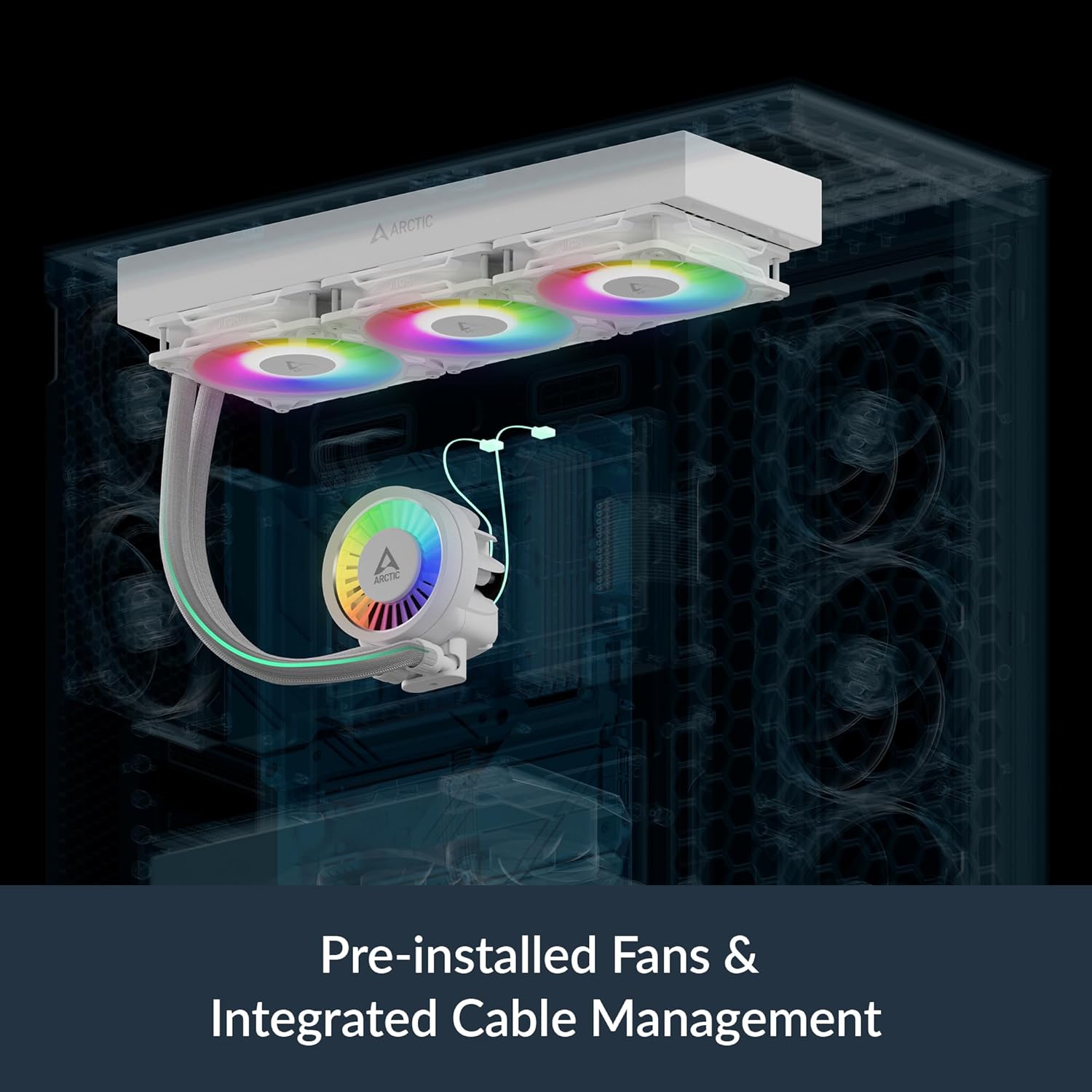
Pre-installed, pre-wired fans and animated instructions for straightforward installation.
 38 mm Premium Radiator
Improved heat dissipation and a larger fluid volume reduce heat buildup and allow for more efficient handling of temperature spikes.

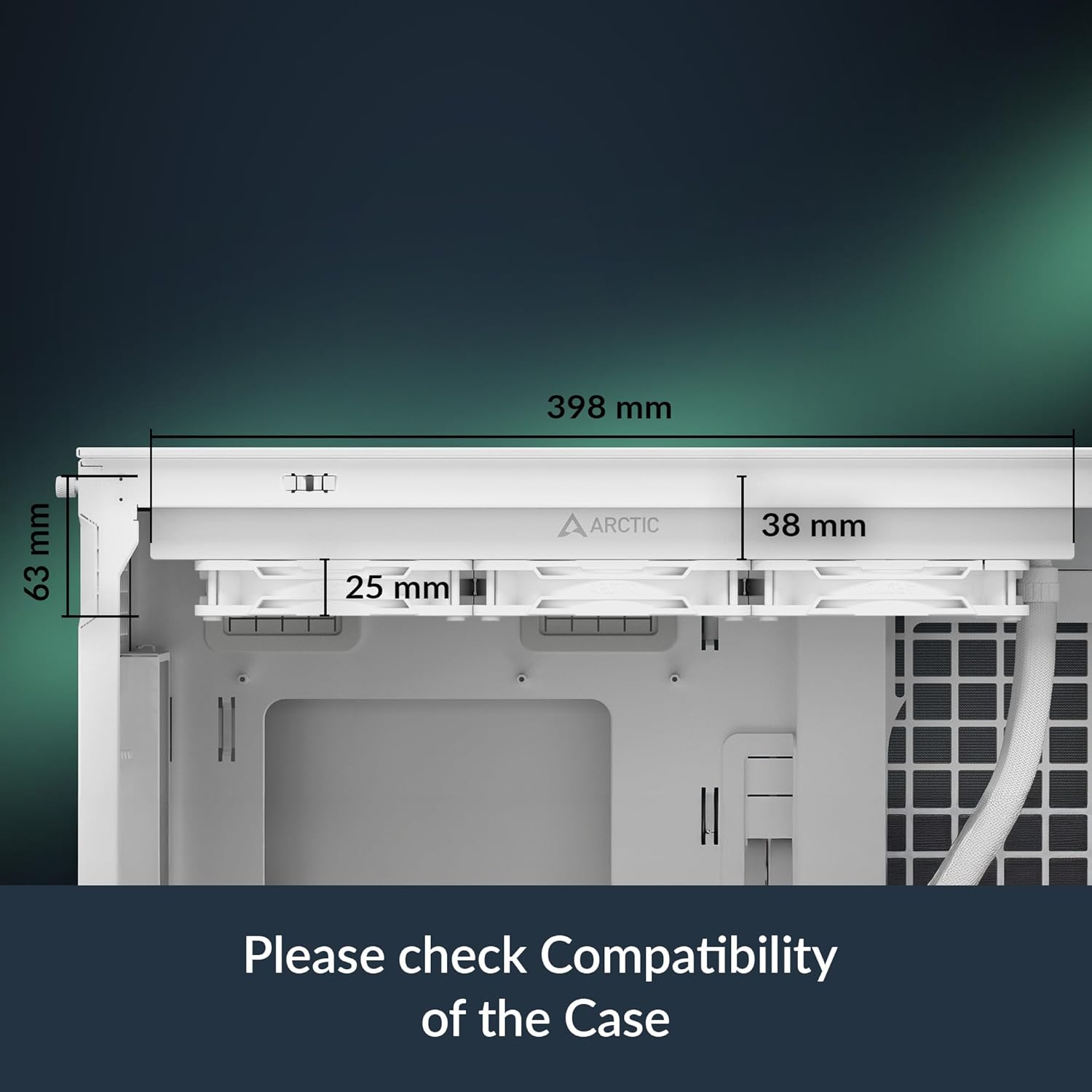
Check the Dimensions
Please note that the Liquid Freezer requires at least 63 mm of free space for installation.

Decentralized Mounting
Better Cooling Performance for Intel and AMD CPUs
Moves the cold plate to the CPU hotspot, ensuring more efficient heat transfer.
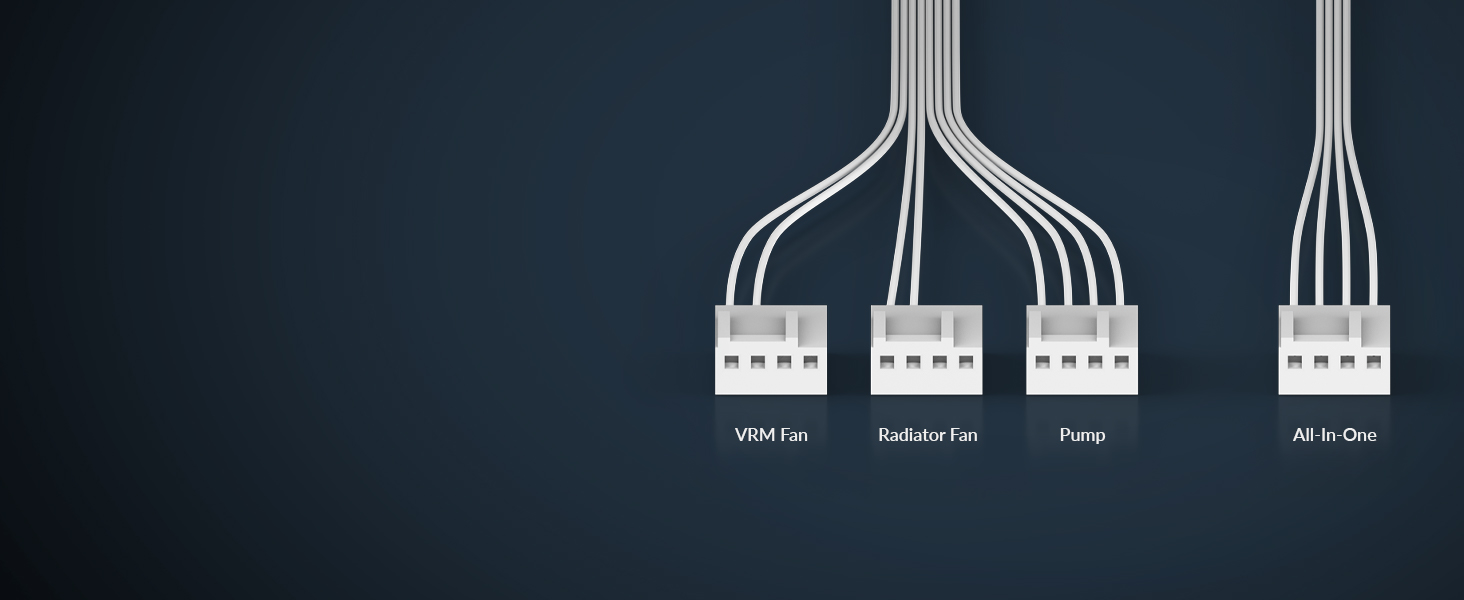
Two Control Options
Complete control or simple control
Control the pump, VRM, and radiator fans individually or via a PWM signal with an all-in-one cable.

60 mm Fan in CPU block
Active cooling in the socket area
Reduces the temperature of the voltage converters and ensures stable performance.

1 Case Compatibility
2 Offset Mounting
3 Connection Options
4 Integrated VRM Fan
5 AMD & Intel
 Integrated Cable Management
Fan cables integrated into the sleeving simplify installation and reduce the necessary cabling to a minimum.
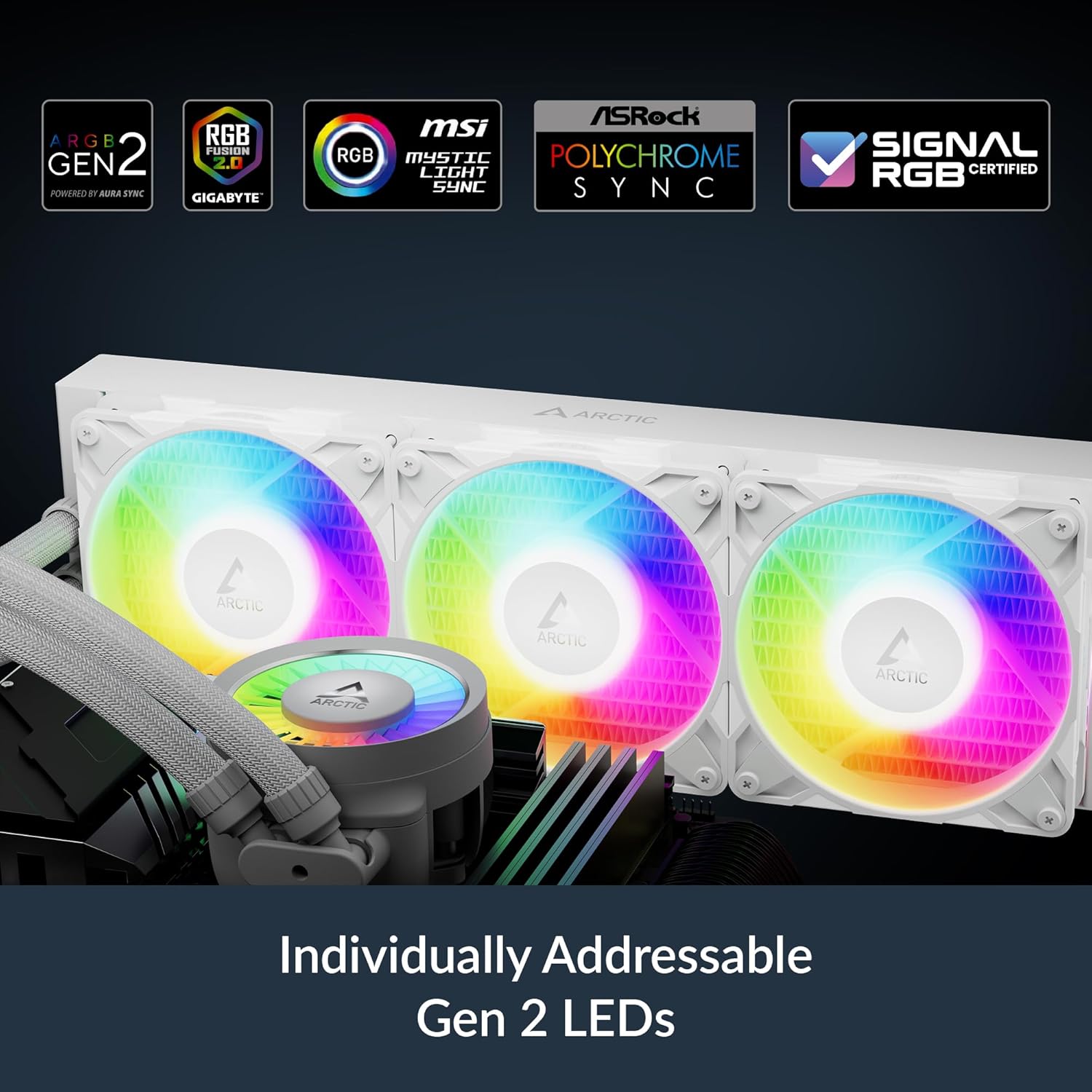
 Gen 2 Addressable RGB
Standardized 3-pin connector for high compatibility and control. Daisy chain and Gen 2 LEDs enable custom LED colors.
 MX-6 Thermal Paste Included
Apply MX-6 in a cross pattern – the water pump’s cold plate will distribute the paste evenly.
 Premium Tubing
Reinforced EPDM hose with braided braid for maximum durability.
Technical Specifications
General Specifications Thermal paste: MX-6 (0.8 g); Promise: 6 years; Operating ambient temperature: 0–40 °C; Pump: 800–2800 rpm (PWM-controlled); Current | Voltage: 0.35 A | 12 V DC; Cold plate: copper, micro-skived fins; Tube length: 450 mm; Tube diameter: outer: 12.4 mm, inner: 6.0 mm Compatibility Intel: LGA1851, LGA1700; AMD: AM5, AM4 Radiator Material: Aluminum; Dimensions: 398 (L) x 120 (W) x 38 (H) mm VRM Module VRM fan: 400–2500 rpm (PWM controlled); Current | Voltage: 0.05 A | 12 V DC; LEDs: 12x A-RGB Gen2 LEDs; Current | Voltage: 0.40 A | 5 V DC Radiator Fans General: 3x P12 Pro A-RGB; Speed: 600–3000 rpm; Airflow: 77 cfm | 131 m³/h³/h; Static pressure: 6.9 mmH₂O; Bearing: Hydrodynamic sleeve bearing; Current | Voltage: 0.33 A | 12 V DC; Connector: 4-pin fan connector RGB Specifications LEDs: 12x A-RGB Gen2 LEDs; Current | Voltage: 0.40 A | 5 V DC; Connector: 3-pin A-RGB male + 3-pin female Size & Weight Radiator: 398 (L) x 120 (B) x 38 (H) mm; Weight: 1945 g
Liquid Freezer III Pro Series in Comparison
Add to Cart
Add to Cart
Customer Reviews
4.5 out of 5 stars 1,116
4.5 out of 5 stars 1,116
4.5 out of 5 stars 2,316
4.4 out of 5 stars 1,898
4.4 out of 5 stars 1,898
4.5 out of 5 stars 2,316
Price
$105.49$105.49
$98.99$98.99
—
—
—
—
Intel Socket
LGA1851, LGA1700
LGA1851, LGA1700
LGA1851, LGA1700
LGA1851, LGA1700
LGA1851, LGA1700
LGA1851, LGA1700
AMD Socket
AM5, AM4
AM5, AM4
AM5, AM4
AM5, AM4
AM5, AM4
AM5, AM4
A-RGB-LEDs
x12 per Fan, x12 on VRM Fan
x12 per Fan, x12 on VRM Fan
/
x12 per Fan, x12 on VRM Fan
x12 per Fan, x12 on VRM Fan
/
Fans
3x P12 Pro A-RGB
3x P12 Pro A-RGB
3x P12 Pro
3x P12 PWM PST A-RGB
3x P12 PWM PST A-RGB
3x P12 PWM
Fan Speed
600–3000 rpm
600–3000 rpm
600–3000 rpm
200–2000 rpm
200–2000 rpm
200–1800 rpm
A-RGB Connector
3-pin A-RGB Socket
3-pin A-RGB Socket
/
3-pin A-RGB Socket
3-pin A-RGB Socket
/
Hose Length
450 mm
450 mm
450 mm
450 mm
450 mm
450 mm
Dimensions (Radiator)
398 (L) x 120 (B) x 38 (H) mm
398 (L) x 120 (B) x 38 (H) mm
398 (L) x 120 (B) x 38 (H) mm
398 (L) x 120 (B) x 38 (H) mm
398 (L) x 120 (B) x 38 (H) mm
398 (L) x 120 (B) x 38 (H) mm
Weight
1945 g
1945 g
1915 g
1870 g
1870 g
1840 g
Product Dimensions : 15.67 x 4.72 x 2.6 inches; 4.42 Pounds
Item model number : ACFRE00188A
Date First Available : March 15, 2025
Manufacturer : ARCTIC
ASIN : B0DLWDJS8S
Best Sellers Rank: #3 in Water Cooling Systems
Customer Reviews: 4.5 4.5 out of 5 stars 1,116 ratings var dpAcrHasRegisteredArcLinkClickAction; P.when(‘A’, ‘ready’).execute(function(A) { if (dpAcrHasRegisteredArcLinkClickAction !== true) { dpAcrHasRegisteredArcLinkClickAction = true; A.declarative( ‘acrLink-click-metrics’, ‘click’, { “allowLinkDefault”: true }, function (event) { if (window.ue) { ue.count(“acrLinkClickCount”, (ue.count(“acrLinkClickCount”) || 0) + 1); } } ); } }); P.when(‘A’, ‘cf’).execute(function(A) { A.declarative(‘acrStarsLink-click-metrics’, ‘click’, { “allowLinkDefault” : true }, function(event){ if(window.ue) { ue.count(“acrStarsLinkWithPopoverClickCount”, (ue.count(“acrStarsLinkWithPopoverClickCount”) || 0) + 1); } }); });
CONTACT FRAME FOR INTEL LGA1851 | LGA1700: Optimized contact pressure distribution for a longer CPU lifespan and better heat dissipation
ARCTICS P12 PRO FAN: More performance at every speed – especially more powerful and quieter than the P12 at low speeds. Higher maximum speed for optimal cooling performance under high loads
NATIVE OFFSET MOUNTING FOR INTEL AND AMD: Shifting the cold plate center toward the CPU hotspot ensures more efficient heat transfer
INTEGRATED VRM FAN: PWM-controlled fan that lowers the temperature of the voltage regulators, ensuring reliable performance
INTEGRATED CABLE MANAGEMENT: The PWM cables of the radiator fans are integrated into the sleeve of the tubes, so only a single visible cable connects to the motherboard
10 reviews for ARCTIC Liquid Freezer III Pro 360 A-RGB (White) – AIO CPU Cooler, 3 x 120 mm Water Cooling, 38 mm Radiator, PWM Pump, VRM Fan, AMD AM5/AM4, Intel LGA1851/1700 Contact Frame – White
Add a review

$105.49
Ivan –
I LOVE IT
This is just incredible, honestly. I never thought my CPU could stay this cool. If anyone is hesitating about buying it, I can assure you that it’s totally worth it. But be careful — the radiator is big, and I even had to buy a new case 😂. Although that’s a small price to pay for the results. My case is an NZXT H6 Flow, and everything fit perfectly and neatly.One more thing I want to add: when installing the AIO, don’t forget that there’s a connector for the pump that controls the pump itself, the AIO fans, and VRM cooling. If you have enough connectors, make sure the pump and fans are connected separately, because the pump should run at 100%, and if you try to control the fans together with the pump, they’ll get way too loud.Anyway, this is definitely a thumbs up 👍, and it’s one of the best purchases I’ve ever made in my life. I’ll also upload some photos so you can see how beautiful it looks 🥰
CNT Blue Ribbon Detailing –
Stop spending so much on AIO’s Arctic is the only correct choice.
After testing this with an Ryzen 9600X Idle at 28-33C and max load heat soak 56C after about an hour. With fans at 50% any faster the on the fan speed and they will start to get a little louder and pump at 60% I’m convinced there really isn’t any better cooler out there. This is so durable that I dropped the cooler directly on the corner onto concrete from about four feet high and you couldn’t tell there was any damage to it. This is my third PC with Arctic and every one has been great though I am not the biggest fan of the thermal paste that comes with the cooler though.
Juan Venegas –
60F drop from stock AMD Fan Cooler
My Ryzen 7 5700G APU was running at 182F (83c) when playing Battlefield 6. I did not have any gameplay issues but I wanted cooler temps. I decided to install this AIO on a Corsair Air 540 case in the front, and now my temp has dropped by nearly 60F (15C) under the same load. Now the temp is at a cool 123F (50C) during gameplay.Installation wasn’t difficult, I did have to swap around the fans for intake instead of exhaust mode. The fans are noticeable but I can live with it.Would purchase again for a different build.
Tanvir S –
Excellent cooler for AM4, but buy your own thermal paste!!
*Update*: RGB works flawlesslyGREAT product for AM4 CPU’s.I have been looking to replace my aging Corsair H100i Pro AIO, which I bought in 2019, for some time now. After I read all the glowing reviews, I was really excited to get this cooler. I did not see many reviews from folks with AM4 processors, though, so I was a little bit wary, especially when the instructions said not to worry about some of the chip being visible after install! D:I need not have worried. This cooler dropped temps about ~14 degrees C across the board. Went from 80 degrees under load to 66! Idle went from 50 to 36. For reference, I have an AMD R9 5900x, one of the hotter-running AM4 chips. Also I do have PBO enabled! (check screenshot for temp/load details).As others have stated, the radiator on this unit is quite large/thick, so make sure to measure your case to make sure there is room to accommodate it. My mid-tower case is old, but quite roomy, so I luckily had no trouble fitting it in my case. It is also significantly louder than my old two-fan cooler, but its not even as loud as my GPU, so I am not particularly bothered. Others may be, though, so you may want to modify your fan speed curve.Installation was not particularly difficult, and did not take much time. I found instructions using the QR code on the box (click on the ‘Manuals’ tab), and they were more than adequate. They included some graphics, gifs, and videos. I have a few decades of exp building PC’s, so take this with a grain of salt, but I think beginners will not have too much trouble with this install. The trickiest part was removing the standard AM4 mount brackets and installing the ones included with the cooler. I had to hold the backplate (on the back of mobo) with one hand, while I installed the brackets one screw at a time. Bit of a pain, but the results were worth it.The only (and biggest) con, is that the MX-6 thermal paste included with the cooler had the consistency of silly putty. It was basically a solid. Seeing as the 8G MX-6 tube I bought, to replace the minuscule amount that arrived with the cooler, had a more viscous consistency, I assume it was a bad batch. This delayed my build by a period of two days (while waiting for thermal paste to arrive), and is the only reason why I am giving this product 4 stars instead of 5.I have not tested ARGB functionality, since I do not have a header on my old X570 motherboard, but I have ordered a header for it, and will update this review once it arrives.In short: buy this cooler for sure. Great value for money, and incredible performance. But!! Make sure to order your own thermal paste, because they may include Playdough in the box instead of actual thermal paste D:
Anonymous –
Very good CPU Cooler and the RGB fans are very bright!
Reading the other reviews I was a bit concerned about the installation process, but lately I installed this cooler on a 13th gen Intel system and later on an AM5 System with an AMD CPU. What I suggest is laying the PC flat on it’s back, leaving the radiator with fans over the case top (outside) so you leave it hands-free and with your left hand grab the tubes close to the CPU cooler block (as if almost doing a thumbs up) to line it up carefully with the 2 screws, and with the right hand start by screwing one side first (two turns with the screwdriver), then the other side two turns and repeating this slowly to make sure the CPU cooler gets even pressure and contact with the CPU IHS. It’s definitely a bit more complicated than a standard 4 screw X pattern installation, but you just have to be slow and take your time with it.Be advised that on the Intel platform LGA 1700, it comes with it’s own contact frame you have to install first before putting the cooler on, install those in a cross X pattern slowly turning each side evenly to apply even mounting pressure too. If you undertighten/overtighten the screws with this contact frame, it might lead to memory errors which might prevent the PC from properly booting but worry not, if you notice this, just try to re-seat the RAM, that did the trick for me, this also happened with my previous Thermaltake contact frame for 12th/13th/14th gen CPUs from intel. Just keep turning the screws and as soon as you find that resistance point, it doesn’t need lots of force after that, just a bit, leave it snug.All in all, this CPU cooler keeps my current 7800x3D CPU well under Max temps of 70-74C on average after gamings/streaming for hours, I live in a hot/humid climate and it’s the hottest time of the year so a Win in my book!Great product and a fair price I’d say since you want a good cooling solution to protect your expensive CPU/PC.
serdar –
9800x3d için aldım masa üstü 39 40 derece oyunlarda 50 55 max 60 görüyor gerçekten çok iyi bir sıvı soğutma
Lana L –
Bought this for my gamer boyfriend as a gift as he’s building a new computer. He said it’s great!
Thomas R –
Très très très bon watercooling niveau performance et surtout niveau prix mon proco qui et un r7 9700x oc un peux toujours pendant des heures sur des gros jeux max la température monte a 70 degrés, Fait pas trop de bruit , Le rgb juste magnifique rien a dire sur ça , le seul petit défaut que je peux trouver c’est le manque d’un logiciel pour tout contrôler moi je passe part le logiciel de ma carte mère aorus . Sinon pour le prix et les performances je vous le conseille fortement même pour des grosses configurations je pense que ça passerait bien
Willem –
Ik heb alles aangesloten maar geen argb verlichting .voor jan kut gekocht. Dit is nou de elkekeer weer .
Fatih YALÇIN –
Şimdiye kadar kullandığım sıvı soğutmalarınn içinde en iyisi açık ara farkla. Kullandığım işlemci Ryzen 9 5950X. 150 watt tdp değerine sahip. 65, 70 derece OCCT tam yük. Fan sesi yok… Ama kasa ölçülerinize dikkat edin. Biraz kalın bir radyatöre sahip