

Aqara Smart Lock U100, Fingerprint Keyless Entry Door Lock with Apple Home Key, Touchscreen Keypad, Smart Electronic Deadbolt, IP65 Weatherproof, Supports Apple HomeKit, Alexa, Google, IFTTT, Silver
$21.99
Related Products

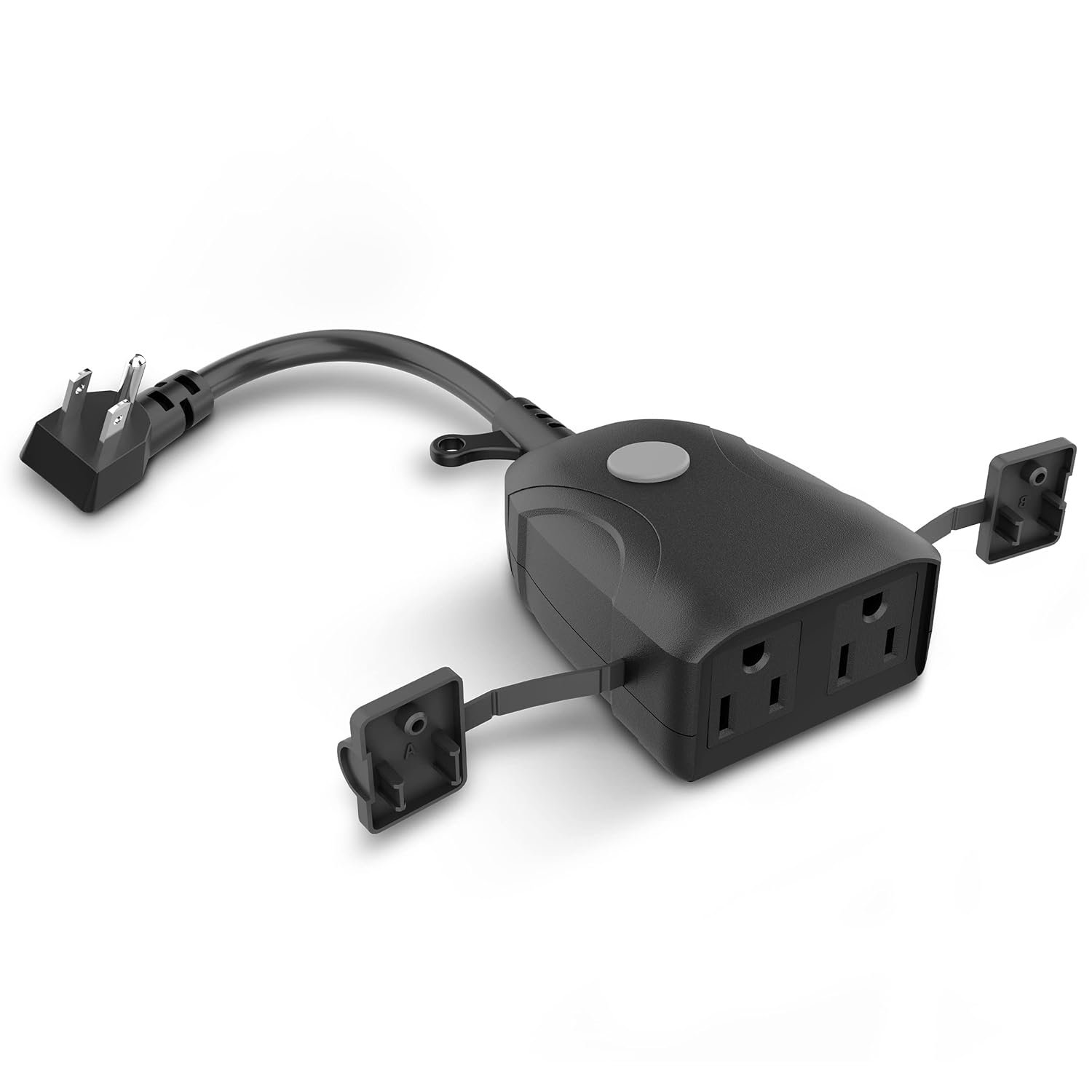


From the brand


As a leading provider of smart home solutions, Aqara excels in delivering a wide array of award-winning, user-friendly smart home products and platform solutions tailored for your home. We proudly serve over 12 million customers in more than 170 countries and territories. Our products are designed to offer convenience, security, and energy efficiency, making your home smarter, more sustainable, and adaptive to your evolving needs.
Aqara Smart Lock
Aqara Cameras & Hubs
Aqara Sensors
【Apple Home and Home Key Support】The U100 is a smart door lock that is fully integrated into Apple Home. It can be unlocked with the Apple home keys by simply tapping an iPhone or Apple Watch, even when the iPhone or Apple Watch is out of power. Moreover, you can manage and share door access for your guests in Apple Home. (NOTE: To share Apple Home Keys, you need an Apple Home Hub)
【Fingerprint and More Ways to Unlock】The Smart Lock U100 offers multiple ways to unlock, including a high-precision fingerprint reader for up to 50 fingerprints, remotely configurable passwords via the Aqara Home app (An Aqara Zigbee 3.0 hub is required), one-time local passwords for visitors, and a mechanical key for emergency use. * The NFC card is not included and is sold separately.(Tips: After adding the door lock to the Aqara Home app, only the administrator’s fingerprint or password can reset the door lock.)
【Automations with Aqara and Third-Party Devices】With an Aqara Zigbee 3.0 hub, the Smart Door Lock U100 is compatible with third-party ecosystems like Alexa, IFTTT as well as the Aqara Home app, allowing it to be easily integrated into a wide range of smart home setups and used in smart home automations. For example, when someone presses the Aqara Video Doorbell G4, you will be able to view who is at your door and easily unlock the Door Lock U100. (Zigbee2MQTT and comparable third-party USB dongles are not officially supported by Aqara. Full product functionality may be limited or unavailable.)
【Auto Lock & Do Not Disturb Mode】Thanks to the built-in gyroscope inside the lock, the auto-lock feature locks the door for you after you close it. Alternatively, you can disable this feature and leave the door always open. Also, the Do Not Disturb mode can mute the door lock sounds within a certain period of time, to avoid affecting your family’s sleep when you get back home late.
【A Durable and Secure Biometric door Lock with Long Battery Life】The U100 is powered by four 1.5V AA alkaline batteries (Note: Do not use non-alkaline batteries) and offers a long battery life of up to 8 months. Also, a USB-C port for emergency charging is available. The lock body made of zinc alloy has an IP65 rating and complies with the same safety standard as BHMA Level 3. It’s capable of withstanding temperatures ranging from -31°F to 151°F. Your sensitive data (e.g., fingerprints) is stored locally and fully AES encrypted.
13 reviews for Aqara Smart Lock U100, Fingerprint Keyless Entry Door Lock with Apple Home Key, Touchscreen Keypad, Smart Electronic Deadbolt, IP65 Weatherproof, Supports Apple HomeKit, Alexa, Google, IFTTT, Silver
Add a review

$21.99
Amazon Customer –
Works Perfectly!!
Works perfectly! I have it integrated with my Apple Homekit and it’s awesome to unlock my door by simply tapping my Apple Watch or iPhone to the key pad. Very easy to setup. I’m very happy with this.
John –
Great Price, quality, features, and easy installation.
I highly recommend it for the quality, ease of installation, and pricing compared to other similar products. The packaging was good. There are numerous YouTube instructions for a successful installation, and it does not require much more than a few basic tools. After looking at the videos a couple of times, it took maybe twenty minutes to install, including downloading the app and programming. If you are tired of fumbling with your keys while carrying bags, this is the way to go. Also, spend the extra dollars on the fingerprint reader. U100 is the model we have.
Tim_B –
Works ok but setup and integration needs work
Overall, the lock works well, however… They need to put a lot more work into set up and configuration with their software.When initially installing the lock, the app would not configure/find the lock by scanning the QR code. The only way I could set it up, was to press the set up button and force it into pairing mode.I ran into similar problems trying to add the lock to Apple HomeKit . The standard method would be to open HomeKit, tap ‘Add an accessory’, scan the QR code and done. I tried this numerous times and they all failed the only way I was able to get it to work was to go into the app and then manually add the device. I had similar problems with the Aqara bridge. I also tried manually adding the product codes for the lock and the bridge to Apple Home, which also failed. If you are having similar issues, stand near the device so that the Aqara app is connected via Bluetooth. Select the device, press teh elipsis (…) in upper right corner of the app, scroll down to General Settings – ‘Other Platforms’ and pair it from there.I’m not a novice to technology having worked in the field for over 25 years and while I do have it working at the moment, I do believe the company should spend more time on user testing and integration.
Darkning –
I want them on every exterior door!
I love this lock. It’s been installed for 7 months now and still working awesome despite being basically unshielded from rain or sun. Integrates with the Aqara M3 hub that is unfortunately required for the extra feature set, but once you get that setup you can go on further to add it to other smart home assistants and/or Home Assistant. I can have Google home lock the door for me, or I can use the Home Assistant app to control and view the status of the lock as well.The fingerprint works great as well as rotating codes that can be programmed for pet sitters or other temporary guests. I’ve had no connection issues and so far battery life is still reporting as “high” after 7 months, although this is used on a walkout basement door and not a primary entry for us. Having the fingerprint and code is great if we ever accidentally get locked out of the house. I definitely want to add more of these to our primary entry doors.
Ed –
Door lock
It’s a great product
BA –
This is Junk
We had this lock for a year and it is without a doubt the worst smart device we’ve ever purchased! Shame on me for getting caught up in the hype when searching for “the best” smart lock a year ago.It looks ok but feels like plastic junk. After being setup properly it would usually auto lock but, every once in awhile it would NOT so… NOT consistent! For example: you leave for the weekend and come back to a door that’s been unlocked the entire time OR you go to the store and return finding that the door never locked! This caused us to constantly second guess whether it had locked or not everytime we left the house.Additionally, we constantly got “not closed” errors with flashing and beeping although the door was closed and the lock was engaged! Sometimes the lock would half engage. Ugh!Also, here in Texas, it gets humid. Biometrics may or may not work depending on how dry your hands are. This may be every smart lock.Finally, it says it knows when the door is open or not but it would constantly auto lock when we left the door open to bring in the groceries. What a pain.Look, this thing is junk. Save your $! We got what we paid for and now we’ve trashed it and purchased the Yale Assure Lock 2. It is heavy duty and awesome. We highly reccomend it!
Bob –
Much better than Lockly for Apple echosytem
Replaced all my Lockly. The touch to unlock is priceless
dominic rotondi –
Love it.
Very easy to install. Works great.
Mike McIntosh –
I wanted a lock to use with Home Assistant that did not relie on WiFi (did not want my lock connected to a cloud service). I initially tried connecting with the Zigbee stick in my HA server but could not get this to work, adding the Aqara M100 hub solved all my issues. This lock plus the M100 are an easy solution for anyone wanting to integrity HA. Also happy that this lock worked with the smaller bore hole in my door, no need to make a mess of my door to install. Very easy lock to install.
RandM –
I am actually pretty happy with this lock – definitely an upgrade from the U50 I first ordered and returned because the programming was impossible to figure out, and it was kinda ugly. So I upgraded to try again. This lock is much classier – and the only reason I gave this U100 a 4 is that this one is also very difficult to set up/program. First, though – the mechanics.My husband easily installed the lock EXCEPT, save yourself some trouble – first thing measure the hole in your doorframe that the deadbolt slides into, before you do anything else, and compare to the measurement of the deadbolt plunger. It runs a bit long and the lock will not work if the plunger is blocked from full extension. If this happens the numbers on the outside will flash red and an alarm will sound TEN times and embarrass you in front of your neighbors 😉 and the lock will automatically unlock. You will not be able to make it stay locked, even by manually locking it – it will unlock itself again and again until you remove a battery. So just scrape the hole in a bit further if need be, and you’ll be fine. Other than that, physical install’s a cinch. It’s the programming that will have you pulling your hair out, especially if you’re trying to sync with HomeKit (which is the ENTIRE reason I abandoned a perfectly good wireless door lock that didn’t have HomeKit integration).Let me say first, you do NOT need to buy a hub to use HomeKit with this lock. Your HomeKit hub will do the job BUT the Aqara set up instructions are not user friendly, and make things infinitely harder! By the time you somehow get it working, you will no longer remember how you did it! One reviewer (and you’ll get better info reading these reviews and YouTube videos than the manufacturers written or online help file) mentioned not installing the Aqara app until after the lock is installed, and I did that, but that didn’t seem to help. For many of my numerous attempts to quit and start over, I tried to set up HomeKit with the little HomeKit button inside the battery compartment, but the instructions weren’t clear about whether I should use that BEFORE the Aqara set up button, or AFTER the Aqara set up bottom, or INSTEAD of the Aqara set up button. I kept taking out a battery and doing a full reset, and then trying another combination, which got SO confusing – but I kept trying. I think I finally left the HomeKit button alone and just used the Aqara set up button which prompted me to pair the lock in the Aqara app using the outside keypad. After that somehow (maybe with the HomeKit set up button?) I stumbled on to a page in the Aqara app that asked me to pair with HomeKit, and that’s where you scan the Apple QR code and it syncs with HomeKit properly. At that point everything finally worked, including the touch with my phone and watch. BUT my husband and our grandgirl are also included in our HomeKit through Family Share. Our granddaughter wasn’t even here when we set up the lock, but it added it to her HomeKit. (It also started driving her crazy sending notifications to her phone every time we locked or unlocked the door). It also added a HomeKey to her Apple Wallet, and also to my husband’s, but neither of them has been able to do the touch open. It’s been weeks, and suddenly yesterday a prompt popped up on her phone to add the touch entry. It happened so fast I just clicked on it and followed the prompts, and it set her up to touch her phone to the lock, and it works seamlessly. And she doesn’t even HAVE the Aqara app! But my husband’s phone – still nothing.So, IN SPITE OF THE AGGRAVATION, this lock is actually great. There are numerous ways to unlock the door, so the touch thing isn’t a deal breaker and it’ll pop up one day for hubby as well, I guess. What I want to say is, don’t give up! This seems a solid lock as far as keeping the house secure, and it’s clever. Hopefully Aqara will go step-by-step through their instructions & FAQ and write up a concise process for setting up the programming, and they’ll be a serious contender for the VERY few, much more expensive, Apple-enabled door locks available. It really shouldn’t be so hard to explain the set up. That’s the only downside to this lock – and probably to the more feature rich options as well. Do better with your documentation and you’ll have a real winner.
Kasnantien –
This lock has a beautiful clean and modern look. In addition, it responds quickly to my fingerprint. I had first bought it for the ability to unlock with my phone but I was disappointed because you have to take the phone out of your pocket then go to “wallet” and place the phone against the lock to unlock it (my old lock did it!). Another annoying restriction, it necessarily takes a hub to be able to use it with more than one phone. Let’s hope it won’t need too much battery..
tibor –
I think is the best lock I have ever saw, quality excellent, quiet and easy to installWork with iPhone really easy with out any special instructions to all your family
I. Lopez –
Simple and elegant. I set this up for more convenience, flexibility, and security. It wasn’t difficult to install. We have so many ways to unlock the door – fingerprint, Apple Home Key (it auto-installed into my wallet and let’s me unlock with my watch and phone), 8-digit code, and of course a traditional key. It integrated easily into my Apple Home system which allows us to access the lock from literally anywhere in the world.