

Razer Wolverine V3 Pro Wireless Gaming Controller: Licensed for Xbox Series X|S, Xbox One, Windows PC – 6 Remappable Buttons – Fast Triggers – Customizable Thumbsticks – Wired Tournament Mode – Black
$18.99
Related Products


![AACL 3-Pack for Samsung Galaxy S25 Ultra Screen Protector Tempered Glass, 9H Glass for S25 Ultra Screen Protector 5G, [Fast Alignment Tool] [Bubble Free] [6.9 Inch]](https://simplysystems.co/wp-content/uploads/2025/11/71rdWaTq2VL._AC_SL1500_.jpg)
![Type C Charger Fast Charging for iPhone 17 16 15, 2Pack [10FT&6FT] Long USB C Cable with 25W Phone Super Fast Charger Block Compatible with Galaxy S25/S24/Plus/Ultra,iPhone 15/16/17/Air/Plus/Pro Max](https://simplysystems.co/wp-content/uploads/2025/11/61ds9lV9RaL._AC_SL1500_.jpg)




Elevate your gaming experience with the Wolverine V3 Pro, a state-of-the-art wireless controller engineered for champions on Xbox Series X|S. Packed with pro-level features, this controller offers everything you need to gain a competitive edge in every game. The Wolverine V3 Pro includes 4 mouse click back buttons and 2 claw grip bumpers, strategically placed to provide precise control with the tactile feel of a mouse’s actuation for advanced gameplay. Six remappable buttons allow you to customize your layout, giving you the upper hand against your opponents. The Razer Pro HyperTriggers deliver instant response with lightning fast mouse click triggers, ideal for rapid-fire actions. Equipped with Hall Effect Precision Thumbsticks, the controller offers anti-drift accuracy with customizable sensitivity and deadzones for pinpoint control. Razer HyperSpeed Wireless technology ensures lag free, esports grade performance, so you’re always in the game. Feel the difference with Razer Mecha-Tactile Action Buttons and an 8-way floating D-pad that provide ultra fast actuations and tactile feedback for precise input. Unlock advanced features and personalize your settings via the Razer Controller App, with pro-level customization available for both Xbox and PC. Activate PC Tournament Mode for a 1000Hz polling rate in wired gameplay using the companion app or shortcut button. The Wolverine V3 Pro also comes with a convenient carrying case and a detachable 10 ft USB Type-C cable, keeping you tournament ready at all times. With the Wolverine V3 Pro, you’re not just playing—you’re competing at the highest level. Order now and gear up for victory.
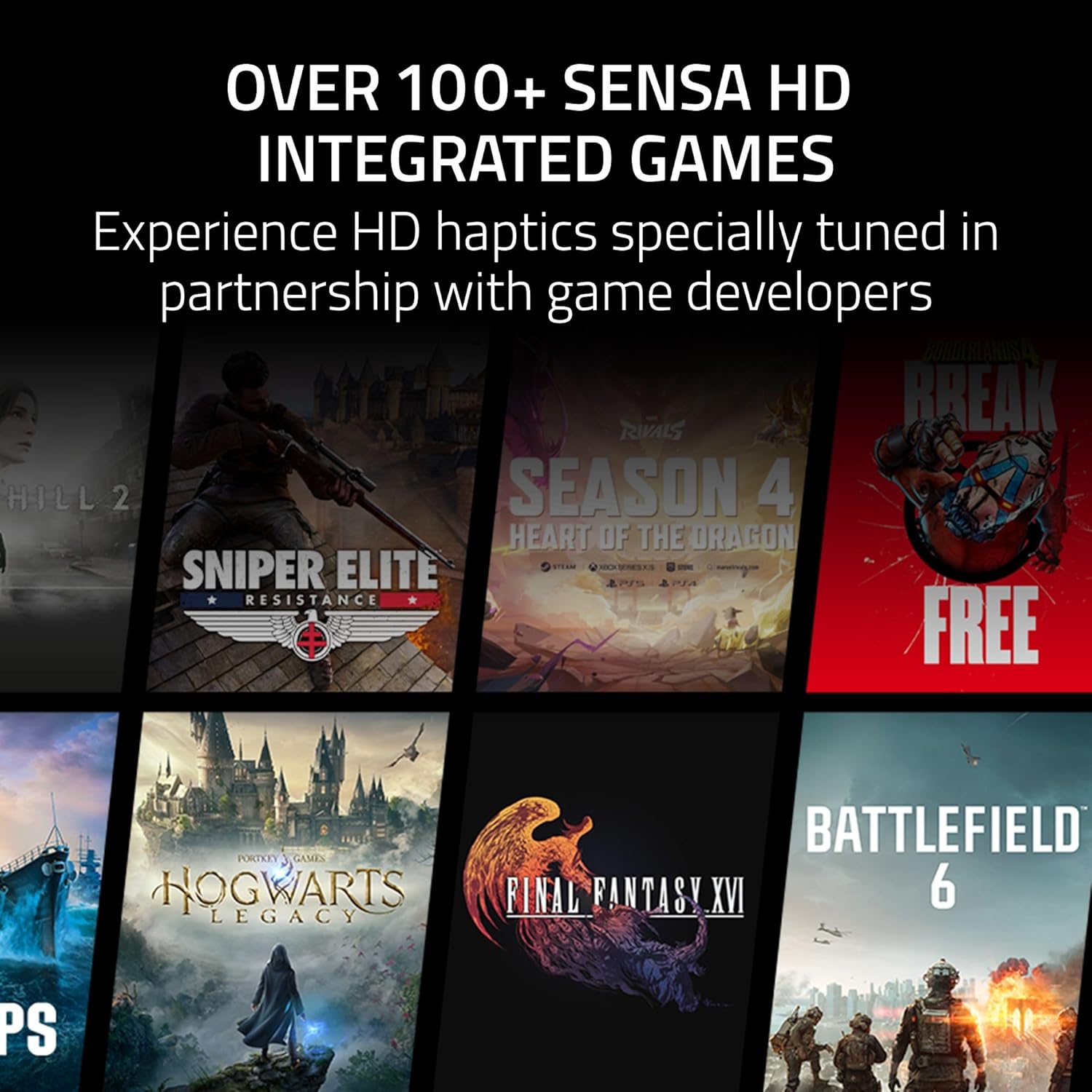
List of supported games on SimHub: (*Available on PC Versions only if not otherwise specified)
American Truck Simulator, Assetto Corsa, Assetto Corsa Competizione, Assetto Corsa EVO, Automobilista, Automobilista 2, BeamNG Drive, BMW M3 Challenge, Codemasters Dirt 2, Codemasters Dirt 3, Codemasters Dirt 4, Codemasters Dirt Rally, Codemasters Dirt Rally 2.0, Codemasters Dirt Showdown, Codemasters F1 2012, Codemasters F1 2013, Codemasters F1 2014, Codemasters F1 2015, Codemasters F1 2016, Codemasters F1 2017, Codemasters F1 2018, Codemasters F1 2019, Codemasters F1 2020, Codemasters F1 2021, Codemasters F1 22, Codemasters F1 23, Codemasters F1 24, Codemasters Grid (2019), Codemasters Grid 2, Codemasters Grid Autospor, Codemasters Grid Legends, Condor 2, Condor 3, Copa Petrobras de Marcas, DCS World, Drift21 (rev 22438), EA WRC, Epic Roller Coasters, Euro Truck Simulator 2, eXpanSIM, Farming Simulator 22, Farming Simulator 25, Formula Truck 2013, Forza Horizon 4, *No Haptics on Steam Version, Forza Horizon 5, Forza Motorsport 7, Forza Motorsport 8, FURIDASHI: Drift Cyber Sport, GP Bikes, HydroSim, IL-2 Sturmovik, IRacing, Kart Racing Pro, *Only Haptics on Piboso Version, KartKraft, Le Mans Ultimate, Live For Speed, Microsoft Flight Simulator 2020, Microsoft Flight Simulator 24, MotoGP 18, MX Bikes, NASCAR Heat 4, NASCAR Heat 5, No Limits 2 Roller Coaster, Project Cars, Project Cars 2, Project Cars 3, RaceRoom Racing Experience, RDS – The Official Drift Videogame, RFactor, RFactor 2, Richard Burns Rally (SSE v1.02), SimBin GT Legends, SimBin GTR, SimBin GTR 2, SimBin Race 07, SimBin Race The WTCC Game, SRX: The Game, Stock Car Extreme, Test Drive Unlimited Solar Crown, TML Fernbus Simulator, TML The Bus, TML Tourist Bus Simulator, Tony Stewart’s All-American Racing, Tony Stewart’s Sprint Car Racing, Trackmania Turbo, Trackmania² Series, Volvo The Game, WRC 10 FIA World Rally Championship, WRC 9 FIA World Rally Championship, WRC 8 FIA World Rally Championship, WRC 7 FIA World Rally Championship, WRC Generations, Hogwarts Legacy, SILENT HILL 2, FINAL FANTASY XVI, Sniper Elite: Resistance, VENDETTA ONLINE, Frostpunk 2, PC Building Simulator 2, Symphonia, Screw Drivers, The Coma 2B: Catacomb, SnowRunner, S.T.A.L.K.E.R. 2: Heart of Chornobyl, Mortal Kombat 11, Atelier Yumia
4 MOUSE CLICK BACK BUTTONS & 2 CLAW GRIP BUMPERS — Enjoy the same ultra-responsive actuation found in Razer’s top gaming mice with 4 buttons built into the controller’s ergonomic, rubberized handles—topped with 2 claw grip bumpers for even more control
PRO HYPERTRIGGERS — Set the triggers for instant actuation with zero travel time or ultra precise analog control—be fully immersed in the action and feel every trigger pull with integrated haptic vibrations
HALL EFFECT PRECISION THUMBSTICKS — Experience analog thumbsticks that are not only more accurate than traditional models but are smoother, lighter, and more durable thanks to their anti-friction rings and pro grade materials
HYPERSPEED WIRELESS — Delivering an ultra-low latency 2.4 GHz connection via its USB Type A dongle, experience fast, reliable performance that meets the demands of the most intense competitive players on Xbox and PC
RAZER MECHA-TACTILE ACTION BUTTONS & 8-WAY FLOATING D-PAD — By combining the speed of microswitches with the cushioned comfort of a rubber membrane, compete with quicker inputs that feel just as comfortable to press
PRO LEVEL CUSTOMIZATION FOR XBOX & PC — Set thumbstick sensitivity and create custom button layouts using our dedicated Razer app—store a personalized profile and be ready for any type of competition
PC TOURNAMENT MODE — When playing wired on PC, a special Tournament Mode enabling 1000Hz polling rate can be switched on using the companion app or via a controller shortcut
CARRYING CASE AND 10 FT CABLE — Comes with a custom built carrying case that holds the controller and all its accessories, including 2 replaceable thumbstick caps and a 10 ft cable
7 reviews for Razer Wolverine V3 Pro Wireless Gaming Controller: Licensed for Xbox Series X|S, Xbox One, Windows PC – 6 Remappable Buttons – Fast Triggers – Customizable Thumbsticks – Wired Tournament Mode – Black
Add a review

$18.99
Korbin J. –
Worth it if you like having extra buttons.
I would give it 4.5 stars but I can’t. I really like it, the only issue I have is I have bigger hands and it feels small so my fingers are completely curled like a dead spider to reach the extra buttons. It’s a comfortable and convenient controller. I like the extra bumpers but they occasionally stick, I have my left extra bumpers set for the “BACK” button to the left of the Xbox logo. It sticks and (in Helldivers 2 at least) opens my chat instead of the map so you have to be conscious about that (I don’t know if that’s me holding it or not pressing it and releasing it fast enough but it feels like a regular push of a button and not holding). It’s really nice that you can swap between modes so you don’t accidentally push buttons when just grabbing the controller or watching tv instead of playing. When wired* it runs very fast and smooth and I have no issues other than kinda sticky keys( which could just be me). The A, B, X, and Y buttons are different than a regular controller and have a nice recoil and tactile feeling when pressing on them. The D-pad is really sensitive and feels like a stick with how fluid it moves compared to standard controllers, the tactile response in the D-pad is also nice. The triggers feel nice and the switch to make it a shorter travel can be really nice. I haven’t used the dongle yet as my headset uses a dongle and I’ve had some slight interference between them when they’re both plugged in (one in the back and one in front) so instead I wire the controller and dongle my headset and there’s 0 issues. (The video is trying to show how close the buttons are to your palm and how curled your fingers are. It’s a pretty comfy controller especially for how small it is but you have to have a good grip and find a good spot so you can grip it.) The only other problem I have is that I don’t have a scaphoid b. and can’t bend my wrist so curling my fingers to hold the controller hurts after a about 2 hours with my hand cramping up but usually only takes about 20 minutes to relax and then I can keep going, if I don’t grip the entire time I don’t have much of a problem. It feels like solid build quality and materials, it is pricey but I think it’s worth it.
Robert –
Best feeling, best paddles, best software
I hesitated to order this controller for a while since some said it was small. It is actually a bit bigger than xbox controller, it just doesn’t seem like it from pictures.A few months ago, I replaced my xbox elite 2 controller with a scuf envision pro. Now I’ve replaced the scuf envision pro with the razer. For me, there is no comparision between the 2 for comfort. The scuf for me always felt a bit awkward to hold. The back buttons were somewhat hard to press. Felt more like I was sort of hanging onto the controller. The razer just slots into my hands and everything feels completely natural. Obviously your hands might be different but for me razer destroys the scuf for feel. I like the razer better than xbox controller, which I also preferred over scuf for feel.Now for the other aspects of razer vs scufTriggers – I like the feel of the razer a bit more than scuf, but it is closeBumpers – Scuf maybe has a slightly better sound when using, but about same.Thumb sticks – razer is slightly stiffer than scuf, but somehow they move smoother so they feel less resistant. The tops of the sticks also feel better on razer. Less hard edge.D-pad – razer feels a million times better than scuf. Much easier to press the buttons and move from one to the other.back paddles – not even close, the razer has the best back paddles. I like them more than the xbox elite 2 even. And they destroy the scuf back buttons. Much more natural to hold, easier to click. Fits perfectface buttons (ABXY) – this is the only area where I think the scuf might have an advantage, but it is somewhat subjective. The scuf buttons are much easier to activate and have much less travel distance. For platformers especially this makes for a really fast feel. The razer buttons feel a little more like a springy bounce when you are using the face buttons. They work fine and feel good, just not as fast feeling as the scuf.Software – another place that razer destroys the scuf. iCUE is pretty universally hailed as trash. Still to this day every time I launch iCue, it tells me my controller has a firmware update (hint it hasn’t since the first day I got it). It is slow to launch, has a clunky interface that isn’t intuitive to use. The scuf requires a driver install and it always has the ‘eject’ icon showing in the task bar whenever the controller is connected. The scuf also will never turn off while it is plugged in and charging. The lights will not stay off either, each time I used the scuf I had to turn the lights off again. The razer on the other hand just works. You plug it in and the drivers already come with windows. Completely seamless. The razer software you can install from the MS Store has a great interface and is easy to use. It just works well.Extra buttons – I prefer the extra top buttons on razer to the side buttons on scuf, but your opinion may vary on that. The scuf side buttons worked well enough assuming you didn’t accidently hit them all the time. The front 5 macro buttons were ok but I never really used them as it would have required iCue to be running to remap them.
Alexandre Beaudry –
Its a really nice controller. It fit really well and all additional button are amazing. All clicky like mouse and ultra reactif
Raphael Rodrigues –
Tudo certo até o momento, abri a caixa filmando caso tivessem enviado um tijolo ou sado de areia, vai demorar um pouco para acostumar ele devido a pegado um pouco diferente do Elite 2
NetBurst –
Great controller overall. Great buttons, great functionality. The shape is okay for medium to big hands. Precise sticks and triggers. Battery life is also pretty good, and you can charge and use it simultaneously. The recent firmware update brought recalibration, on-the-fly profile switching, and software hair triggers.I bought it for Xbox and it has been great for that purpose.The only real issue is the fact that it doesn’t have Bluetooth/MacOS connectivity. That would probably make it the best Xbox controller on the market right now.
Miguel Angel –
Un control muy bueno, es mecánico y con efecto hall, funciona perfecto en modo inalambrico. Lo único malo es que se necesita el doglee si o si. Al inicio un botón chillaba al precionarlo, pero observé que dependia de la posición en qué lo presionaba y con el tiempo dejo de chillar.Se puede mejorar, para llegar a ser un excelente control, con un modo inalambrico sin doglee, Bluetooth, mejores materiales exteriores y una opción de cambio de los sticks y botonera, además de poder ajustar la sensibilidad de las palancas.Con eso sería el mejor control de todos. Yo diría que actualmente es de los top 3.
vinoshen –
Great