
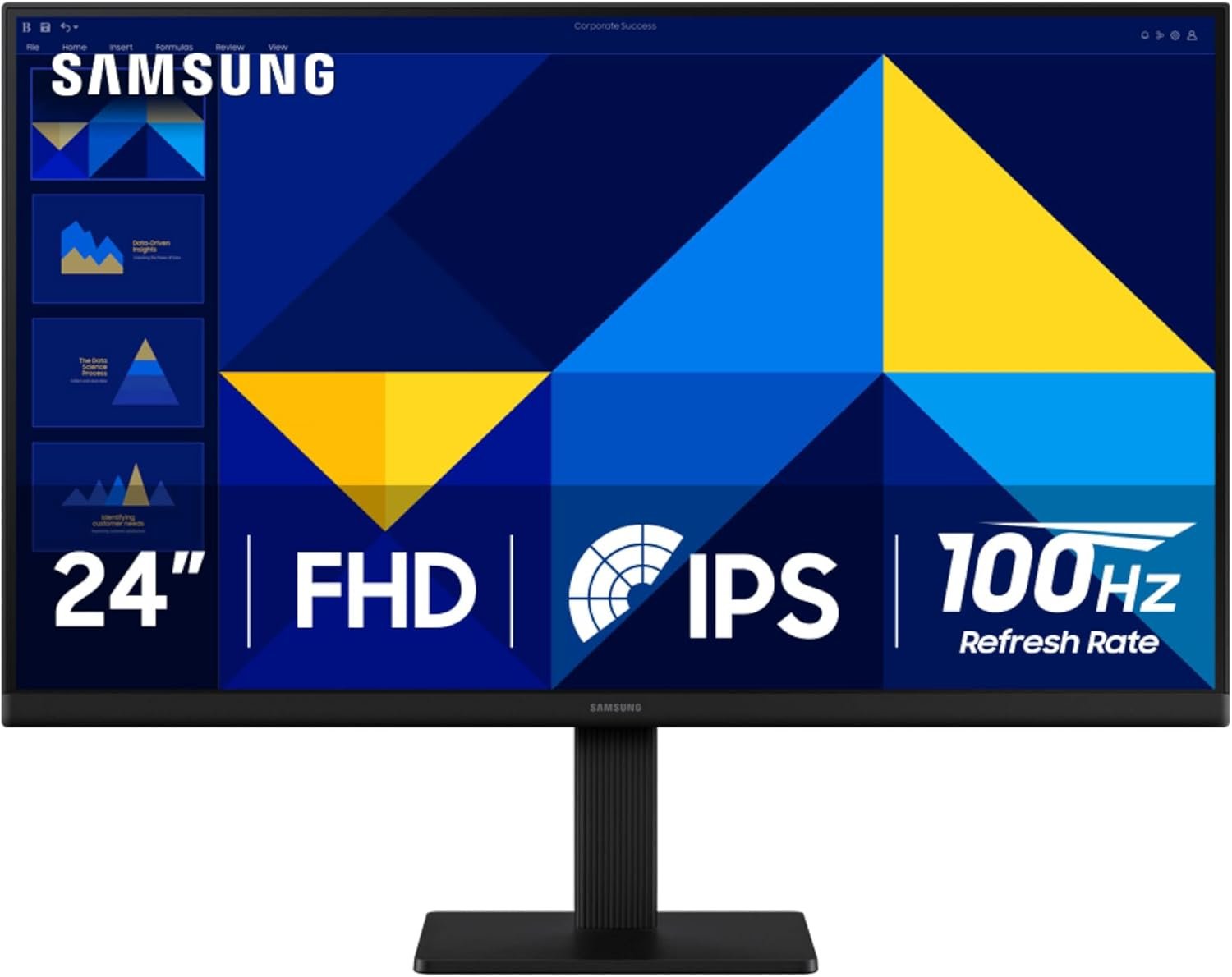
SAMSUNG 24″ (S30GD) Essential Monitor with IPS Panel and Tilt Only Stand, 100Hz Refresh Rate, Ergonomic Design, Advanced Eye Care, Game Mode, LS24D304GANXZA
$11.99
Related Products


![Projector with WiFi and Bluetooth: [1400 ANSI/Ai Auto Focus/800+ Apps/Auto 4P Keystone/Compatible with Netflix] Outdoor-Projector, 1080P Smart-Portable-Mini-Movie-Projector,Lisowod L03Pro with Live TV](https://simplysystems.co/wp-content/uploads/2025/11/71Z5FyvVOUL._AC_SL1500_.jpg)



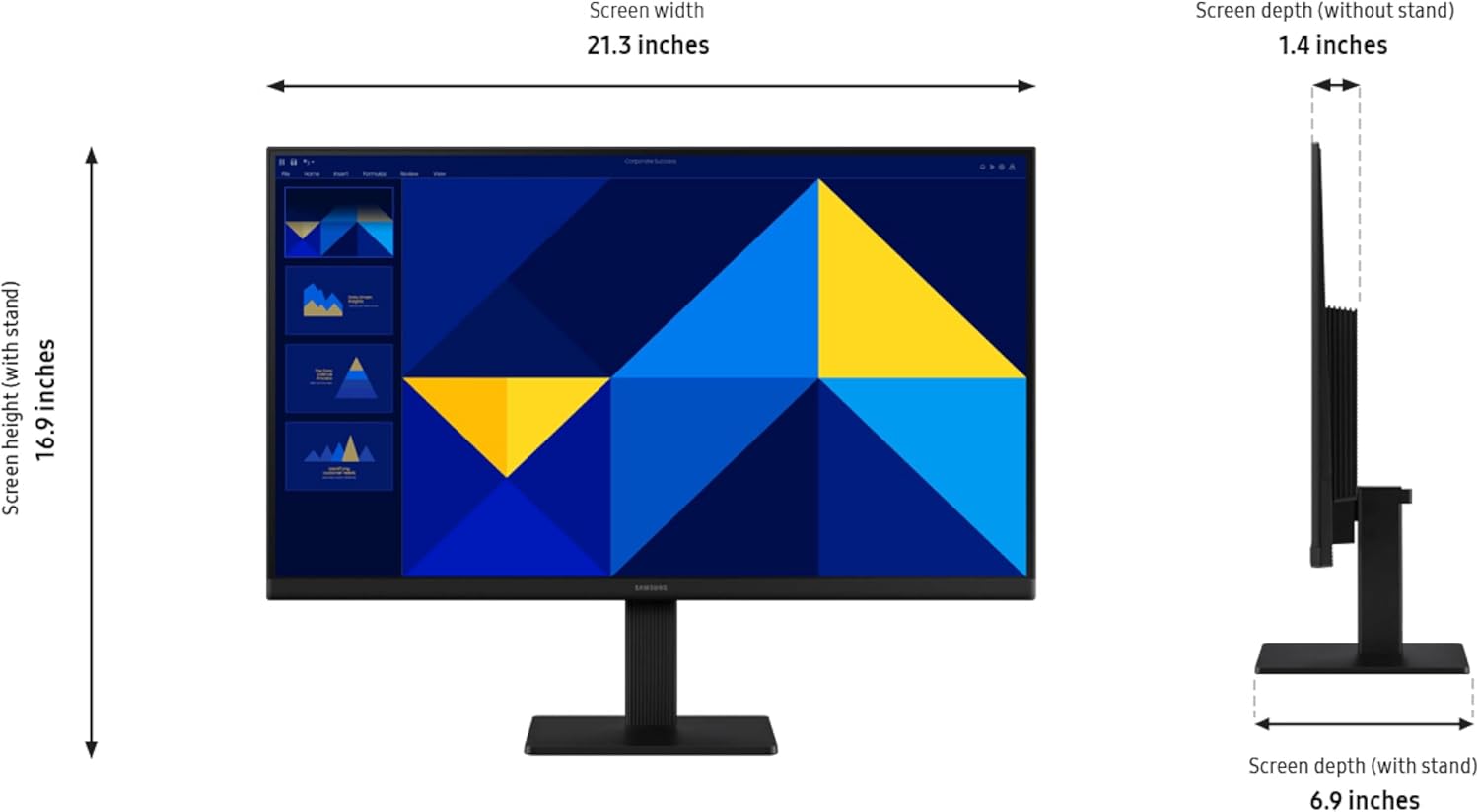


Samsung’s 22″ S3 Business Essential Monitor enables smooth performance, heightened productivity, and greater comfort. The IPS Panel delivers a stunning color experience across the entire display with less color washing, offering clarity from any viewpoint so tones stay consistent and accurate. The 100Hz refresh rate reduces lag and motion blur while playing games, watching videos, or working. Game Picture Mode with optimizable game settings enables instant adjustment of color and image contrast. Eye Saver Mode protects vision, reduces blue light and screen flicker, and extends comfort even during long sessions. The ergonomic super-slim design is a stylish addition to any environment, while ultra-thin border bezels make the most of screen space. Multiple connectivity enables devices to be plugged straight into the monitor for increased flexibility.
¹Default refresh rate is set to 60Hz, and may be adjusted to 100Hz in the monitor’s settings. ²Image simulated for demonstration purposes.
VIVID COLORS: Experience stunning colors across the entire display with the IPS panel. Colors remain bright and clear across the screen, even when you change angles. Tones and shades are represented consistently and beautifully with less color washing.
SMOOTH PERFORMANCE: Stay in the action when playing games, watching videos, or working on creative projects. The 100Hz refresh rate reduces lag and motion blur so you don’t miss a thing in fast-paced moments.¹
MORE GAMING POWER: Gain a competitive edge with optimizable game settings. Color and image contrast can be instantly adjusted to see scenes more clearly, while Game Mode adjusts any game to fill your screen with every detail in view.
EASY ON THE EYES: Protect your vision and stay comfortable, even during long sessions. Stay focused on your work with reduced blue light and screen flicker.²
A MODERN AESTHETIC: Featuring a super-slim design with ultra-thin border bezels, this monitor enhances any setup with a sleek, modern look. Enjoy a lightweight and stylish addition to any environment.
CONNECT TO MORE: Plug devices straight into your monitor for increased flexibility, making your computing environment even more convenient.
10 reviews for SAMSUNG 24″ (S30GD) Essential Monitor with IPS Panel and Tilt Only Stand, 100Hz Refresh Rate, Ergonomic Design, Advanced Eye Care, Game Mode, LS24D304GANXZA
Add a review

$11.99
Disneynerd –
Big, Bright, and Built for Focus—A Monitor That Does It All 🌅⚡
The Samsung 32-Inch Flat Monitor is a sleek essential for anyone who wants clarity, comfort, and versatility in their screen setup. With a borderless display, 75Hz refresh rate, and AMD FreeSync, it’s ideal for everything from gaming and streaming to editing and virtual learning.Why it stands out:• 🌈 Advanced Eye Care features reduce strain during long sessions• 🎮 Game Mode + FreeSync = smooth visuals with zero lag or tearing• 🔌 HDMI and DisplayPort options for flexible connectivity• 🖼️ Borderless design makes multitasking feel expansive and immersive• 🧠 Scenic display quality—colors pop, text stays crisp, and the sunset screensaver looks like artWith a 4.5-star rating and over 3,000 units sold this month, it’s clearly a favorite among those who value both performance and aesthetics. Whether you’re building a cozy homeschool station, upgrading your work-from-home setup, or diving into creative projects, this monitor brings clarity and calm to your digital space.
ShawnS –
GREAT VALUE, Impressive Size and Clarity.
Fantastic 32″ computer monitor, the size is impressive, and the clarity is exceptional. All the necessary cables were included in the box, making it very simple to switch out my former monitor. The monitor has numerous adjustments to ensure everyone can set it up exactly as they want. I give it a solid five stars
Ed –
Great picture
Monitor is awesome. Clear picture and perfect for the price.
Weekley Asphalt Paving –
Easy install and work very well.
Good work monitor for the price and mounts easily. Picture is clean edge to edge and seems lighter than other 32″ monitors. Worth the price I would buy again.
A. Anderson –
Good basic monitor – I use it as a second monitor for work
Works fine as a second monitor on my Acer 27″ All in One computer. I use the second screen for work purposes. It is nothing fancy, but for my basic needs it works fine.
Jackie –
Great quality and clarity
Great quality and clarity, large enough screen for 2 web pages, no issues with connectivity.
David R. Voth –
Very easy to set up, good set of cables included, bright and clear display
I have no complaints about the monitor and regard it as an excellent value for the price, but would caution potential buyers that the maximum resolution it supports is only 1080P (1080 x 1900). It’s fine for most business or casual consumer use including standard resolution movies or TV programming, but definitely not for serious graphics development, high-resolution video, or gaming.Also please note that there are no on-board speakers, which seems to have been a point of contention for some reviewers. Always read the specifications and know what to expect when you buy hardware.I bought it to replace two smaller monitors that my elderly mother had on her aging computer because one was failing to start up in a timely manner and the other was losing color saturation. She seems to be happy with the change and has not reported any problem adapting from a 2-monitor setup to one much larger monitor. This Samsung has a much broader viewing angle than her previous monitors, which will be helpful given her weakening eyesight, as will the larger text size.I also like how little space this monitor takes on the physical desktop when set up with the included stand. It’s thin, trim, and neither bulky nor particularly heavy.No regrets. I would buy this monitor again, and would consider it for a multi-monitor setup.
DoubleL –
Nice monitor
As with almost every monitor I have ever bought the manuals are useless. On this on it is nonexistent. There were papers in the box but nothing stated how to get to the menu with only one button. I was looking for other buttons. When we turned it off was when we discovered this button was like the mouse button on laptops. They also have it set so far away from the edge of the monitor the it is uncomfortable to reach and press.Now that I have discovered the menu the monitor is better. Overall it seems to be a good one for the first day. Time will tell if we can find the right settings
Lumus Rubricans est –
Excelente monitor
Franc –
Careful, it says Glossy screen.But it’s really mat. And I checked the model number on the Amazon description against the model on the box and they’re identical.Be careful.