
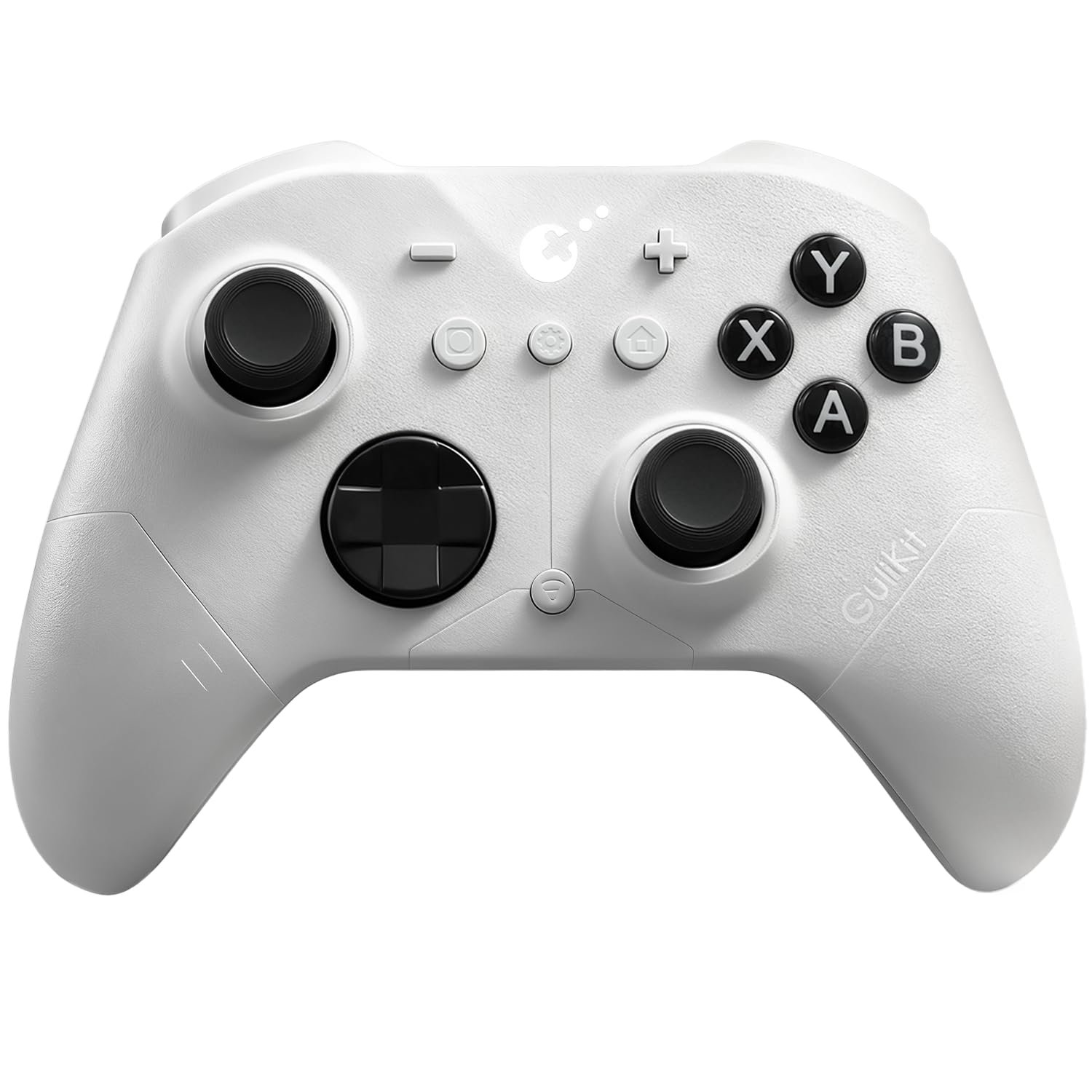
GuliKit ES PRO Wireless Controller – TMR Anti-Drift & Anti-Snapback Joysticks, Ultra-Low Latency, Compatible with PC/Switch/Android/Switch 2 Wake-up,30h Battery, Gyro & Turbo for FPS & Fighting Game
$29.99
Related Products




Product description
The fastest wireless controller by bluetooth
NOTE: Please follow SPECIAL pairing method for Switch 2 wake-up
Please check the uploaded video for pairing guide and make sure to update to latest firmware on our site.
A. Set controller to NS mode, turn it on, hold pairing button for 2 seconds, indicator flashes quickly to start pairing.
B. Set Switch 2 into sleep mode first( black screen), press HOME button on Joy-Con to wake screen, next enter controller pairing interface and get paired. (Pairing by regular way without setting Switch 2 into sleep mode first will cause only paired but with no Switch 2 wake-up support.)
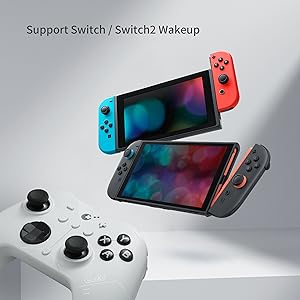
Support your Switch 1/2 Wake-up
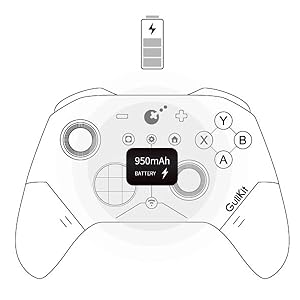
Support your 30 hours gaming
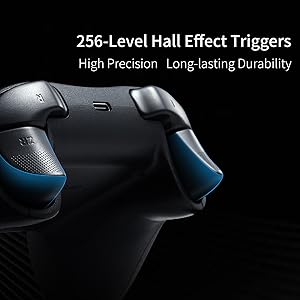
Deliver 256-level high precision
Q&A
1.Q: Why some Windows computer can’t retains its pairing relationship with the ES/ES PRO controller?
A:a. This is most likely due to a problem with the computer’s Bluetooth settings.
First, update the Bluetooth driver and reset the Bluetooth settings to factory settings. If that doesn’t work, check to see if your computer is using a third-party Bluetooth filter driver that’s preventing it from remembering the previous controller connection.
b.Our ES Pro controller will only remember the last device used in the same mode(PC or Switch). If you first connected the controller to Windows and then used the controller to connect to an Android phone. The connection between the controller and the computer will be disconnected.After using the phone to play games, they need to re-pair the controller if they want to use it with the Windows computer again.
2.Q: How to improve the accuracy of shooting games?
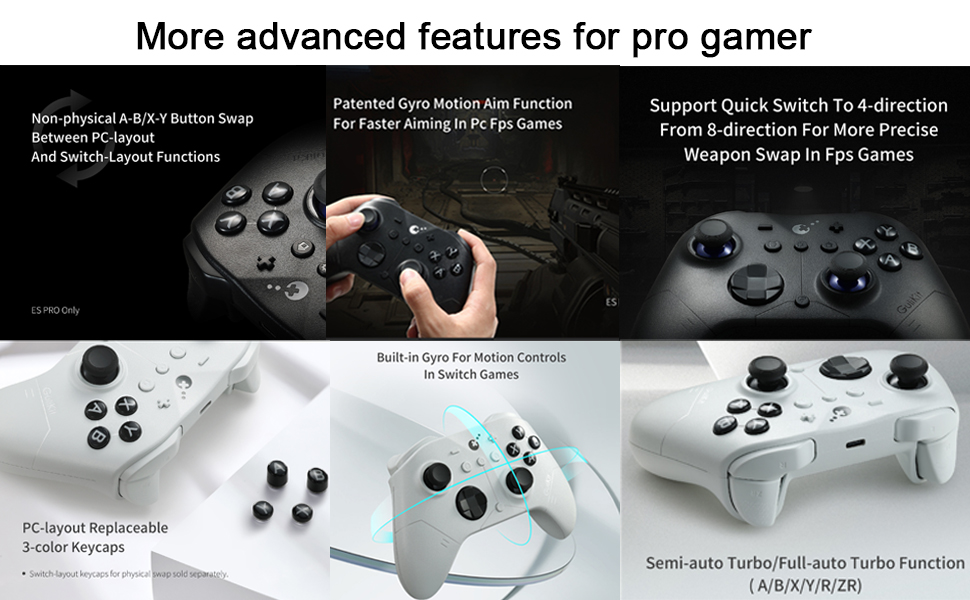
A: The ES Pro controller’s joystick supports three levels of sensitivity adjustment, allowing you to adjust it to your desired setting based on your gaming needs. It also supports PC motion aiming, helping you aim. Please note that you must update your firmware to the latest version to fully utilize this feature.
3.Q: How many levels of vibration intensity can be adjusted?
A: There are three levels: strong, standard, and weak.
4.Q: What is the ABXY layout of our ES PRO controller?
A: Our original ES PRO controller uses a PC layout. We will be releasing a new Switch layout replacement in October of this year.
Add to Cart
Add to Cart
Customer Reviews
4.0 out of 5 stars 95
4.0 out of 5 stars 95
Price
$29.99$29.99 $24.99$24.99
Compatibility
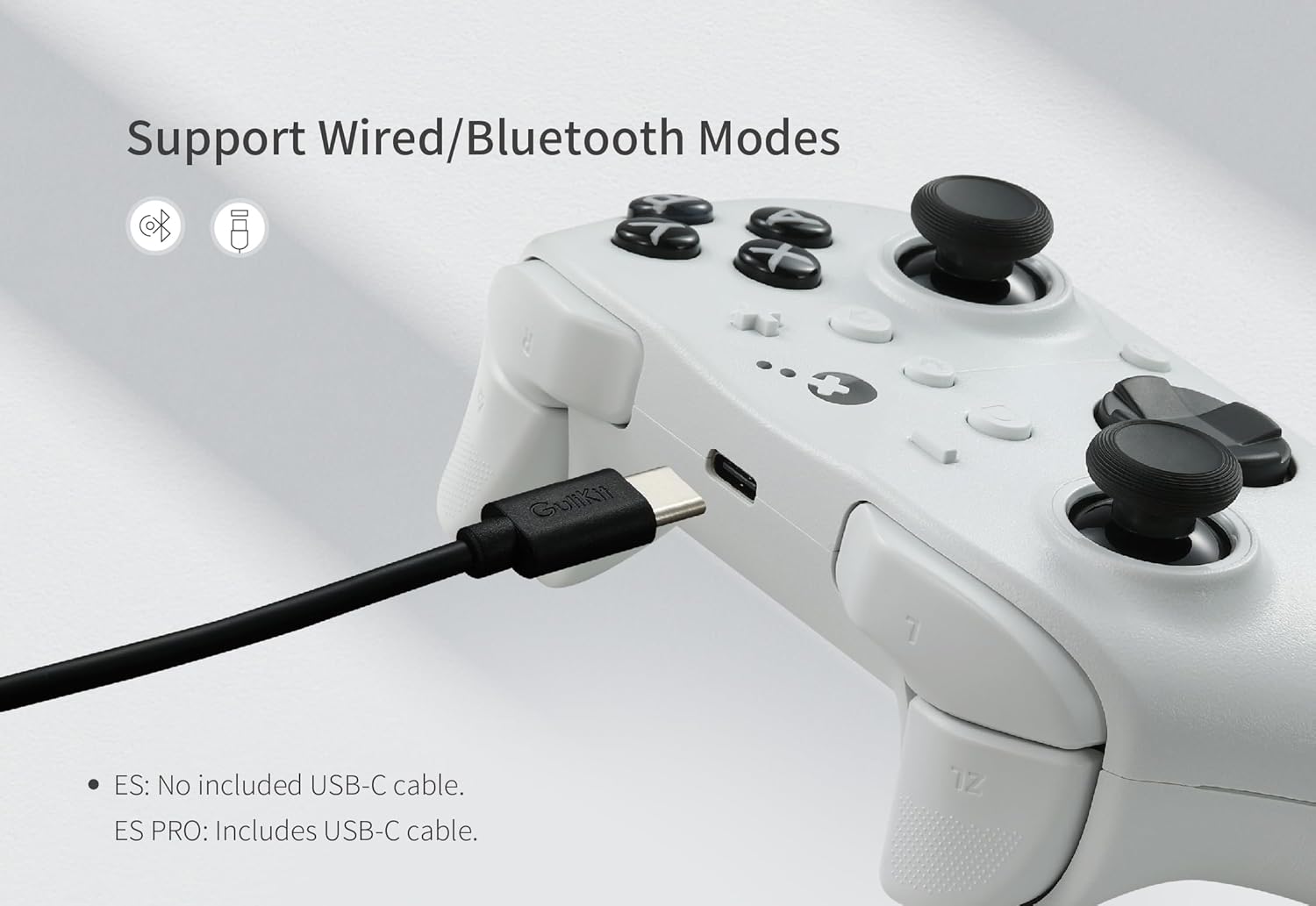
Windows,Switch,Switch 2,Android Platforms, Wired & Wireless Connection. Windows,Switch,Switch 2,Android Platforms, Wired & Wireless Connection.
Vibration
Rotor vibration Rotor vibration
Joysticks
Anti-drift TMR joysticks Anti-drift Hall effect joysticks
Polling rate
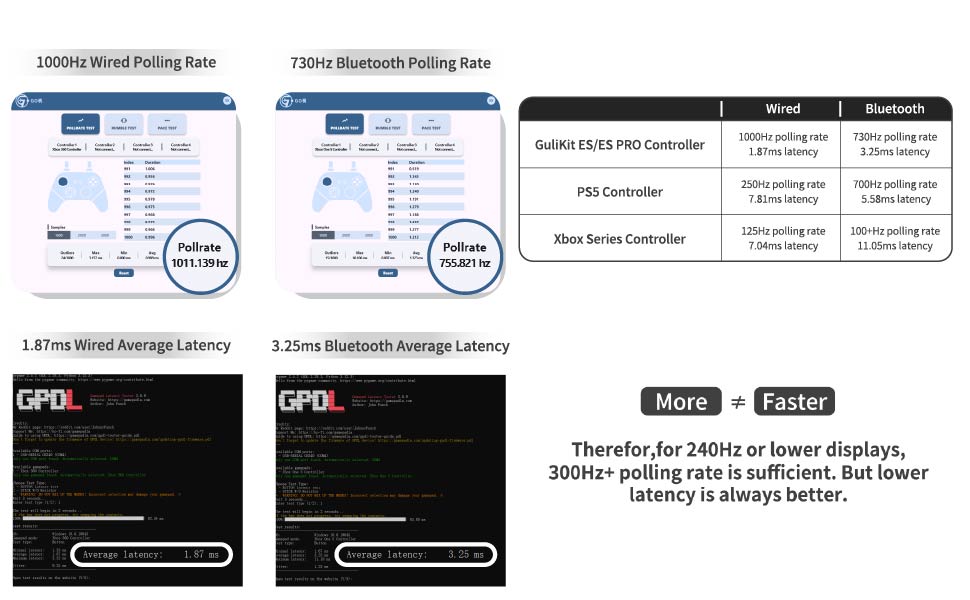
1000Hz wired/730Hz Bluetooth 1000Hz wired/730Hz Bluetooth
Switch 1 wakeup
YES YES
Switch 2 wakeup
YES YES
Motion control on Switch /Switch 2
YES YES
PC motion aim control
YES NO
Joystick sensitivity adjustment
YES NO
D-pad 8-direciton/4-direction swap
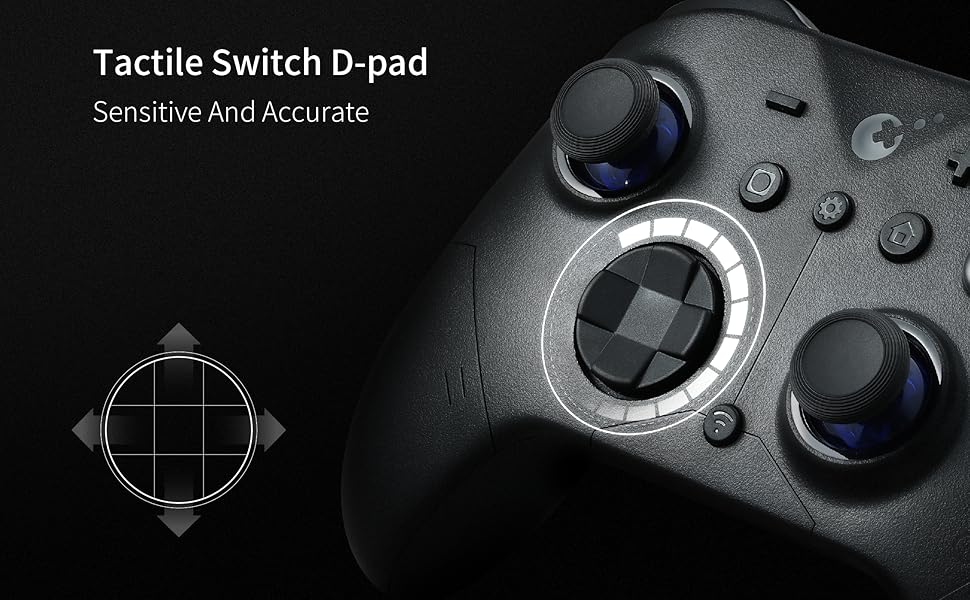
YES NO
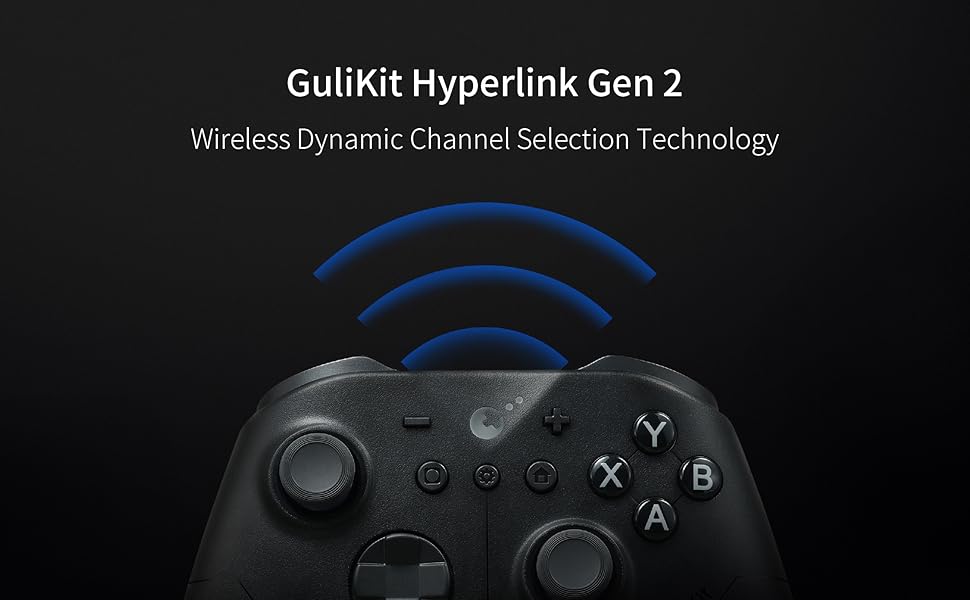
WORLD FASTEST WIRELESS SPEED: Featuring GuliKit Hyperlink 2 revolutionary wireless dynamic channel selection technology, delivers the world lowest 3.25ms delay with 730Hz polling rate in Bluetooth mode on PC, and the lowest 1.87ms delay with 1000Hz polling rate in wired mode. With the legit breakthrough in wireless tech,it offers the world fastest speed and e-sports-level responsiveness.
INSTANT SWITCH 1 / 2 WAKE-UP: Supports Switch 1 / 2 with wake-up capability. Make sure to follow SPECIAL pairing method for Switch 2 wake-up: A. Set controller to NS mode, turn it on, hold pairing button for 2 seconds, indicator flashes quickly to start pairing. B. Set Switch 2 into sleep mode first( black screen), press HOME button on Joy-Con to wake screen, next enter controller pairing interface and get paired. (Pairing by regular way without setting Switch 2 into sleep mode first will cause only paired but with no Switch 2 wake-up support.) Please check the uploaded video for pairing guide and make sure to update to latest firmware on our site.
NOW FEATURING ANTI-SNAPBACK JOYSTICKS MODE: Prevents unwanted turnaround for Super Smash Bros. Ultimateplayers when the stick returns to center. How to activate: Press the HOME button and the Screenshot button simultaneously. When the controller vibrates twice, it enters the Anti-Snapback Mode (low-sampling-rate joystick mode). NOTE: Please update your ES/ES PRO controller to the latest V3.4 Firmware from our website. If this control method is not used in your games, it is not recommended to enable this mode.
ACROSS YOUR DEVICES: Compatible with PC Windows,Switch 2,Switch,Switch Lite,Switch OLED,Steam Deck,ROG Ally/ROG Ally X,Android,iOS,macOS(Pairing with Android, iOS, and macOS in PC Mode on the back of the controller). Easily switch between modes with just one-key press, making it an ideal choice for multi-platform gaming. Note: The ABXY button of ES PRO controller is PC layout. The Switch-Layout buttons are not included in the package.
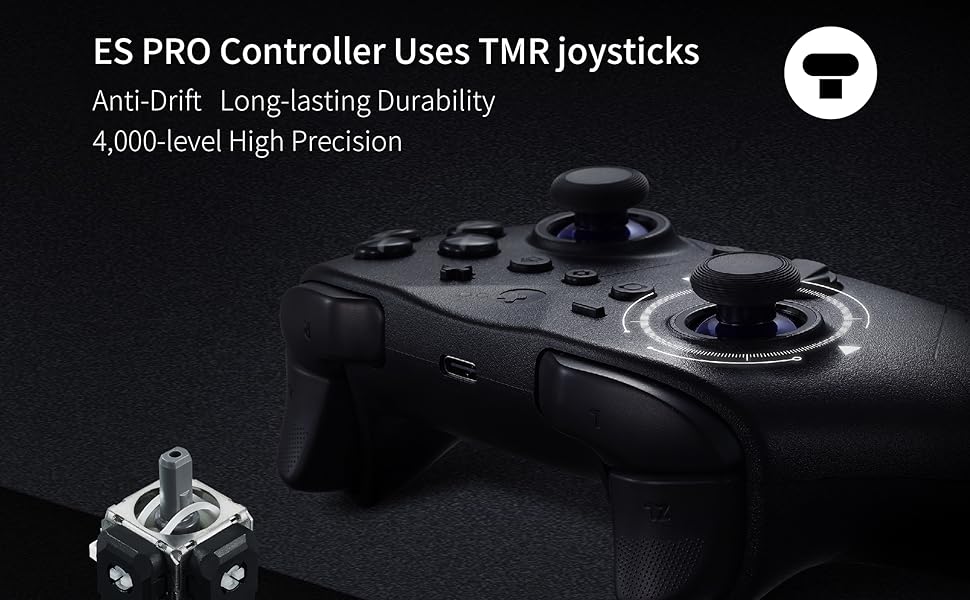
UPGRADED TMR JOYSTICKS: Featuring cutting-edge TMR (Tunnel Magnetoresistance) electromagnetic thumbsticks, this gamepad delivers anti-drift long-lasting durability and exceptional 4000-level high precision and exceptional responsiveness. 256-level Hall Effect triggers deliver superior precise analog response.
LONG-LASTING RECHARGEABLE BATTERY: With a 950mAh battery, you get up to 30 hours of usage with minimal standby drain. The controller recharges quickly, and an auto-sleep function after 15 minutes of inactivity helps conserve power and extend battery life.
ADVANCED CUSTOMIZABLE FUNCTIONS: Supports joystick sensitivity and vibration adjustment,Turbo,6-axis gyroscope motion control on Switch,patented Gyro Motion Aim for PC FPS gaming,joystick dead-zone on/off, D-pad 8/4-direction mode,and physical ABXY SWAP(Switch-layout key-caps not included in package). Set your customization freely on the controller directly or through GuliKit web-based tool. Note: Not support Macro function, but our Elves 2 pro/KK3 Max/KK3 Pro Controller can support.
IMPORTANT NOTE: Please update the ES/ES PRO controller to the latest firmware V3.2 on our website before use. (Fixed the issue that the controller slowed down after a period of time when using it on iOS and Android devices in PC mode & Gyro Motion Aim function)
NOTE FOR CONNECTION: Our ES/ES PRO controller will only remember the last device used in the same mode. If you first connected the controller to Windows and then used the controller to connect to an Android phone. After using the phone to play games, they need to re-pair the controller if they want to use it with the Windows computer again.
7 reviews for GuliKit ES PRO Wireless Controller – TMR Anti-Drift & Anti-Snapback Joysticks, Ultra-Low Latency, Compatible with PC/Switch/Android/Switch 2 Wake-up,30h Battery, Gyro & Turbo for FPS & Fighting Game
Add a review

$29.99
DRP –
Excellent
Now that the Nintendo-style abxy buttons are available (elsewhere), this is an amazing option for Switch 2. If you follow the instructions, S2 wakeup is achievable (it’s a pain, but does work).Joysticks feel amazing and I really like the switches Gulikit uses for their abxy buttons. UFO-dpad is super clicky and great. As good as the Xbox series controllers. Shoulder buttons are fine.My only qualm is the plastic used. The grippy parts are great, but the rest of the controller feels a bit too gritty and rough. That being said, the controller is very sturdy and doesn’t creak. This is only a minor personal preference, and frankly, I’d rather this over the S2 Pro Controller’s slippery coating.Highly recommended. Also check out Elves 2 (non pro) for another great controller that can wake the Switch 2. Both of these controllers are priced very competitively and are flying past the competition.
MROD –
Good controller for switch 2 but not 100% on the wake-up feature
The controller feels like a lighter version of the Xbox Series controller. It feels good, the controller is very responsive with the Switch 2, which is the reason I bought it, but sadly, the wake-up feature is a hit or miss, even after the update it woke up the Switch 2 but couldn’t get a connection, so it would turn off the controller and the switch would go back to sleep which is the reason I bought the controller to be able to wake up the Switch while having it Dock and playing it of the TV but I doesn’t work properly for me.
FA –
Great Alternative Controller for Switch 2!!!!
I LOVE this controller! It works perfectly and pairs with the Switch 2. When you pair it, make sure you follow their instructions so that it will be able to “Wake” the Switch 2 as it should.It is very comfortable and a has a textured feel to make it comfortable in your hands while you play. It will have buttons so you can swap out and change it to “Nintendo’s Layout”, but they really aren’t necessary as out-of-the-box it was already working that way despite the visible layout on the controller.Battery life is great… I have played several 4 hour sessions without recharging and have had ZERO “dead battery” warnings. It does everything I could want it to do. Very comfortable and well made.
Yo! –
Quite a solid controller. 9/10
Edit Aug 26th: I started noticing that there is a small flick of movement when I let go of the left stick. I tried upgrading the firmware and even after trying all possible methods (unzipping file before dragging, extracting files, dragging directly from the zipped folder) the controller will not upgrade its firmware. I also tried recalibrating the joysticks (please note that while the instructions say to hold L, R, DpadLeft, and A (the correct button on PC layout would be “B” or what would be “A” on the switch, which is just confusing. Anyway, I got it to recalibrate but the issue is still there. Please look at the video where I’m moving left and the character ends up looking right. Updating to 3 stars due to technical issues around upgrading the controller and just the stick itself having issues less than a month after purchasing.Edit (aug 23rd): So I bought this controller a few days ago and in my opinion since it already had the +- buttons it should also have the switch layout. So I decided to open it and change the buttons, easy right? Wrong. Do not open. It’s not a simple thing to take apart only to find out that all the buttons have different heights so they cannot be swapped. After assembling back again I can tell that the controller is built well and it’s a pretty good bang for your buck. Hopefully this prevents someone else from going through the trouble of disassembling it just to find out that the buttons are not swappable.So this controller is really solid. I just have 1 issue with it and it’s that the button for taking a picture is located at a place where my finger keeps pressing it. Other than that I can’t really complain. Nice vibration. Very little to no lag. Wakes up the switch (follow the specific instructions). I didn’t have to do any updates to get it to work.
Ed –
Great value
I never write reviews but felt the need to do for this. I was looking for a decently cheap controller that could wake my switch 2. Stumbled upon this and it’s been amazing. No issues whatsoever with pairing and whatnot, just make sure to follow the instructions of how to pair to get the wake up function. The actual feel of controller is solid and doesn’t feel cheap despite the price. Having also used the official Switch 2 controller at a friends house, that one definitely feels like more of a premium controller, but this one still holds it own (I would compare it to a Xbox one controller). Other than, all buttons work as intended, and battery life is extremely long. No complaints at all. 100% worth the $30ish I paid.
JG –
They mention several times that this controller is compatible with MacOS, both on this page and their website. It is not. It is virtually impossible to wade through the trash online to find out how to actually install the drivers on Mac for this to work via bluetooth (they don’t work, AND you can’t uninstall them). It doesn’t even work when you plug it in. I shouldn’t have to have a computer science degree just to figure out how to play with my silly little digital toys.
George –
First things first, patch up the controller to the latedt firmware which is V3 at the moment. Then do the normal sync with switch 2. If you sync to switch 2 without the patch, it will not wake up and the switch 2 is unable to detect the controller after sleep mode. You need to sync every single time. If this happens, just go to settings then do a disconnect all controllers then just flip the switch to pc then back to NS and try again as per normal.