
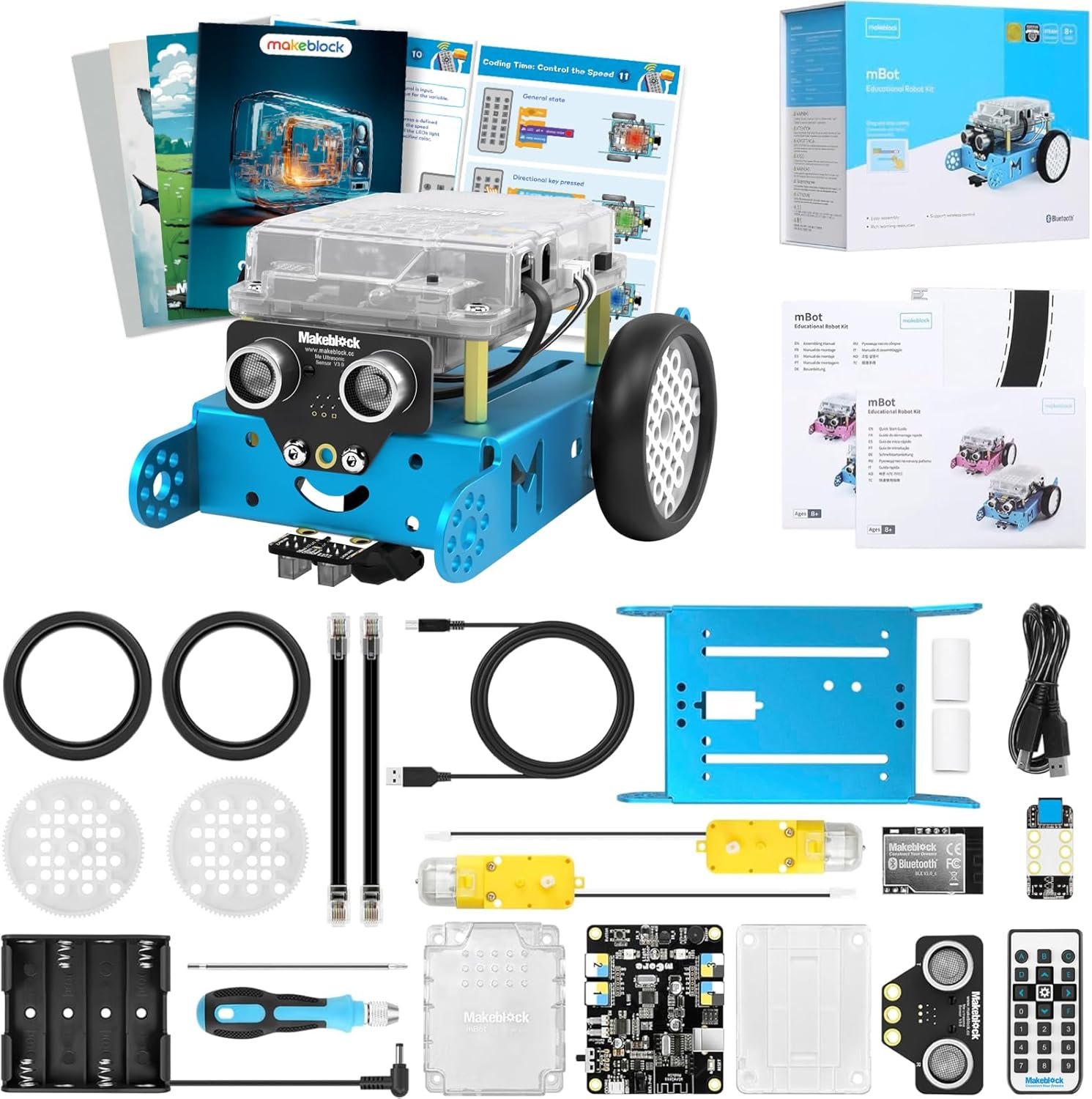
Makeblock mBot Robot Kit with Scratch Coding Box, STEM Projects for Kids Learn to Code with Scratch Arduino, Programmable Robot with 4 Programming Learning Projects, Gifts for Boys Girls Aged 8-12
$79.99
Related Products




From the brand


For Kids Aged 4+
For Kids Aged 6+
For Kids Aged 8+
For Kids Aged 12+
Hot Add on Packs
Makeblock Hot Accessories
Unlock the World of Coding with Ease: The mBot robotics kit makes coding learning easy just like block building with engaging game-based tutorials and fun coding projects. Kickstart your child’s coding journey effortlessly and celebrate their achievements along the way
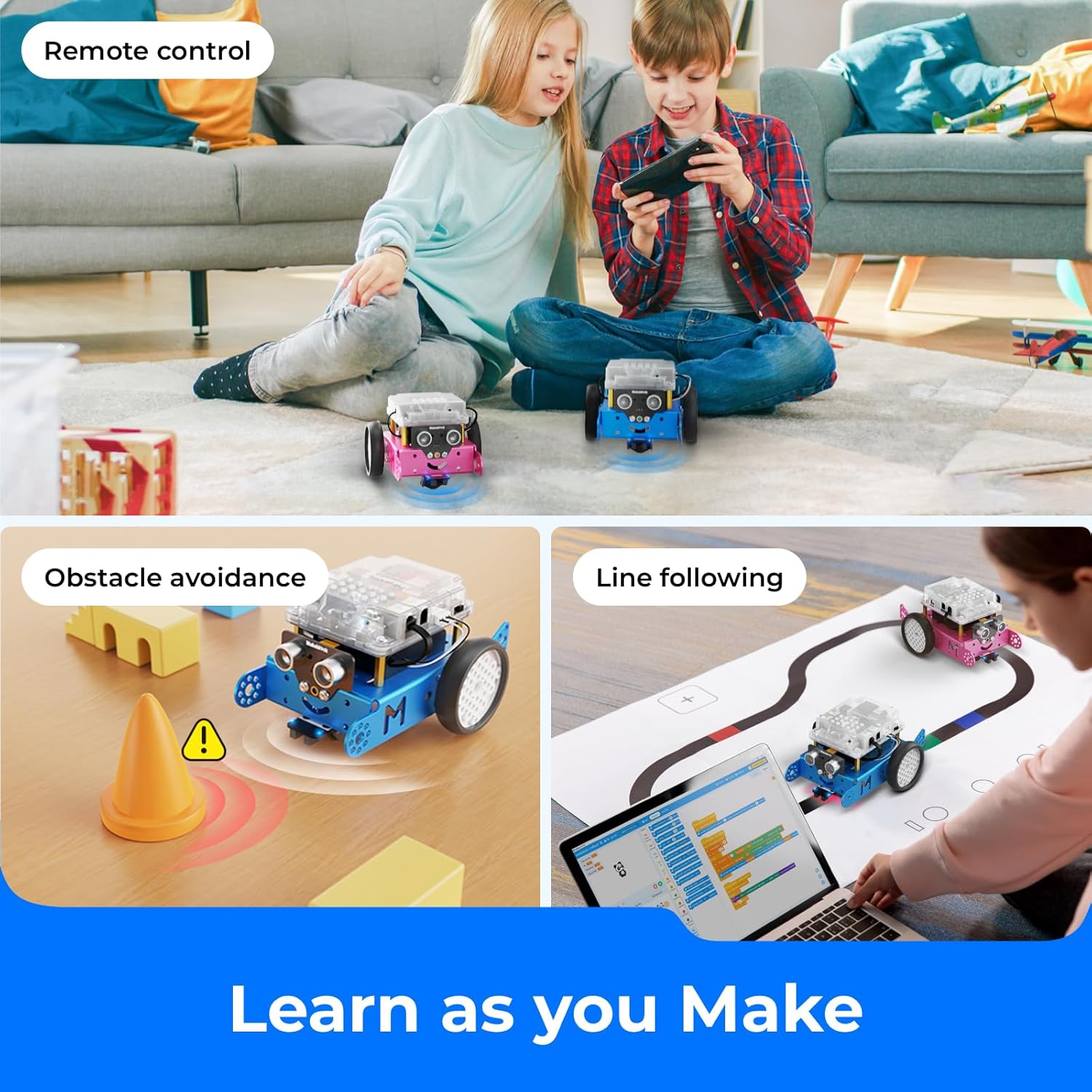
Empower Learning with Rich Resources: Packed with four exciting projects, such as line-following, obstacle avoidance, and remote control, this mBot robot coding box equips your child with the tools they need to succeed. Each project comes with crystal-clear explanations, visual instructions, and invaluable coding tips to troubleshoot errors and ensure a seamless learning experience
Building Made Fun and Simple: Dive into the world of robotics in no time! Simply unbox, follow the comprehensive building manuals, and watch as your child assembles their very own robot toys within just 15 minutes
Ignite the Spark of Innovation: Watch as your child rapidly develops programming skills, transitioning from imitation to creation, and progressing from block-based coding to Arduino. With instant feedback and tangible real-world results, they will cultivate essential skills like problem-solving and logical thinking, setting them up for a future of endless possibilities
Unleash the Imagination: Surprise your little ones with an awe-inspiring robotics kit that unveils the wonders of programming, electronics, and robotics. Being well-packaged, this robot kit is a perfect learning and educational robot toy gift for boys and girls
13 reviews for Makeblock mBot Robot Kit with Scratch Coding Box, STEM Projects for Kids Learn to Code with Scratch Arduino, Programmable Robot with 4 Programming Learning Projects, Gifts for Boys Girls Aged 8-12
Add a review

$79.99
Amazon Customer –
Birthday gift.
This was an excellent birthday gift for an 11 year old. He was definitely into the putting it together and the coding required was perfect for a beginner. I highly recommend it.
Patricia Chandler –
Great quality
Very nice quality item
Jimmy –
Fun little project but the value is in the coding app.
Really fun and simple “build” – probably takes about an hour if you let the kid do everything and figure out the instructions. The remote control is OK, you can do a few things and its cute. Comes with all the tools you need and its a nice little project.But the mBot app is amazing! Included for no extra charge, and it has a free-coding mode and a game/learning mode that progressively teaches about how to build code structures. Coding project cards included. If she keeps at it, I’ll be getting some add-on parts to expand the robot.Great value for the money. I put the app on an old phone and gave the kiddo free reign to learn on her own.
FloridaMom –
Perfect robot for a 10yr old.
Makeblock mBot Robot Kit Is a perfect robot for a 10 year old. My child was able to build the robot unassisted quickly. The directions are clear and simple to follow. The programming booklets and App are useful to aid in teaching kids simple coding. Parts are good quality, labeled nicely and package well with little waste. Price is a little high but there are lots of sales which help.I had a minor problem with a missing part which Ada from customer service went above and beyond to make it right.I highly recommend the Makeblock mBot Robot robot
G. Greg –
Amazing for Kids to Learn about Technology
This is not a toy, but that doesn’t mean it’s not fun! It’s a very sturdy machine with legit parts for a robot. I find the programming just as fun and addictive as my kid. The projects are fun, but we went through them quickly so I’ve had to make up more challenges to keep the interest going.A few notes: the software and documentation are not bulletproof. I’ve had to do a bit of debugging through the process that I don’t think a parent without prior experience with programming and basic knowledge of electronics would easily figure out. The makeblock forums are very helpful when you run into issues.Overall, everyone loves mBot and its been a great learning experience
VOLKAN CAGLAR –
Easy code program, easy assemble.
We liked it. We assembled it with my children who are 6 and 5 years old. I helped a few items to assemble. Robot is already installed codes. At the beginning of using, you don’t need to make it program. Remote Control is synchronized with the robot. A B C letter represents a different mode. A mode is manual control, b mode is I couldn’t find it because just movingly, c mode is follow the black line. It has website that supports to learn how to code or assemble. It doesn’t has battery that you will need to 4 AA battery for robot and 1 3.0 V flat battery for remote control. I think that battery code is cr2025. If you don’t want to go out for battery. You should write them on your shopping list before assemble. Because you will screw the main board top of the battery. It was great experience for my kids. I consider that I will start to teach coding with it to my kids. I hope that. Then when i saw the coding program, my hopes raised because it is so easy. My son wrote one code for it that I took picture.
Bob K –
Its fun
My 8 year old grandson absolutely loves this!!
MikeB –
Great Kit
I teach robotics and this is the kit I recommend. The kids keep these and we make a variety of external displays, color sensors, sound sensors, using standard Arduino parts. The logic board is actually a custom UNO board that can anything you can dream of . We use the micro version to make an Apple 1 computer, complete with 6502 instruction set. (If you wanted, you could literally do that with the MBOT.) it’s real advtange is making robot animals – pet cats, dogs, scorpions, complete with AI. You can connect a color TFT display (2.4”j and animate the faces and eyes of creatures, do art, write messages, or even do a light show. Pretty amazing for a $60 orbit and $10 worth of parts.
Mihai Adrian –
It is a quality product. Looks properly built. The assembly was easy and had all what is required. My son enjoyed a lot.And the price is acceptable ! Thumbs up guys !
sunil –
Good product
Tko1543 –
One of the difficulties when teaching coding is the ability to see your code in action. This is the first toy that I have seen that allows my boys to see the impact of for loops amongst other controls.
Yaksha Ghodke –
It’s awesome! Don’t forget to install the updated firmware after you assemble it. If you’re using a computer with windows OS, use one with version 7 upwards because you’ll have to install a software called mblock 5 to install the firmware…the older version of mblock is obsolete. Make sure that your bot makes 3 loud beeps when you turn it on and turns of white LEDs the first time…if it’s one soft, short beep then something isn’t correct so install firmware. Have fun.
Amazon Customer –
سلعة تعليمية جيدة ولكن تعذر استمرارها بعد نصف ساعة عندما تعطل الموتور اليمين عن العمللم يكن هناك كتلوج مرفق