

Guermok 5-in-1 USB-C to AR Glasses Adapter, 100W PD Fast Charging, 8K@60Hz Video, USB/USB-C Ports – Works with AR Glasses Devices, Handheld Consoles, Switch, USBC Phones and Laptops, Black
$5.99
Related Products








Product description
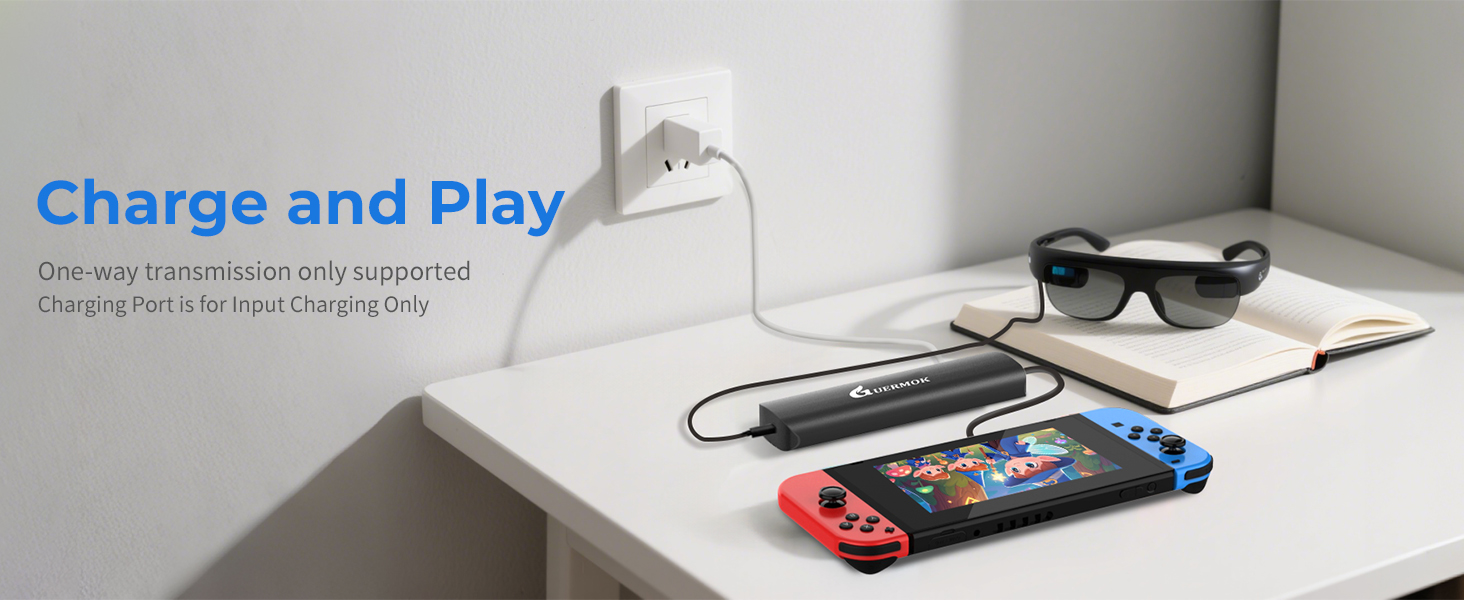
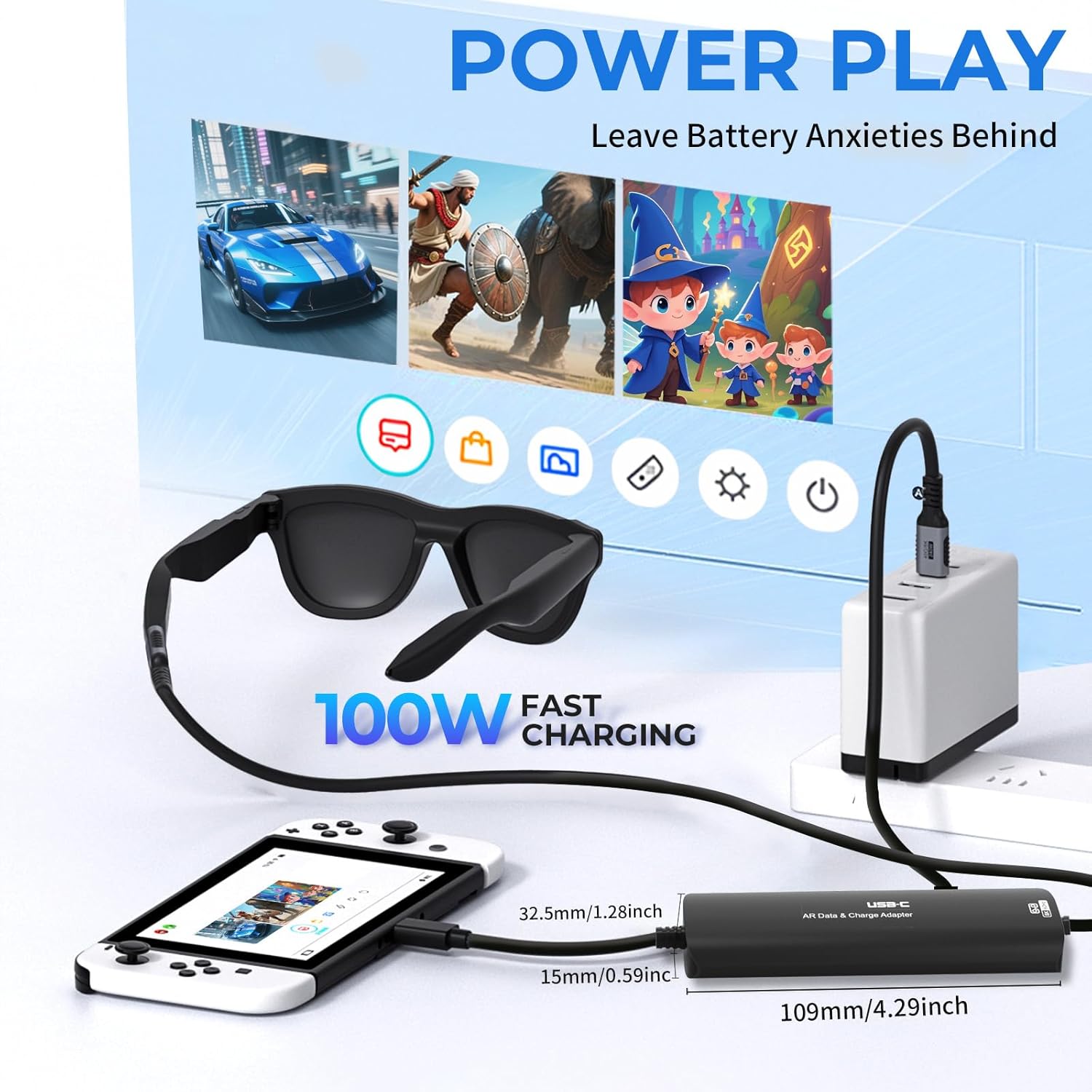
The Type-C fast charging port supports up to 100W PD and is intended exclusively for upstream fast charging of computers and mobile phones. It does not support downstream fast charging for display devices
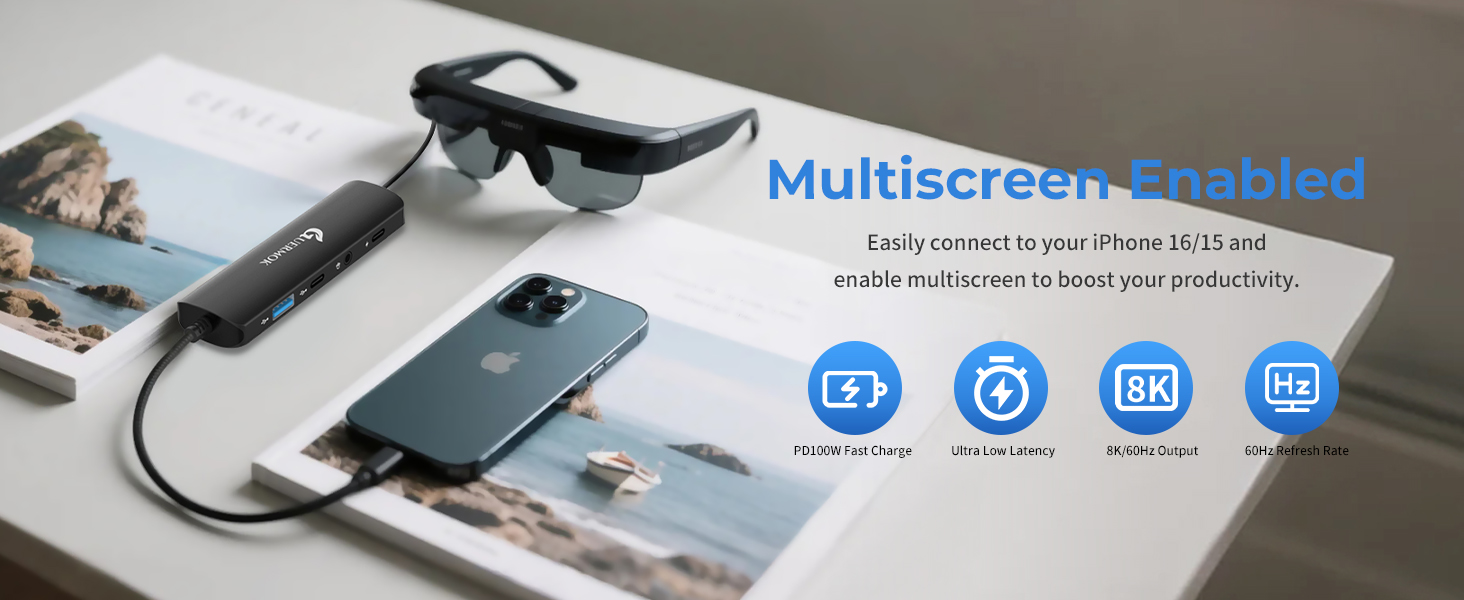
Please make sure that the USB-C port of the input device supports audio and video transmission, otherwise this product cannot be used;Connect the 3.5mm audio jack for audio playback and calls using headphones or external speakers, and the sound of external AR glasses or monitor will be switched
Google Pixel 7 or earlier and Moto G series don’t support AR output, please avoid using them

Make sure the device supports DisplayPort Alt Mode and PD fast charging

Before connecting, make sure that the AR glasses support USB-C video and audio transmission
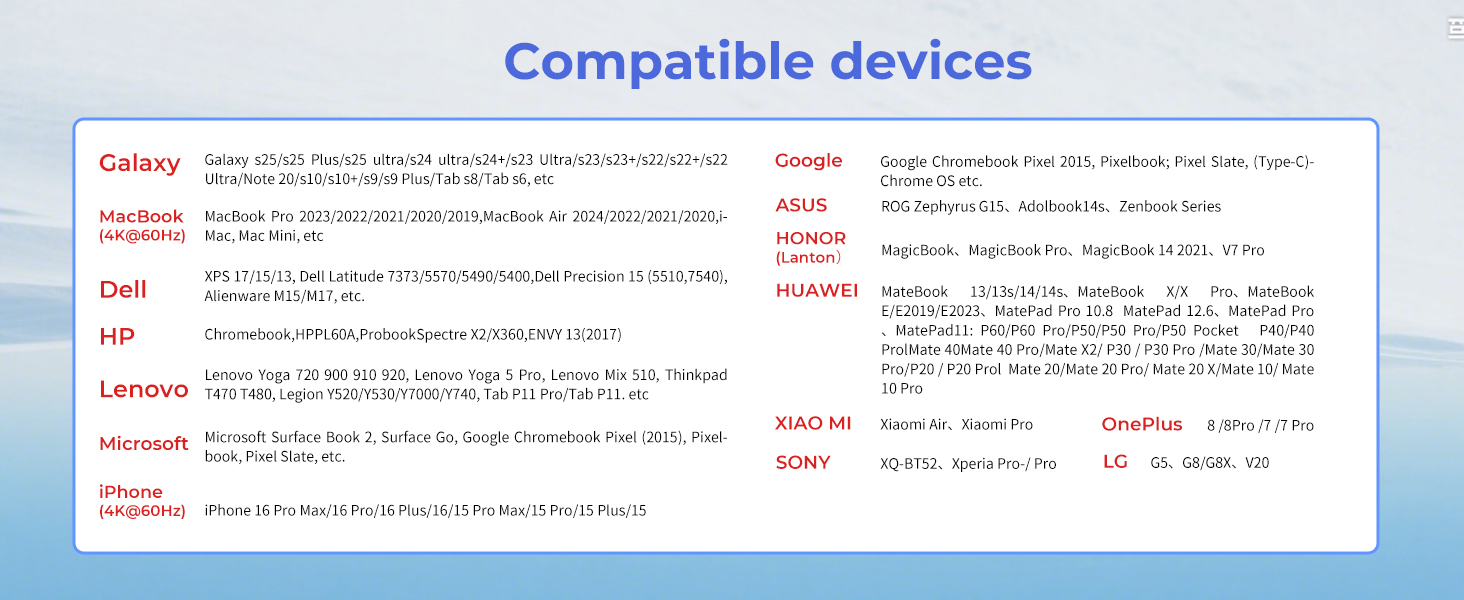
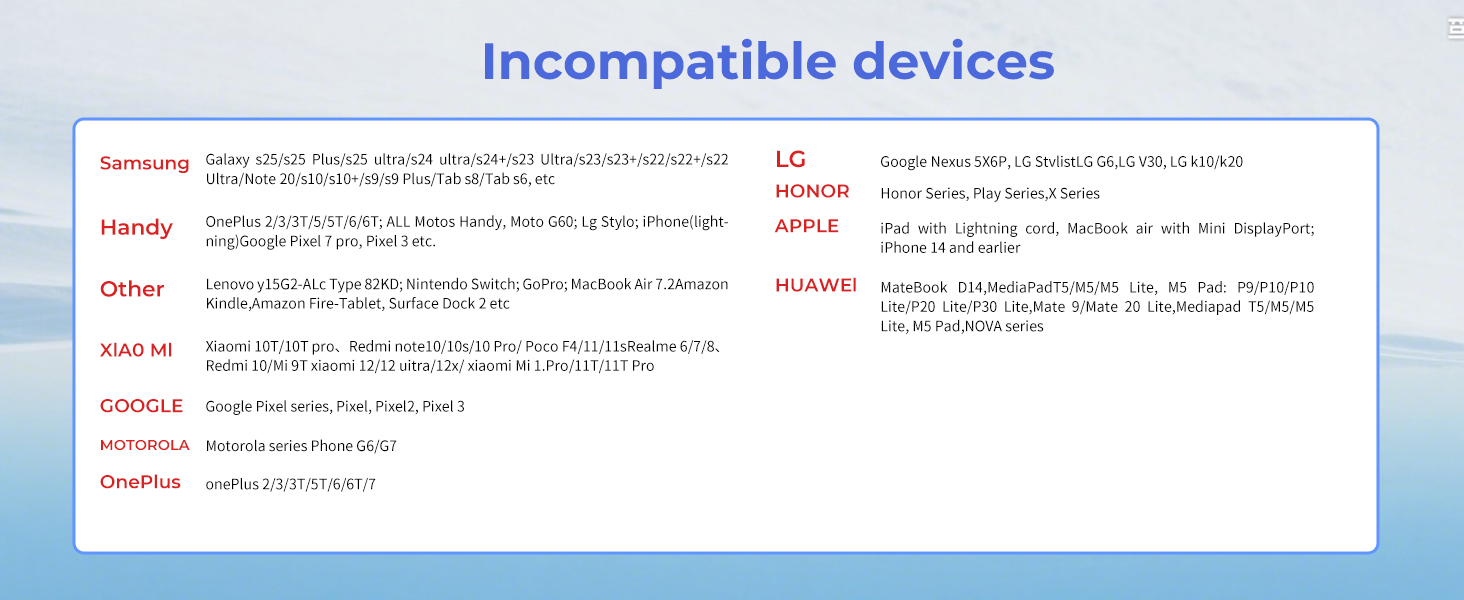
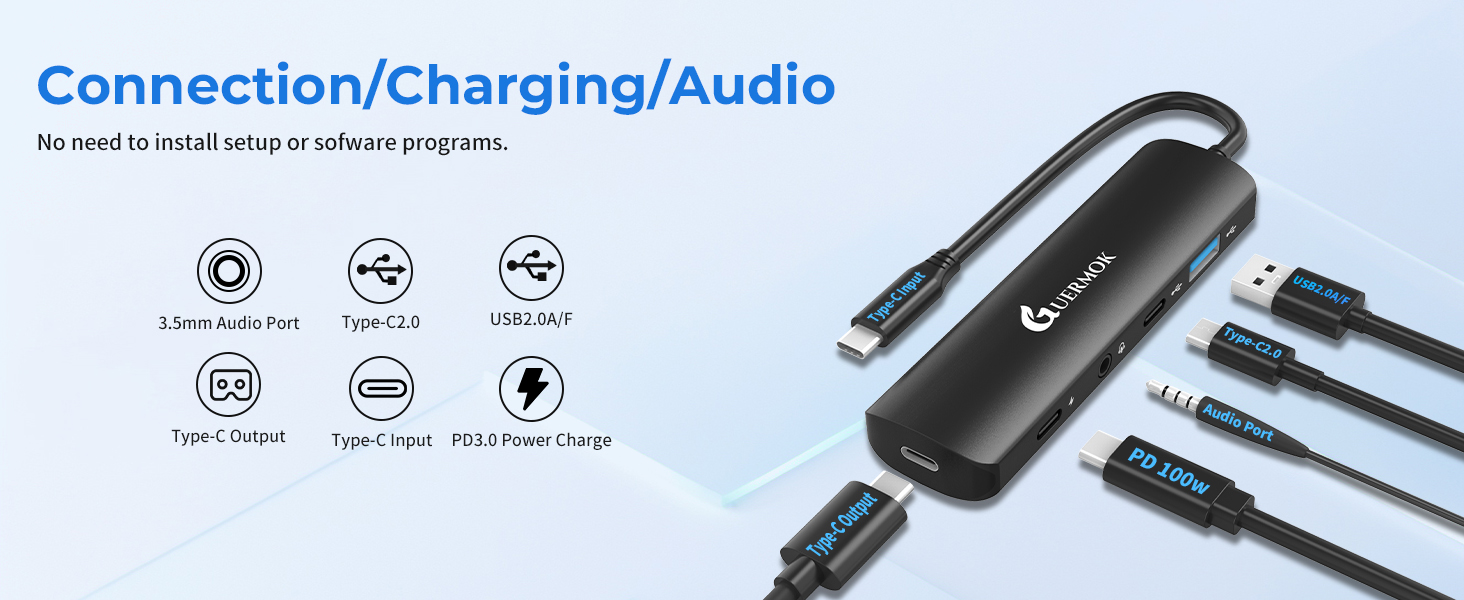
1 5 in 1 Port Details
2 PD100W Charge
3 Wide Compatibility
4 Compatibility List
5 Incompatibility List
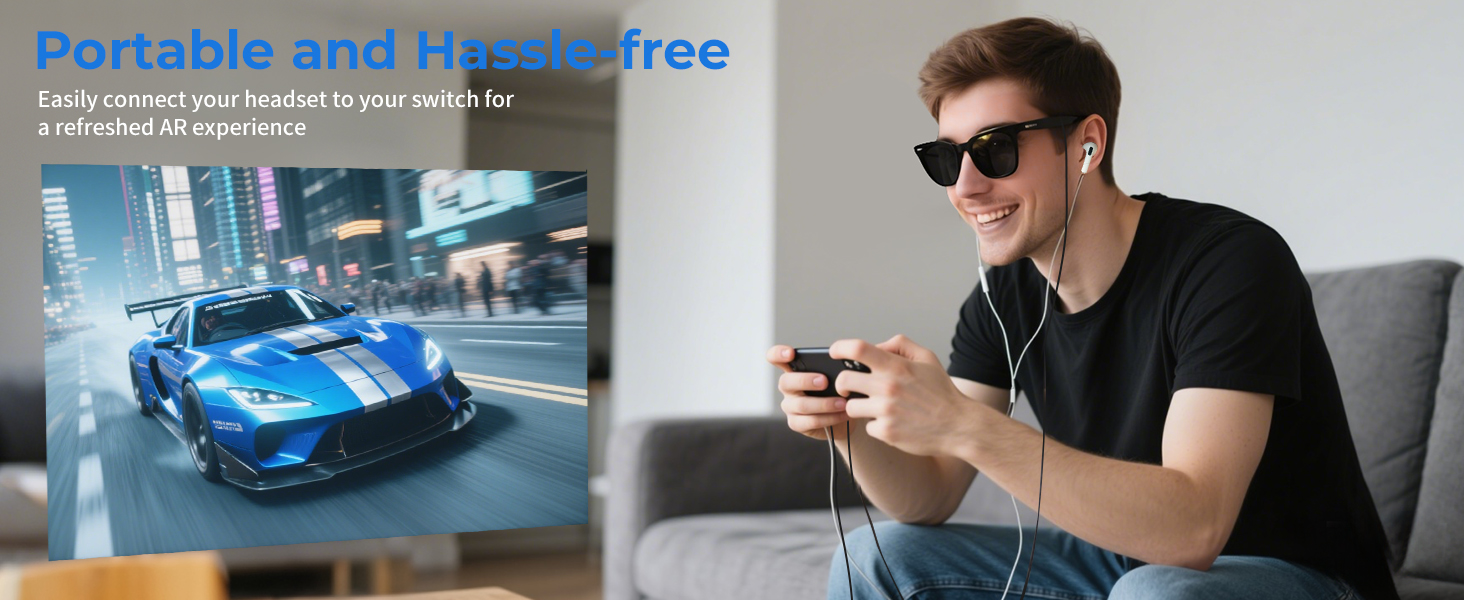
No Audio Output:
Check if the 3.5mm connector has been selected as the default audio device, and manually select the sound output channel when the computer device does not switch automatically.
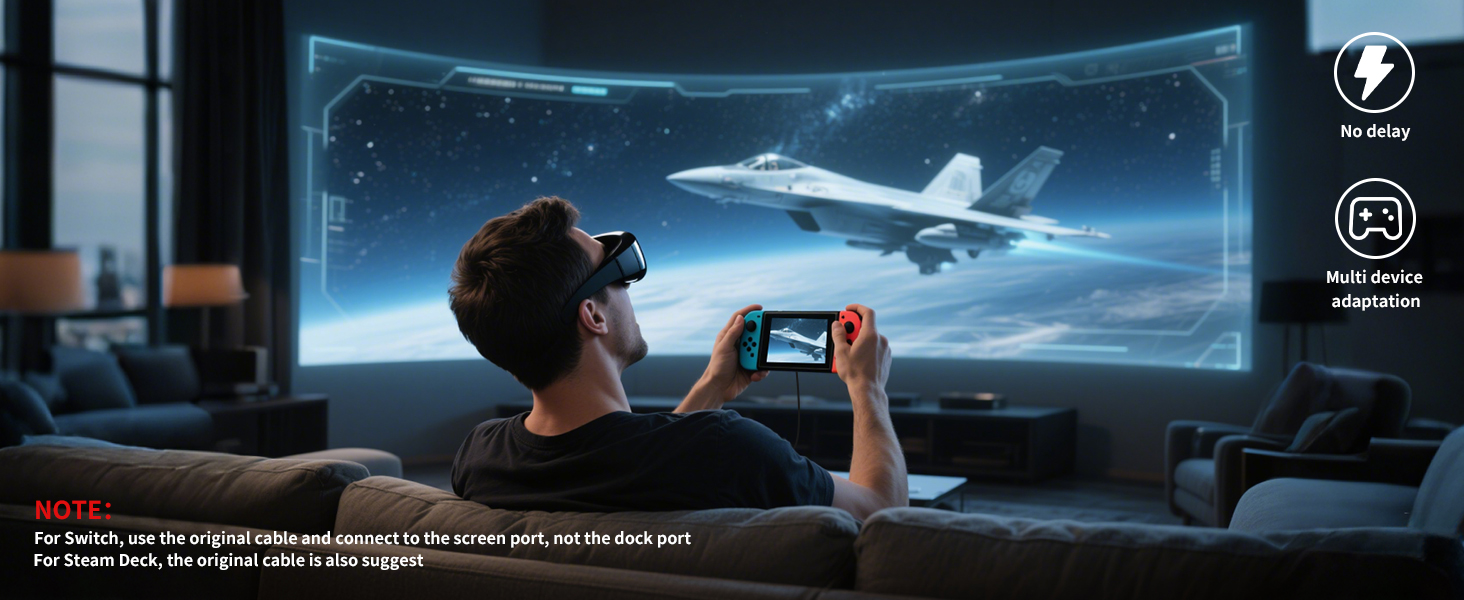
Switch-activated TV Mode:
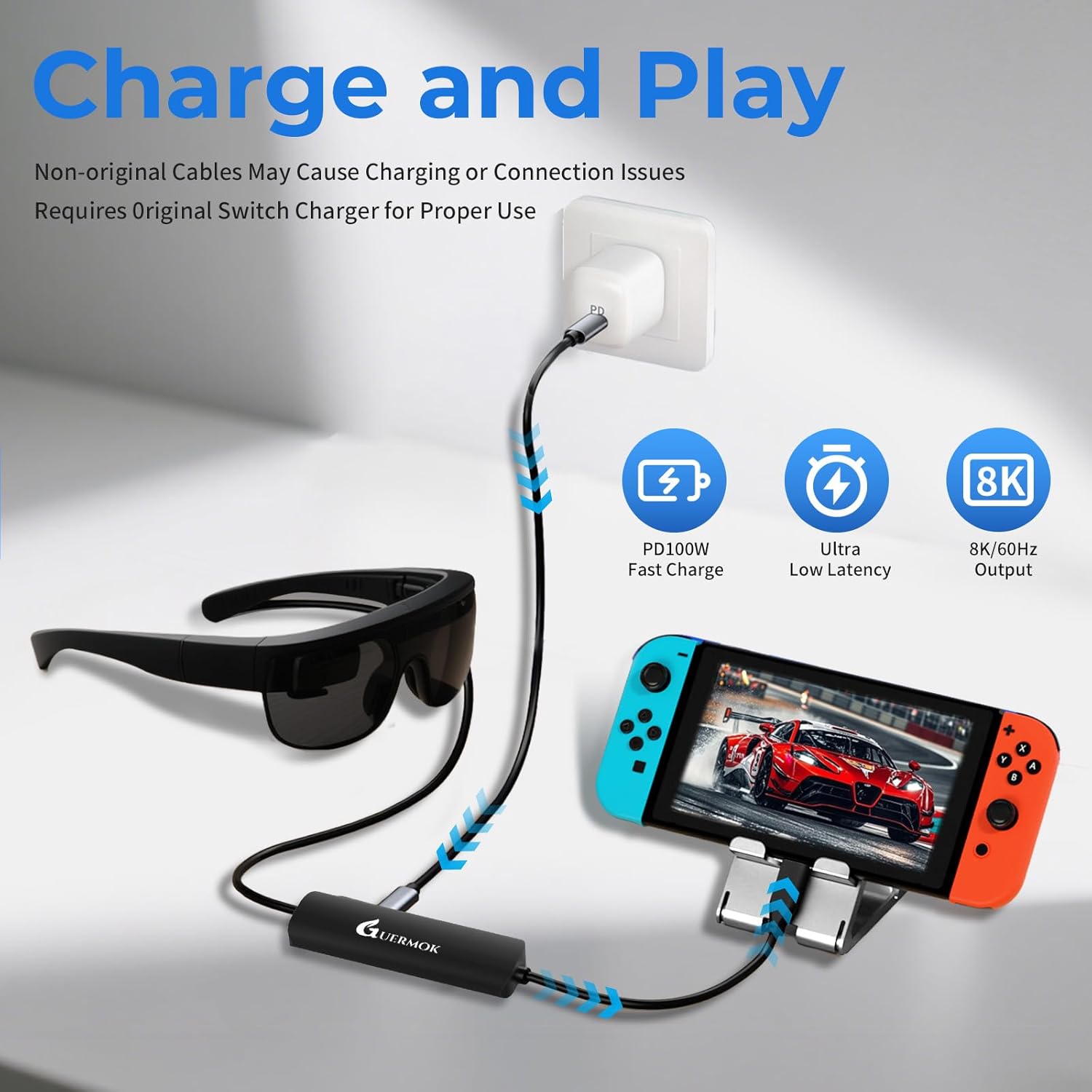
Use the original Switch power adapter, or use the included USB-C charging cable and an adapter that supports 15V, 3A output.
This product supports up to 8K@60Hz and is backward compatible with 4K, 2K, 1080P, and 720P. It also supports 1080P@144Hz and 1080P@120Hz. For optimal resolution and refresh rate, ensure both input and output devices support the required specifications
Compatible with various smart glasses: XREAL: XREAL Air 2 Pro, XREAL One, XREAL Air, XREAL Air 2, XREAL One Pro, XREAL Air 2 Ultra, Rokid Air/Max, Viture Pro/One, RayNeo Air 2s XR, Thunderbird AR, etc.
Note:
If there is no sound when the USB C adapter is connected to the XREAL Air/Air 2/Air 2 Ultra/Air 2 Pro seriesl AR glasses:
1. please update your Xreal glasses firmware to the latest version (update in the Xreal app on your phone).
2. After upgrading, press and hold Brightness – (one beep) and release; then press and hold Brightness + (two beeps), the screen will briefly go black and both audio and video will be displayed simultaneously
If there is no sound when the USB C adapter is connected to the XREALI One/One Pro series:
Please Double click on “X” Key: Enter Settings Mode;Click on “_” Key: Enter Audio Mode, Enter Audio Protocol;then click on “X” Key: Confirm to choose《DP Mode》.
Nintendo Switch Connection Guide:
1. TV Settings: Select ‘1080p’ for resolution and ‘Auto’ for audio.
2. Connect the USB-C connector to the USB-C port on the bottom of the Switch and detach the joystick.
3. Activate TV mode:Use the original Switch power adapter, or use the supplied USB-C charging cable and an adapter that supports 15V, 3A output.
Note: Nintendo Switch is sensitive to power requirements, and TV Mode must be powered by a power source that meets these requirements in order to function properly. If the screen does not turn black, check the power adapter specifications.
Guermok AR/XR Glasses Adapter
Add to Cart
Add to Cart
Add to Cart
Add to Cart
Add to Cart
Add to Cart
Add to Cart
Customer Reviews
4.6 out of 5 stars 46
4.3 out of 5 stars 179
4.3 out of 5 stars 179
4.6 out of 5 stars 46
4.3 out of 5 stars 396
4.3 out of 5 stars 396
4.4 out of 5 stars 2,482
Price
$36.00$36.00
$23.00$23.00
$23.00$23.00
$39.00$39.00
$21.89$21.89
$21.89$21.89
$19.99$19.99
Supports Charging
✔
✔
✔
✔
✔
✔
✘
Audio Out Port
✔
✘
✘
✔
✘
✘
✘
Connection Port
USB-C to Type-C
HDMI to USB-C
HDMI to USB-C
HDMI to USB-A/C
HDMI to USB-A/C
HDMI to USB-A/C
HDMI to USB-A/C
Charging Power
PD 100W
DC 5V
DC 5V
PD 100W
PD 100W
PD 100W
No
Input Port Compatible Devices
Switch 1,Steam Deck,Rog Ally
Switch,Steam Deck,Rog Ally
Switch,Steam Deck,Rog Ally
Switch1/2 ,Steam Deck,Rog Ally
Ipad/Iphone/Laptop/XBOX/Webcam
Ipad/Iphone/Laptop/XBOX/Webcam
Ipad/Iphone/Laptop/XBOX/Webcam
Input Port Compatible Devices
Laptop,Iphone/Ipad,Legion Go
PS5/4,Laptop,XBOX Series
PS5/4,Laptop,XBOX Series
Laptop,Iphone/Ipad,Legion Go
Switch/SteamDeck/Camera/PS5/4
Switch/SteamDeck/Camera/PS5/4
Switch/SteamDeck/Camera/PS5/4
Output Port Compatible Devices
XREAL One/Pro,XREAL Air/2/Pro
XREAL One/Pro,XREAL Air/2/Pro
XREAL One/Pro,XREAL Air/2/Pro
XREAL One/Pro,XREAL Air/2/Pro
Quest/Laptop
Quest/Laptop
Quest/Laptop
Output Port Compatible Devices
Rokid Air/Max, Viture Pro/One
Rokid Air/Max, Viture Pro/One
Rokid Air/Max, Viture Pro/One
Rokid Air/Max, Viture Pro/One
All in one PC/Computer
All in one PC/Computer
All in one PC/Computer
Output Port Compatible Devices
Studio display, Monitors
RayNeo Air 2/3s etc.
RayNeo Air 2/3s etc.
Studio display, Monitors
Ipad/Imac
Ipad/Imac
Ipad/Imac
Product Usage
Screen transfer to AR glasses
Screen transfer to AR glasses
Screen transfer to AR glasses
Screen transfer to AR glasses
Live feed capture in real time
Live feed capture in real time
Live feed capture in real time
Support Switch 2
✘
✔
✔
✔
✔
✔
✔
Maximum resolution
8K 60hz
4K 60hz
4K 60hz
4K 60hz
1080P 60hz
1080P 60hz
1080P 60hz
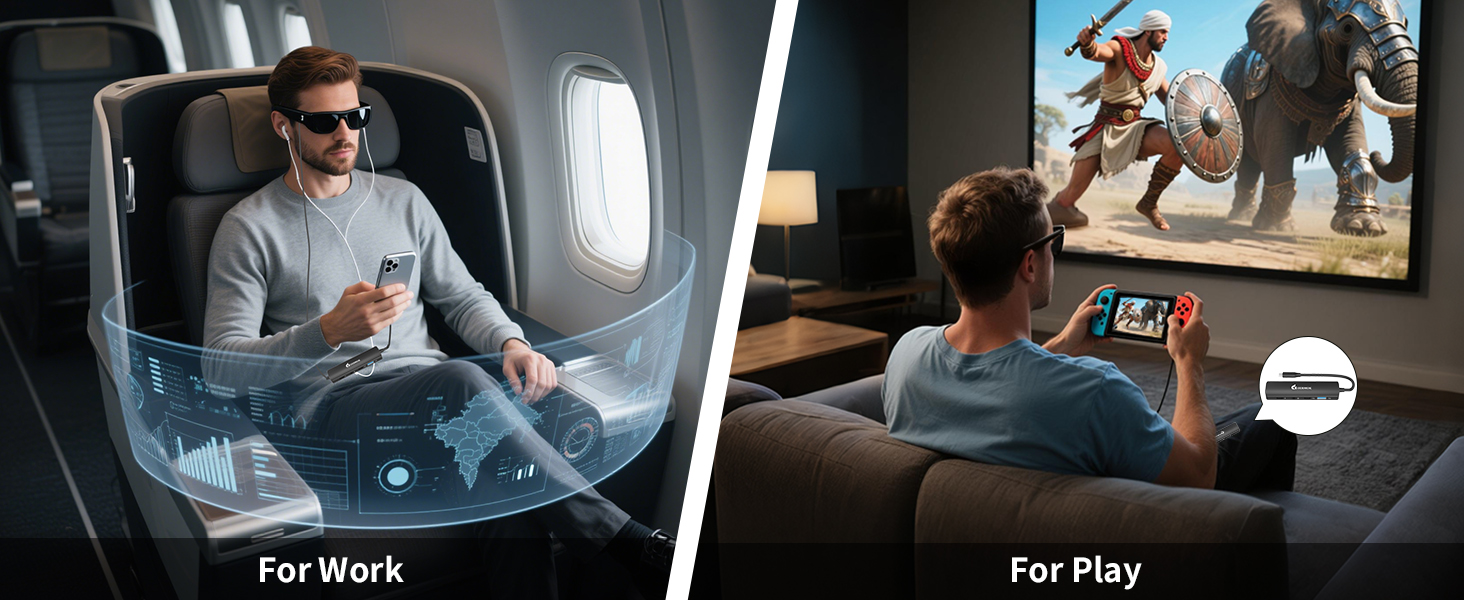
【5-in-1 USB-C AR Glasses Adapter】This versatile all-in-one AR Glasses adapter integrates multiple essential functions in one compact device: USB-C video output supporting up to 8K@60Hz for stunning visuals, 100W PD fast charging to power your upstream devices, USB-A and USB-C data ports with high-speed 480Mbps transfer rates, and a 3.5mm audio jack for clear sound. It’s designed to simplify and enhance your AR/XR setup for work, gaming, streaming, and video calls
【8K@60Hz Display & Clear Audio】Supports ultra-high-definition video output up to 8K@60Hz and 4K@60Hz via USB-C, delivering crisp and immersive visuals for AR/XR glasses such as XREAL Air, Rokid Air, and more. Ideal for watching movies, gaming, or mirroring your device screen with rich color and smooth frame rates. Please make sure your AR glasses and source device support video and audio transmission over USB-C to unlock the full experience
【PD 100W Fast Charging for Source Devices】This usb-c charging hub adapter delivers up to 100W of power via the PD port to fast-charge upstream devices like laptops, smartphones, or gaming consoles—ensuring stable performance during high-demand AR/XR use. Simply connect a PD-compatible charger (60W or higher is ideal) to the power port to charge your source device while simultaneously outputting video, audio, and data. Note: This port does not charge USB-C displays or AR glasses
【Wide Compatibility, One-Way Signal】Designed for USB-C video-enabled devices, this AR Hub Glasses Adapter supports top AR models like XREAL Air (formerly Nreal Air),RayNeo Air, Rokid Air, and Thunderbird Air. Seamlessly connect your USB-C host devices—such as Switch (with USB-C), Steam Deck, iPhone 15/16, Android phones, MacBook, and laptops—to enjoy immersive visuals on a virtual big screen. Note: Signal flows only from USB-C host (e.g., phone/laptop) to USB-C display (AR glasses); not bidirectional. Not compatible with HDMI-only devices, Quest, or Studio Display. Switch2 is not supported
【Plug-and-Play & Audio Support】Multiport AR Glasses Converter features an aluminum housing for efficient heat dissipation. No drivers needed — just plug and play, ideal for mobile AR gaming, travel, or office use. For XREAL users with no sound, update firmware and long-press the “+” button until two beeps. If audio doesn’t switch automatically, set the 3.5mm port as default output manually. Package includes: 1× USB-C to USB-C 5-in-1 Hub, 1× User Manual. Note: No cable included
13 reviews for Guermok 5-in-1 USB-C to AR Glasses Adapter, 100W PD Fast Charging, 8K@60Hz Video, USB/USB-C Ports – Works with AR Glasses Devices, Handheld Consoles, Switch, USBC Phones and Laptops, Black
Add a review

$5.99
Jasmin H. –
Works great to connect my XREAL One glasses to my Steam Deck and charge
I was excited to find this adapter so I could use my XREAL One glasses with my Steam Deck and charge at the same time. The additional headphone jack and USB-A port is super helpful so I could also connect a wireless keyboard/mouse if I wanted, or use/charge another peripheral at the same time. I just used it for the first time on a cross-country flight and it was amazing. No more shrimping on the airplane or tingly hands from having to hold up the Deck all the time, and getting maximum game time since I’m not worried about the Deck running out of battery.It was super easy to use, just plug it in and you’re good to go. You do have to pay attention to which port is for the glasses and which USB-C port is for power delivery since they’re not interchangeable, but they’re clearly labeled and on different parts of the adapter, so it’s not hard to figure out. Great value since it’s cheaper than the XREAL adapter and it’s really slim, too!
Shamelle14 –
Works great
Does what it says.Works great.Used with viture luma series.All features work.Cheaper than branded adapter with more features.
ERICK FRANCO DEL CASTILLO DEZA –
Solid tool
Good product, very solid. Functions as advertised.
Dan McGill –
A Nice Digital Hubby Hub
Hello everyone. I’m doing this pratical review for my upbeat opinion about an item that I recieved free, so here goes all. This 5-in-1 USB-C hub with a few ports for USB-A and port C was something that I was anticipating. Why? It seems to have all the bells plus whistles for what I needed it for, I’m talking about a multi-hub that allows me to power up my game console, smartphones, laptop and iPad plus a few more digital devices. This adapter hub charges my devices really fast, I’m talking about older and cureent ones. The device is sturdy, well made and feels nice in my hands which is a big deal. The adapter supports 4k and 8K, yay! This is great for my TV and monitor that I use daily. Next, the performance output of the adapter worked as good as I figured, a major win for the manufacturer. This cool adapter allowed me to charge, play and use without interruption all my devices without any overheating issues, another win. The price is decent and I’m sure more and more buyers will be purchasing it for their needs. I’m done.
Rich Polanco –
This is what you need for USB-C Apple devices
Works great with RayNeo 3S and M1 iPad. Plugging and unplugging occasionally helps if there’s a glitch.
Axcel –
Excellent Little HUB
Device has an excellent build quality and all the advertised features function for me. I do not have a switch two so I can not test that system, but I do know that Nintendo muddied the USB waters further by creating their own handshake for usb devices. Excellent build, easy to use, all features work, full marks.
Steve –
Still on the fence, but I like it.
I haven’t time tested this yet, I’ve only had it for a week, however I did try it on my Lenovo Go and my cell phone, and it seemed to do what it’s supposed to do. For some reason the Lenovo Go couldn’t get my portable, non-powered monitor to turn on, but my cell phone did get it to turn on. I think it’s a problem with the monitor though. It’s very functional, and I like that it has extra ports. The only downfall of all of these adapters is that it will take your super fast charger and dumb it down to regular charging or fast charging. When I plugged it in many times it would only say charging, but if I unplugged it and plugged it back in it would say it’s fast charging, but then eventually it would just say just charging. So I’m not sure if I’m getting fast charging or super fast charging at all. It’s very functional, and I like that it has extra ports.
John Techs –
The answer to your XR/AR productivity prayers!!
Let me just start by saying that I’m writing this review with the hub plugged into my samsung galaxy S23 Ultra, a ZSA Planck keyboard, and XREAL One Pro glasses, While also playing spotify through the built-in speakers on the glasses! I’d previously searched for a device like this but couldn’t find anything that would work, THIS DEVICE IS EXACTLY WHAT I WANTED!! one issue is that most “portable USB-C hubs” don’t have a USB-C video out port and XR/AR glasses don’t work with standard HDMI. Not a problem here!This device answered all my prayers, not only does it give an audio port and 2 USB ports for mouse/keyboard or even a daisy chained USB hub, it actually supports 8k60 which means my XREAL One Pro glasses will run at 120hz when using this dock. This is a MAJOR plus and a huge deal breaker for me otherwise. Not only does the video and port functionality work flawlessly but the sound also registers and plays through the built-in speakers on the XREAL glasses (which doesn’t work reliably with many 3rd party brands)Compatibility:I can say for sure that it works with samsung DEX, XREAL One Pro exactly as I’d hoped, but can’t comment on other brands since these are the only ones I have. I can say though that my phone is even a bit finicky with just the XREAL glasses plugged directly but works flawlessly with this dock so I imagine it will work well with everything. Sound quality:Works with the built-ins so sound quality is as good as you could hope for, though for the highest quality, I’d use the audio port with wired buds, or even just bluetooth to the phoneBuild quality:Build quality feels very solid, nice case and decent cable covering, I don’t anticipate any issues.Charging speed:Its supports up to 100w passthrough charging, right now it’s charging my phone at max speed while powering the XREAL glasses and the attached keyboard, amazing!Functionality:This is the answer to all your productivity prayers if you’re an XR or AR glasses user for work or non-gaming tasks. The biggest issue I faced before finding this product was that with just the xreal hub, If using my phone or steam deck as a computer rather than gaming device or just watching media, I needed more space to plug in peripherals, and as a mech keeb user, bluetooth just isn’t really an option for those devices.
Diego Sanchez –
Llevaba tiempo buscando un adaptador que me permitiera usar mi Galaxy Tab S10 Ultra en modo DeX conectada a mi monitor ultrawide, sin perder la posibilidad de mantener la tablet cargando al mismo tiempo.Como este modelo solo tiene un puerto USB-C 3.2 (no Thunderbolt), antes tenía que elegir entre tener imagen o cargar la tablet. Con este hub Guermok 5 en 1, por fin puedo hacerlo todo a la vez.Integra alimentación PD de hasta 100 W, salida de vídeo 4K@60 Hz, puertos USB-A y USB-C para datos, y conector de audio de 3,5 mm. En mi caso, conecto el cargador de más de 65 W al puerto PD, mi disco duro externo de 2 TB al USB-A para transferir archivos desde la tablet, y el cable USB-C de DisplayPort al monitor. Lo mejor es que todo funciona a la vez sin cortes ni caídas de rendimiento: la tablet se carga, la imagen se muestra perfectamente en pantalla y las transferencias de archivos al disco duro van rápidas y estables.El diseño también destaca: carcasa de aluminio, ligera y con un acabado muy “aesthetic”, ideal tanto para escritorio como para llevar en la mochila. Además, no necesita controladores ni configuraciones raras, simplemente conectar y usar.Después de probarlo a fondo, puedo decir que cumple lo que promete con creces: imagen fluida, carga estable y compatibilidad total con periféricos exigentes. No se calienta apenas y transmite solidez.En resumen, un hub imprescindible si usas tablets o portátiles con un único USB-C y quieres trabajar, transferir archivos, cargar el dispositivo y usar pantallas externas todo al mismo tiempo. Sencillamente, una maravilla. 🔌✨
Banded Hawk –
The unit came in a small, sealed packet.This mini-dock is intended to direct data from the USB-C port of the source, such as a laptop or game console, to AR glasses. However, this hub works just fine for a laptop to a monitor, but you will need a USB-C to HDMI adapter. The hub gives you a 3.5mm audio port, a USB-A port, and another USB-C port. There is a USB-C port for providing power. The minimum power supply is 65W and up to 100W. This will allow the hub to provide charging back to the source device.The dock is tiny, and the case is metal except for the ends. From the photo, you can see the size of the mini-hub compared with the remote for a Chromecast for TV. The top and bottom surfaces are slightly curved. The ends of the unit have a slight edge, so be careful that they don’t scratch your laptop case or devices when you throw this mini-dock in the bag.The size of this device makes it ideal for travel. The quality is great, and I tested it to Quad HD resolution (2560 x 1440 – QHD). It works well. Although the description advertises 8K video support, the unit labels it as 4K output, so please be aware of this. I’d recommend getting this if you need a mini-dock.
Domenico –
Funziona perfettamente: supporta ricarica PD fino a 100W e output video 4K@60Hz senza problemi. Le porte dati sono stabili e affidabili, ottimo per collegare accessori e trasferire file rapidamente. Compatto e ben costruito, ideale per chi usa dispositivi AR o laptop USB-C. Mi trovo benissimo con il mio PC, TOP.
yann –
Funziona molto bene con il mio Rayneo air 3s pro e il mio rog ally ,mi ha permesso di ricaricare mentre gioco ,ho anche aggiunto un goypad Xbox USB ..Che dire ottimo e non scalda molto .
FLD –
Este adaptador es muy práctico si disfrutas de gafas de realidad aumentada. Permite conectar varios dispositivos al mismo tiempo fácilmente y ofrece una buena calidad de imagen y sonido.Además, carga rápido los dispositivos mientras se utiliza. Es fácil de usar porque solo hay que conectarlo, sin tener que instalar nada. También es compatible con muchos aparatos modernos, así que sirve para diferentes marcas y modelos. Es un buen accesorio para mejorar la experiencia con gafas AR cómodamente.